Feedbacks and test prints of these designs

Sorry if this feels like blatant advertising, but i’ve wanted to start 3d printing for quite a while now, and the only way for me to print and prototype things are at my school. I cant ask every time i want something printed, as i have to wait a week to show my teacher the file, and it isn’t every time that i’m allowed to print due to various issues (too long, too much filament, not linked to schoolwork). My goal is to try and earn enough makerworld points to earn myself a printer via gift cards. I have lots of CAD models that i’d like someone to print and test out, just so i can get images that i can post on makerworld, which could hopefully lead me to gift cards for a printer.

Short and Sweet Summaries for each model:

Switch kickstand - An upgraded kickstand compared to the stock one where it covers the whole back of the console, allowing for better stability. Best printed in PLA, PETG, ABS or ASA.

Snorkel keep - A quick replacement snorkel clip in case you lose or break yours, is recommended to be printed in PETG, ABS or ASA.

Truchet tiles - Hexagonal tiles connected using ‘H clips’ that create a pattern regardless of orientation. I recommend pausing/colour changing at the layer where the extrusions are, and can be printed with PLA, PETG, ABS or ASA

DS Lite holder - A vertical holder for the DS Lite that includes holders for games, DS or GBA. It is a display stand and would look great when paired with multicolour. Works with PLA, PETG, ABS and ASA.

Upgraded switch kickstand.3mf (82.5 KB)

Snorkel Keep.3mf (131.6 KB)

Truchet Tiles.3mf (55.6 KB)

Ds Lite Holder.3mf (72.6 KB)

1 Like

That’s a great goal to bear in mind. But remember, this isn’t a sprint - we’re talking about roughly a year. It’s a slow process, and you have to build a foundation bit by bit. It’s really great that you’re learning CAD - it’ll definitely come in handy later in your career. To be successful on MakerWorld, you also need skills like photography.

A good 3D model accounts for only 50% of success; the rest comes from good photos and a description, a design that may not yet exist, and a little luck. It’s definitely a good idea to stick with it, because that sets you apart from the many people who give up after a short time, since it feels like it takes forever to start seeing results at the beginning. Often, nothing happens for months.


Now, regarding your 3D models: some look like you really thought about what’s possible with a 3D printer, while others, I think, could still be improved:

  • Upgraded switch kickstand = Suitable for 3D printing :+1:
  • Snorkel Keep = Unfortunately, that doesn’t look optimized for 3D printing at all
  • Truchet Tiles = Suitable for 3D printing :+1:
  • Ds Lite Holder = Partially suitable for 3D printing

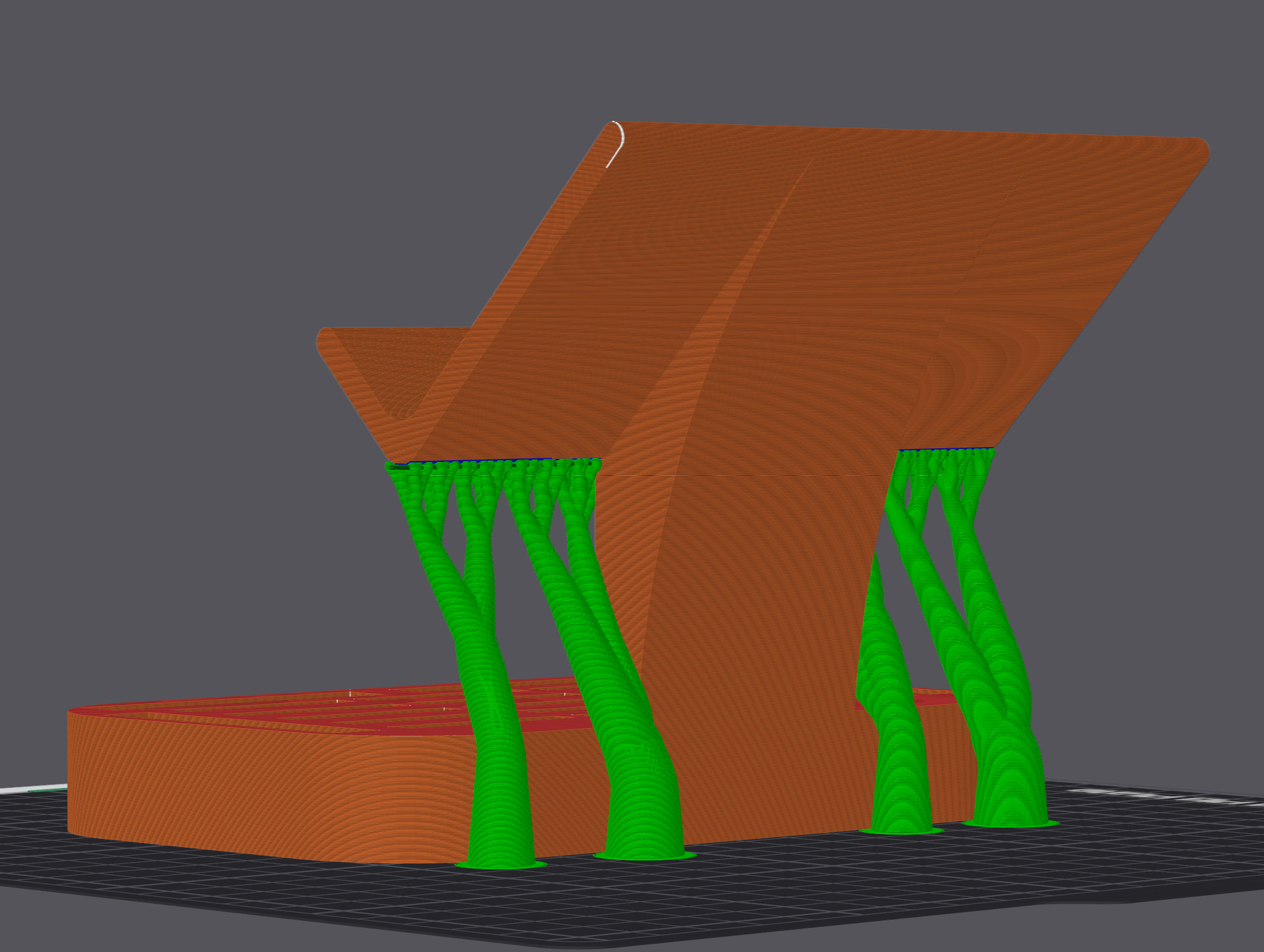
Let me explain what I mean using Ds Lite Holder as an example:

The holder needs support, but that wouldn’t actually be necessary if you make a few small adjustments:

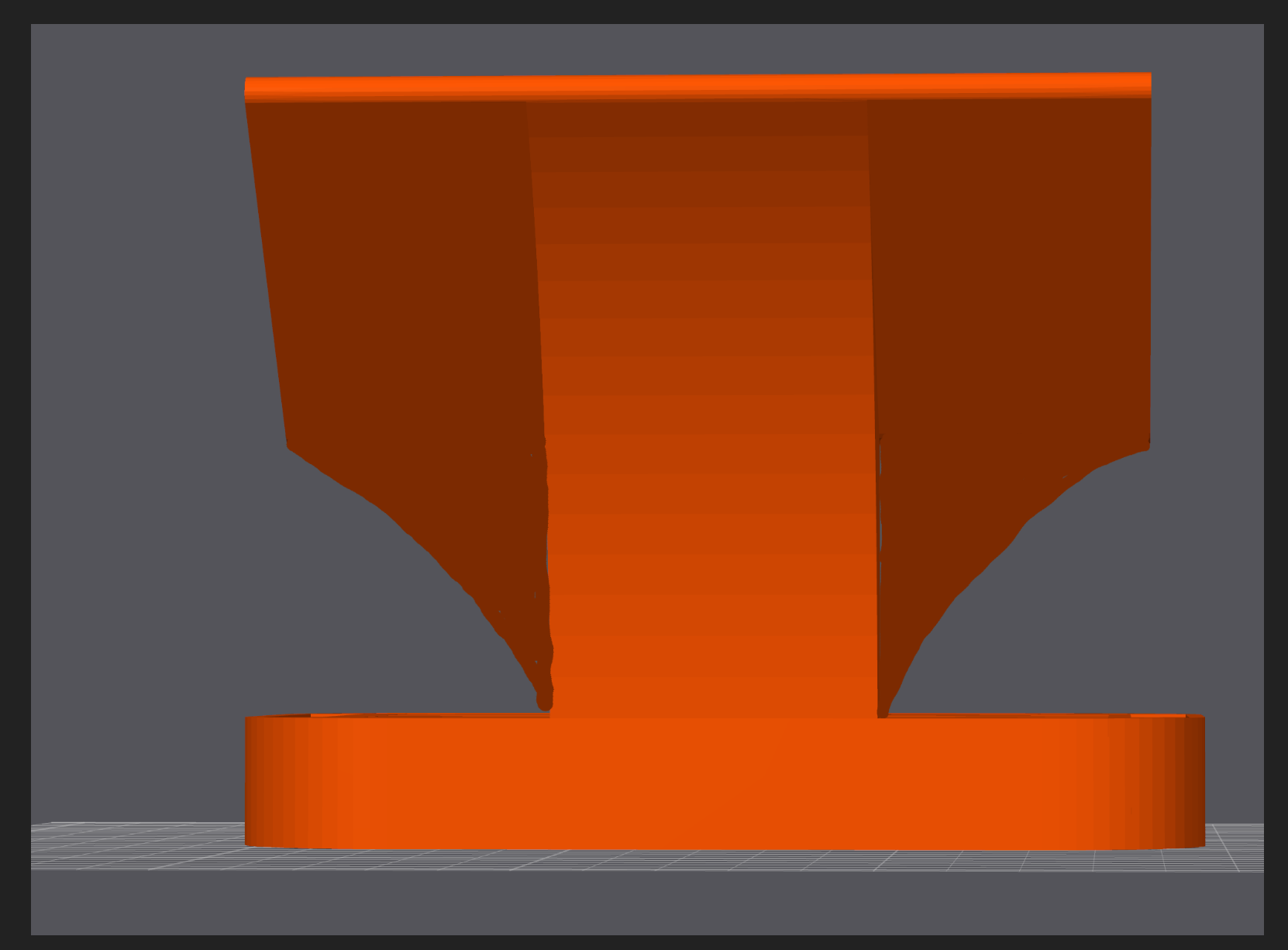
If you round that off, you can print without support entirely:


You’re already on the right track and showing a lot of skill in CAD; all you need now is to start thinking a bit more like a 3D printer: What’s possible? How can you avoid supports? What orientation should you use? Should you round off the edges? And so on. Definitely keep at it. :+1: