Hello,
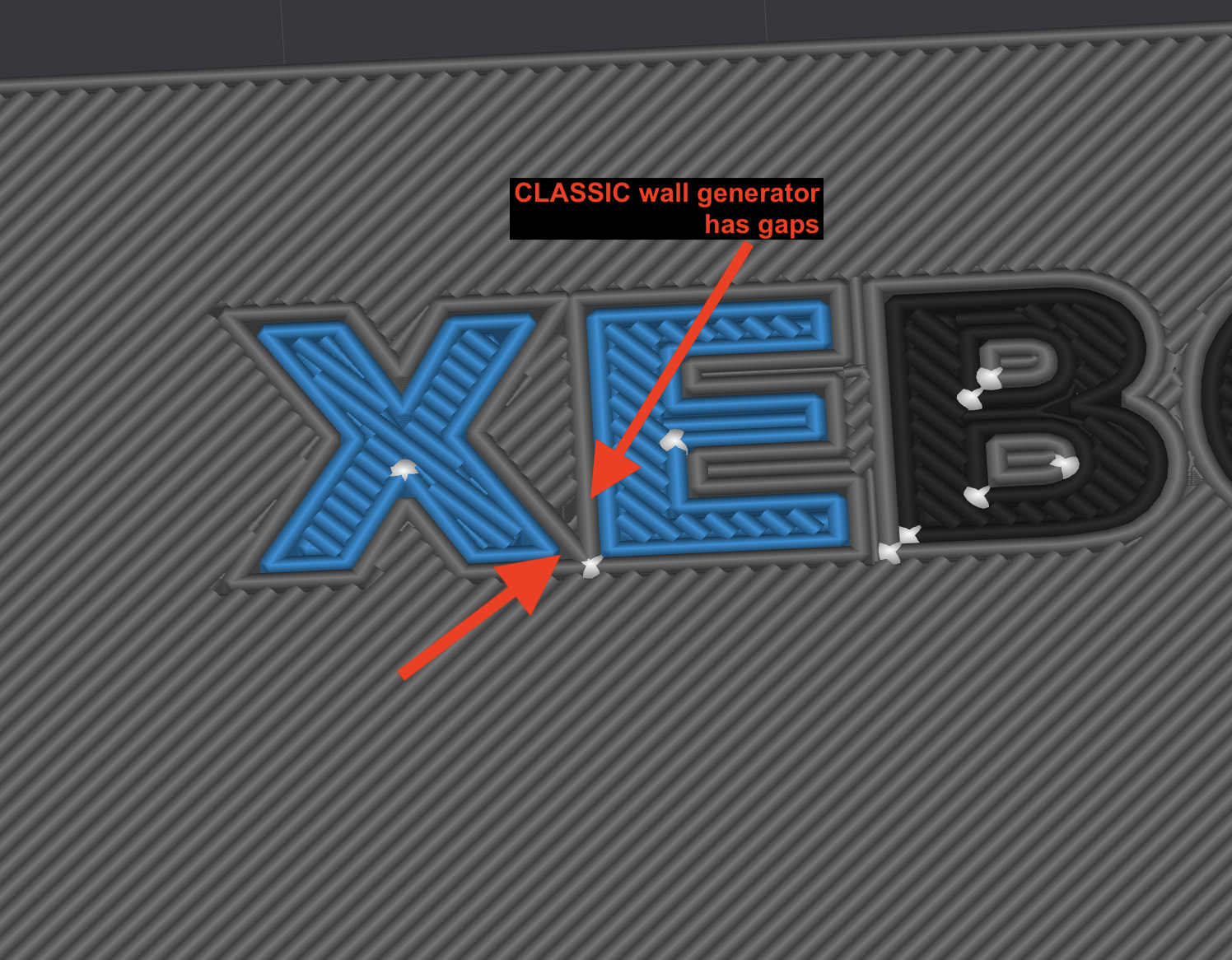
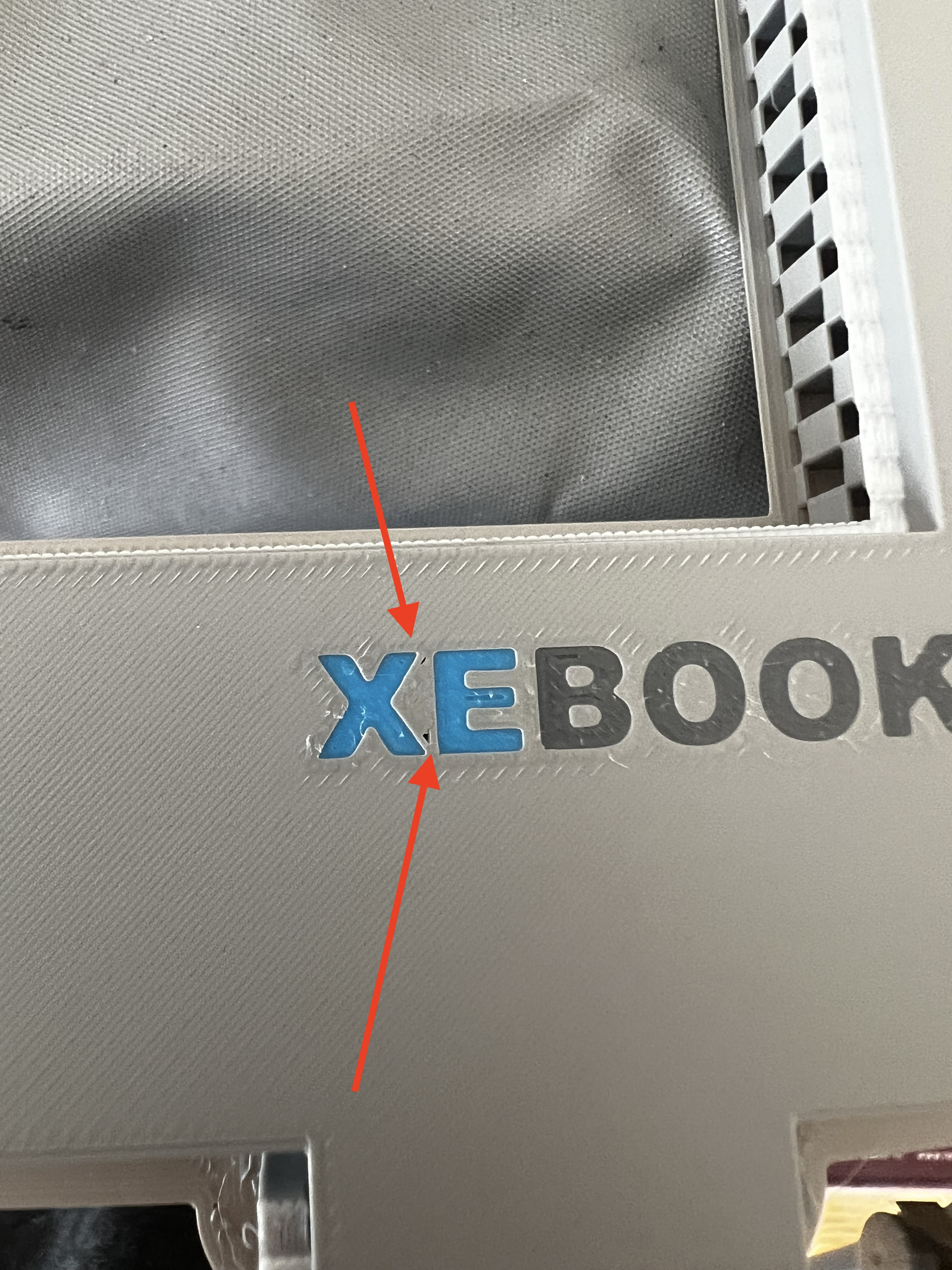
Hoping someone might have some ideas I can they to resolve my gap problem with my text prints..
I have tried using Height Range Modifiers and increasing flow ratio but then the surface of the entire print looks bad although the gaps get filled. So that seems to be the wrong approach.
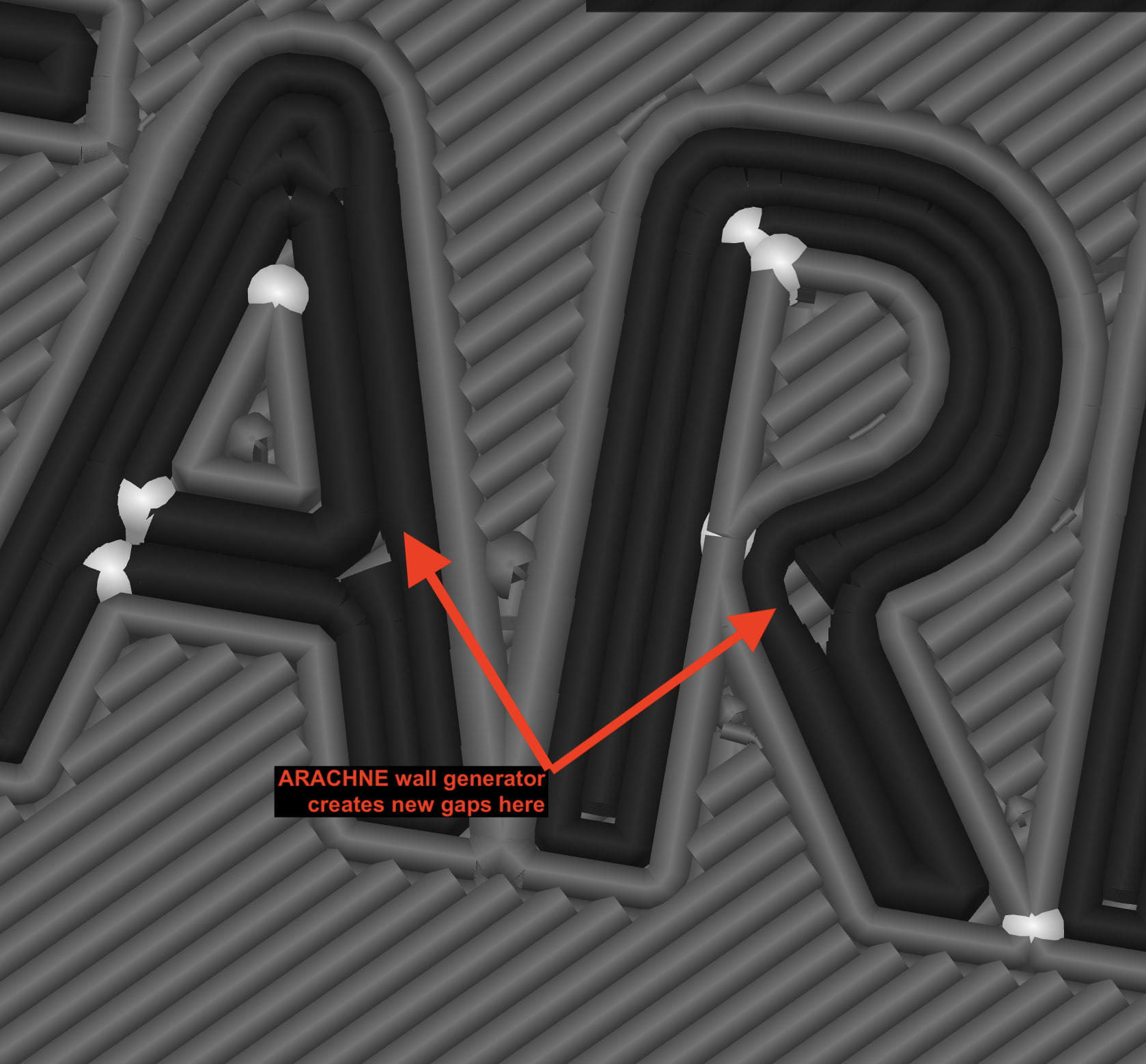
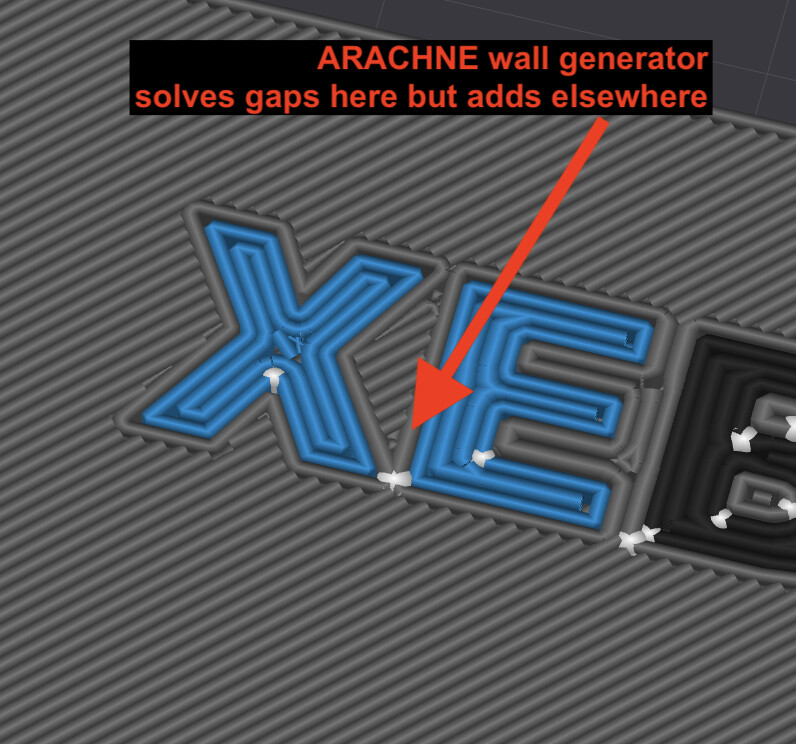
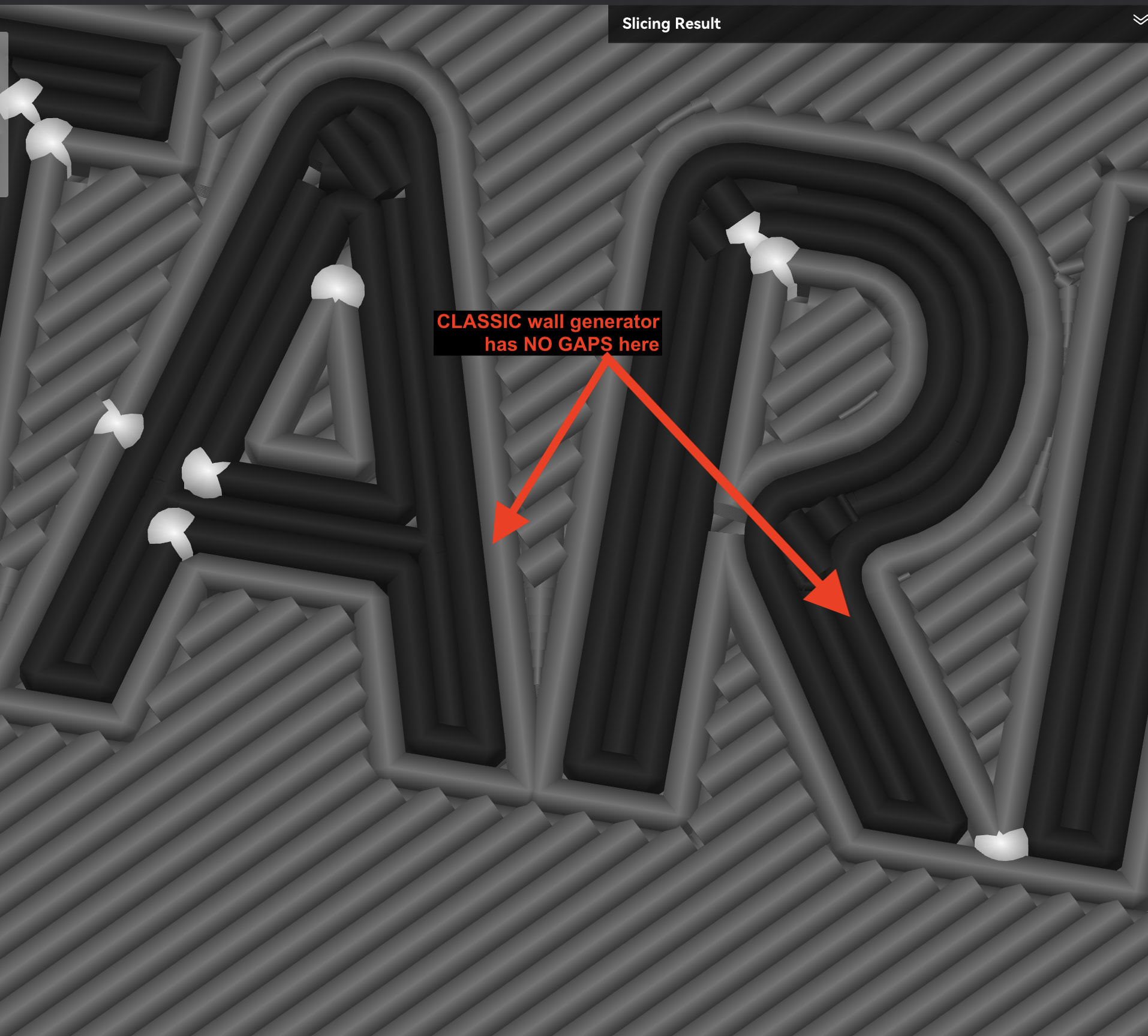
I tried using Arachne Wall Generator but then gaps fill in one area and then appear in others.
Any other things I could try?
Hi Tavis,
Ultimately at some point the lines get too thin to print. I think Arachne is best choice here, but it also has some tweakable settings in regards to how narrow a line it will generate, which may help a bit, though again ultimately will get too narrow at some point for a good print (may take experimenting, try smaller pieces with just the text). There’s also a setting for minimum feature size (forget what it’s called now). I’d play with those to see if anything improves.
A smaller nozzle (not sure what you’re using now) would of course provide more detail, but would likely make the rest of the model slower to print (yeah some day hopefully we’ll be able to mix nozzle sizes).
Some other ideas would be to play with the top fill direction and/or type, and rotating the model can affect things in those regards as well. “Concentric” sometimes fills gaps better, for example, and changing the angle of linear fills will certainly change what areas they can cover (though not always for the better). You could try ironing (or is that ironed already?), though again I’d experiment with some smaller pieces first.
The font choice can make a difference as well of course and even the size. Possibly tweaking the font height or letter spacing by tiny fractions may make a difference w/out negatively affecting the final design.
There’s also the “nuclear option” (sorta) which is filling in any gaps later with a filament pen or some other method.
Flow adjustment is a good idea in general for smooth tops (there’s dedicated settings for just top layer flow in Quality section BTW, no need for a height modifier). But yea if it’s high enough to fill a gap like that, I can’t imagine the rest of the surface would come out great.
Hopefully others will chime in with any other tricks!
HTH,
-Max