My apologies if I’ve posted on the wrong forum.
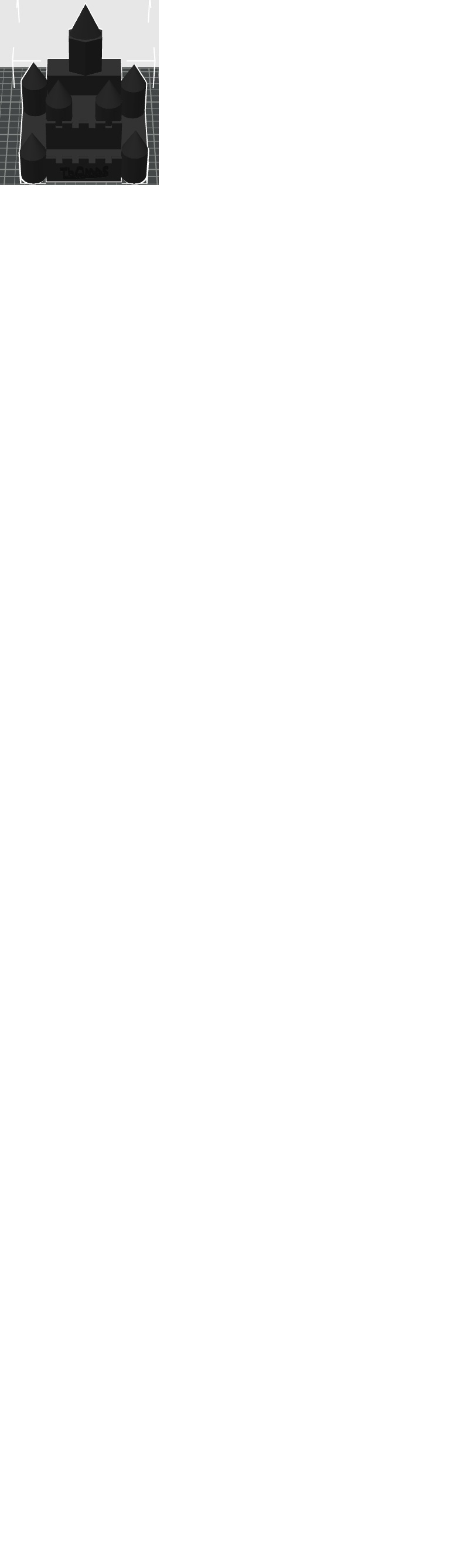
Person had a file named Incredible Wolt-Blorr on their flash drive, They couldn’t remember where it came from.
Is it possible that when you create something from scratch in Tinkercad that Tinkercad assigns a name to it? There is no longer a Thnkercad forum so I can’t post tot ask that question.
I looked for this file name on Maker World, Printables, Thnigverse and Cults3D without success.
I’ve also Googled this and when I upload a screenshot of it chatgpt found nothing.
I don’t know how to reverse engineer to see where am stl came from.
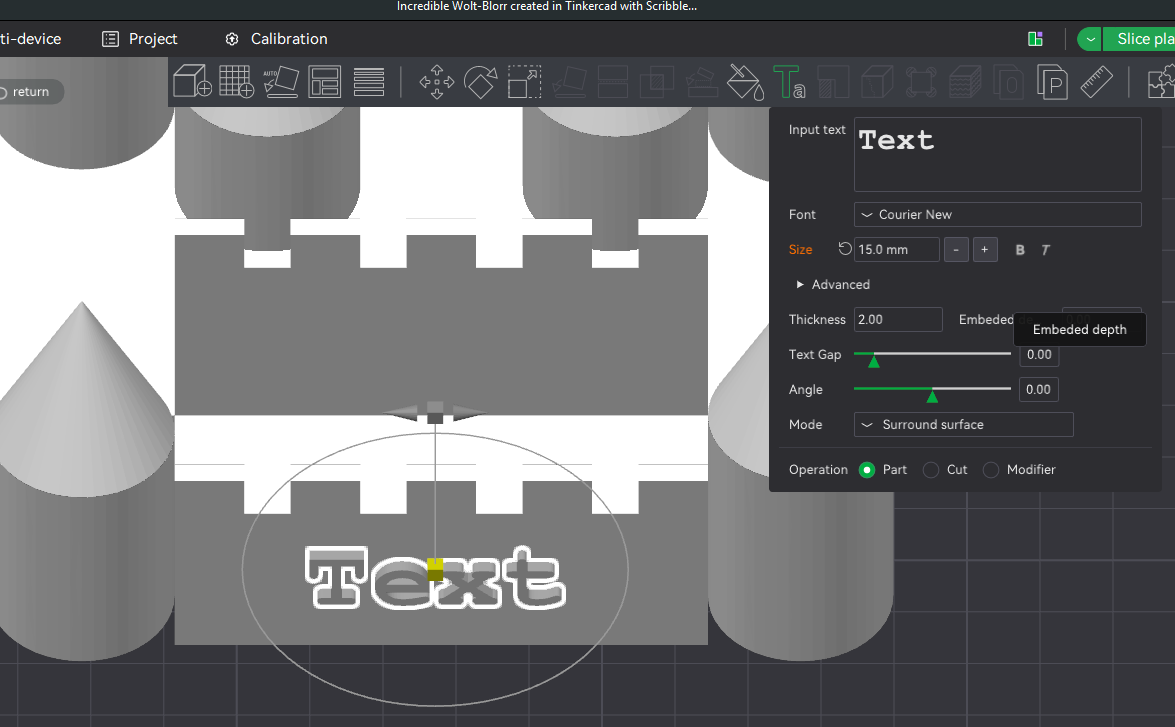
The ultimate goal is to place text on this object. The text on there now was done with the Scribble Tool in Tinkercad and exported as am slt file. I have a Mini Prusa (sorry! ) so I opened that stl in the Prusa Slicer 2.9.6 and it shows that scribbled text. The challenge is that when I cut the bg code to a flash drive and insert that flash into the Prusa, choose that file to print it prints the text like it’s all been balled up so you can’t see any of the characters (person’s name) on the object although the figure prints well.
I thought instead of using Tinkercad’s Scribble tool I’d just create text for it in the Prusa Slicer If Bambu Labs works better I’m open to that as well) but I can’t find that stil file anywhere and have no idea how to"remove" text from an exported stl?
Maybe that’s a job for OpenScad, meshmixer… no idea.
If anyone recognizes this object or know how t remove text from an stl file, I;d very much appreciate your help.
Thank you!
If you want to stick with using Prusa Slicer and your Mini, probably best to post on the Prusa forum as helpful folks where will have more knowledge regarding this workflow.
If you are okay with using Bambu Studio, I would suggest that you import the STL you have, save it as a .3mf file and upload it to the forum. Text can be removed/replaced in Bambu Studio and people here will be able to give you guidance on doing this.
Hi Jon,
Thank you for your post.
I’ve got Bambu Labs installed so if anyone on this list would pls. share the steps (screenshots are hugely helpful to me!) how I remove text from an stl file I’d be very grateful to you.
Incredible Wolt-Blorr created in Tinkercad with Scribble Tool Text.3mf (61.9 KB)
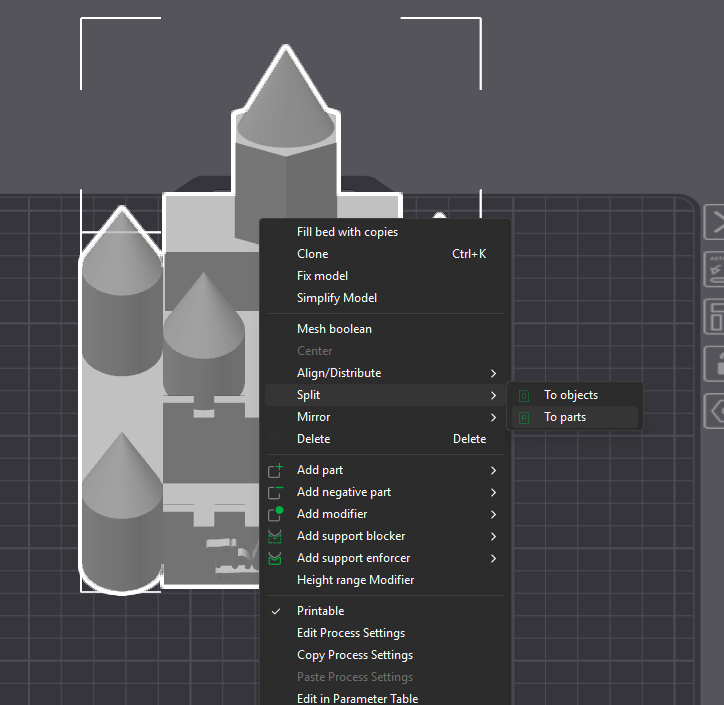
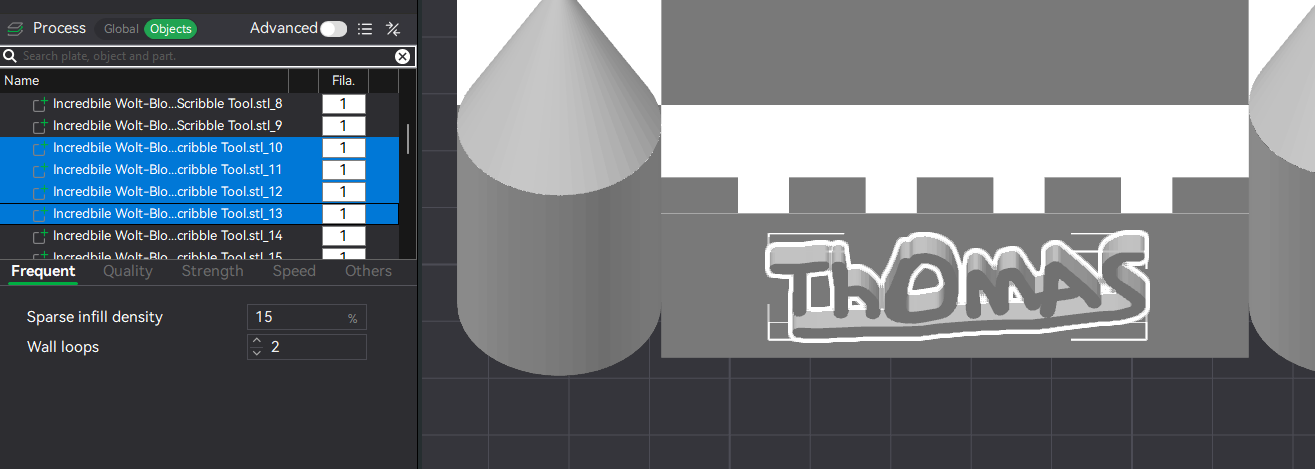
There are different ways to remove the text. You could slice it off, you could cover it up with a negative part or the way I did it was to “Split” into parts and then simply delete the text sections.
Find the text sections and delete them.
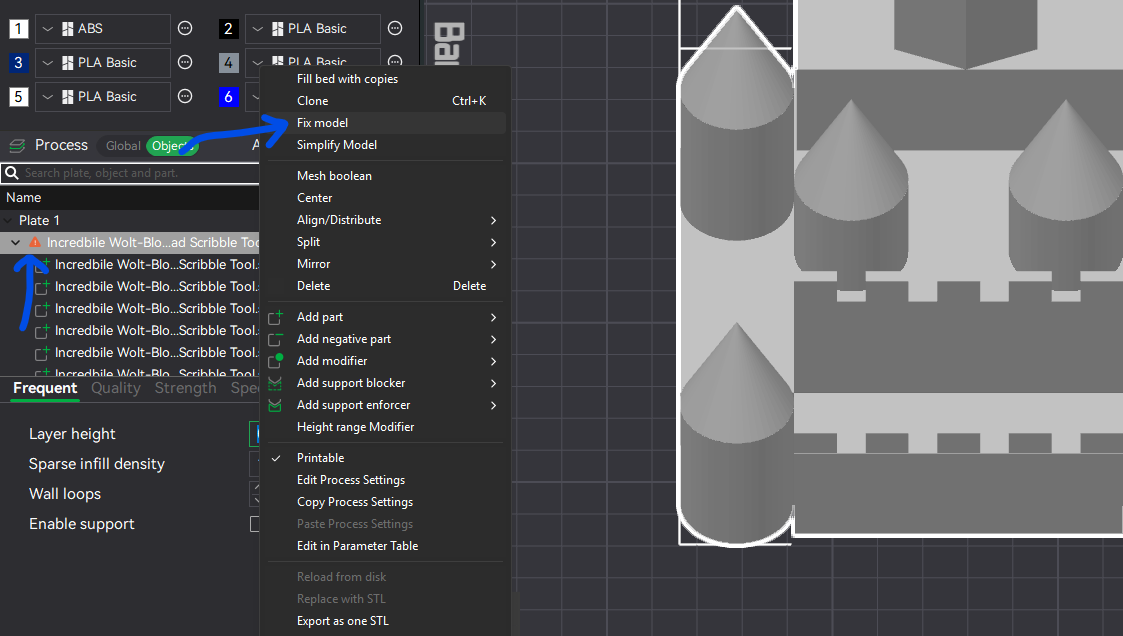
I would also suggest that you “Fix” the model as there are issues with the STL.
You need to have a Windows computer to do this in Studio.
Now simply add the text you want to use back onto the model using using the text tool
Incredible Wolt-Blorr Text Removed.3mf (173.6 KB)
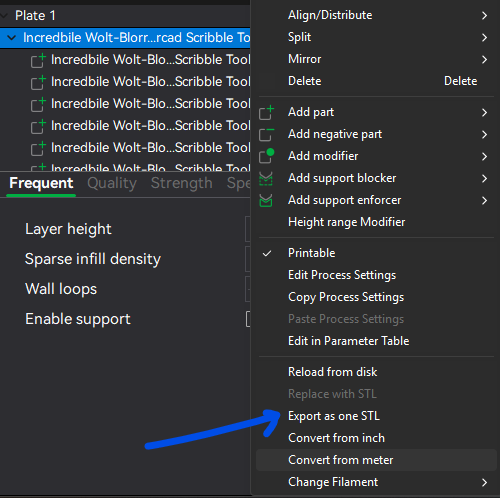
Finally you will want to “Export as one STL” to combine them all back together the “easy” way.
Hi Jon… Thank you for being so all-time, all-world! I learned so much quickly re: using Bamu Labs including fixing and stl.
I’ve added steeples and wondered how this (attached) looks to you with hopefully a corrected stl but I wondered if the spacing between the characters of the name is enough so the printer won’t “glob” together but print
Incredible Wolts-Blorr with added Steeples and Thomas name.3mf (106.6 KB)
clearly?
Thank you again!
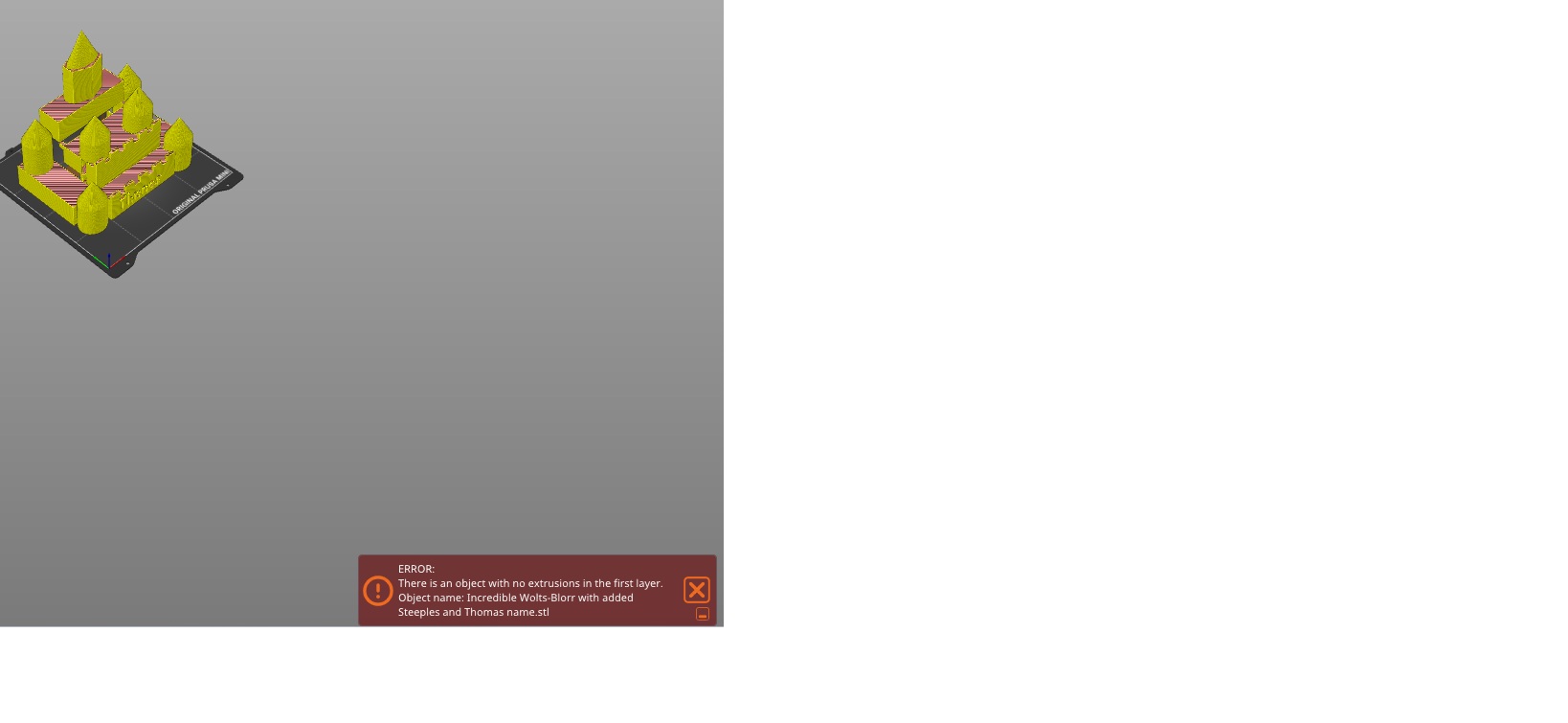
I just sliced in but i get the error that there’s no extrusion on the 1st layer.
I’m not sure what that means or how best to correct that?
It doesn’t seem to allow me to upload the 3mf of this creation.
Thank you.
Looks like your using Prusa slicer? Make sure your model is actually sitting on the print bed.
Hi Jon… does it look like it’s not on the bed in your Bambu Slicer as it looked like it was flat in the Prusa Slicer but I’ll use the lay flat on bed feature just in case.
Thank you.