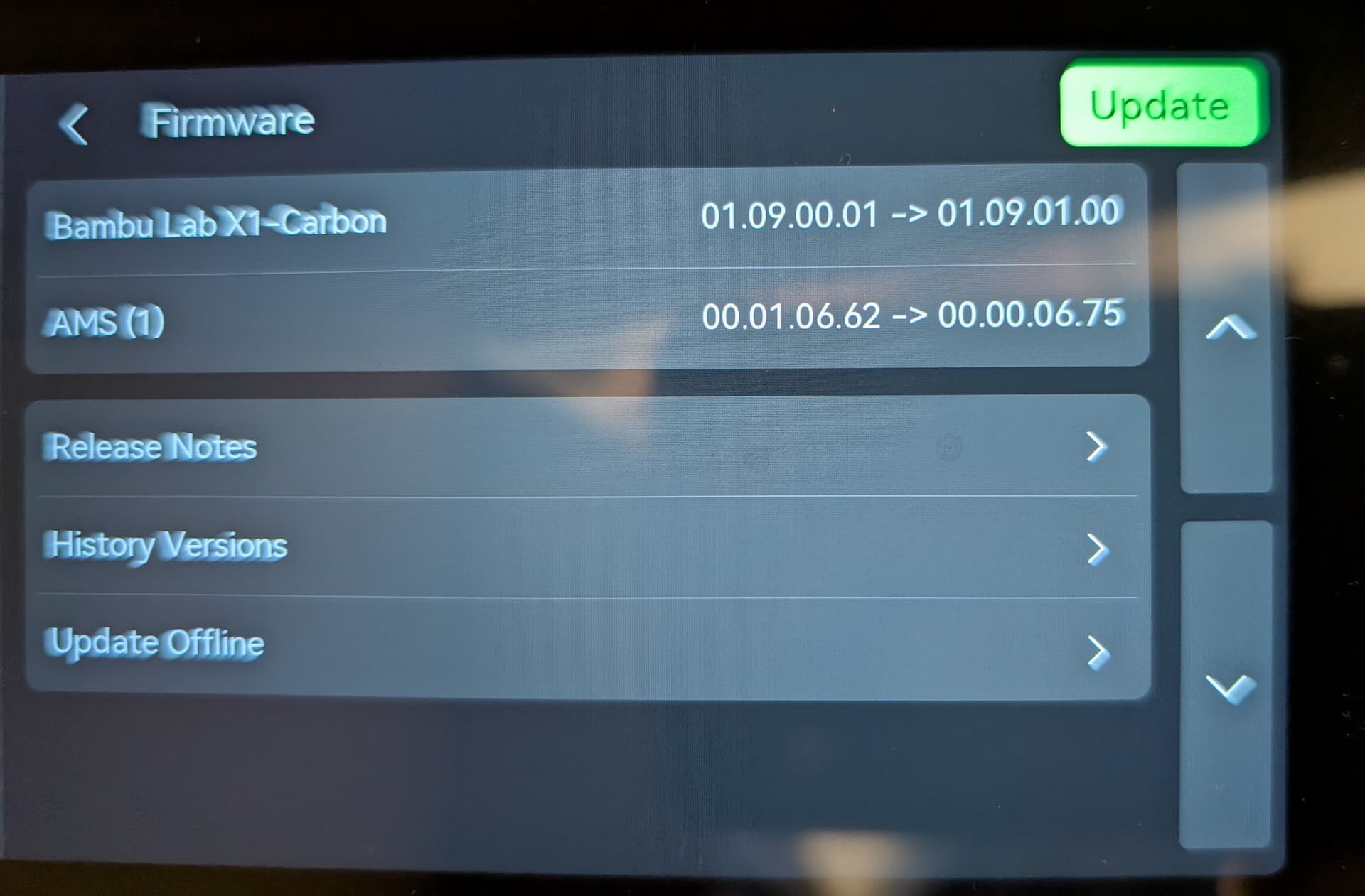
Firmware 01.09.01.00 downgraded AMS to 00.00.06.75

I performed the firmware upgrade today on my X1C with AMS to .01.09.01.00 and now my AMS firmware version dropped down to 00.00.06.75. I did not catch this at first once the firmware update was complete so I did not note the version prior to the upgrade, but I know it was updated to the latest version 2 weeks ago. I only noticed the change when I went to edit my filament information and unable to see my custom filaments, only the pre-loaded, so I know it dropped to a version that did not support custom filaments.

I cannot identify how to upgrade the firmware version of the just the AMS, so do I need to downgrade my X1C firmware and then try the upgrade again?

Thanks.

1 Like

Welcome to the forum.

I just had this firmware pushed to one of my printers.

You should be able to roll the firmware back with the Handy app.

1 Like

Thanks JonRaymond! I did not know the Handy app had that functionality. I have only used it for monitoring print jobs remotely. The downgrade was a success. It does beg the question, why the new firmware wants to downgrade the AMS.
Thank you again!
Jim

I had assumed that the issue was was a typo in the firmware numbering but it seems you found that they are actully using a very early version?

Did your custom filament profiles come back? I think I read in a thread that they maybe stored in the BL cloud but not sure.

I would have suspected typo also but it is weird. No updates on the version history page but don’t know when it was last updated.

Edit guess it was update recently since the printer firmware is dated 20250611
but the last AMS FW is still AMS version 00.01.06.62 (20250429)

off the wall thought, what is the AMS2 firmware at? I don’t own one. Does it run the same as the AMS?

1 Like

I’m pretty sure that the current AMS 2 firmware version is 02.00.19.68

Listing out the AMS 1 firmware releases it seems that the 1 may be out of place and they have reverted back to the 00.00 precursor.

00.00.06.75 (current)
00.01.06.62 (20250429)
00.00.06.44 (20240722)
00.00.06.40 (20230921)
00.00.06.32 (20230420)

I was able to get my custom filament profiles back when I reverted but I also found out, that the printing hot end was swapped out from .4 to a .2 and updated on the printer, prior to me doing the firmware update. The printer is used by a couple of us, but information had not been shared. So after the downgrade, I was unable to get my profile back when I changed the nozzle setting back to .4, from .2 Since this was the first time the nozzle had been swapped we were unaware that profiles had to be created specifically for a nozzle size. So this may have been the real culprit of my issue and I am thinking that the AMS firmware might be as JonRaymond mentioned, reverted back to the 00.00 precursor and it is an updated version and not an older one. Now that I have created a .2 profile for some of my custom filaments, I am thinking of upgrading to see if the custom profiles are available on the AMS exist under each nozzle size, after I print the jobs that were held up earlier. I greatly appreciate your responses and insight on this matter.

1 Like

Good catch, I didn’t notice that when I scrolled down on the wiki

OK. Sounds like a successful test of downgrading the AMS firmware. :stuck_out_tongue_winking_eye:

Always good if you learn something from a mistake or an error. :flushed:

1 Like

I have just completed this upgrade/downgrade, or whatever I can call it.
00.01.06.62 (20250429) → 00.00.06.75 (current)

Has anyone seen any official note from Bambulab on the version numbering?
Has anyone seen any official release note from Bambulab on what features/fixes are included in the version 00.00.06.75?

If you have please share it here, for everyone to see.
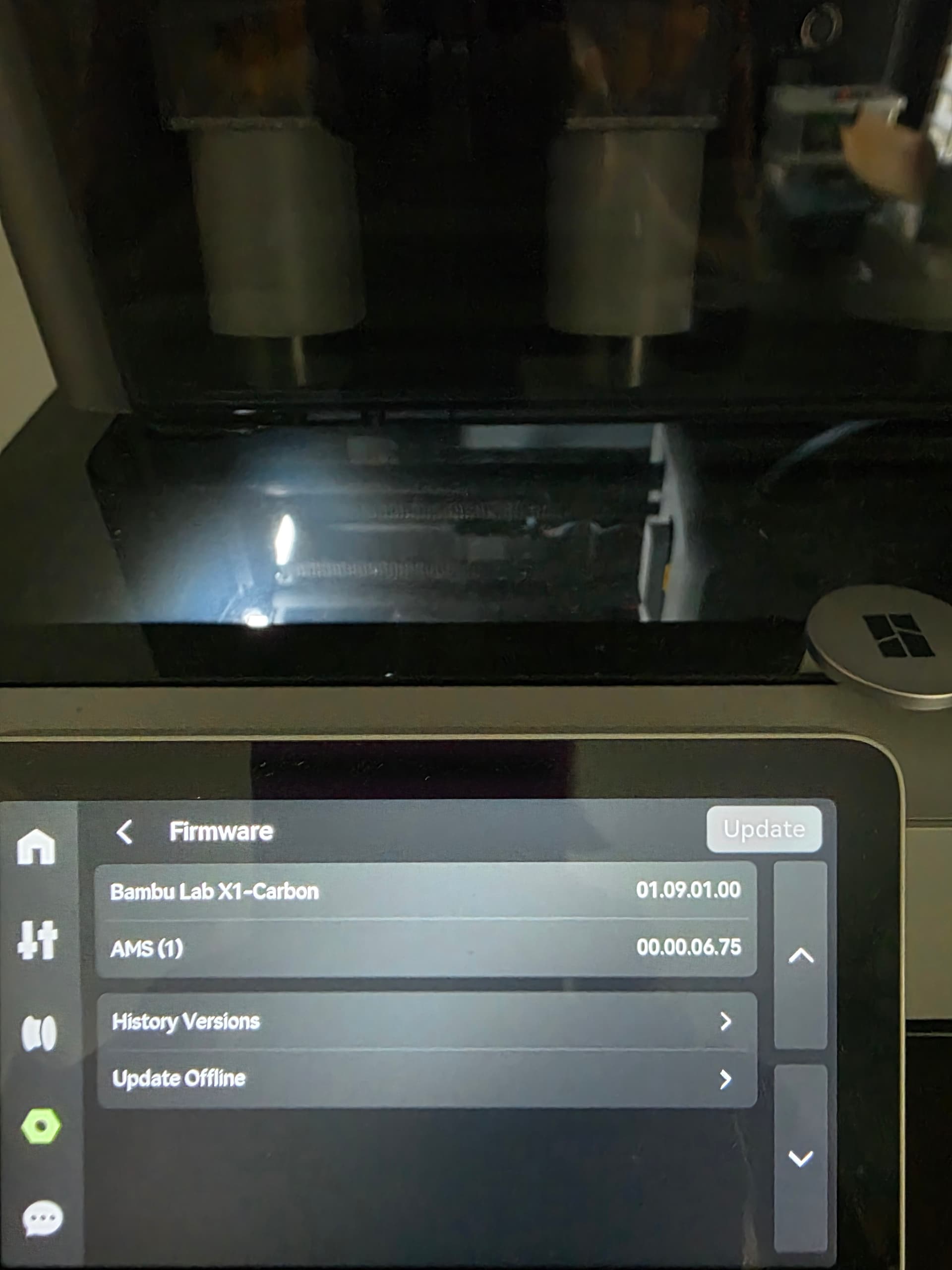
thanks

2 Likes

Is there a way to get rid of this? I can’t update the firmware on my X1C because it wants to also “upgrade” the firmware of the AMS to this old version that has problems.

I have not seen anything in the release notes that indicates a ‘new’ AMS firmware. The last being AMS version 00.01.06.62 (20250429). There is still no mention of the possibly downgraded version on the release note page. I got around it by downgrading the printer firmware which brought my AMS version back to the 00.01.06.62. I have not tried to upgrade the printer firmware since. BUT, I do have a prompt to update it and when I look at the device info through Bambu Studio, I see that it wants to update the printer but shows nothing about the AMS. I do not know if I choose to upgrade the firmware will I keep my current or revert back to the 00.00.06.75. I am not feeling adventurous at this point to try it but would certainly like to know if anyone has taken this path. Maybe this is a path for you?

1 Like

I saw the same thing in Bambu Studio and tried doing the upgrade there, but it still moved the AMS to that older version and I had to rollback to get the AMS to a decent version that didn’t have a bunch of issues

Have you tried running a test print job with the downgraded AMS version number? I found it changed because I lost my custom profiles but later found that I might have lost them due to a nozzle change that requires new custom filaments for that size. Since I rolled back, I have not tried to go forward again to see if my filaments would still be there under the downgraded version number, BUT I also never printed under the new AMS firmware, (since the filament I needed at the time, was custom) so I can’t be sure it would have caused me a problem.

Yes, I tried printing with the older firmware and it seemed to be acting kind of funky and had issues that caused the prints to pause up. Could have been unrelated, but I assume it was caused by the old firmware version.

1 Like

What are the problems that you refer to in 00.00.06.75? I am curious as I have that in my AMS v1. My AMS v2 have 2.00.19.68. The update wants to move my v2 to the same version.

I also would like to know what issues you are having with the Ams firmware, I’ve always have run the current firmware with no issues.

1 Like