Hi,
hoping to get some help with a print fail I have not been able to resolve.
I have printed this part multiple times with the same settings and .3mf file but now after multiple tries I cannot get it to print successfully.
If i split the part and print a portion only then that pice prints flawlessly.
What makes this even more difficult to pin down is it is a 23 hour print and the fail doesn’t occur until hour 16 or so.
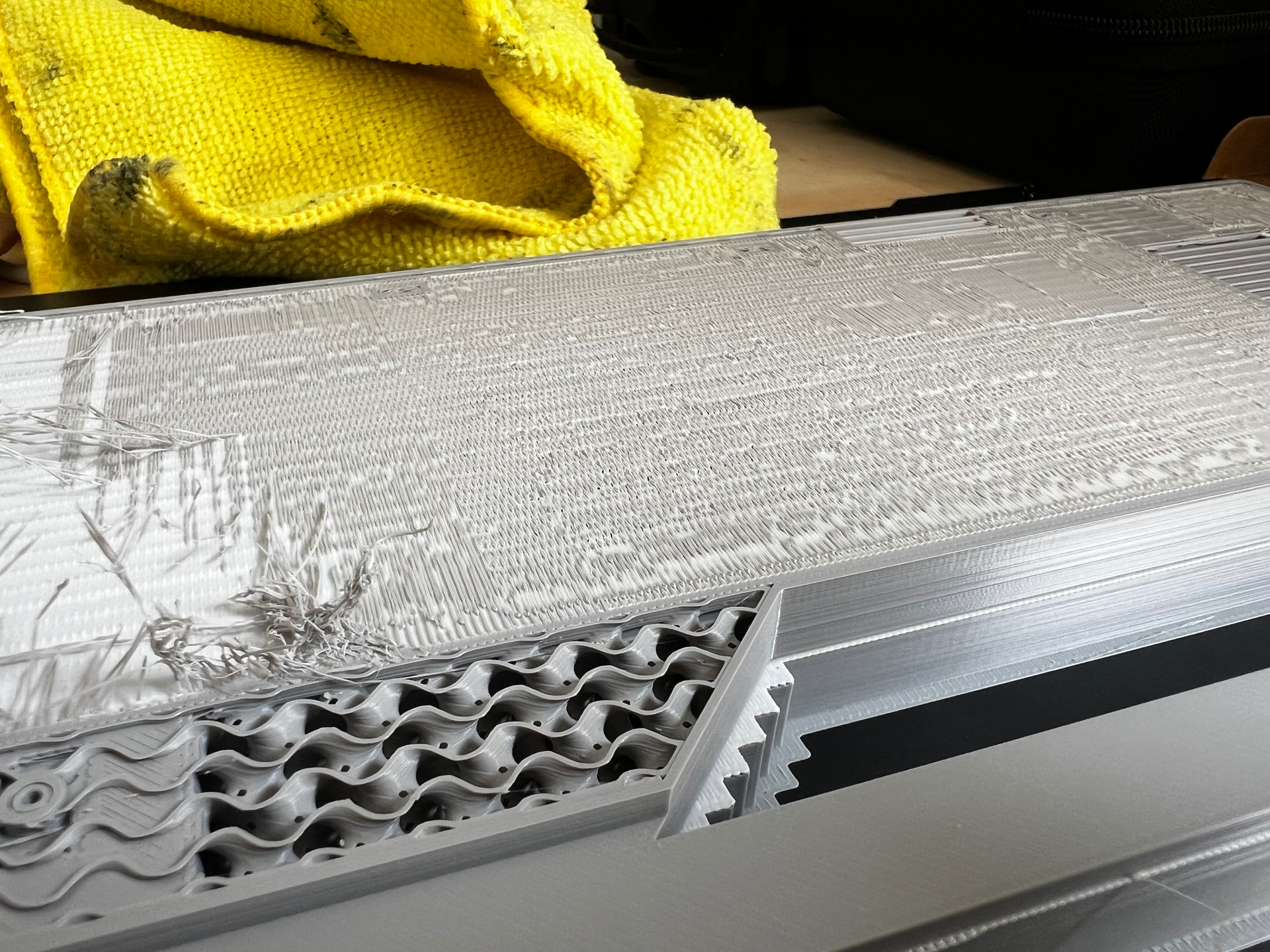
The issue is the first layer of standard PLA that goes down after the Support PLA layer finishes is not flowing enough so it just becomes a disaster.
However, the problem does not occur at all earlier on in the print when doing the exact same thing
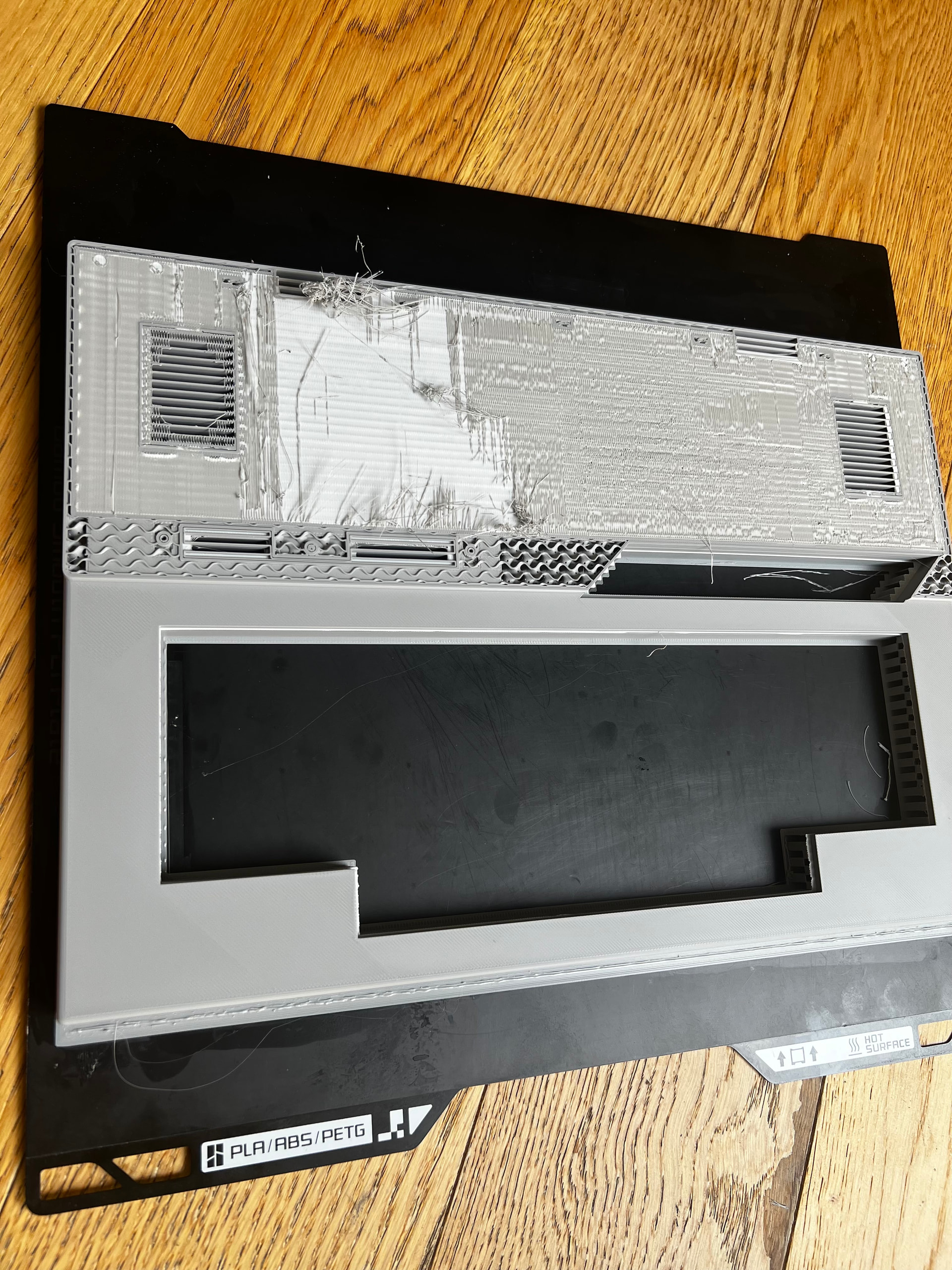
Heres the fail, and below are shots of the passing parts. Ive also attached a zip with the images and the .3mf
I have tried drying filament, printing with a brand new sealed spool, changing the chamber temperature, changing the nozzle temperature etc…
The only thing I can think of at this point since this same print has printed successfully many times before is the weather
support settings:
Type Normal
Independent support layer height false
Interface pattern RectLinear interlaced
top interface spacing 0
top z distance 0.01
Z overrides x/y true
Support raft interface (PLA support material)
initial layer speed 30
Initial layer flow ratio 1.1
Independent Support Layer Height false - when on surface warping occurs
Only the final back section fails:
The front keyboard section prints the first layer onto the support interface without issue:
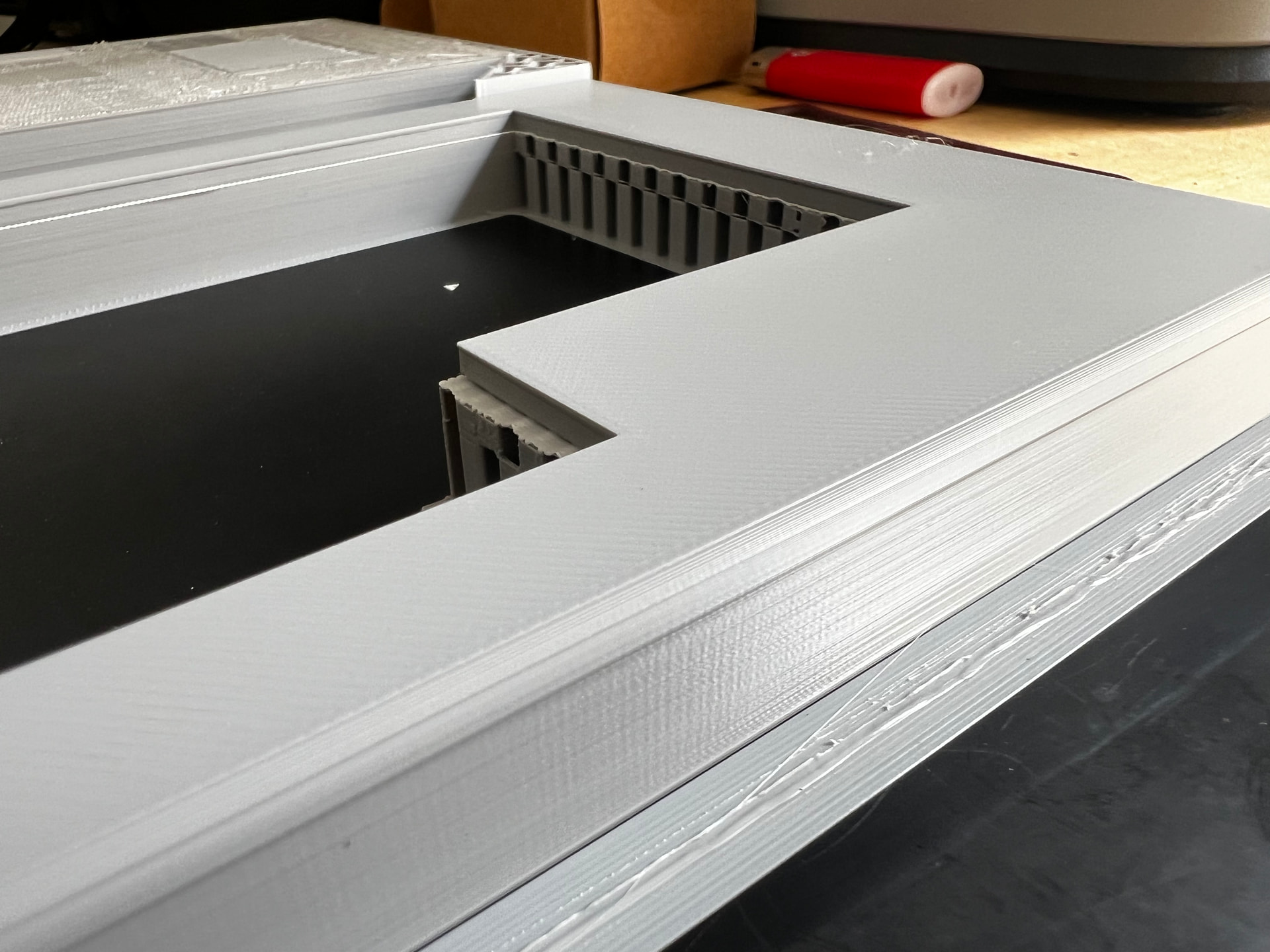
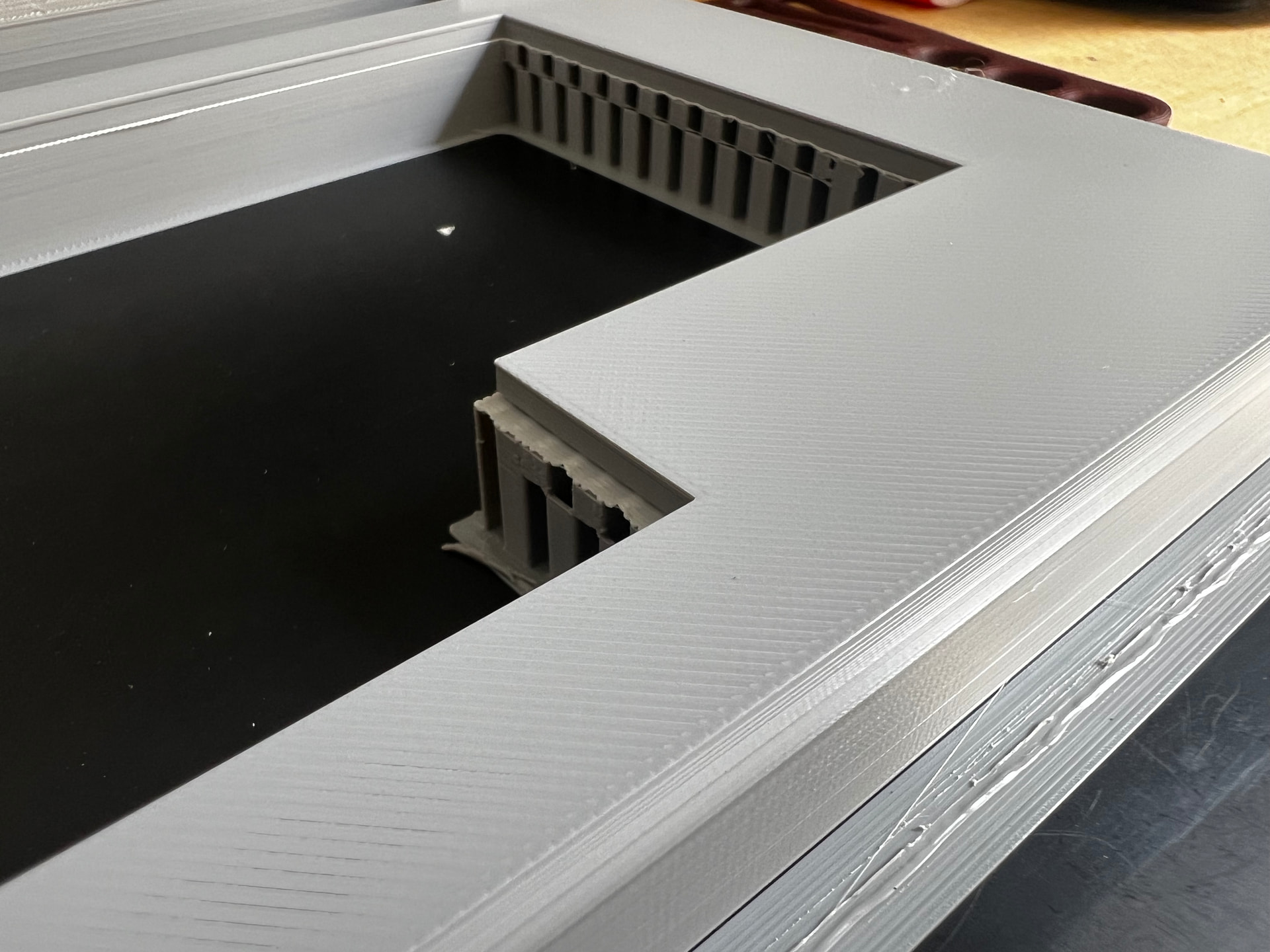
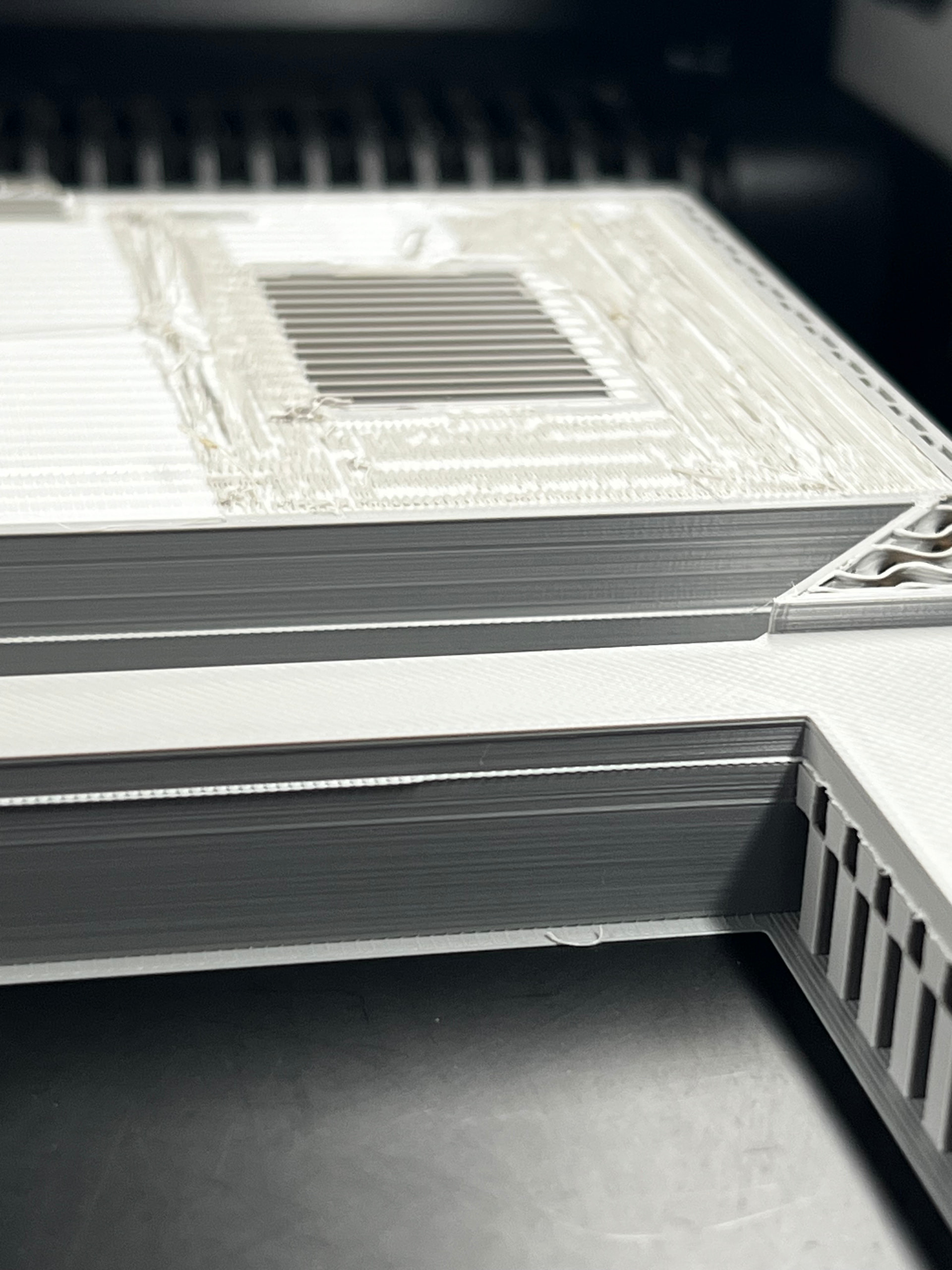
Partial prints do not fail:

3mf file:
caseTop.3mf (115.0 KB)