After a lot of Bambu wiki reading, chat with GPT, troubleshooting, etc. I’ve come here for some advice.

I am experiencing ‘minor’ print quality issues with my H2D when printing with ASA. I don't think it's filament or settings issue because I've tried printing the exact same models with the same filament and settings on a P1S and it would print just fine.

Problems (images should be in order):

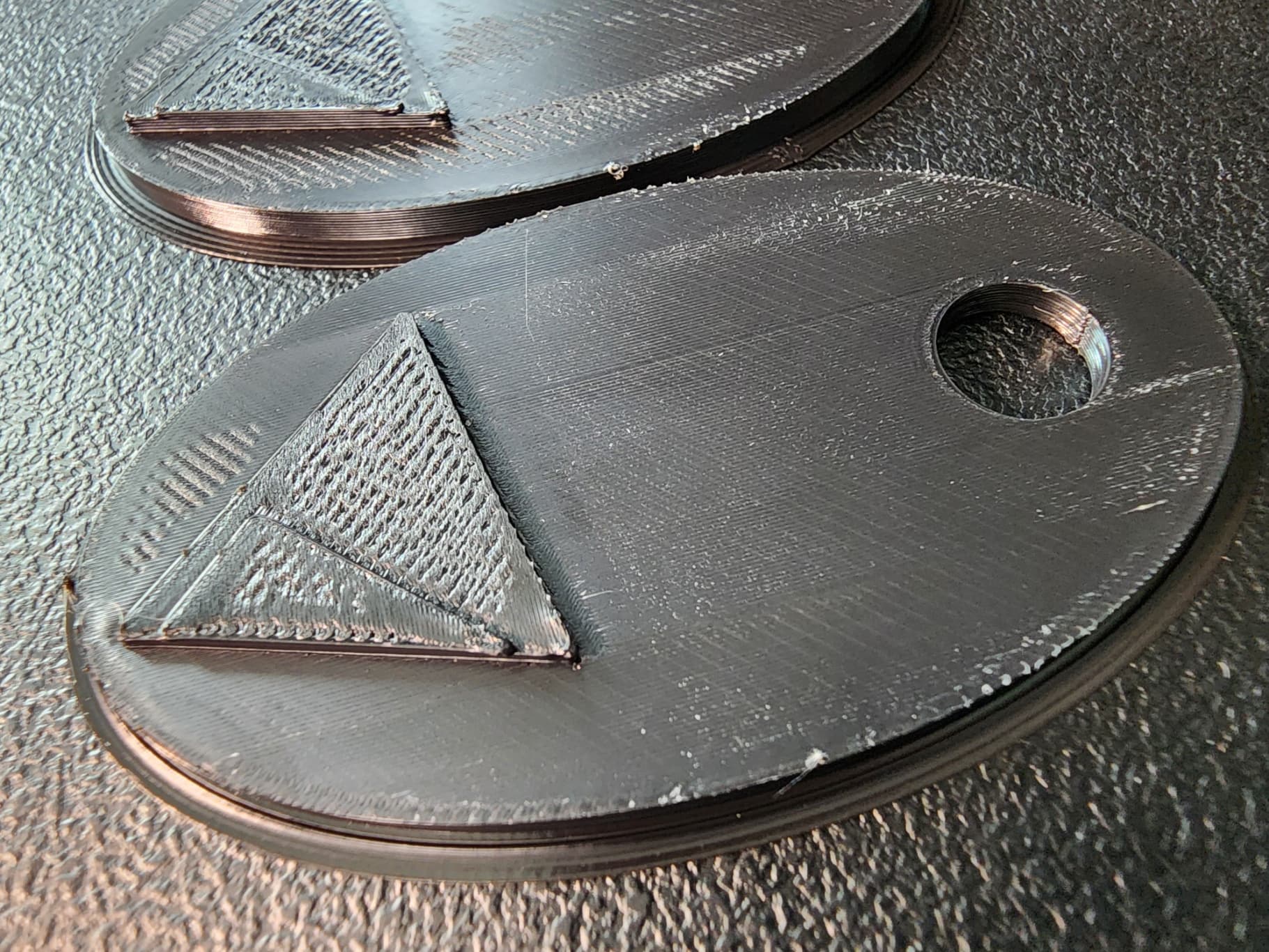
1. inconsistent ironing surfaces. (ie. layer 10 irons fine but layer 20 iron looks completely different)
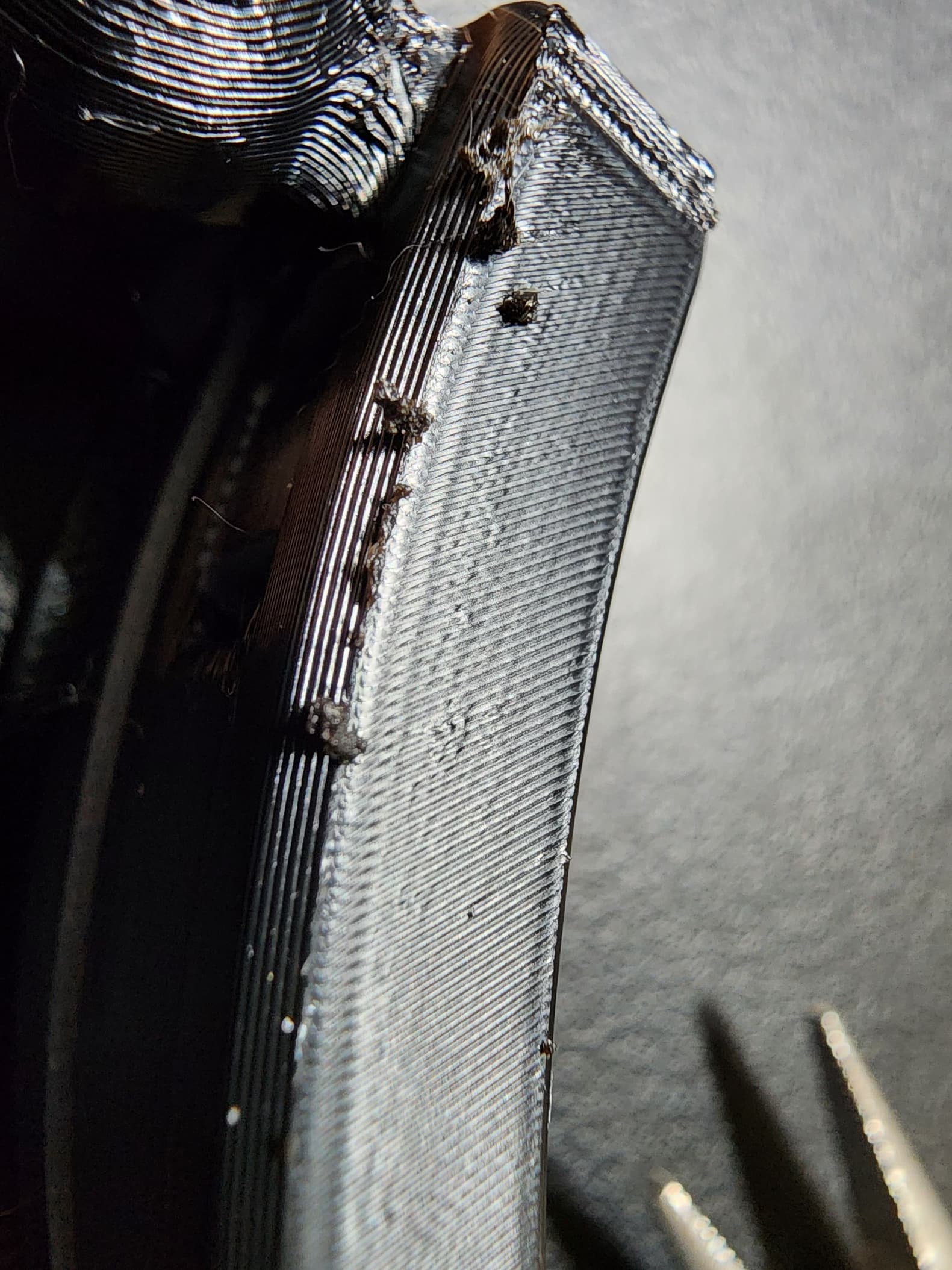
2. ironing leaves little filament nuggets, usually on the edges.
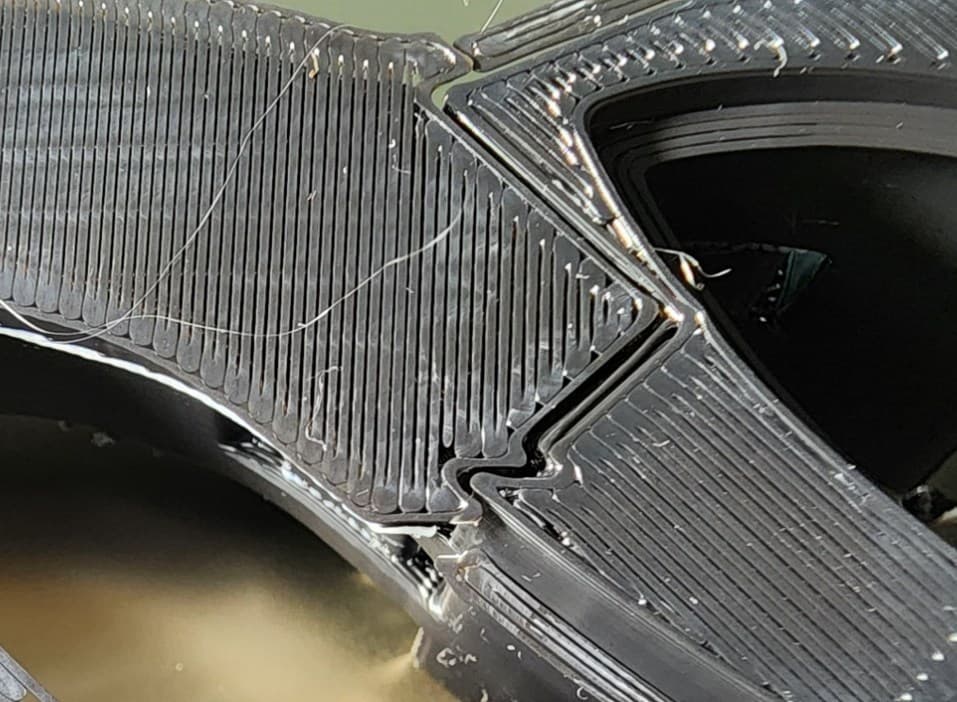
3. when printing a thin wall there is warping in the first 20 layers or so.
4. bottom layer sometimes have large gaps. (doesn’t squish well, only in some areas of the plate)
5. Corners lifting.
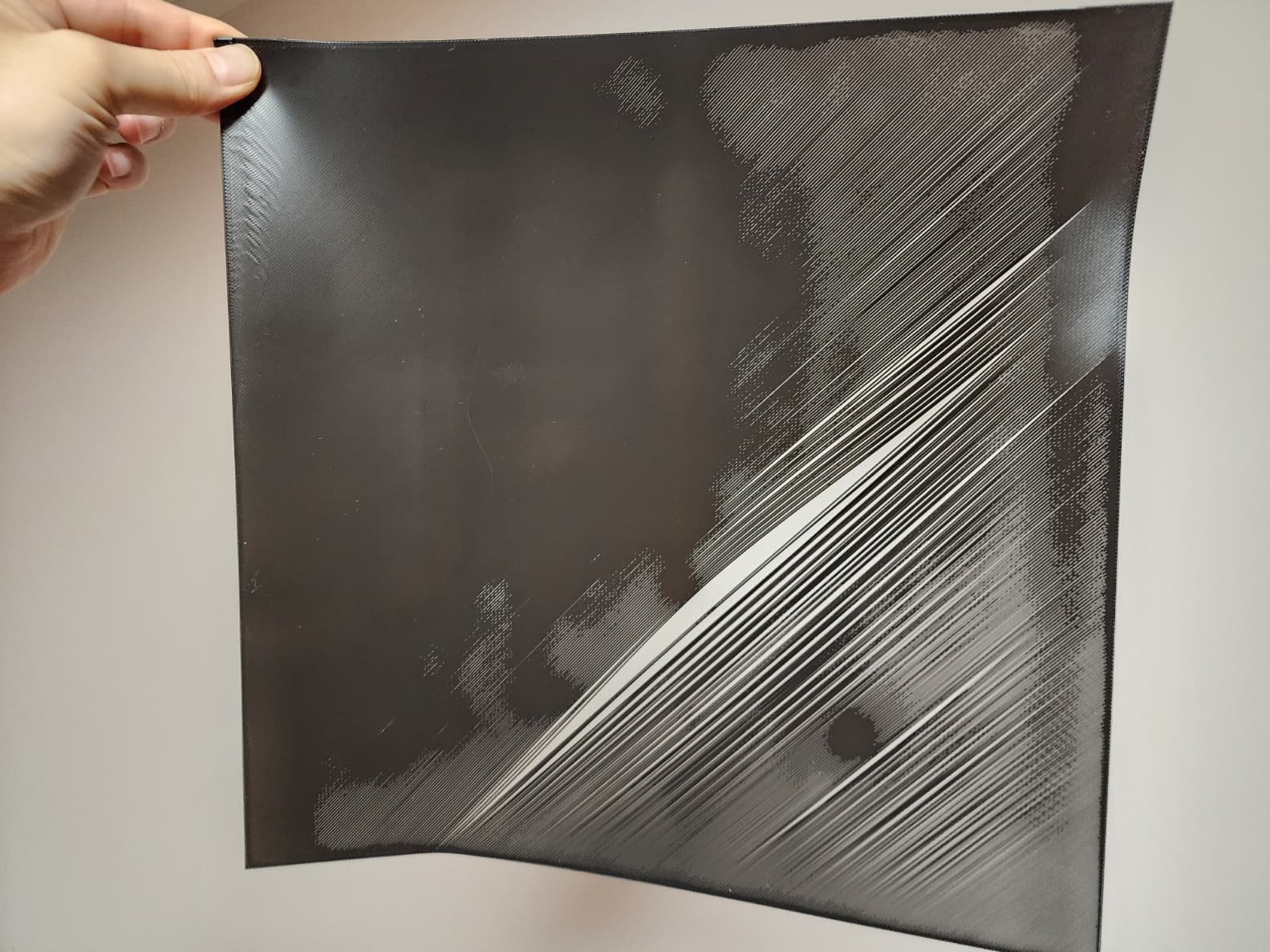
6. The last diagnosis I tried was the first layer test. Tried it 4 times and every time the back left side didn't squish enough as if the nozzle was not close enough to the plate. This back left area was also the area where #4 and #5 was happening as well. (4 and 5 doesn't happen in the front right area) Also tried this test with PLA and it turned out pretty good. (last image)

Again, none of these happened on my P1S with the exact same model, filament and settings.


What I’ve tried so far:

1. calibration multiple times. (including high temp calibration done)
2. heat retention (covered up the chute hole, covered printer with a towel, etc.)
3. preheated bed for 15-30mins
4. redirected aux fan 45 degrees upward
5. turned aux fan completely off
6. tried 3 different build plates
7. After the first layer test I immediately thought that the bed wasn't leveled, so I tried tramming but it didn't change anything. First layer test still fails in the left back region.


Has anyone experienced this? Is this normal ASA behavior? I don't think so since it's a geometric issue.


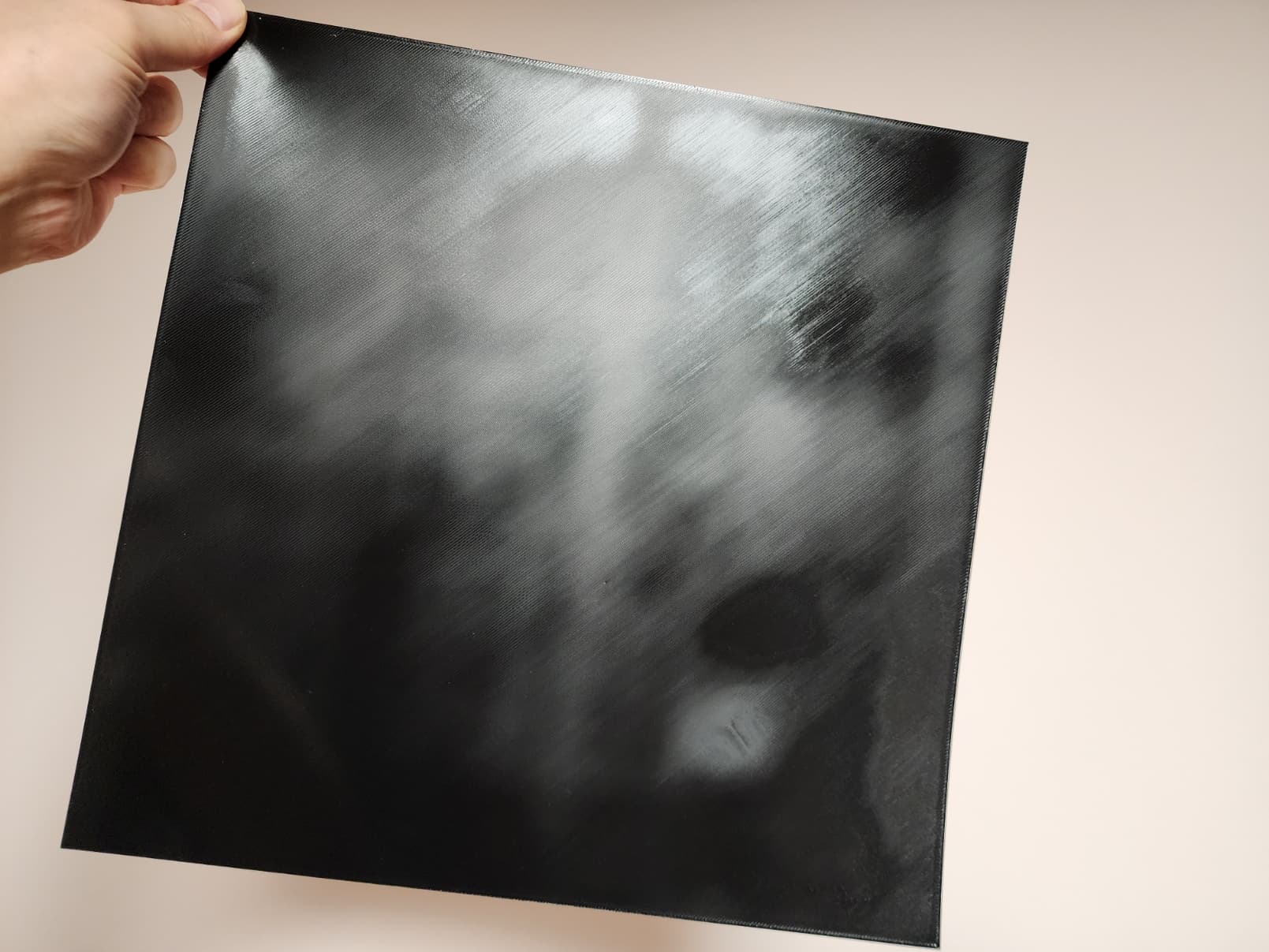
Looks like an extrusion issue i would do an extrusion test for this filament and see the results i would also deactivate ironing mode.
Try manual bed tramming : H2D & H2C Bed Tramming | Bambu Lab Wiki
Thanks for the input.
I’m not so sure if it’s an extrusion issue. If it was an extrusion issue why do prints always turn out fine in the front right region and turn out poorly in the back left region? This applies to mainly problems 4 and 5. #2 happens everywhere I think.
But regardless, I’ve already done a filament flow dynamics calibration test, if that’s what you mean.
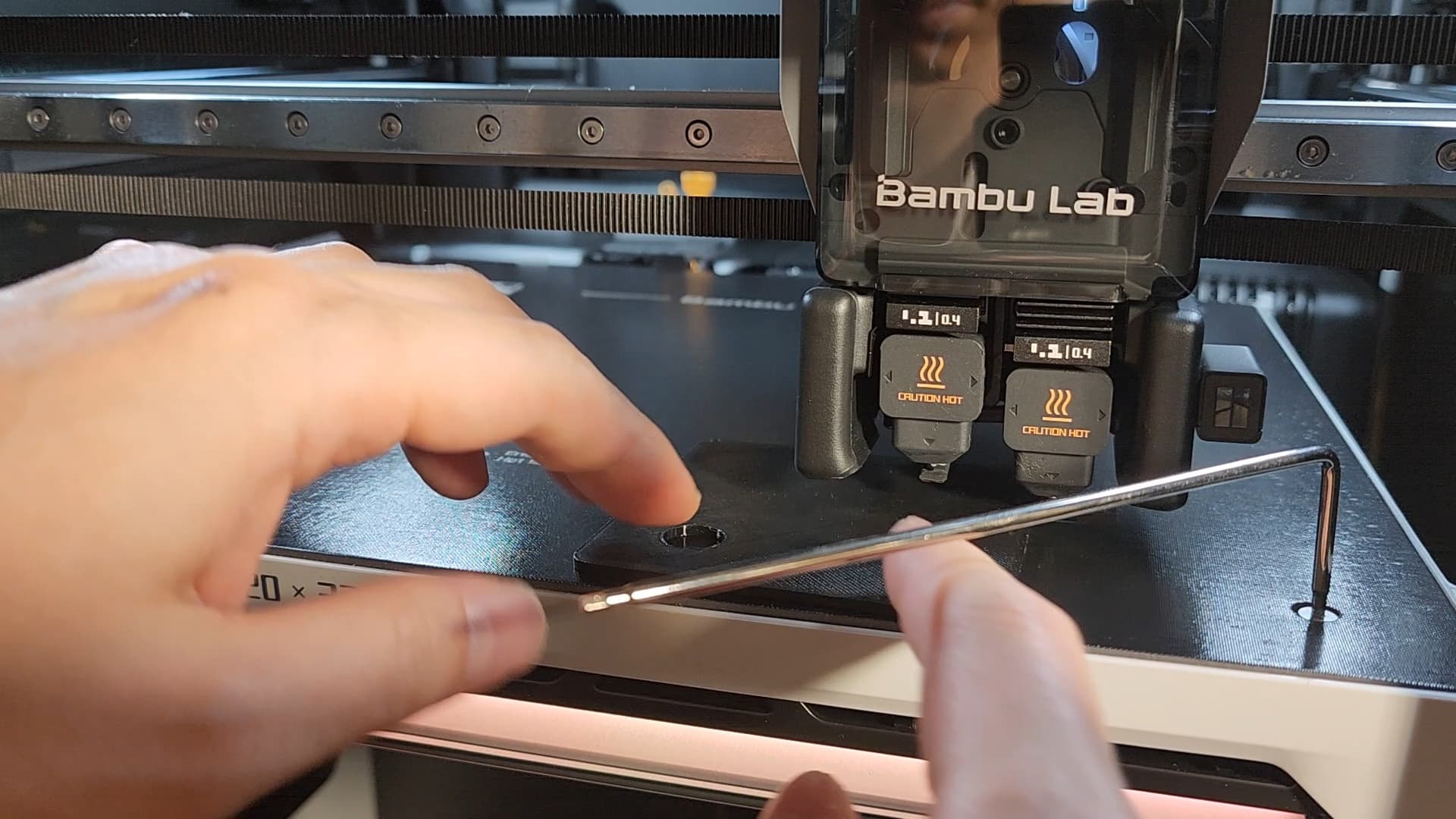
I’d really appreciate it if anyone could try this first layer test with ASA on their H2D and let me know if you get similar results as me (6th image).
It’s about an hour print and uses 20g of filament.
H2D First Layer Test.3mf (38.9 KB)
Did you execute the “High Temperature Bed Leveling” calibration?
Yup, what I’ve done so far #1.
Looking at your images I see some indications of under-extrusion. That might be a bed leveling issue as you mention.
My first actions would be to make sure my build plate is clean on both sides and the perform the “High Temp Bed Leveling” and directly after that print your first layer test without removing that build plate.
If you still see a poor first layer, I would contact Bambu Lab because there is likely an issue in the Z-motion system.
Then it also seems that the overhangs don’t have enough cooling or your nozzle temperature is to high. You cannot use the exact same settings as the P1S because the heated chamber on the H2 series throws everything off. Additionally the cooling system is very different on the H2x.
Build plate is clean. I wash it with soap and hot water after each print.
I’ve already tried the high bed temp calibration and printed right after without removing the plate like you said.
I’ve already contacted BL also, and got a pretty disappointing response. They said if it prints decently with PLA nothing is wrong. Try adjust first layer flow rate.
They make it sound like all the printer is good for is printing PLA. And I’ve done the first layer test like 4 times and all of them show the exact same symptoms in the exact same region. Like their suggestion, adjusting the flow rate would effect the entire plate not just the area with the problem.
You’re right on that they do behave differently. That’s why I tried to create similar environment with the H2D as well, including the temp inside the printers. I heat up my P1S to 50-55 degrees also. Maybe I should try lowering H2D’s chamber temp to 50? But I think that’ll only effect problem 3.
My main concern is the last problem, the uneven first layer. I have a feeling that is the cause of problems 4 and 5, possibly 1 too.
I am wondering if I got a lemon printer… That’s why I’m hoping someone can try this first layer test for me..
I am currently running a first layer test on mine, but not with your 3mf.
There is a huge amount of settings changed in your filament settings.
Have you tried the defaults before printing the first layer?
I am testing with BBL ASA
Read your reply and immediately tried printing with default settings. Not much difference…
The settings are very different due to some optimization I had to do for specific models.
I was very much hoping that somewhere along my optimization I messed up some setting but nope.
I’m very curious to how your print turned out!
Mine came almost perfect but I also have slightly poor layer adhesion at the back that you cannot really see in the picture and I know the tramming I’ve done as part of the upgrade was not perfect there. It is not underextrusion in my case but more like a lower thickness of the layer (and yours also looks like it is) like if the bed leveling had a hard time to adjust right. In fact the bed levelling as part of the print took a lot of tries in the back. .
ASA is also less forgiving so you could have great result with PLA and not so good with ASA.
I made the mistake to get my hot plate outside the chamber right after print. The layer started to curl up and detach from the plate everywhere, I should have left it in the chamber to let it cool. If you did the same, it might have exacerbated the condition. For ASA a first layer test might be better as a 2 layer test really.
This is printed on H2C but I used the left nozzle, so same as H2D. Nozzle is 0.4mm standard (not HF), filament is BL ASA, bed plate is textured PEI, all settings for BL ASA in studio left at default.
I cleaned my plate with soap and water right before that print which is unusual for me. In fact this was the first time I cleaned it since receiving as part of the H2C upgrade with about 100hrs of print time. Thanks for having proposed to make this, it had forced me to clean it 
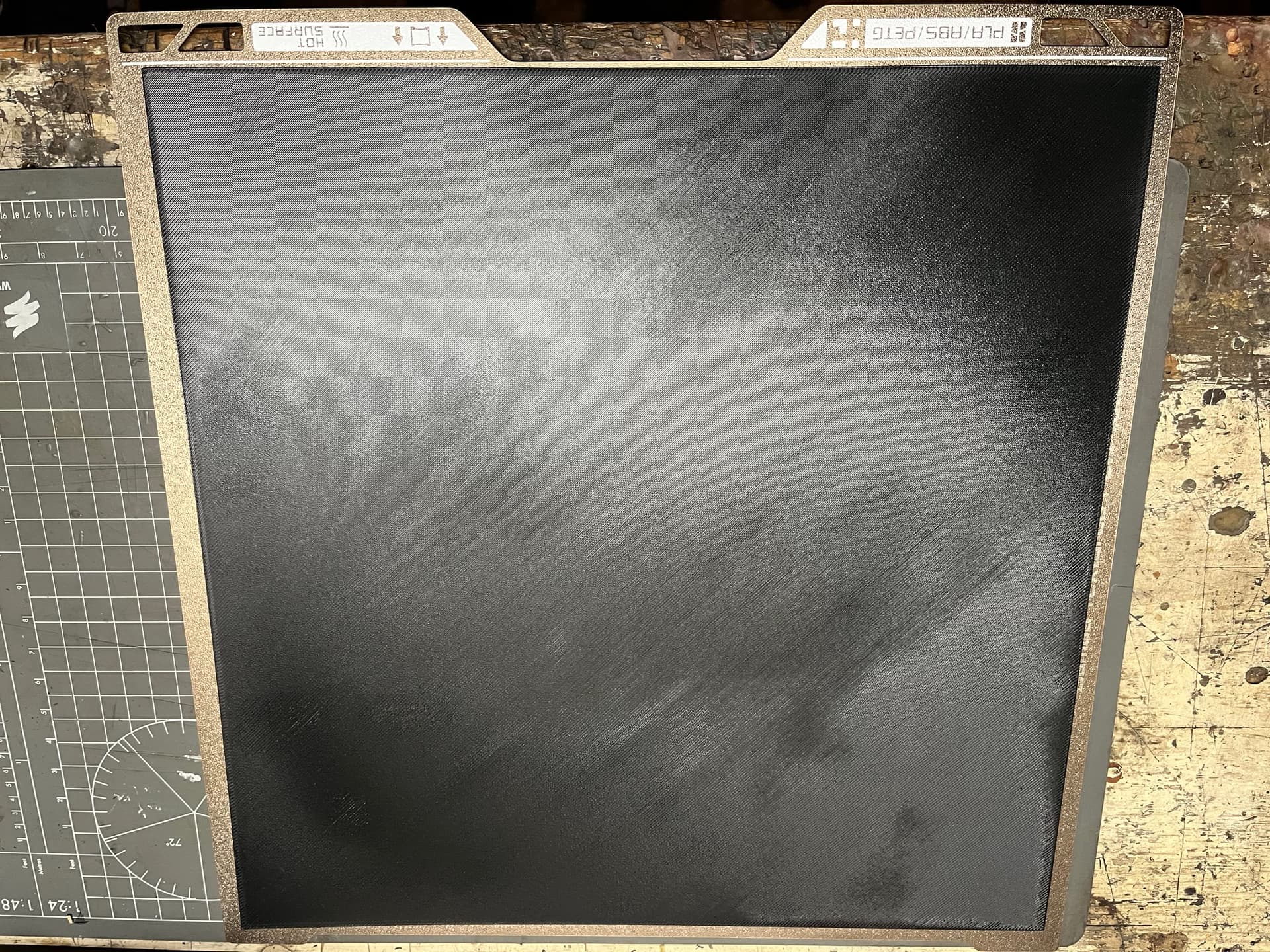
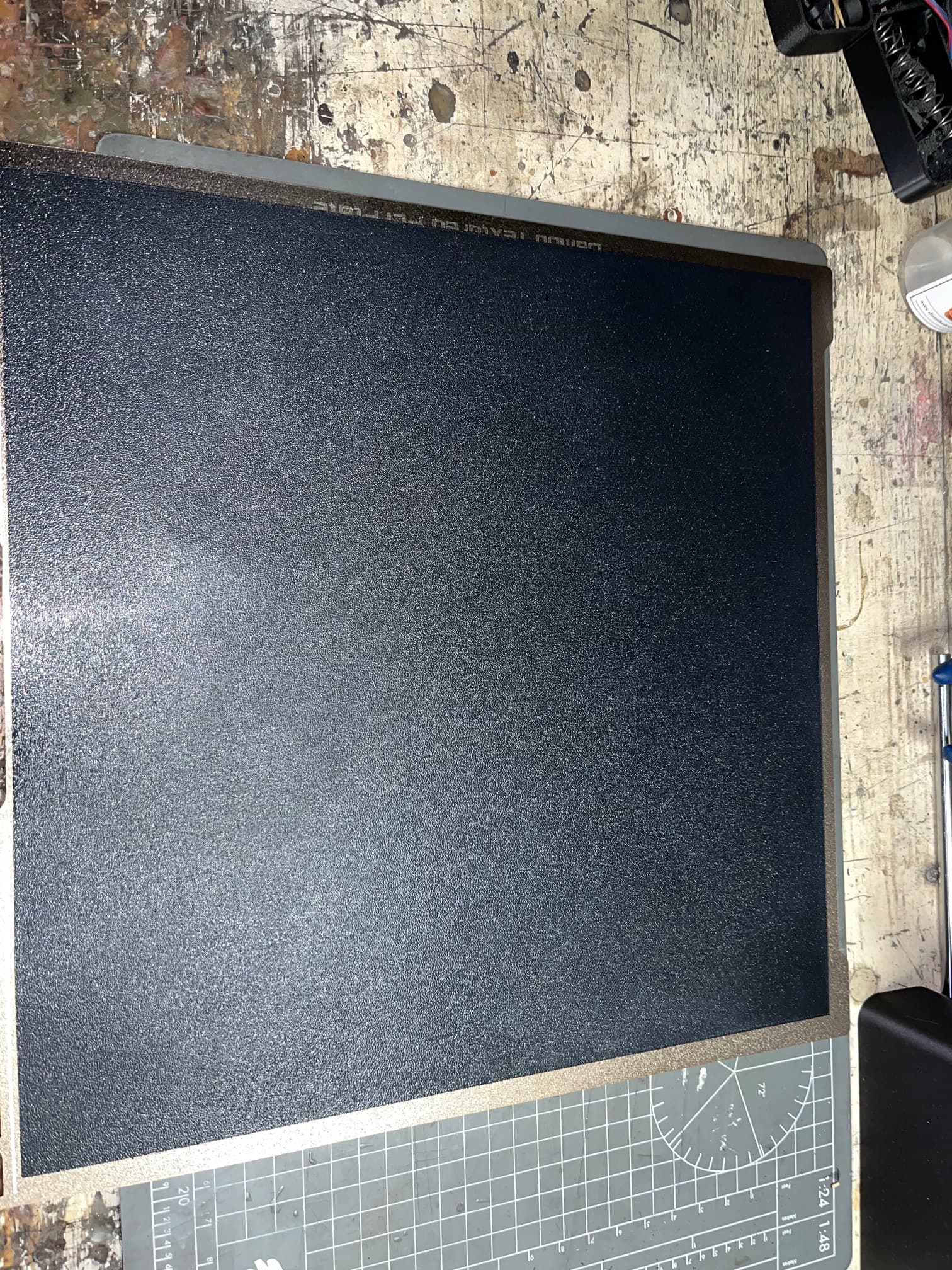
EDIT: Whoops, I missed OP’s problem is about high-temp filaments only, thread linked below shows PLA/PETG first layers.
This is how it looks on my H2D (after bed and build plate replacement): Brand new H2D extrusion problems - #16 by mk12
You almost cannot tell it was 3d printed.
Try to do it with ASA if you want to contribute. OP has no issue with PLA and I don’t think he would with PETG

I don’t think it’s really underextrusion but ASA layer adhesion is the worst of all filament, 3 times less than PLA and the slighest variation in flow or thickness may ruin a first layer test. I tried a 2 layer test at the worst part of my bed and it turned out perfect top and bottom.
I think a one layer plate test with ASA is not representative
Edit: I also don’t think the textured PEI is great with ASA, I generally use my glacier plate to print it
In this case the 1st layer test is to determine if the bed leveling works correctly and that the layer thickness is consistent.
Oh I get it but you don’t need ASA for that, PLA will do it nicely as ASA is tougher to print. I made a 2 layer ASA and it’s perfectly printed top and bottom and thickness is constant
Thank you @Gerrit and @philch for doing the test. I appreciate it very much.
I can see that @philch has adhesion issues in the same region as mine but still not nearly as bad as mine.
@Gerrit yours look incredible and this is what I’d expect the test to turn out to be at least after bed tramming.
I understand that ASA is harder to print but what I’m looking for is consistency. If it doesn’t do well with one layer that is ‘fine’ but if that’s the case, it should do poorly across the entire plate not only in a specific area every single time, while printing extremely well in other areas. (It’s not ‘fine’ but I’d have an easier time accepting that the issue lies with the filaments’ difficulty.)
And I think both of your results, especially Gerrit’s result support this thought of mine.
Glad you got something out of this! 