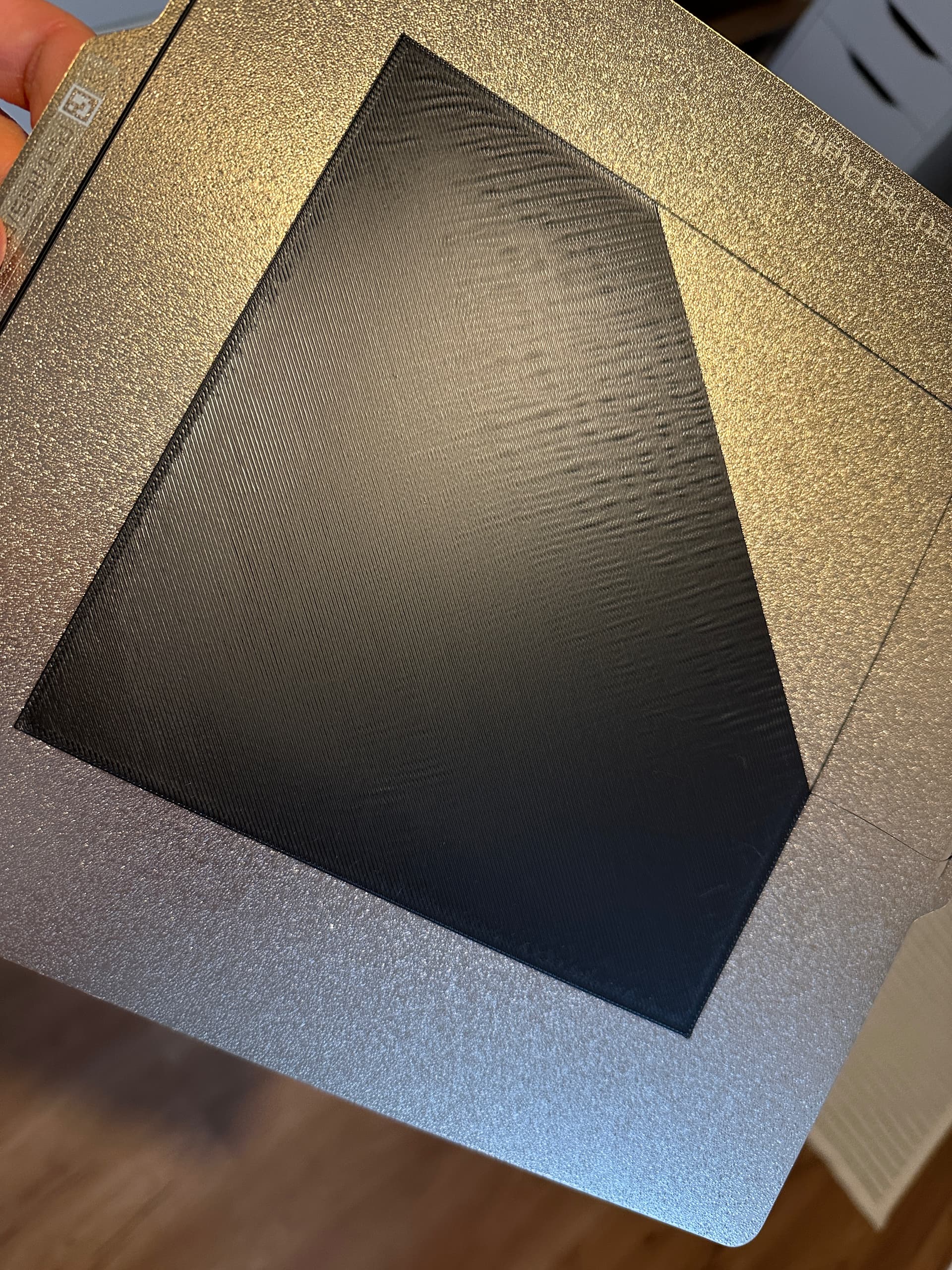
I’m experiencing an issue with the first layer on my Bambu Lab P1S using the standard Textured PEI Plate.
The first layer shows visible waves / ridges, especially more pronounced on the outside of the bed. During printing of the first layer, I can also hear a slight scraping noise in certain areas. From layer 2 onwards, the print looks clean and normal.
Before you start hunting for the problem, please check the two most important things first:
Are the screws on the tool head properly tightened? They are often a little too loose on new printers due to transport and shaking. Is the nozzle really secure?
Even if you have already done this, clean the plate again. What did you use? You should use a dish soap that doesn’t contain any additives (“gentle on the hands”, “moisturizing”, “strange scents”). Just ordinary boring dish soap.
You may want to try a different filament, as it may have become moist. However, this is not necessarily the case. Nevertheless, it is recommended that you try a different filament. Your printer should have come with some samples in the packaging. It’s quicker to try a different filament than to unpack the big problem search right away.
Thank you for your quick response and your help! I checked the screws and cleaned the plate before starting the print above. BUT changing the filament did the trick. That’s what made the first layer test almost perfect. So it’s most likely related to the other filament or incorrect settings for that filament.
Thank you for your help. I didn’t realize that I accidentally posted in the wrong forum group — sorry about that! I changed the filament, and now it looks almost perfect. But I’ll definitely keep your advice in mind for the future.