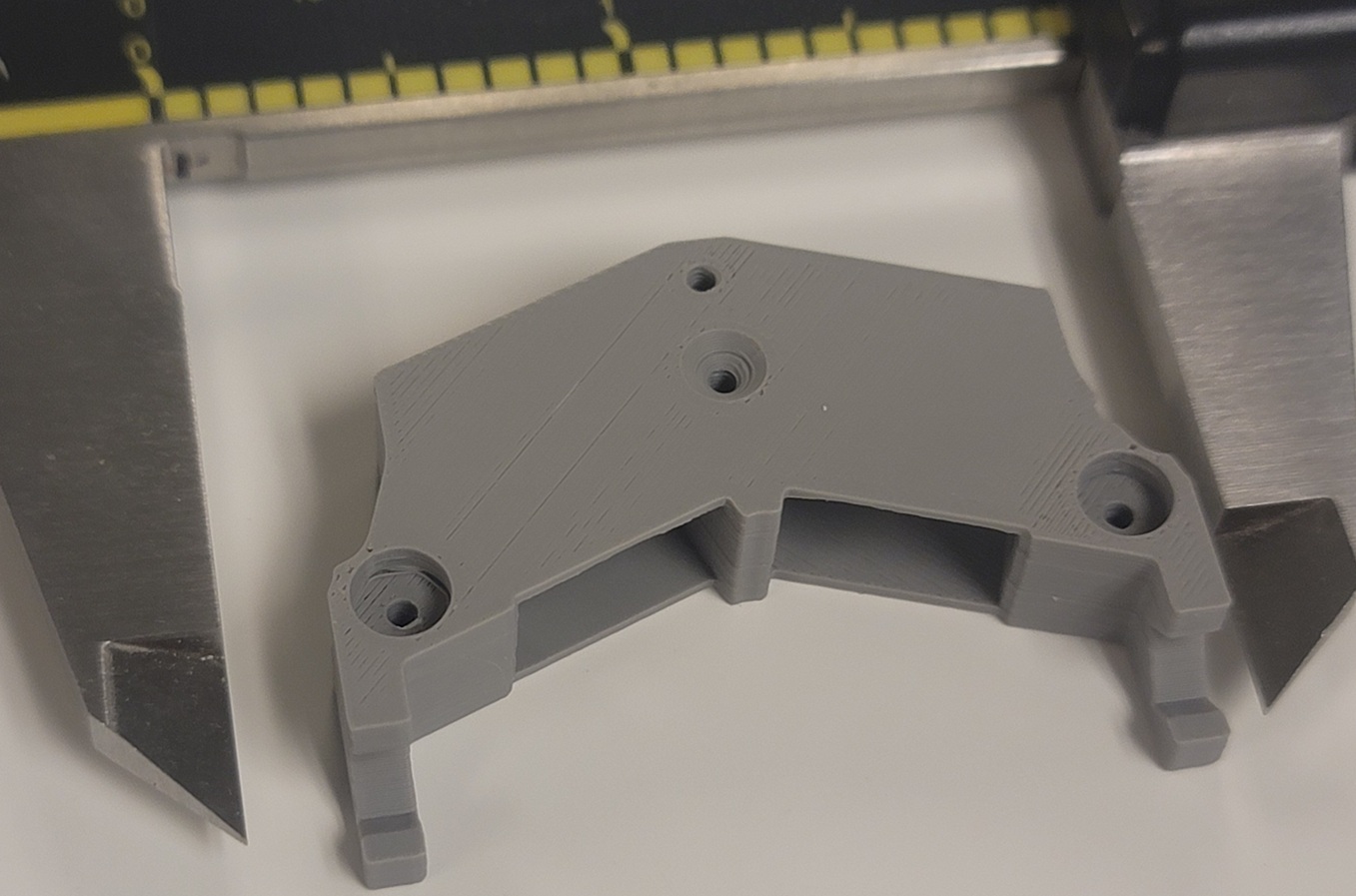
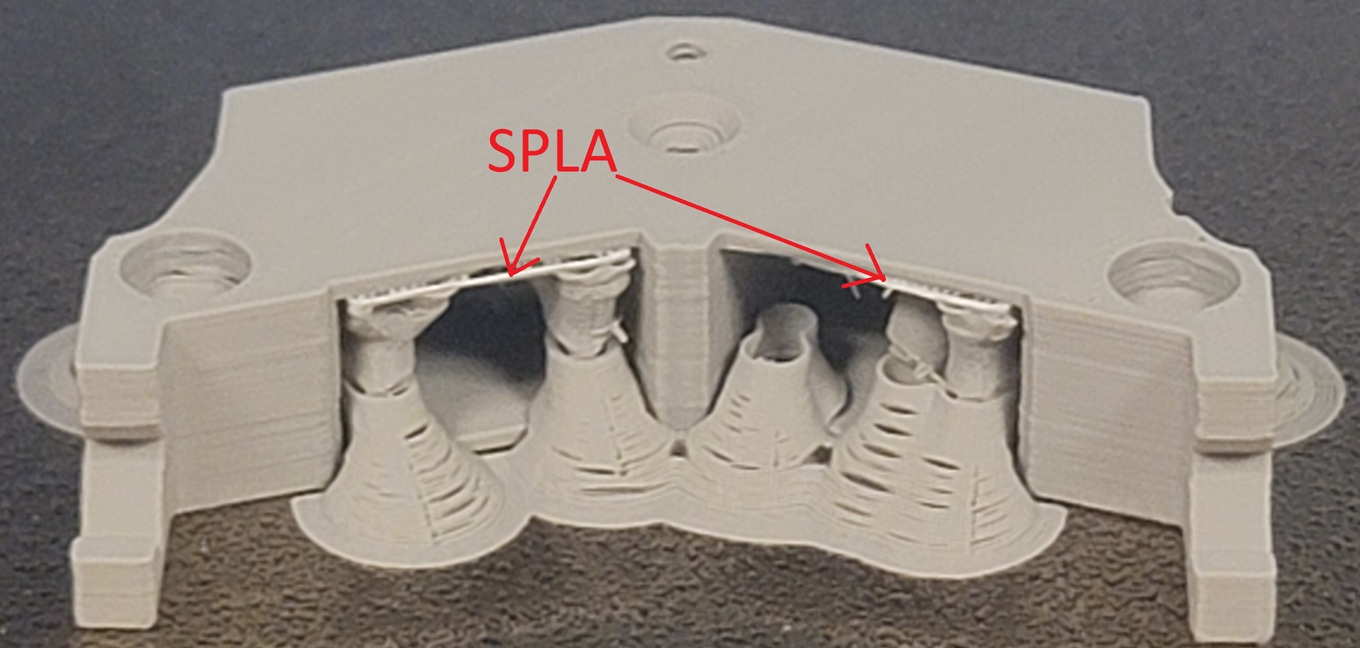
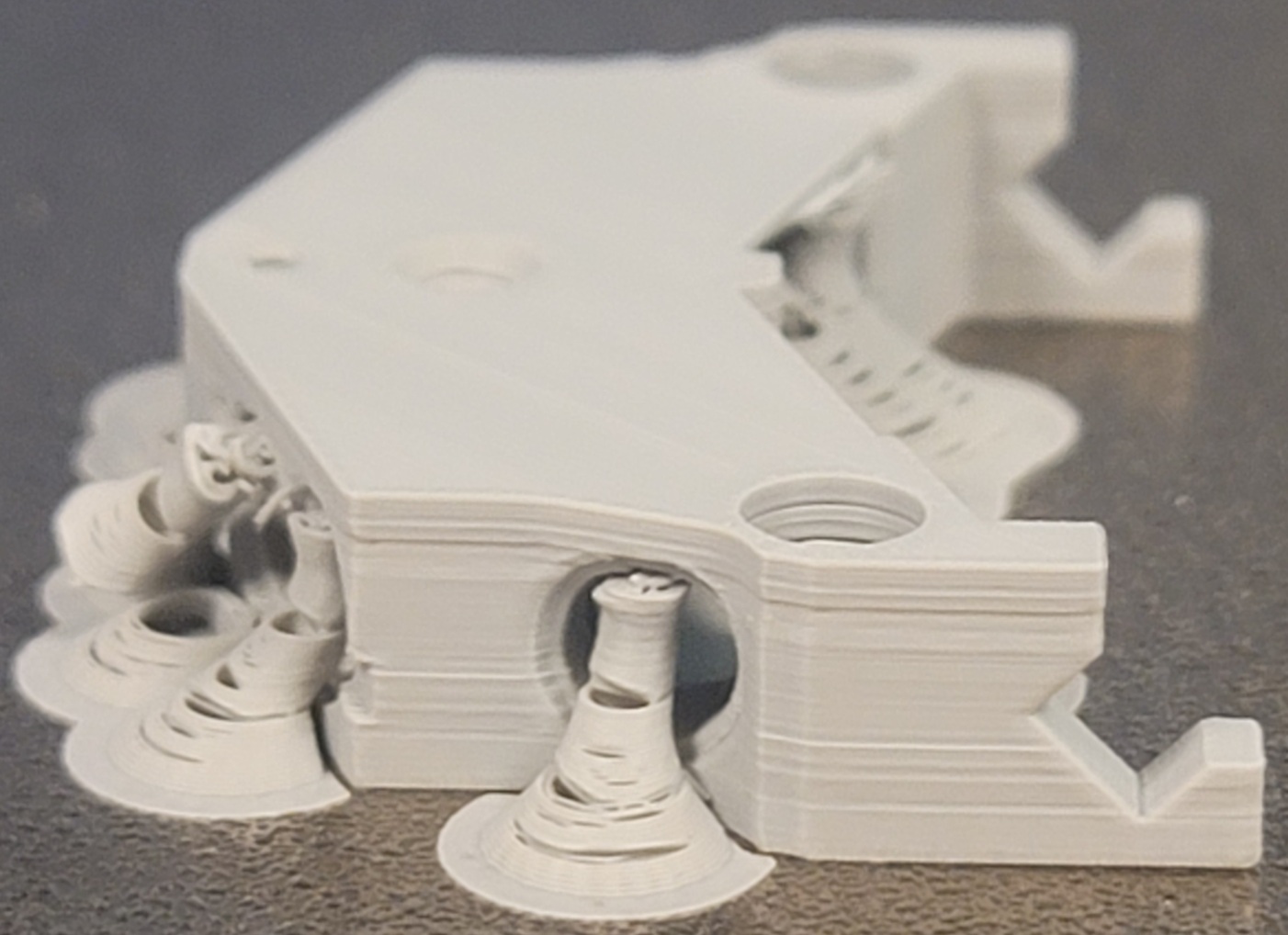
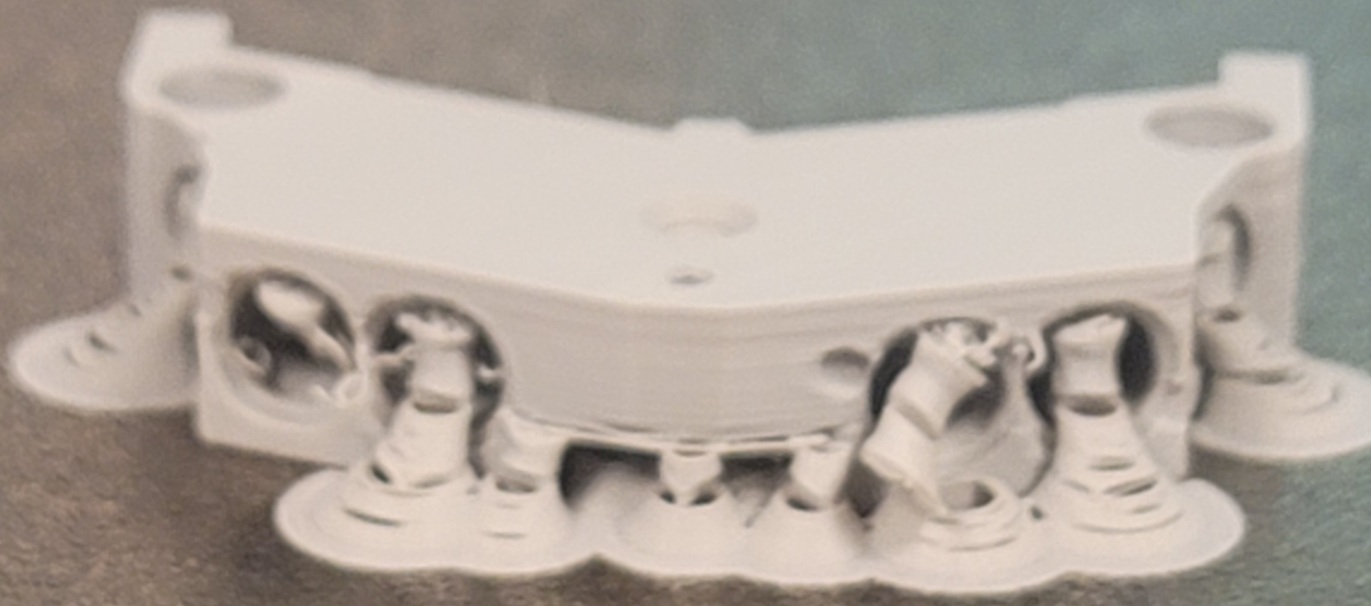
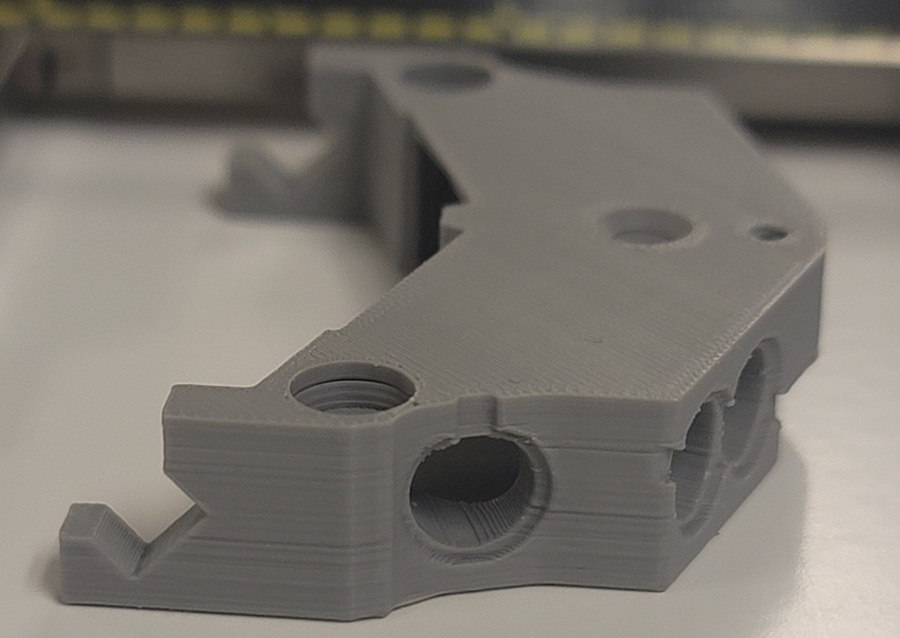
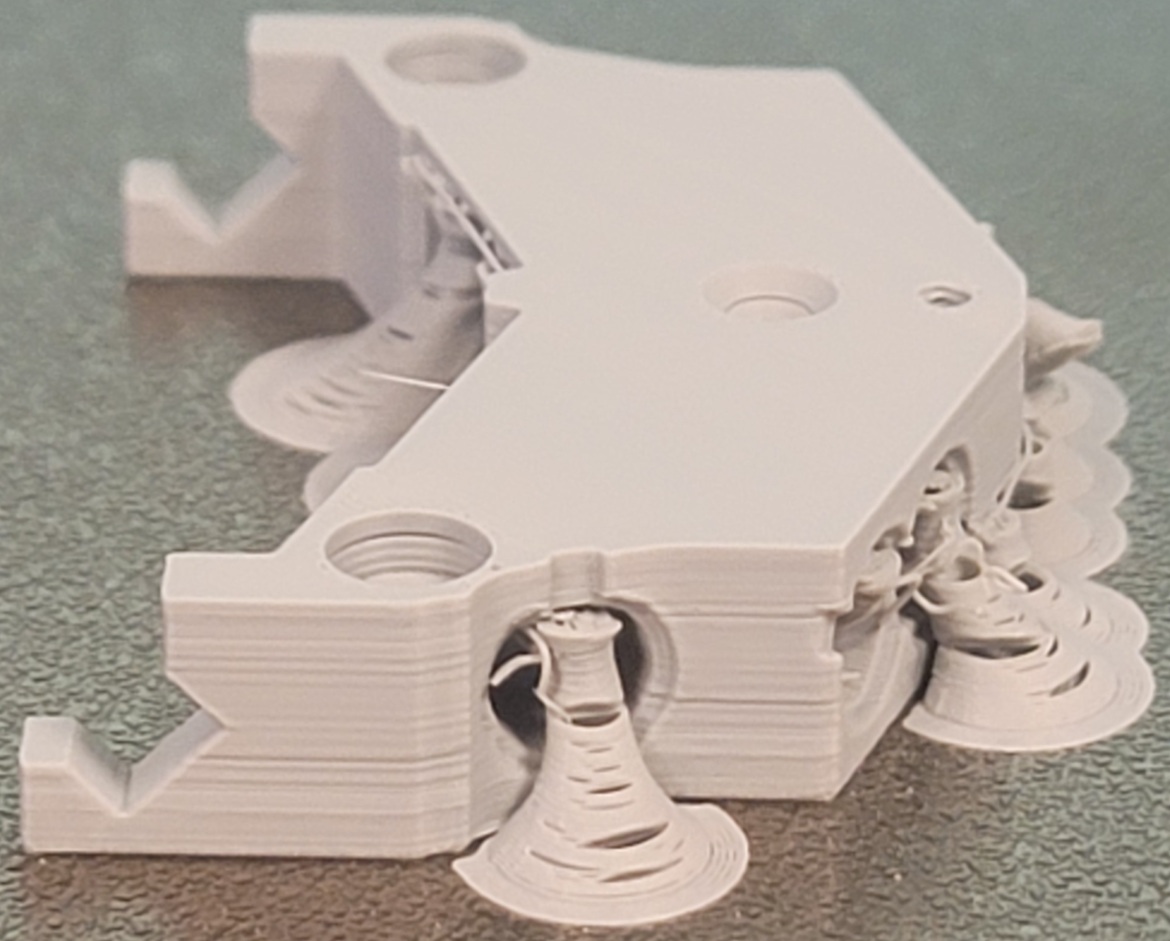
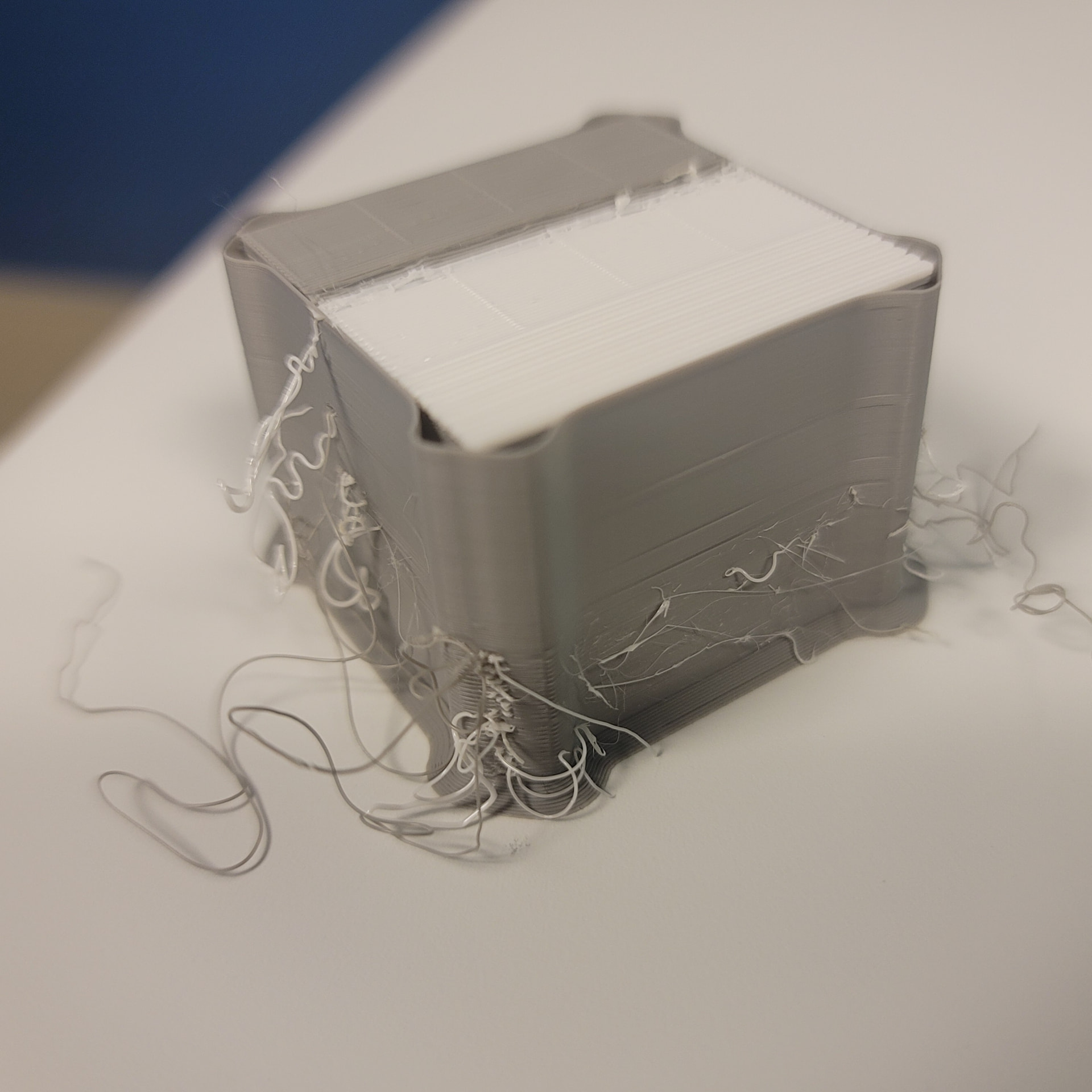
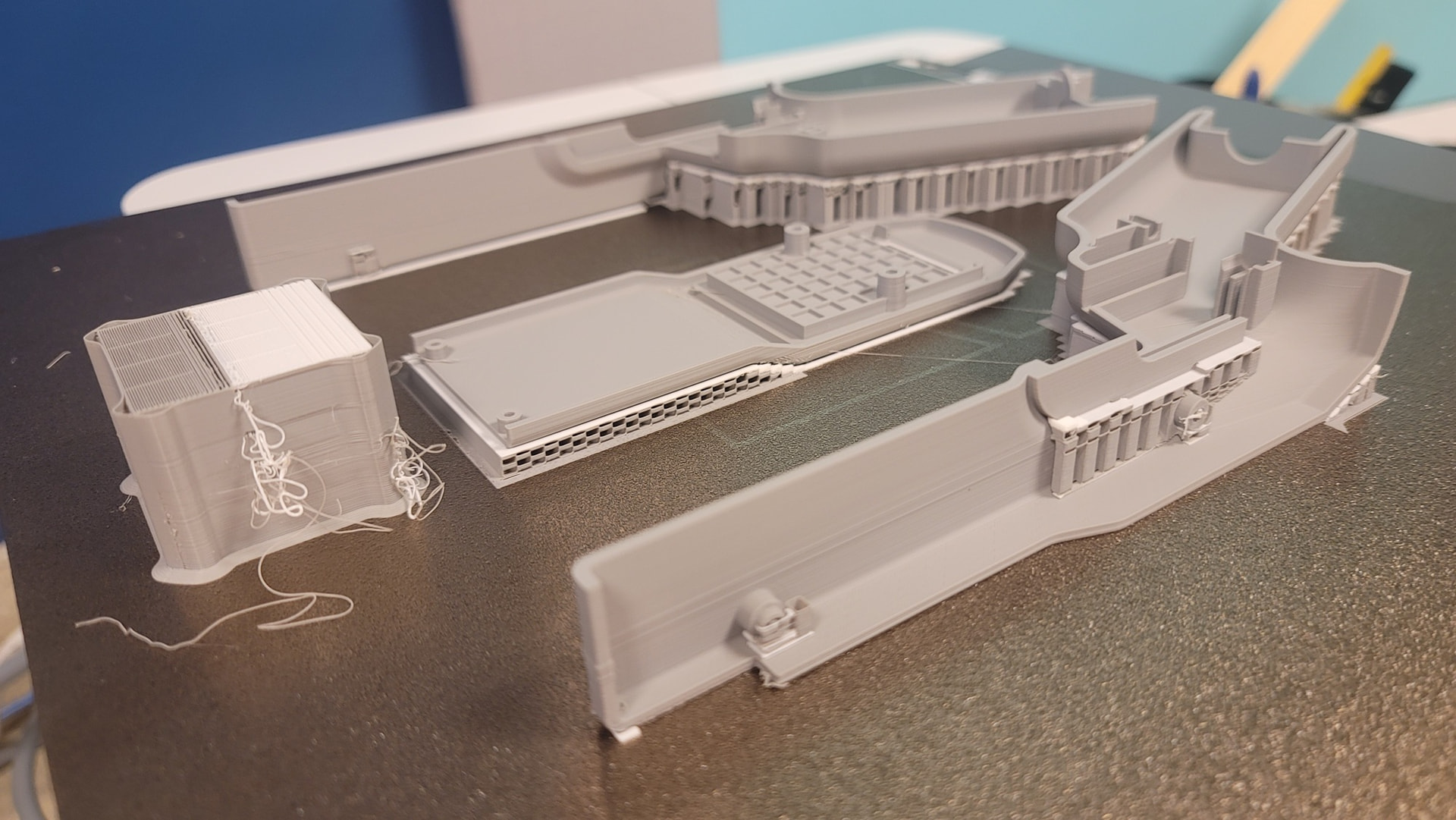
Using new 0.2mm nozzles and Bambu Lab parameters the 1 hour print is poor. The Textured PEI
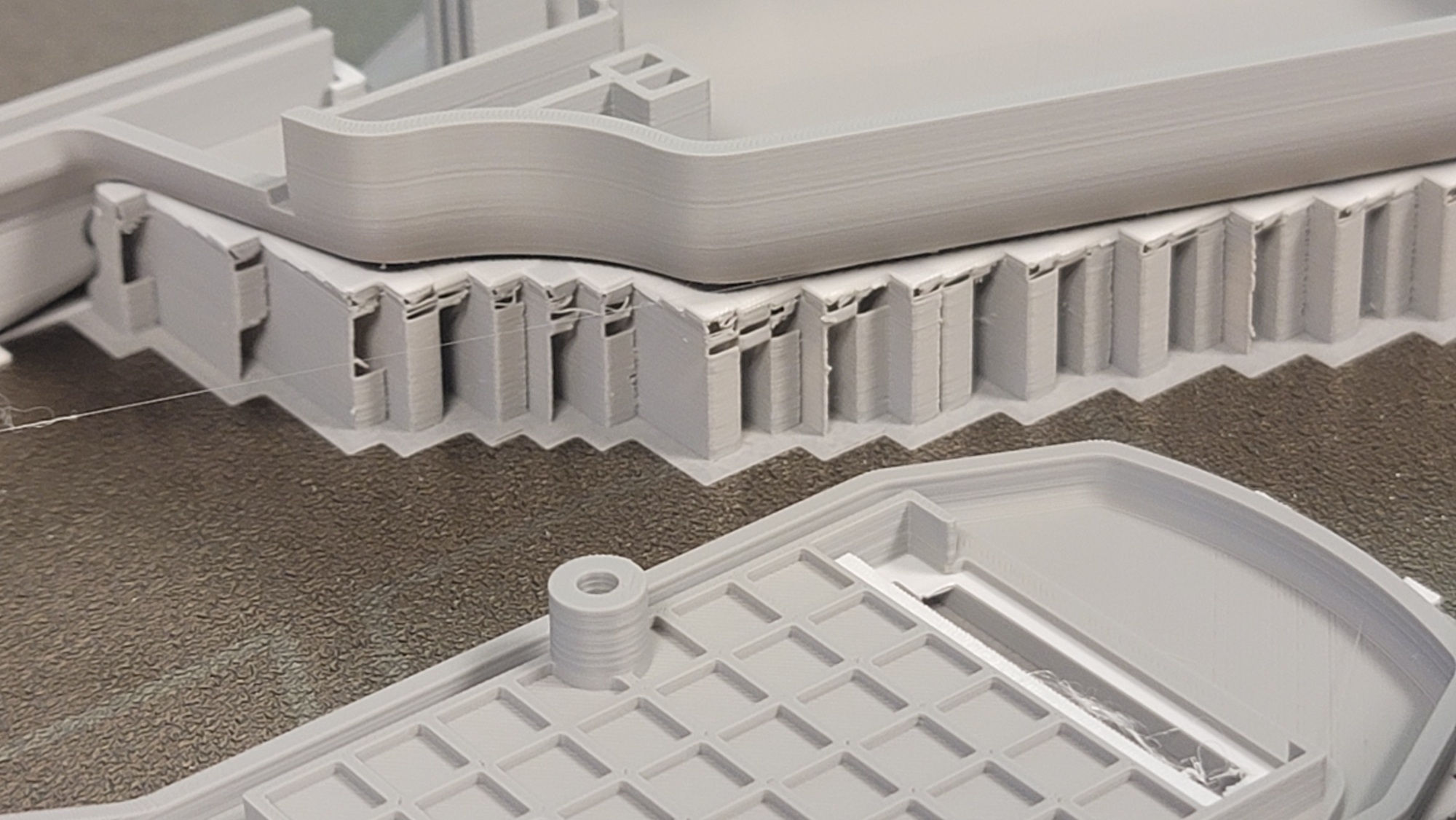
build plate is clean, yet adhesion is light. For the part and support, Bambu Lab Gray PLA Basic (PLAB) filament fed to the right nozzle from an AMS 2 showing 38% RH was used. Bambu Lab Support for PLA (SPLA) was used as an interface layer and was fed to the left nozzle by an AMS HT showing 30% RH. No purge tower was used, as there is no material swap at either nozzle. The SPLA was observed flowing poorly, requiring some distance before putting material down, late in the print. One time earlier in the print a purge was seen prior to putting material down, but that was the only time. The tree supports look terrible and some of them were toppled by the nozzle motion. The part didn’t print clean either. I certainly was not expecting such poor performance from Bambu Lab. Would someone please suggest what’s going wrong here? Photos attached of the print and the cleaned part (same gray part different lightings). Thanks.
My understanding is that the tower use is a best practice. Not because of the changing of filaments, but to allow the proper pressure to be achieved before the nozzles move to the model. This is even in your observation as you said it required some distance before putting down filament. Try enabling the “prime” tower and see if that makes any difference.
Also, it seems that the RH is very high for even PLA. Try drying the filament, too.
@Steve_KA5YFC is right about moisture, both of those filaments are potentially way too damp to work well.
He’s also correect, there’s no such thing as a purge tower, and there never has been. Purge goes in the purge chute, the tower is a PRIME tower, and is used to build up nozzle pressure after a nozzle swap - because they don’t retain pressure sitting there doing nothing.
When a new layer begins, if the nozzle hasn’t been primed, the initial pressure is low, so you get underextrusion - which is exactly why your walls are uneven, your supports have gaps, and your interface is bad.
Also, if your print was barely sticking to the plate, no it isn’t clean. Hot water, dish soap, nylon scrub brush, paper towel to dry.
Thanks Steve. About the RH being high, I have the impression that all sorts of hobbyist type persons, with open frame printers for instance, have had all kinds of success printing ‘the easiest’ of all materials, PLA, without giving RH a thought. 3D printing probably would never have taken off were it not for that sort of history. Then again, they probably weren’t using 0.2mm nozzles. My 3d printing experience comes from 10 years of industrial grade machines used in an R&D environment that always just worked without having to watch over every little print parameter. I am ready to do that, but I thought Bambu Lab’s claim to fame is not having to. If this misprint is all about the PLA not being dry enough, that is on me. On another note, I wonder why the bed adhesion is so light. I had a print peel off early in some places with the same setup despite a good looking first layer. The build plate is basically new and I washed and dried it per BL instructions. Do I have to use the adhesive that was in the tool kit that was supplied with the H2D?
I think that both the filament being too wet and the fact that the prime tower was used are your issues for the most part. If the machine hasn’t reached the proper pressure, it will leave the print as under extruded. I see signs of that in your layers and on the top surfaces. The moisture in the filament will leace surface defects like stringing and little blobs as the filament pops because the water boils off at print temperatures.
Try drying the filament, you can use your printer for that if you don’t have an AMS 2 or other dryer and turn the prime tower back on. These machines are about as plug and play as they come. My first printer, I had to constantly work on, adjust before every print, spray with hairspray and just tinker with to get it to work. I have 1700 hours on my X1C and the print failures I have had are because I didn’t do something or I tried something that I should not have. My new H2C is waiting to find it’s new place on the bench. I have enough confidence in these machine that I bought another.
The bed adhesion issue will probably be solved by @CarbonForge suggestion. Clean it well as described. Also, I think there is a heated bed leveling procedure for the H series, but, again my understanding, it has to also have the basic leveling on also. They work together, not independently.
Hope this helps explain some issues and that we can get you running better.
I would try again with purge tower enabled to see if its some weird bug in the software.
Thanks Carbon! I am actually having a good, helpful experience on this forum despite being a newcomer.
I knew I meant to write ‘prime’ tower but didn’t put 2-and-2 together as you’ve described excellently. I had assumed it was only logical that the machine would go over to the purge shoot when switching nozzles to establish flow before putting material down again. So, I left out the prime tower to cut the print time in half. I mentioned that I happened to catch the machine doing just that one time when it had switched nozzles, lending credence to that idea, so I was surprised when it didn’t do that when watching a nozzle switch later. Anyway, I seem to recall that there is a situation(s) where running the prime tower is not necessary. Can you speak to that please?
As for plate cleanliness, it is new and has little print time and has been handled carefully. A few prints with PLA-CF have adhered quite well. Perhaps the plate can become technically dirty quite readily. Is it common practice to clean with almost every new print job?
Thanks again Steve. I appreciate your analysis of the photos. I do have an AMS 2 and an AMS HT. Yes, these machines are supposed to be the plug-and-play leaders, so I got one.
I’ve left on the standard ~10 minute leveling/calibration routine that happens prior to each print. I’ve also re-run the 30+ minute new machine calibration routine. I hope either one includes heated bed, which I hadn’t thought of.
I’ve left the filament as is and started a 22+ hour print, the same one that I mentioned previously with the adhesion issue. I’ve added the purge tower, which jumped the print time by 5 hours. I changed to rectilinear support as well. The first layers looked great on the virgin and cleaned side 2 of the plate. I won’t know how it turned out for at least 10 hours, as I am unable to connect to the printer other than LAN only mode when I am on site and I am presently away. There is no substitute for having the parts in hand and all I would really know from a remote feed is if it failed anyway.
There was one time that I had a working remote session over the net and it quit and I haven’t been able to get it back, which is another issue for me. My experience with this machine has been regular frustration, anything but plug-and-play. I have another thread about failure to print TPU after an informed attempt using a dedicated setup. Each different thing I try has begun with failure.
Anyway, in this case it appears I should have dried the filament, even with PLA. I wasn’t expecting that when one receives new filament you can’t just load it and run it immediately. Yes, I had read that filaments are not necessarily dry out of the vacuum pack (another surprise). Sure, I ran an 18 hour drying cycle on my TPU print attempt. Again, I think of the whole hobbyist 3D print community with the impression that they had satisfying results under much less ideal conditions. In my experience using industrial 3D printers we didn’t have drying cabinets and large cartridges of material stayed exposed to the atmosphere and things just worked.
If I had read your and Carbon’s post beforehand, I would not have started that 22+ hour print and run a drying cycle instead. So, I’ve forced the drying issue and we’ll see what happens, however those first layers were looking great…
Hi Dann. Yes, the prime tower is back. Read @CarbonForge post. Thanks.
Nozzle pressure is necessary for pressure advance to work properly, so in my view it’s generally needed. That said, if the print size and geometry are such that there would be adequate opportunity to develop pressure on every layer before the outer wall and supports are printed, perhaps it could be left out?
Even printing infill-first seems to be a problematic approach though, as I could envision that first bit of infill not sticking well and curling up, leading to future problems.
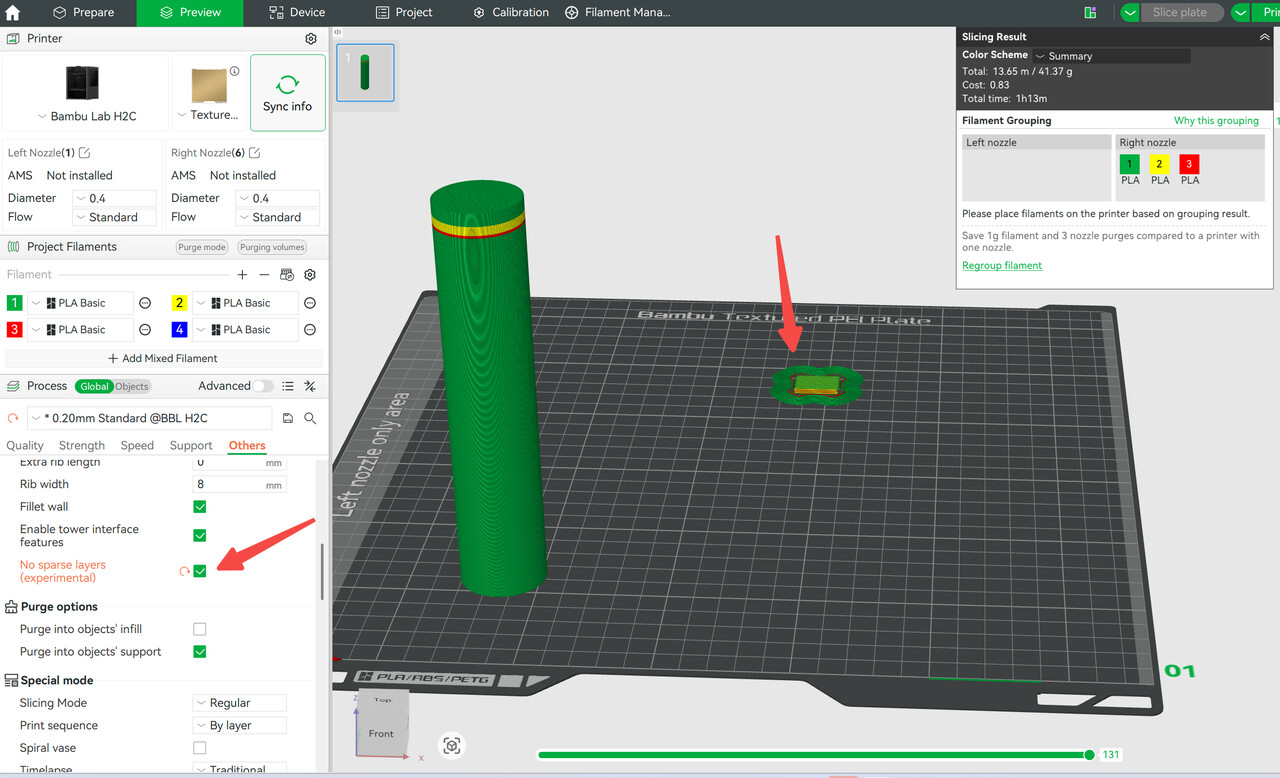
I think the newest version of Bambu Studio has the ideal solution (albeit a beta feature), minimal height prime towers:
This will compress the tower so multiple successive layers that are single color only will only prime once, then the next prime will happen at the next color change.
New doesn’t necessarily mean much - it was sitting in packaging for who knows how long, other things were offgassing near it, the PEI coating may be somewhat active initially, who knows? My first go to whenever there is questionable adhesion is a full dish soap and hot water scrub. After that, if adhesion is still marginal I would do another soap clean followed by a vigorous rubbing with isopropyl - always soap first to eliminate oils, lest the isopropyl just spread them around. If it’s still not to your liking, a very light pass with fine sandpaper is an option, but I consider that the nuclear option. It’s entirely possible the lack of priming, 0.2mm nozzle, and wet filament may have just stacked up to cause less than optimal adhesion this one time.
You could do one of those “plate cleaner” prints (a full single layer over the whole bed) with a 0.4mm nozzle to see what that looks like. Any marginal adhesion will be easy to spot.
I am so confused, not sure what carbons post has to do with my post 
Prime/purge you knew what I meant haha.
Hi Dann. @CarbonForge made the important distinction that the prime, not purge, tower is essential in developing flow at pressure to lay down proper beads of material, thus priming the flow through the nozzle. A light bulb when on for me. When you called it a purge, which is a clearing action, that suggests that you may not have known that, so I bold italicized prime in my reply and referenced Carbon’s explanation.
Carbon, thanks for pointing out the ‘No sparse layers’ function. I’d like to understand why ‘sparse layers’ was chosen to name it. Anyway, that it would continue to print until a filament change ironically speaks to the logic I had to eliminate the prime tower. Since you educated me on the importance of priming, I hope the function is smarter than that and keeps things primed as needed. In that case it would be an ideal solution.
I appreciate the added thoughts on plate cleanliness.
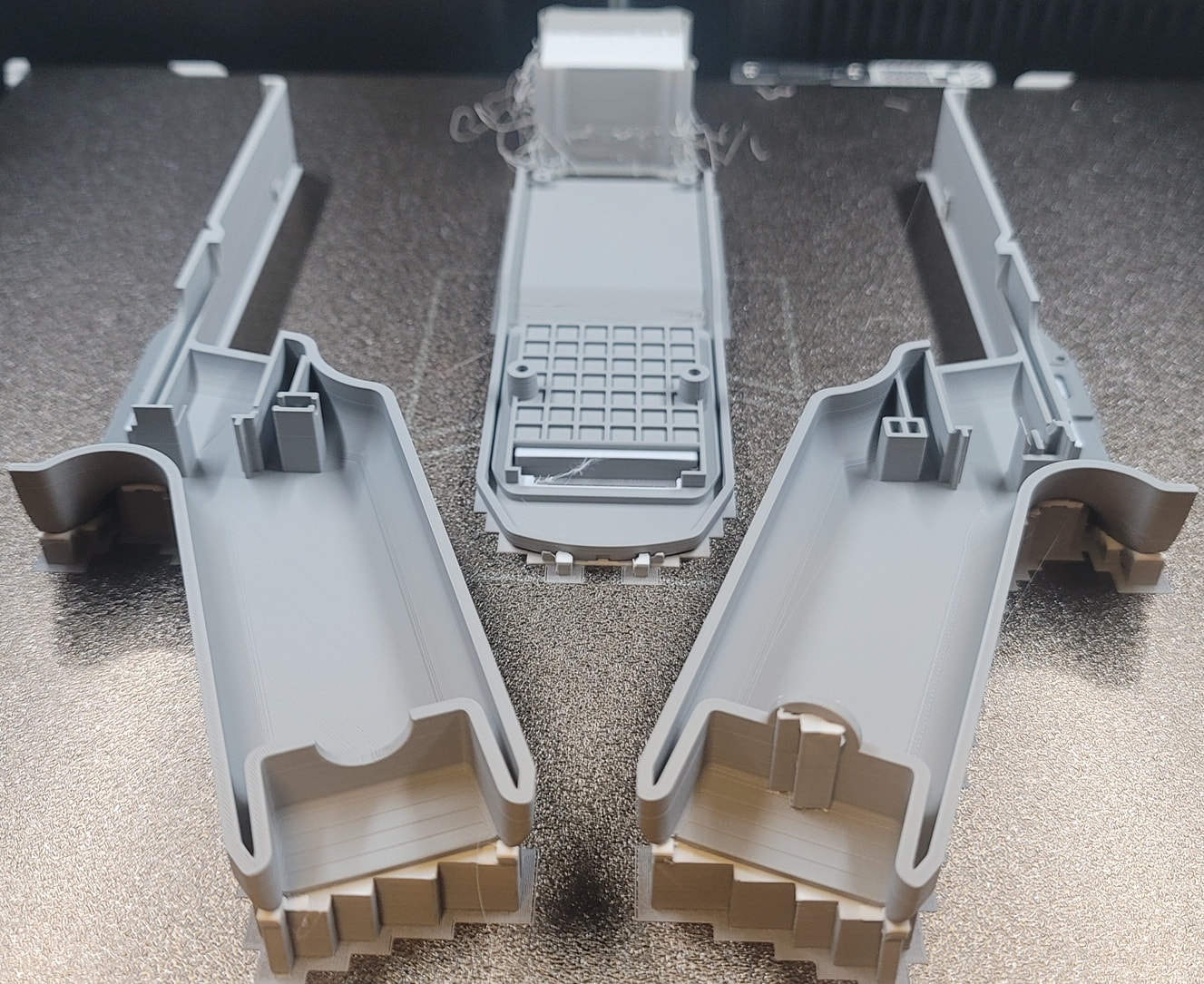
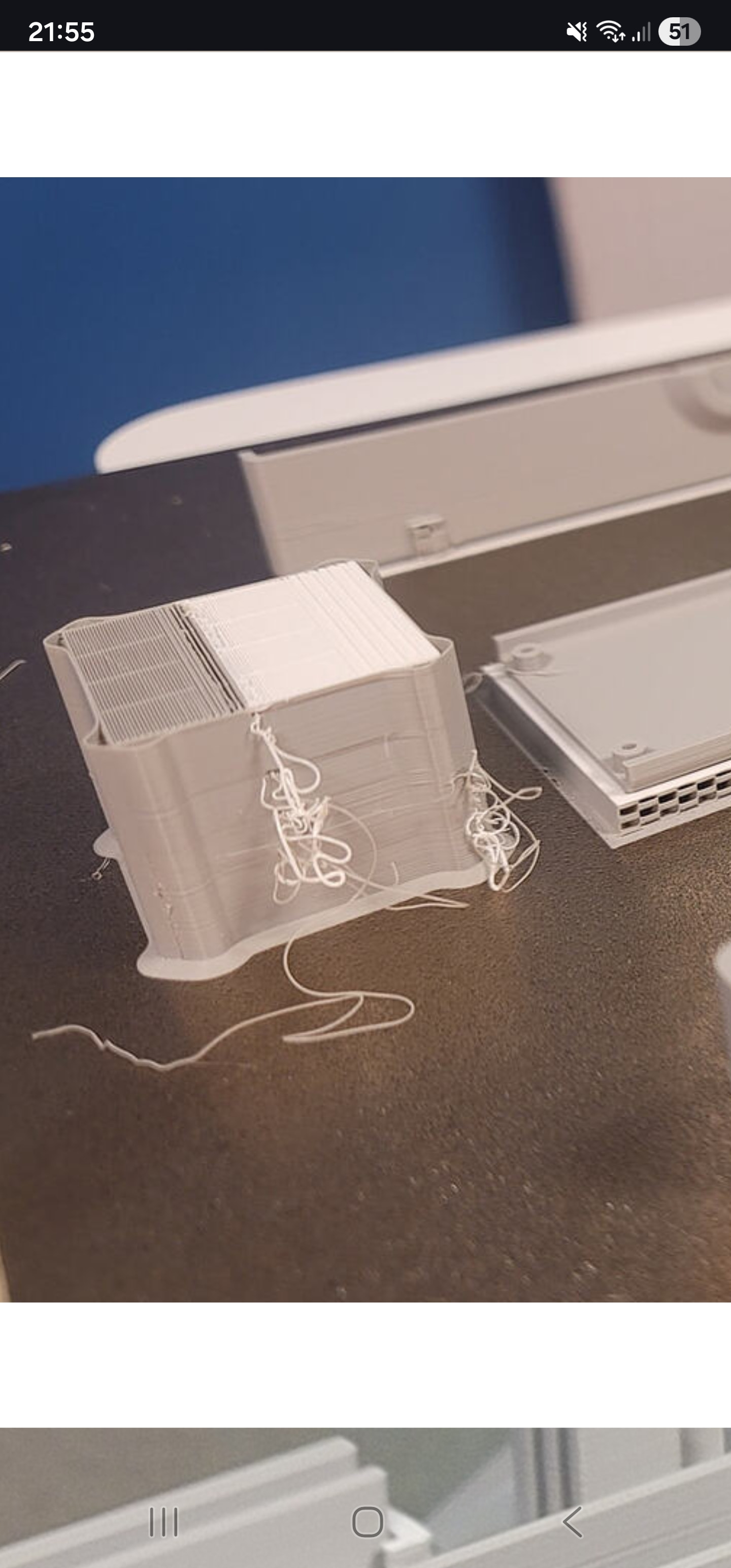
Well, the print when to the 23h53m end. I’ve retrieved the parts and there are artifacts of what I now understand to be of inadequate drying. Major stringing on the prime tower. Support structures are deformed. Distinct layer variations are still present. Please do comment on those and anything else that may be seen. However, the parts are usable for their current intent. I want better performance going forward. I have drying cycles running on both AMS.
Don’t worry about the stringing on the prime tower.
That’s something Bambu did recently, the extrusion is actually now beginning before the tower, so those little noodles are goinf to happen.
Such a strange way of doing it too! So easily for a noodle to come off and land in your print or be dragged around.
That doesn’t seem to be a problem users are reporting, it seems that the printer is doing a pretty good job of attaching the noodles to the tower.
Apart from pretty much all of here.
Question (I’m a nooby to 3D printing, but have had an H2D for 2 months): why the choice of 0.2mm hotends? My understanding is that will result in a weaker structure than 0.4mm hotends (more interfaces between layer = more weak points) and a MUCH longer print time (like 4-5 times longer due to the 1/4 area of the 0.2 nozzle compared to a 0.4 nozzle).