As the title says, i want to force the supports to generate from the build plate, unless it is impossible to do so otherwise. Is there a way to force priority for support generation?
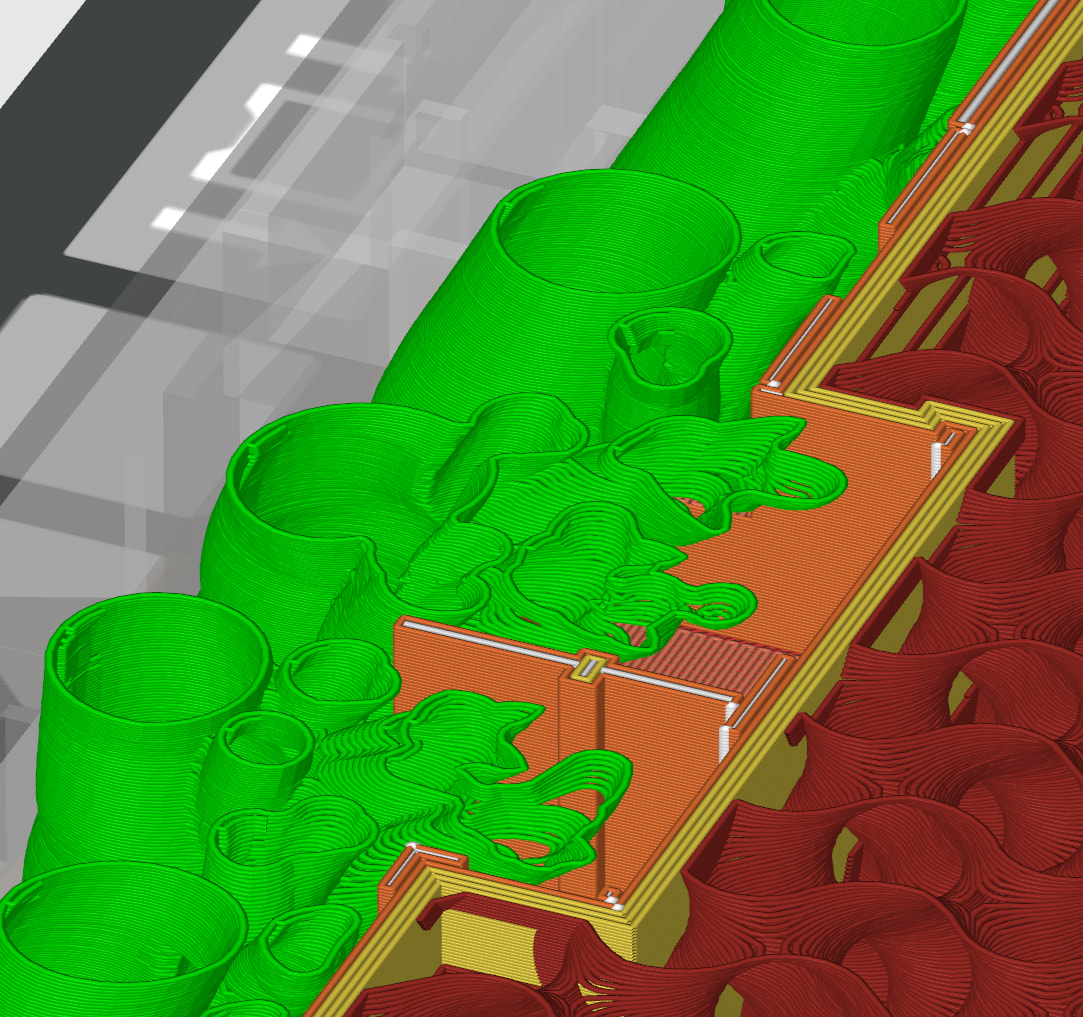
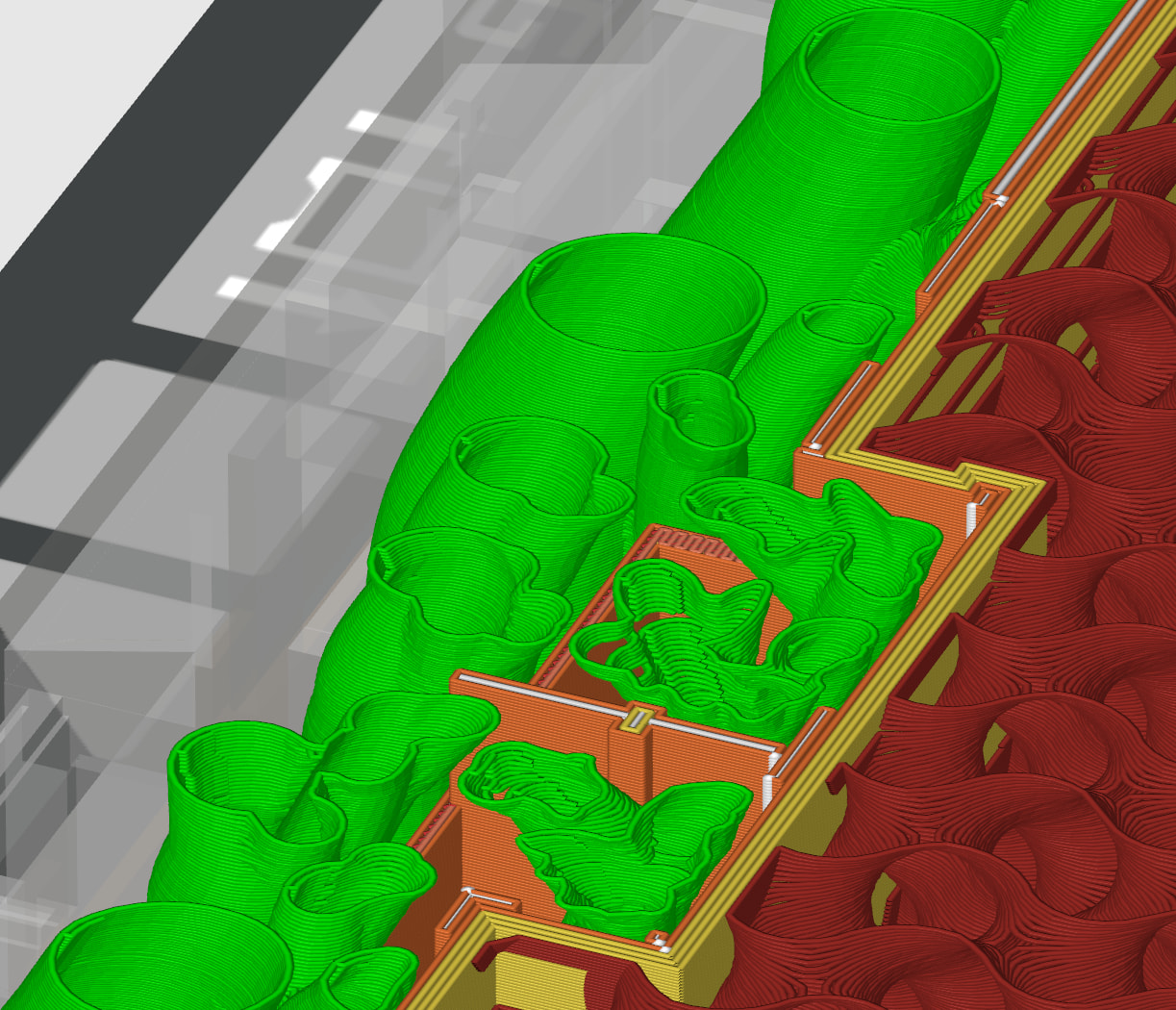
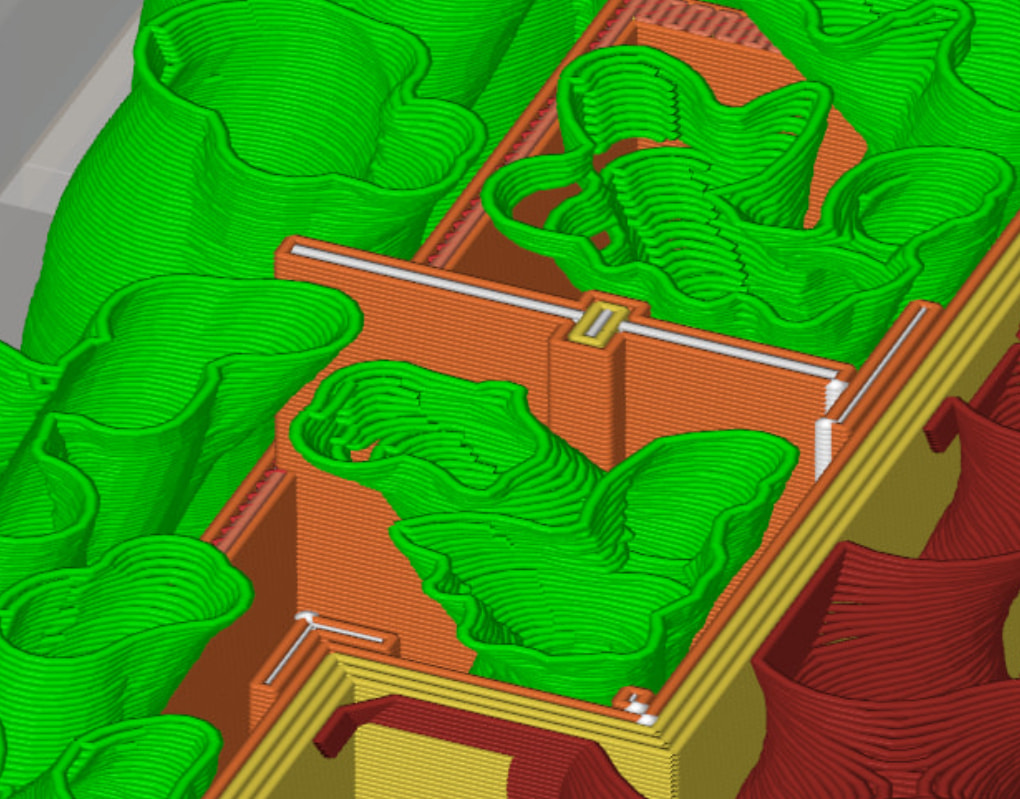
1st pic is with build plate only generation enabled, where the supports generate from the outside, as they should.
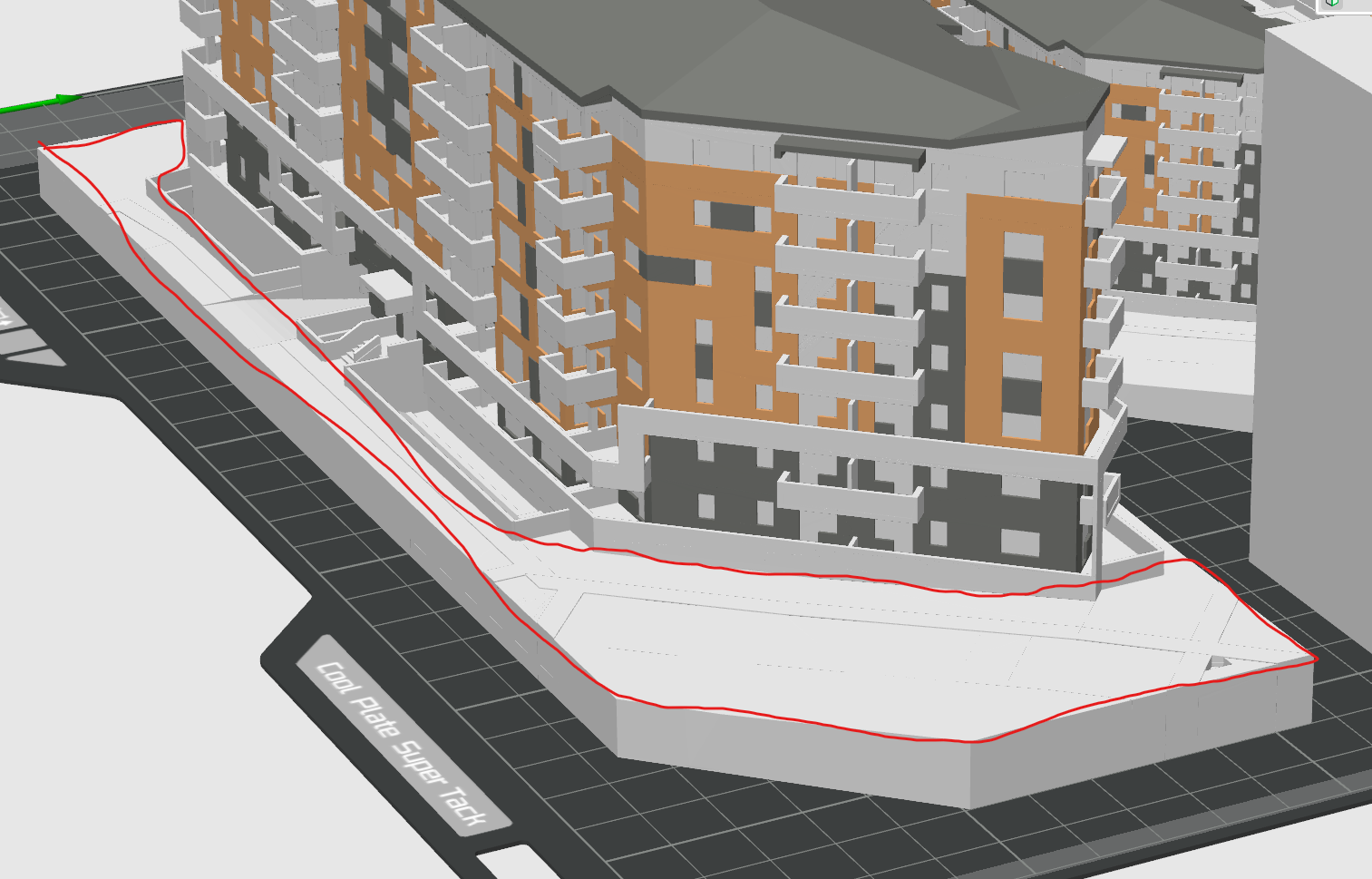
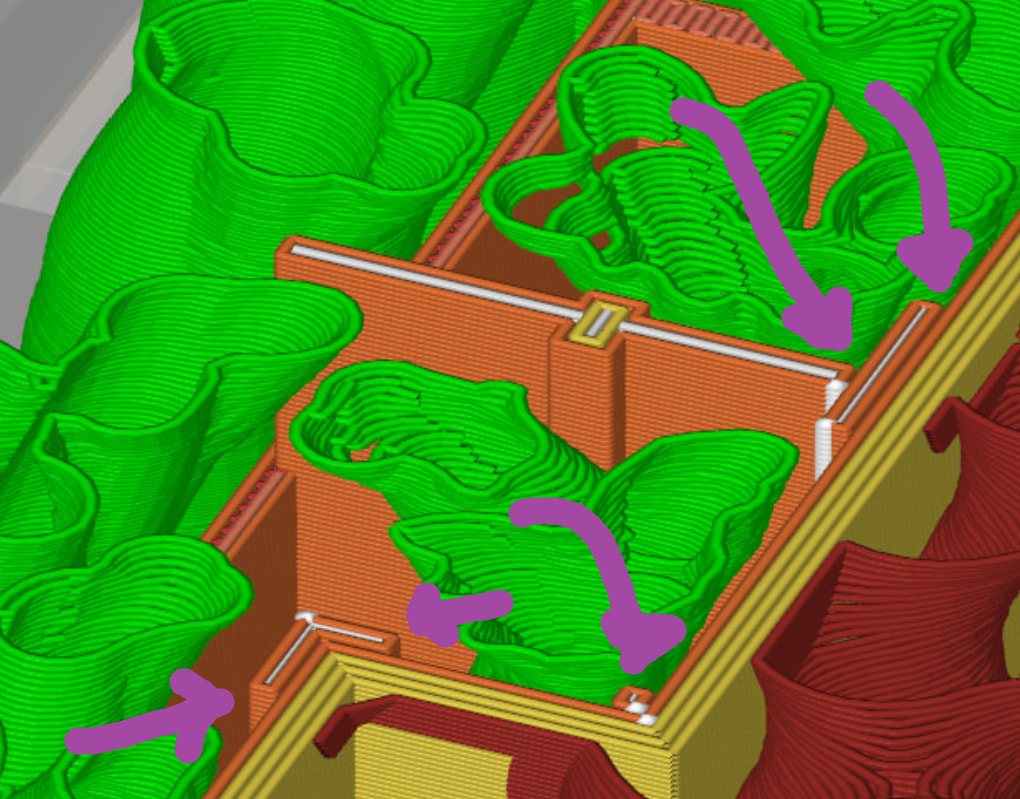
3rd pic: at the bottom here it is obvious that support generation is needed on the model itself, but i want the supports to generate like this only when it is absolutely necessary.
In the case of this model I wonder if it wouldn’t be easier to separate the building from the base and print the parts separately? I feel (as opposed to actually know) that it would get the results you want without too much hassle.
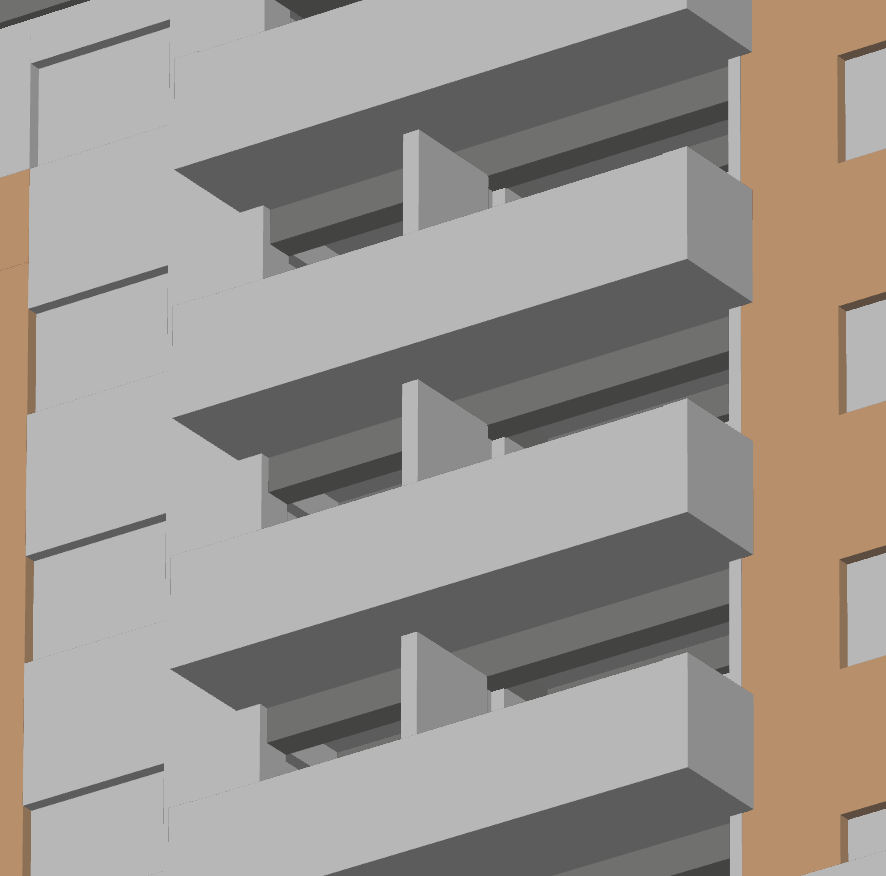
I guess they could but there is such a large amount of balconies per building, each building will be printed many times, the amount of assembling is quite high. There is also the problem of the 3d model, would be quite a hassle to separate from the model.
They didn’t like the lines between the parts stuck together. I tried to cut and stick them together with connectors on another building, but they still had some quite noticeable lines between each level.
If I was doing this, I’d be splitting the print strategically so that it can be printed in same-color sections, assembly lines can be hidden, and avoid supports wherever possible - trying to do large, complex multicolor prints WITH special support requirements just looks like a lot of opportunities for things to go wrong, and one bad section ruins the whole print.
You didn’t mention which printer you’re using, but if you’re using a dual nozzle, why not use “Support for PLA/PETG” and set that to both your base and interface layer? That will make the supports extremely easy to remove from the balconies.
Also, you have a LOT of wall layers and pretty dense infill. Is there a reason for the model to need to be this durable?
I get that this architectural model is just scaled down hard, but there’s still an air gap in there. It’s trying to print those as freestanding bits, seperated by like 0.1mm. Gonna print like crap IMO, and pull apart when you try to remove supports.
Maybe experiment with “XY Wall Expansion” by like +0.1mm [or more, test] to make all geometry fatter, and it will blend all those discrete objects into one. Or go back to the CAD/design that created this and see if it can export in a solid mode.
I’m using an h2c with ams pro, all nozzles 0.2mm. I have ordered some pla support(new version) but it is due to come in 1-2 weeks due to slow shipping. I think it looks like a lot of infill because of the 0.2 gyroid. It is 3 wall loops with 7% infill. The reason it was a lot of walls is because of how the model is exported from rhino, I want it to be a thin shell of color over the model hence the many walls. I have printed such models before but the supports in the balconies were always a pain to take out, since they ripped the railing off even if I was really careful when pulling it out. Perhaps with the pla support it will be better. It does not need to be especially durable, but I don’t want them to feel too flimsy/light when held
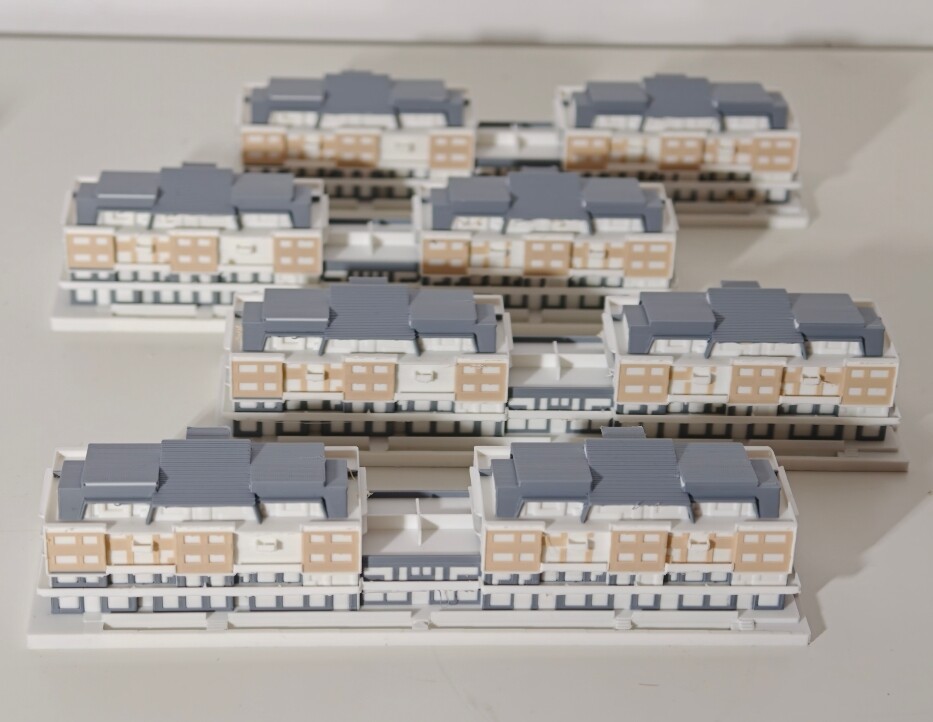
This is how they turned out before, on a smaller model without the balcony issue. The really thin walls seem to merge alright but I will give the XY wall a shot.
Yes, it is quite a lot of change’s, but print time is not really a relevant factor, just the print quality matters. It was printed like shown. That is also why I have acquired the h2c, after having an h2s and some a1s for a while.
Oh, i take back [maybe?] some of what I said, if those are multiple filament types they might be properly fused together despite being outerwalls-to-outer-walls. Can’t see that data in the line type preview. Moreover if youre using multicolor; you cant use Wall XY expansion, feature doesnt support it.