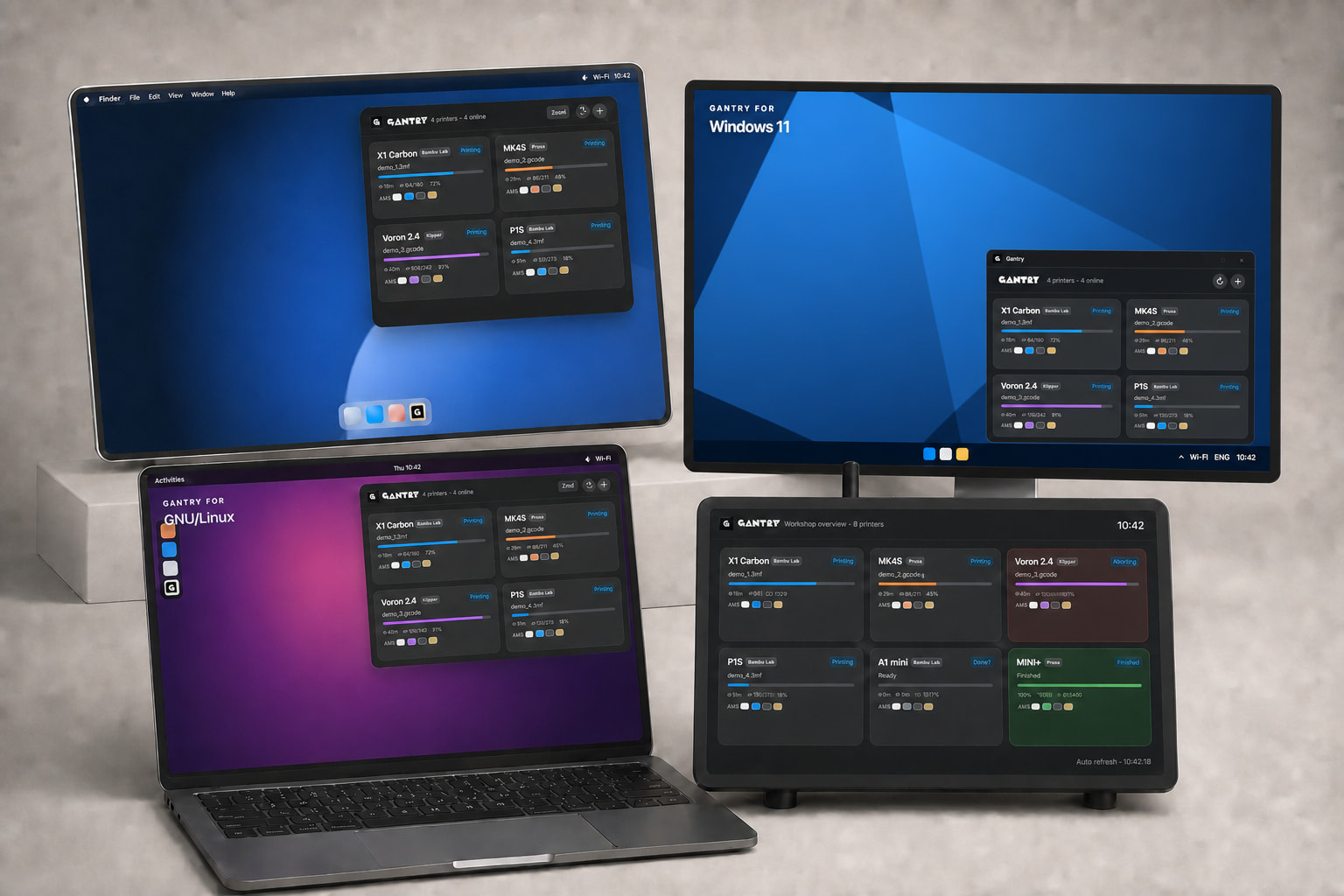

Hey everyone! I built a little tool I’d been missing for a long time, and figured it might be useful to more than just me. Gantry lives in your menu bar (macOS) or system tray (Windows) and, with one click, shows the status of all your printers at once — no slicer, browser, or cloud needed.
What it shows:
-
status, progress, ETA, layers, nozzle/bed/chamber temperatures,
-
filament as physical modules — AMS, AMS HT, Creality CFS, Klipper / Happy Hare MMU, external spool — each with its own slots, colors, humidity and temperature,
-
dual nozzle (e.g. H2D) shown separately as L/R,
-
notifications (finished, error, low filament, high AMS humidity), quiet hours, and a compact mode for larger fleets.
Supports: Bambu Lab (local MQTT/TLS), Klipper/Moonraker (+ Happy Hare, Creality CFS), Prusa (PrusaLink).
Platforms: macOS (menu bar), Windows 10/11 (tray, no-admin installer), GNU/Linux (GTK, .deb — beta), and Raspberry Pi kiosk mode (full-screen workshop dashboard + a phone-friendly web panel).
Privacy: everything stays local — Gantry only talks to the printers on your own network; nothing goes to the cloud or to me. Access codes are kept in the system keychain, and the slicer config is read only with your explicit consent.
It’s free and open source:
 https://github.com/parametryczny/gantrybar/releases/latest
I build this myself, for the community — completely independently, with no external sponsorship or funding of any kind. It is not affiliated with Bambu Lab or any manufacturer. Feedback, bug reports and ideas are very welcome. 