Everyone invited. Free beer. Seriously, I hope this doesn’t violate some rule against self-promotion. If it does, let me know and I’ll do the right thing.
https://makerworld.com/en/models/3126017-gridlessfinity#profileId-3527186
Everyone invited. Free beer. Seriously, I hope this doesn’t violate some rule against self-promotion. If it does, let me know and I’ll do the right thing.
https://makerworld.com/en/models/3126017-gridlessfinity#profileId-3527186
Nice project. I’ve always kinda wondered what the point of the grid was if completely filling a space with bins anyway. Great writeup and organization, and +100 for permissive license. Only thing missing is the .f3d file…  (j/k)
(j/k)
Now if only someone would invent a prediction system for which size bins I will need for the next few years… Deciding on sizes is pretty much where my bin planning always peters out…  Sometimes having too many options is just as debilitating as having none. Personal issue, I realize!
Cheers,
-Max
Thanks for your kind response MaxThreeD. A previous version of my write-up mentioned that I would post the Fusion files as well. But MW doesn’t allow it without sneaking through the back door which is what I did to get the PDF file for the blank grid pattern posted.
The back door method means taking that PDF file and stuffing it in a zip folder. MW allows zip folders. But that folder only contains the one PDF file. When I put a bunch of Fusion files in a folder, MW rejects it. So I had to take that out of the write up.
I may have done it wrong. I’ll try again later. I won’t the world to have the Fusion files so that CAD users can tweak the system to their heart’s content.
Tell a friend. Make GLF hot!
Thanks henry140! I appreciate the response. At 80, I’m all about bigger fonts and color, but I’m not sure how far I can go with tweaking those two things before MW sees me as a self-promoter. Look at me! Loot at me! I’ll try some things. Tell a friend. Make GLF hot!
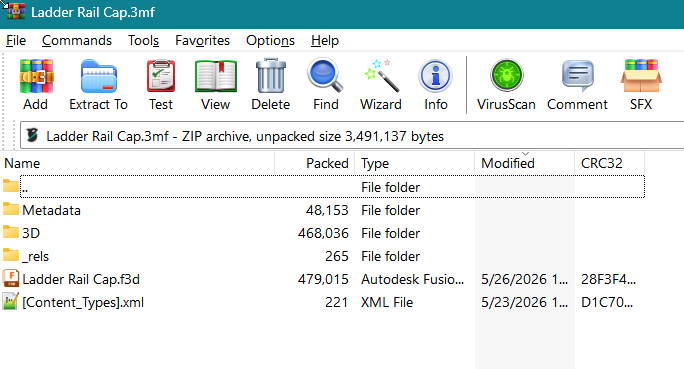
FWIW, a .3mf is already a zip archive, and you can add any file you want using your favorite zip utility. I keep local copies of my Fusion designs by opening the associated project file with WinRar and adding the .f3d file. I add a note (Others>Notes) in the Process profile as a reminder that the Fusion file is included in the .3mf.
This keeps related files together in local storage, but I do not know if MakerWorld checks the contents of a .3mf for “extra” files.
Thanks Ikraus. I’m not sure if I’m computer literate enough to follow. Are you saying that I could make a folder called something.3mf and put some number of .3m files in it along with their .f3d counterparts?
Honestly, at first I thought this was a joke.
But its a pretty good project. And it shows that a good amount of effort was put into it.
“Honestly, at first I thought this was a joke.”
Somehow, hearing that sort of pleases me. GLF is almost a parody to GF. But, I do think it’s a more elegant solution and there’s nothing to it but trimming away fat with math. It was an obvious alternative. I’m sure people have been using it all along.
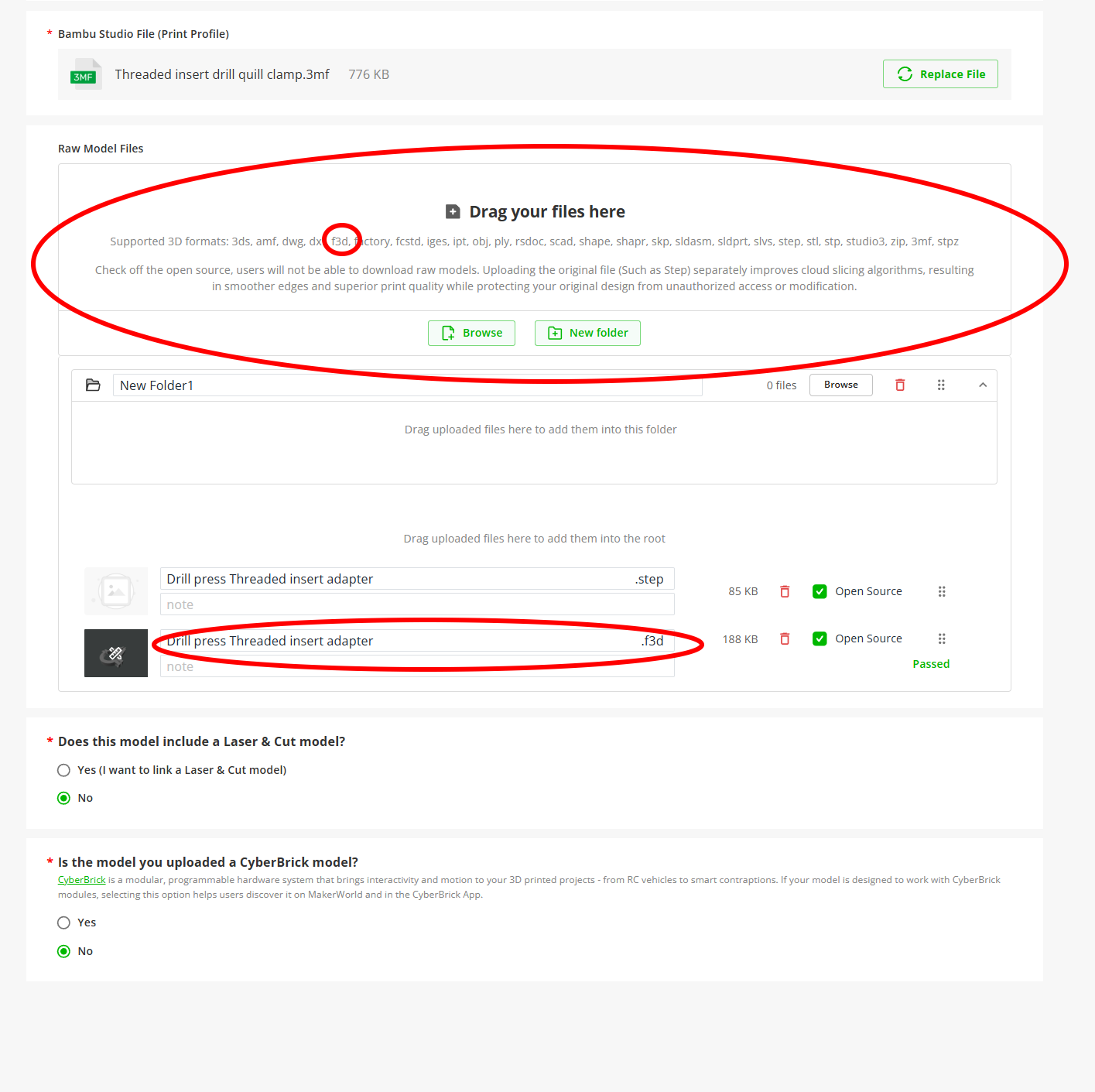
Before I tried explaining my idea, I tried adding the .f3d file to a .3mf for Makerworld, and it was rejected. BUT, I also found that Makerworld lets you add an .f3d file directly as a raw model:
You might also take a look at the organization of the Fusion file I use for Gridfinity. It includes many designs in a single file, and in Fusion you can turn on/off the features you want in your model.
==========================================================
That’s not really what I wanted to say.
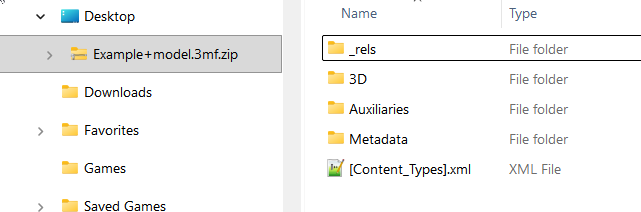
Your .3mf project file is already a collection of files combined into a .zip file, but with a different extension. You can see this by opening the .3mf in a zip file utility. Or, in Windows, add .zip to the file name: Project.3mf→ Project.3mf.zip. With the .zip file extension, Windows treats it as a folder, and File Explorer shows the project contents:
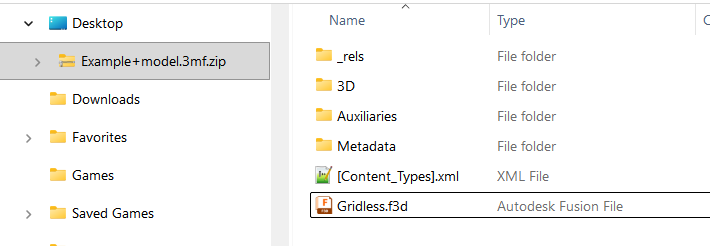
You can copy or drag a Fusion f3d file or any other files into that “folder”:
If you then rename the .3mf to remove the .zip extension, the slicer will ignore any “extra” files that you have added. Apparently, Makerworld checks uploaded .3mf files and rejects any that have been altered, but this does work for local storage and for .3mf files uploaded here on the forum.
block.3mf (68.3 KB)
I’m glad to know that. I’ll try again. Thanks Larry.
How stupid am I?
I’ll just upload a fully editable Fusion version of one box (with baked in parameters) into the raw files. All of bodies and sketches in the timeline will be named. Duh!
I think it’s a great idea to help out the CadLess, great job!
I am a SolidWorks user, so no issues for me. I just made some trays to organize my wrench drawer and wasn’t over concerned with tight custom fits, so with yours, I think that if a user was a half inch short in the drawer, I don’t think they would complain too much.
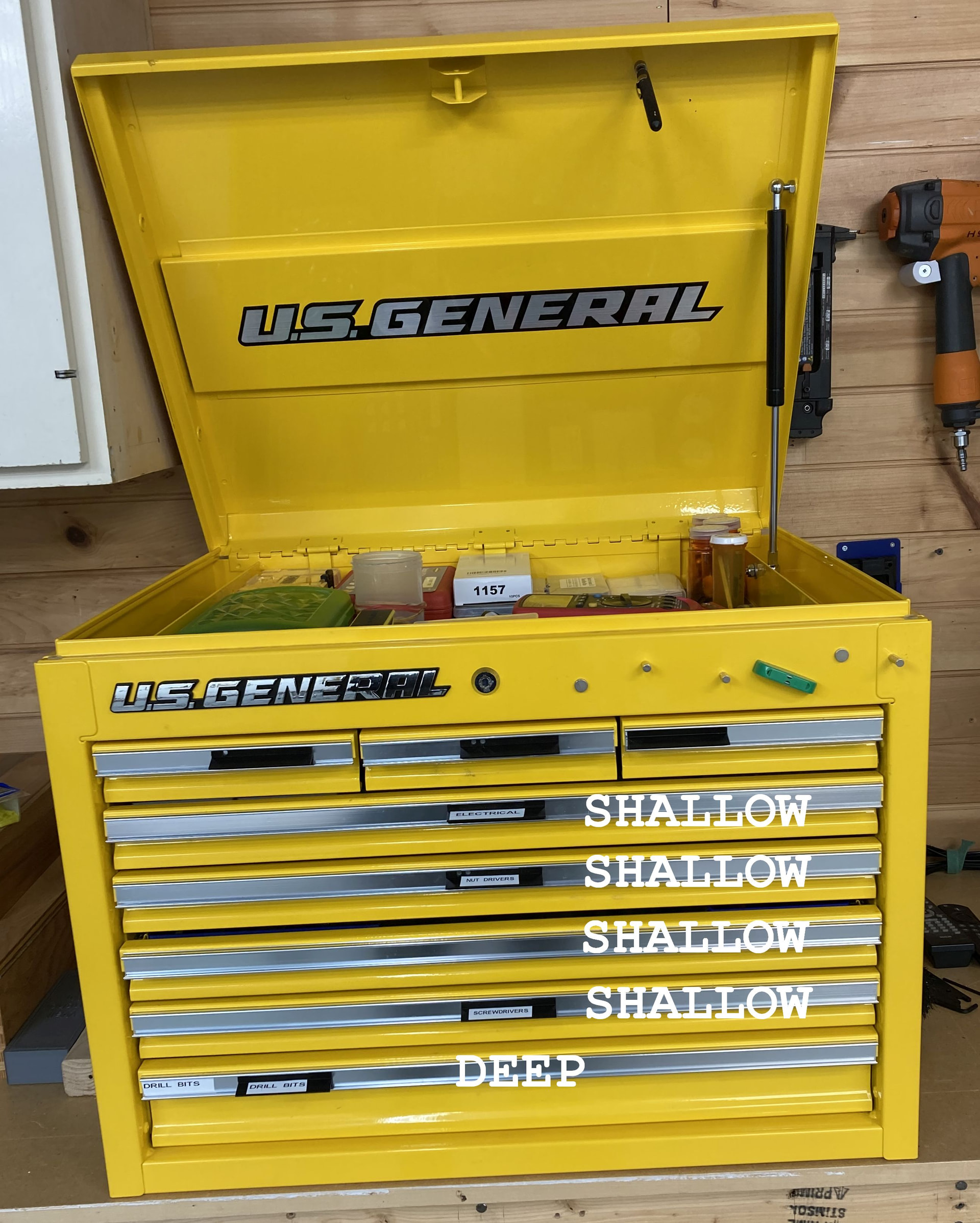
Thanks for taking a look. As to the issue or someone having 1/2” left over– they shouldn’t if they use GridLessFinity because it covers 100% as long as they use the right files. And the files available at this moment are for the three shallow drawers of this box. Hopefully, I’ll have the files for the deep drawer uploaded in the next half hour.
Got it. I guess I was referring to someone who had an off brand and the drawers were not the exact size and couldn’t design an exact fit.
Right. I’m hoping that people will send me dimensions for other brands like Snap-On, Craftsman, whatever. Then I can upload files for them too. The goal is to serve the CADless 3D printer, but… if one knows CAD and would rather just download some files already designed for their particular tool chest, well, it’s there for them too.
At the current time, I feel that GLF is confusing and I don’t know how to fix it. And that will keep it in the shadows. Just the same, I’ll keep at it for a while until I get discouraged. Going to go now and upload the files for the deep drawer. Not sure whether it should be a separate MW project or an add on to the one focusing on the shallow drawers.
The first post on Gridless finity was for the shallow drawers for the Harbor Freight U.S. General top tool chest. This one:
Go there now if you to get the files for the deep drawers as promised. I would also appreciate your dimensions for a drawer from Snap-on, or Craftsman, or Kobalt, or whatever you have.
CORRECTION: I was hoping to make a subfolder in the existing post. Couldn’t figure out any way to do it. So, I’m making a second stand-alone post for the deep drawer.
I’m sorry but I’m so dense and obviously missing something. I don’t see the difference between GridLessFinity and many of the parametric Gridfinity models that allow flat base(girdles) and partial gridfinity units or exact mm sizing.
I’ve been organizing 5 large tool chests over the past year using Gridfinity and I able to generate Gridfinity cups to the exact mm with flat bases(gridless), labels, magnets(if needed). The parametric Gridfinity modeler I use also allows a combination of Gridfinity base and flat base where partial gridfinity grids(spacer, filler) is used.
Thanks. I wondered how long it would be before someone told me that my system was useless. I have a lot of self-doubt and I wondered myself if GLF might be a nothing-burger. Looking at your photo, I can see how you have a container hanging over the grid. And that… would take care of any shortcoming that I was trying to fix. Oh well, back to the drawing board. I guess my system does at least do away with the need to print the grid. But, for drawers that aren’t yet fully populated, it would be the grid vs my placeholders. Samey-same.
Thanks again. I value constructive criticism.
I was not say the system is useless trying to understand what I missed.
Magnets on a flat bottom cup or series of flat bottom cup, on back and sides to corral the loose cups may help. How about a magnetic guardrails in the shape of angle iron?
What are annoying problems is the variable rivet protrusion on the drawer sides and the drawer front chamfers.