H series connection issues

Dear Bambu lab support team,

Before buying a Bambu Lab product I made sure it would be possible to use them off line. All info I could find indicated that this would be possible. There are standard settings for this. I have now been using my new Bambu Lab H2D, AMS Pro and AMS HT for a week, and it now seems I am now not allowed to continue to use my Bambu Labs products off line. I have reported this to customer support and so far I have recieved no solution.

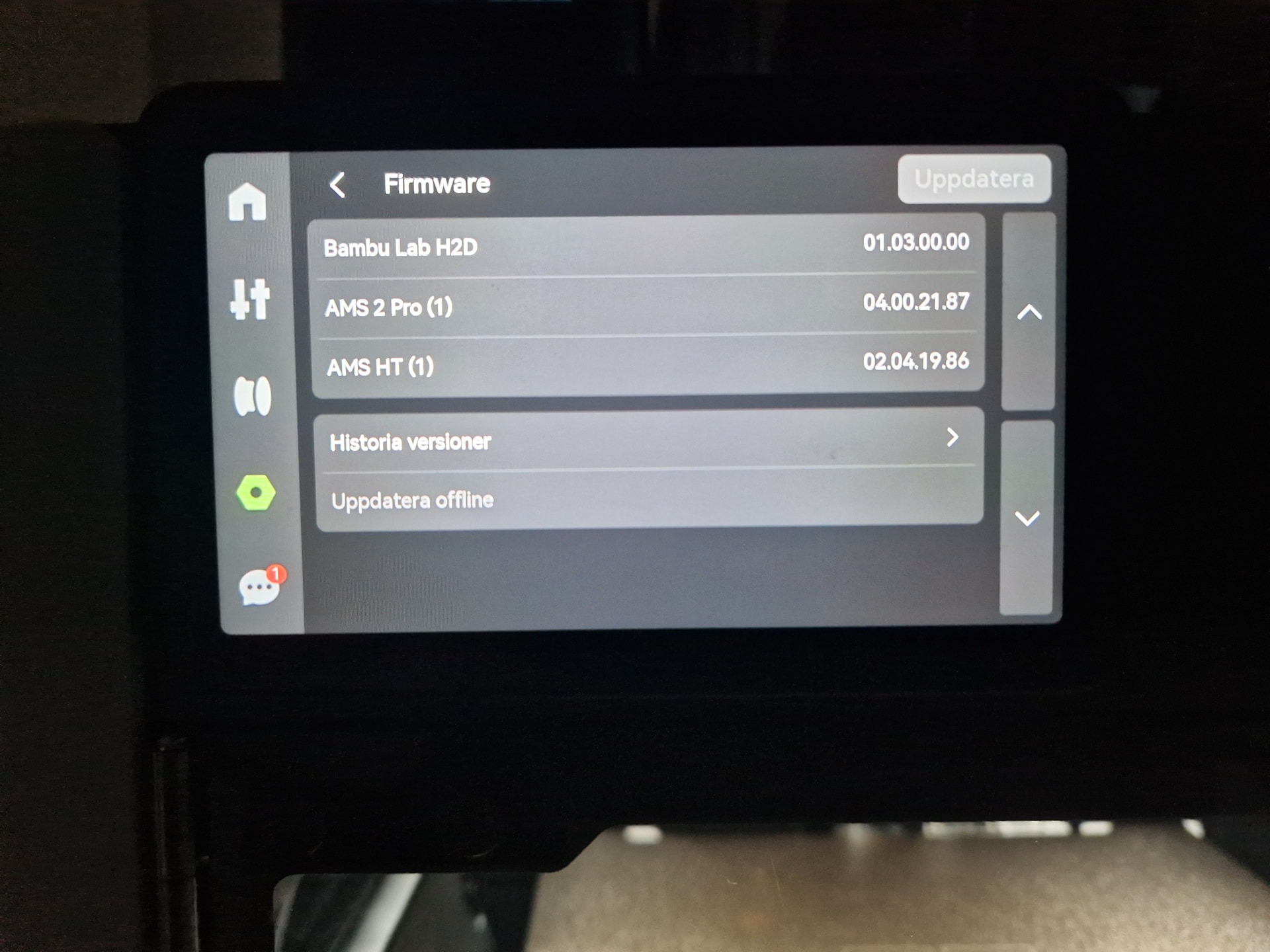
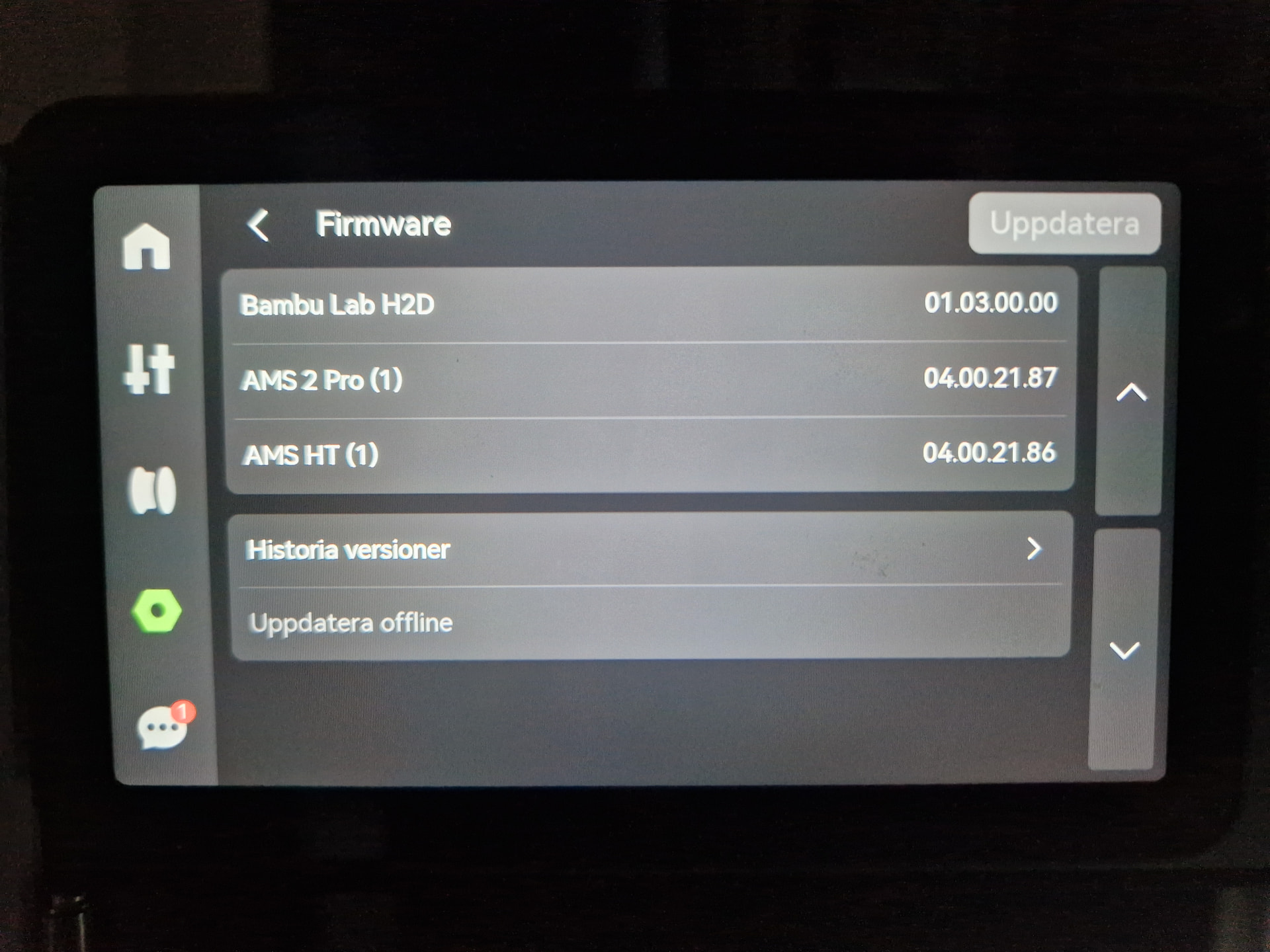
Before suing the H2D I uppgraded the firmware to the latest version. That worked fine. I then added the AMS Pro, and that worked fine too. I then added the AMS HT and then nothing worked anymore.

As I want to make sure I am off line, I also created a rule in my firewal stating that Bambu Lab is only allowed to communicate with the printer, not with the internet. This should be fine if it is possble to work off line, right? After all it is possible to set the system upp to work only on LAN, right? I did that and just added a little precaution. If it is possible to operate only with the LAN, then this should work.

  1. The first thing that happened was that the printer started to complaining that I use an old version of the firmware for the AMS units. So I investigated to see if there was a newer version to install. As far as I can see, the AMS firmware is bundled with the printer firmware. As I already had the latest version installed for the printer I asked support. The answer I got from them was to install the latest printer firmware. I politely conveyed that I had already done this and that this is the reason I contact them. I asked them to clarify if I there are any separate AMS firware files to be found and if so, could they please provide a link? So far I have gotten, no response, to that.

The printer was still usable despite this message though.

  1. I then started to get error messages from Bambu labs. At first I got:

a) ‘It isn’t possible to connect to the cloud server. Please check your network and your Firewall’

If Bambu Studio should work localy, why do I get an error message saying it cannot connect to the internet?

The printer still worked at this point.

I then started to get:

b) The certificate is invalid. Check the time settings or update Bambu Studio and try again’

I could click okey to that and continue to prepare the model for printing, but when I wanted to print the model I got:

c) Internal error. Try to upgrade the firmware and Studio version. Contact customer support if the problem persists.

At this point I was no lnoger allowed to continue. I was no longer allowed to use the printer.

I asked support about this and they sad they believe this is due to Bambu Labs being off line. They also said they had reported this and “if there is an update, we will let you know”.

So I can no longer use my brand new Bambu Labs printer, it appears that using the software and printer off line isn’t really allowed after all, and I get scilence from customer support.

I then went to this forum to post a question to ask if anyone else had these issues only to discover that I am not allowed to post any comments here. But I am allowed to post a comment to this question.

No, I am not particularly happy.

Welcome here. Just a heads up that this is the community forum, not access to the Bambu support team.

Am I understanding correctly that you have the printer in “cloud” mod with no access to the Internet? You should have the printer on LAN mode if you want to run it that way?

I’ve moved your post to its own thread.

Ok, hold up a minute.

Yes, Bambu H2 printers can be operated entirely offline. There’s a LAN mode in the printer settings menu that you enable. Done. You can also load files directly off a USB stick.

The firewall stuff you did is not what anyone had in mind when we talk about operating offline, and is very likely the cause of your issues.

If your printer is still trying to operate in regular mode but only selective ports are getting through, it’s going to have all kinds of issues.

This is a pretty good indication that you’ve blocked something that shouldn’t be blocked, even within your local network.

I’d suggest rolling back all your network restrictions, making sure everything is updated and working normally, do a factory reset if needed, and then flip your printer to LAN mode.

To add, go ahead and update the printer firmware again with the AMS units connected to the printer. It will only update what is needed, and that’s just how they distribute those updates. An offline update is sufficient (downloaded onto USB stick).

Bambu Studio can be firewalled from the Internet and should still work (although you don’t mention which operating system, unless I missed it). Be sure to disable all online/cloud features in the software’s Preferences/Settings (such as synching profiles or showing online models on the home page). It’s not impossible there’s some issue here in your case, which would be a bug/issue to be filed at GitHub.

The printer itself can also be firewalled from the 'net and still work (eg. blocked at router).

I block both regularly and everything still works (except filament profile sync and of course the Handy app which requires cloud access to the printer).

-Max

2 sources to consider

The slicer exe on your pc machine wants to communicate to WAN, and to communicate on LAN to your printer. If you forbid the slicer from communicating to WAN, you are going to have a very poor experience as network timeouts and cloud BS requests, blah blahblah will stack up. If you do this, do it in a way that requests terminate immediately. I would not recommend revoking the slicer’s wan, it’s too deeply embedded, bad experience for you the user. I would just simply not log in and that prevents the majority of network calls.

Your printer machine wants to communicate to WAN, and communicate on LAN. This one you can break the WAN connectivity, so long as it is in “LAN Only” mode. [Note: I dont have an H2, but this has been fine on A1, P1S, X2D] Functionality degrades in the declared way, [no more object skipping on a1, no more handy, etc] not in silent timeouts and failures.

EDIT: After having written the a bit lengthy answer below, I reinstalled Bambu Studio and left the internet access on and no restrictions, and boom, all error messages disapeared. Like magic, a new firmware appeared in the printer without install even though the printer is still in LAN only mode (how about that!). I need to be able to print now so I will let the settings be like this for now, but I remain sceptical to that this works at all off-line. If you want to comment below please do, but for now I’ll just let this be as it is. Thank you very much for your thoughts!

Hi, Thanks, I didn’t know that. Sorry if I came across as a bit frustrated. If I did, that was intended for Bambu Lab support and not you guys.

Thanks!

I actually have it in LAN-Only mode. Sorry if I was unclear with that.

Bambu studio appears to still want to connect to the internet. Forgive me for being a bit suspicious, but what is there to say that standard LAN-mode is perfectly safe? If Bambu studio appears to want to connect to the internet even if it shouldn’t, how can it be trusted?

Off-line update should still be a viable option as Bambu Labs officially support it. I don’t want to be a stickler, but I also don’t like being forced to connect to things I don’t want to connect to .

Thanks. I have actually done this and unfortunately no change. I even tried to change which unit is connected to whcih unit in what way and all combinations yelded the same result (H2D - AMS Pro - AMS HT, H2D - AMS HT - AMS Pr o).

I think so too (Windows 10. But I am contemplating going to Lin ux)!

Thanks, I might have missed something. I’ll have a look again. And I will make sure I am not logged in to the acc ount.

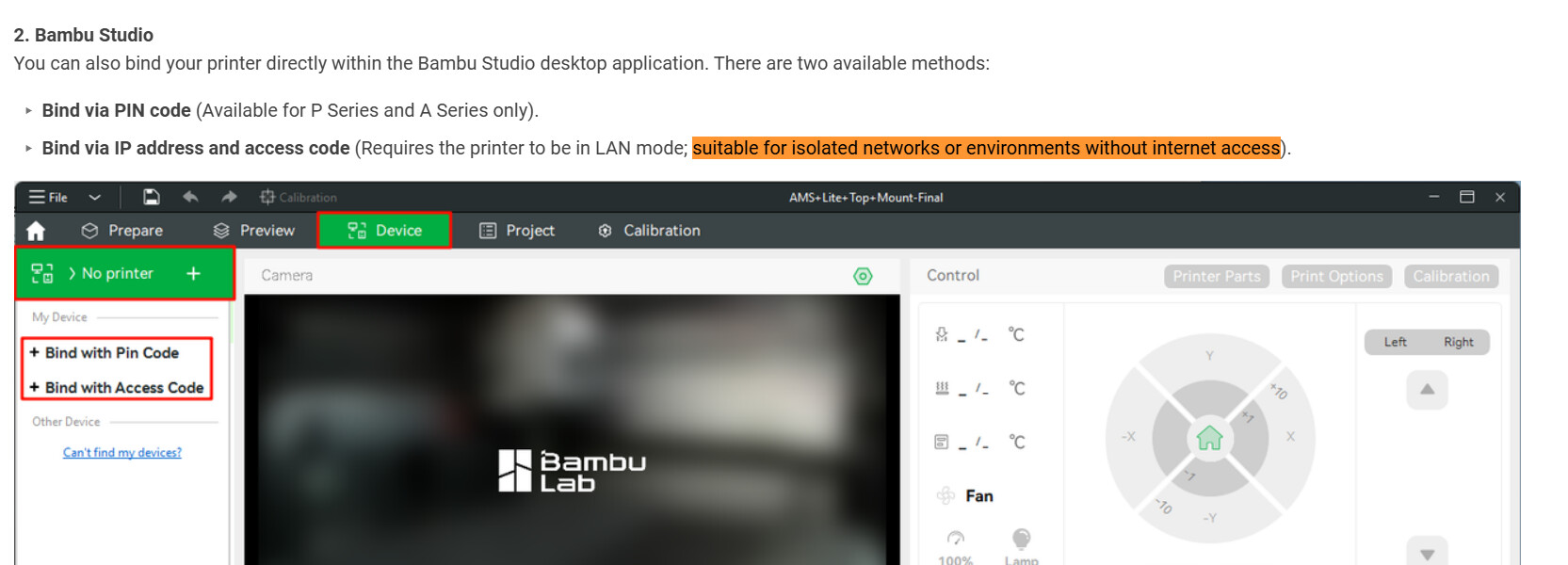
Okey, thanks. I am not a super network techie, but as far as I can see, WAN in my setup is basically the internet. If that is the case, Bambu studio cannot function without internet access, hence it is not working in LAN mode. Bambu Lab officialy says it works in LAN mode and says it is ‘well suited for isolated networks’ or something to that effect, if I remember corr ectly.

Appeared how, as in offers to update?

I have a H2C, not D, but in “LAN Only” mode the printer definitely does not download any firmware, or in fact try to access the Internet at all (with the occasional exception of network time protocol (NTP) to public time servers). I have it blocked at the router, with logging, and it has logged zero attempts since last December. If it really got a firmware update after being unblocked, this is either a bug or it’s not really in LAN mode… or I misunderstood. Studio also never downloads any firmware updates.

It shouldn’t be necessary to use Studio in LAN mode, but you could try also enabling "Developer Mode’ on the printer (if you haven’t yet). This is typically meant for 3rd party software integrations to bypass all authentication.

If the offline firmware isn’t updating the AMS’ properly, that’s no good… I’d definitely bug BL about it. Haven’t seen that with the C (yet?).

And yes, GitHub Issues is where the BL developers ask us to submit bugs/feature requests/etc., and/or opening a support ticket with BL directly through their main support channel (on their site). It can be useful to search those GH Issues for similar problems (as well as this forum of course), though beware of old/stale reports.

:crossed_fingers: for ya!
-Max

No, the number just changed on the printer (!) when I installed a new version of Bambu studio. I didn’t do anything. When using Bambu studio 2.7.■■ the firmware for the AMS HT was 02.04.■■ even after uppdating the bundled firmware on the H2D to the latest avaialable offical version. I got an error message for this in the printer and I asked BL support how this could be since the latest H2D firmware should include the HT firmware update, and if I could update the HT to the latest version (I still have not got an answer to that)? I then installed Bambu Studio 2.8.■■. When I looked at the printer for the first time after the new install of Bambu studio, the firmware version had changed on the printer. Just like that. I have no idea how that happened, but updating Bambu Studio altered the printer software. As far as I can see, that should not be possible.

I am sure there can be an explanation I don’t see, and as you say, you logged all traffic. But it does seem a bit fishy, it really does.

About that, I am not sure if that is really possible? I am no expert but to me it seems the printer can be set to LAN-only but I am not sure Bambu Studio actuall can? When I stopped Bambu studio from having internet access it stopped working. But the Wiki does indicate that this should be suitable for off line environments. But I am not sure how if Bambu studio requires internet access? And if Bambu studio requireds internet access, what does it matter that the printer doesn’t have it when Bambu studio has connection to both the printer and internet?

But, I am no expert and I have only had the printer upp and running for a week or so. I may not have the full picture?

So just the AMS HT version changed, I see. I can unequivocally tell you that updating Studio did not update the HT firmware. There’s just no mechanism to do that. I can’t tell you why the version changed now, all of a sudden, not enough info… perhaps a printer restart, or some cached data (finally) got refreshed since your last offline update, or just connecting to Studio somehow refreshed it… :person_shrugging:

So you’re binding to the printer with the access code (and IP address), and that works?

Has the printer been in online/cloud mode with working Internet access at all since you got it?

To recap, you’ve unblocked Bambu Studio so it has Internet access from your PC, printer is still in LAN Only mode, and everything is working? (Besides the HT version weirdness.)
If you then block Studio again, do “things” (what?) stop working?

-Max

H2D owner here.

printer in Lan and dev mode (not sure dev mode is even needed). firmware update was done via usb. ZERO issues. printer has been blocked from internet access by router. Never even once connnected to the cloud (cause there is no need and no benefit)

Bambu studio hasnt been blocked (as there is no need), if you are worried about that I recommend you use orca slicer.

he likely doesnt understand how windows firewall.works and its still blocked… now hes making a big fuzz and blames bambu… I wouldnt want to.work for.their support team.

I have no idea how this works, I just see what is happening. The printer was on and never turned off, so there was some communication. I would have assumed it might be the non-open network plugin, not Bambu studio.

Yes.

No.

I added a fire wall rule for bambustudio.exe allowing all LAN communication and blocking outgoing internet communication. I have so far then only opened Bambu Studio to check if the error messages came back. The only one that came back is the ‘Bambu studio cannot connect with the cloud, please check your network settings.’ So Bambu studio is trying to connect to the internet, which we knew. But also that placing the printer in LAN-Only mode does not prevent Bambu studio from connecting to the internet. I may do som more tetsting tomorrow.

The printer does not control any Studio settings. The only relation between the two, in terms of connection, is that both Studio and printer have to agree on a communication mode (cloud or LAN), which is a manual choice from Studio side (PIN vs. access code). Studio has its own settings for online features like sync, login, etc. Neither the printer’s mode nor the current connection method (if any) makes a difference here. I understand it can be confusing at first figuring out what is controlling which part of the overall system!

-Max