I’m looking for help with two recurring print-quality issues on my H2C. These tiles are printed face down, so the surfaces shown in the photos are the first layers against the build plate. For all of these I’m using Bambu PLA and a .4 nozzle. The white PLA is from the external nozzle, all the colors are coming form the AMS.
1. Very different first layers on back-to-back prints
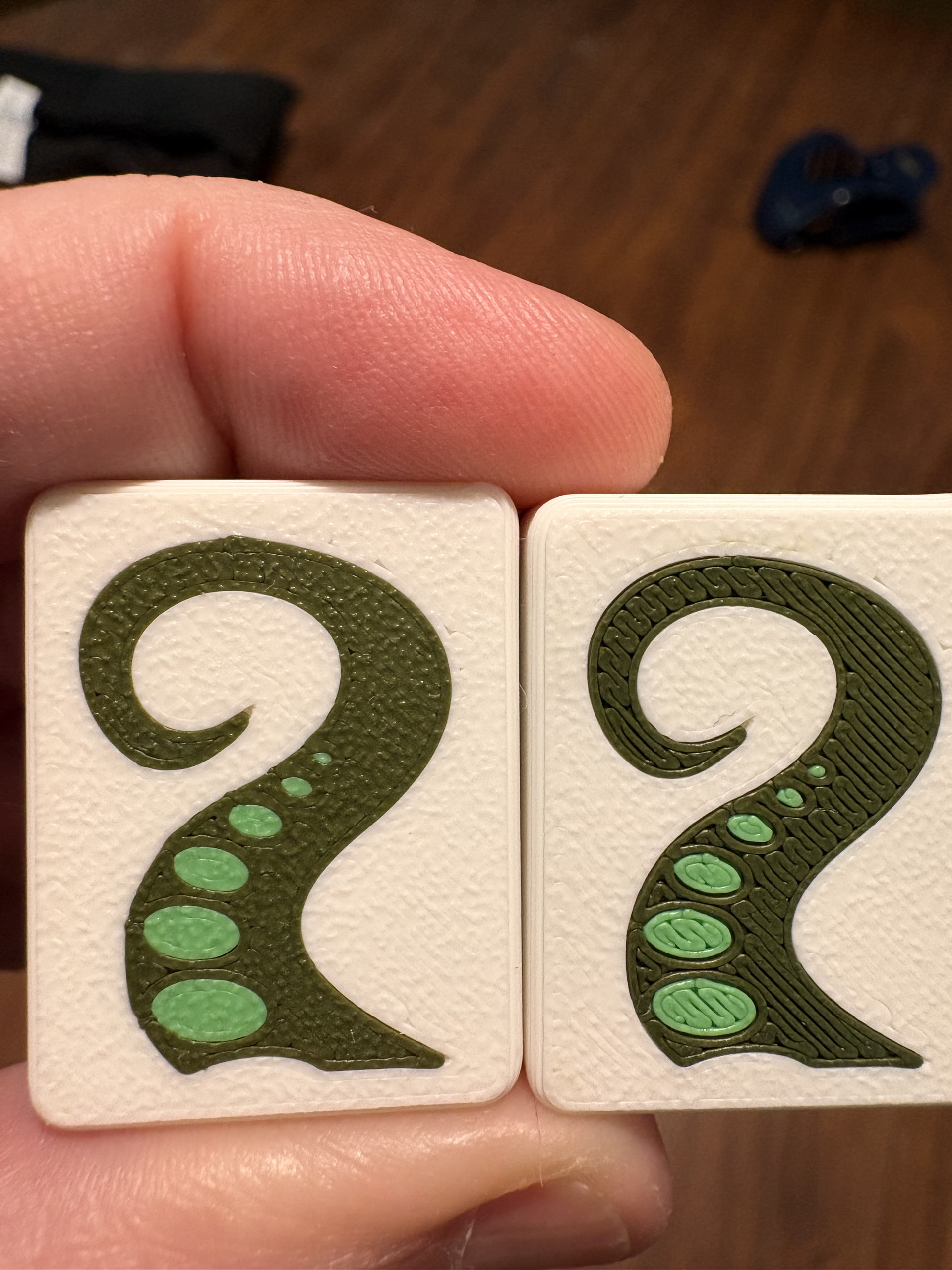
The dragon-tail photo shows the same design from two batches printed one right after the other with the same settings. The entire first batch came out great. I cleaned the build plate before printing the second batch, but that batch came out much worse, with very visible lines and gaps in the colored areas.
The inconsistency is what’s confusing me. The printer can produce a good result, but I’m having trouble getting it to repeat reliably. I’m mentioning the cleaning because it happened between the batches, not because I know it caused the problem.
2. Unwanted filament in the finished surface
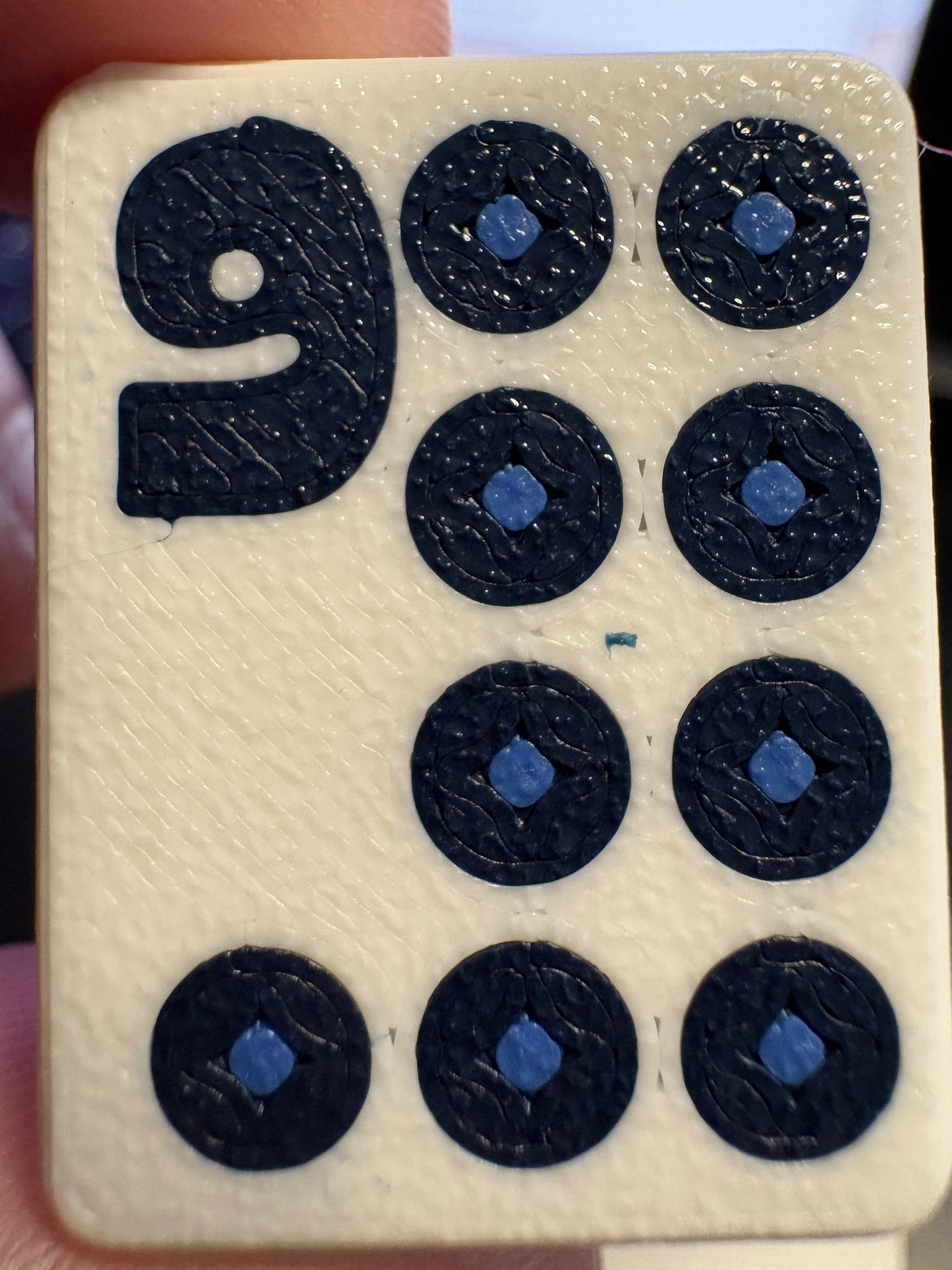
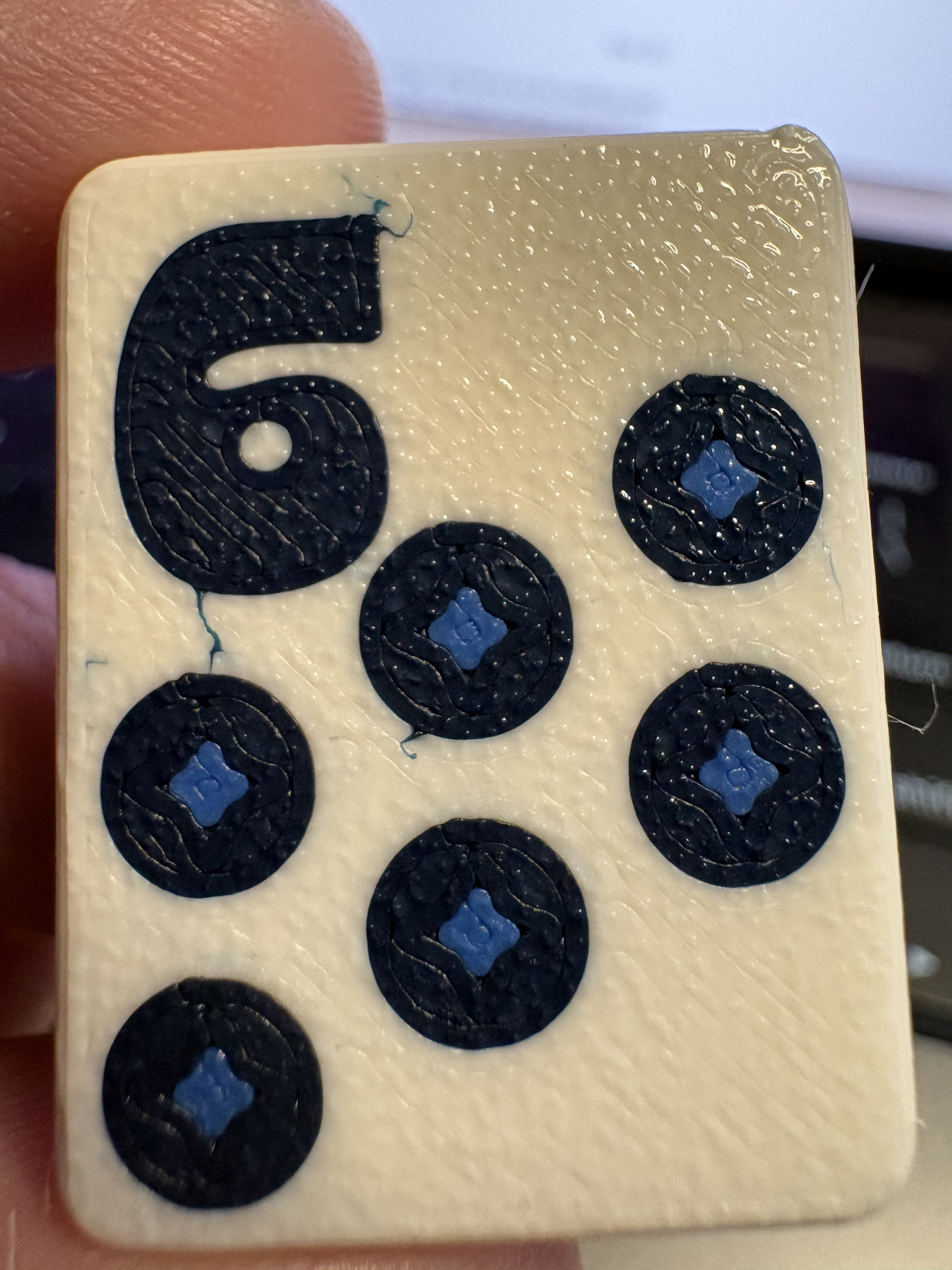
There are two things I’m seeing:
- On the 6 tiles, dark filament extends into the white areas around the design. I’ve been calling it “bleeding,” but I’m not sure whether that’s the right term or whether these are stray strands getting trapped.
- On the 9 tile, there’s a separate colored speck embedded in the white area. I’ve also seen little bits of filament come off the nozzle and end up in the print.
During troubleshooting, I’ve tried drying filament, flow calibration, a cold pull and adjusting the flush volumetric speed, but I’m still having these issues.
Has anyone with an H2C experienced something similar? What would you check first to narrow down the inconsistent first layer, and what should I look at for the stray filament? I’m not sure whether these have the same cause or are separate problems.
I upgraded recently to the H2C from the P2S and, to be honest, it’s find of been a nightmare. I spend more time troubleshooting than printing.