Hey guys. Just picked an H2C last month, coming from an AC Kobra 3.
So far everything has been great with no major issues, except the AI detection pausing my prints a few times because of spaghetti detection, when there wasn’t any.
Just picked up the TPU feed assist module and some filament from the BF sale and trying to get this thing set up. Getting access to the rear is almost impossible for me to disconnect and connect the PTFE tube all the time when I want to print TPU. Can I just leave the feeder connected to a PTFE tube through the bypass slot, and connect it up to the right nozzle PTFE tube inside the chamber with a 4 into 1 adapter? Or should I just run that tube all the way to the hot end, and then disconnect/connect the tube on the hot end side when I want to print TPU? Or any other suggestions?
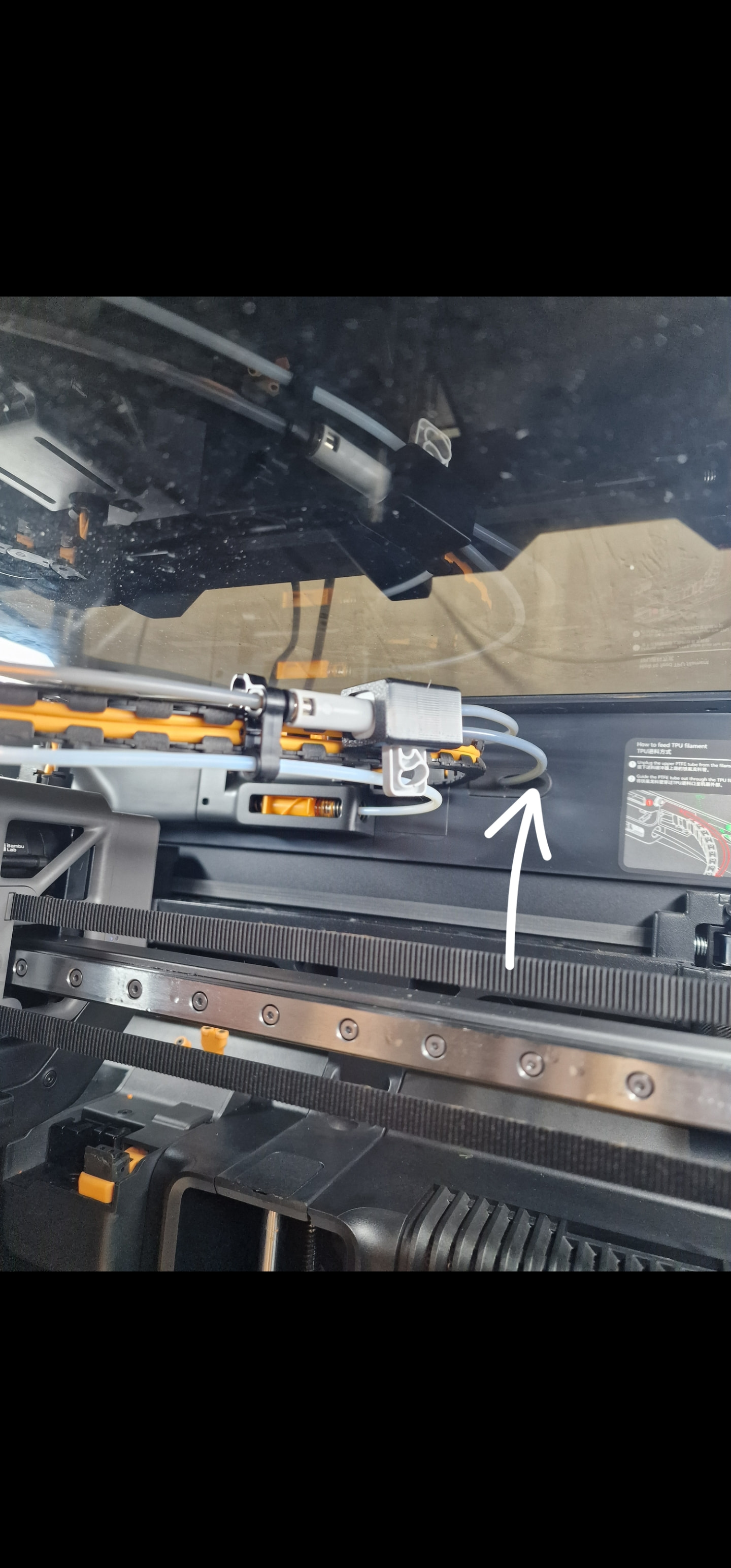
Hi, I ran an extra PTFE tube from the print head along the chain and out the bypass port in the back, long enough to hook up directly to my external dry boxes (from the front of the printer – total tube length ends up similar to an AMS hookup). I keep the toolhead end secure with an extra clip on the chain. To print TPU I just switch the tubes at the toolhead, securing the buffered PTFE tube end to that same extra chain clip to keep it out of the way.
This works fine for me down to ~90A, no assist module, even with full new 1KG spools. Also foaming PEBA and TPU.
For softer like 85A, especially with a heavy full roll, I place the drybox right above the printer, pull the glass off, and feed directly into the print head (a short piece of PTFE coming out of the drybox but ending well above the toolhead). No rear access required that way either. I have a 12" deep shelf over the printer to hold AMSs and such, so the whole setup is pretty simple and doesn’t require moving anything around.
Being able to get into the printer from the top is key, IMHO, for more reasons than just TPU.
Cheers,
-Max
PS. I’ve had to set the spaghetti detector down to medium level (or low? have to check), otherwise it throws fits too often.
One sec will write up. Properly once I’m at a computer
edit:
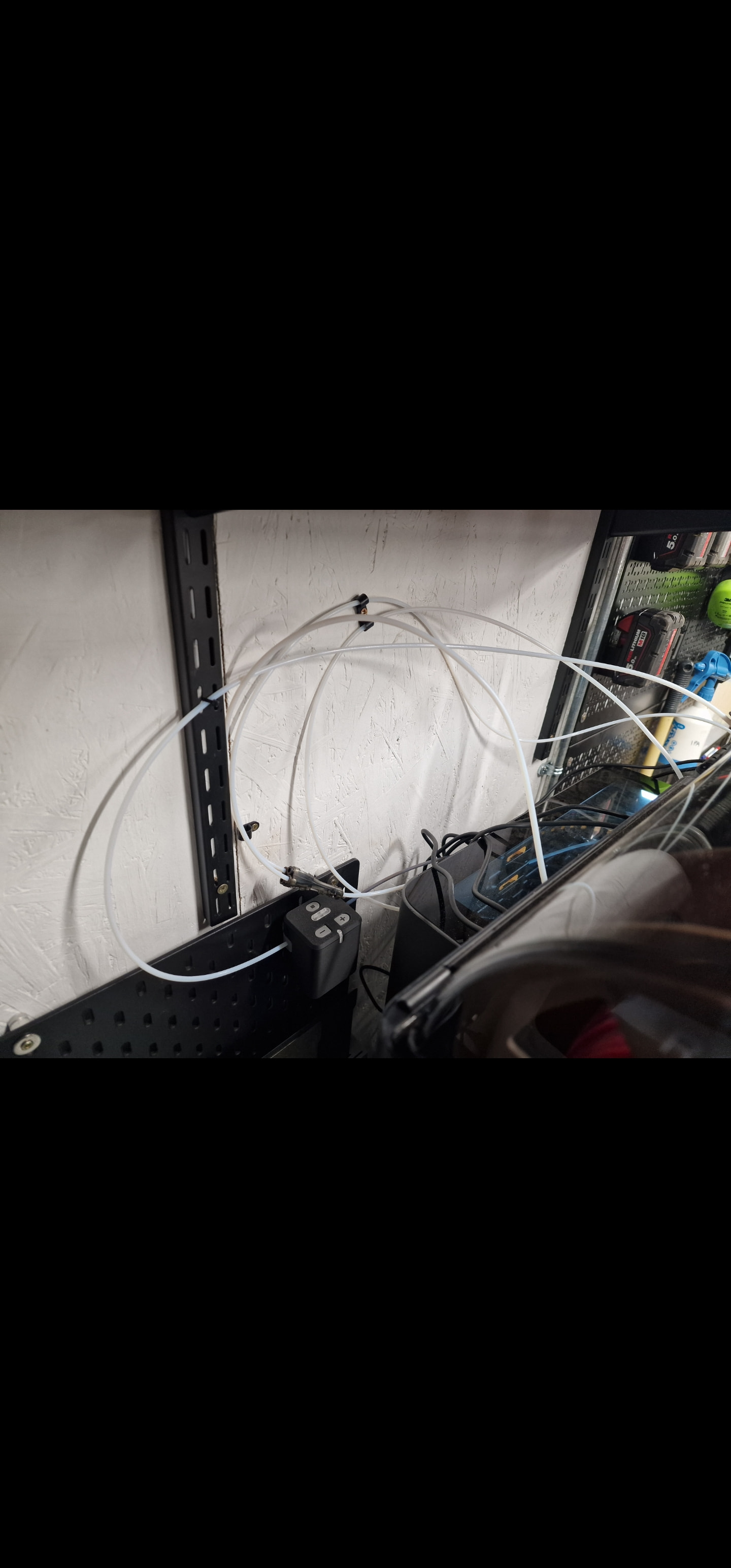
So this is my set up and I am running an AMS HT in the middle of my two AMS2’ on top of my H2C. Excuse the arrows, those were for when I sent it to my mate last month.
When running TPU I run it externally but in the AMS HT and through the bypass port.
I wanted to try 60a as a worst case scenario so chucked myself in the deep end, I will admit it took absolutely forever to come through and did bind up towards the end so I unplugged the PTFE on the hot end to feed it through then plugged it back in but it happily printed a little test square! I haven’t done any more than than with 60a but it was really happy printing that test block.