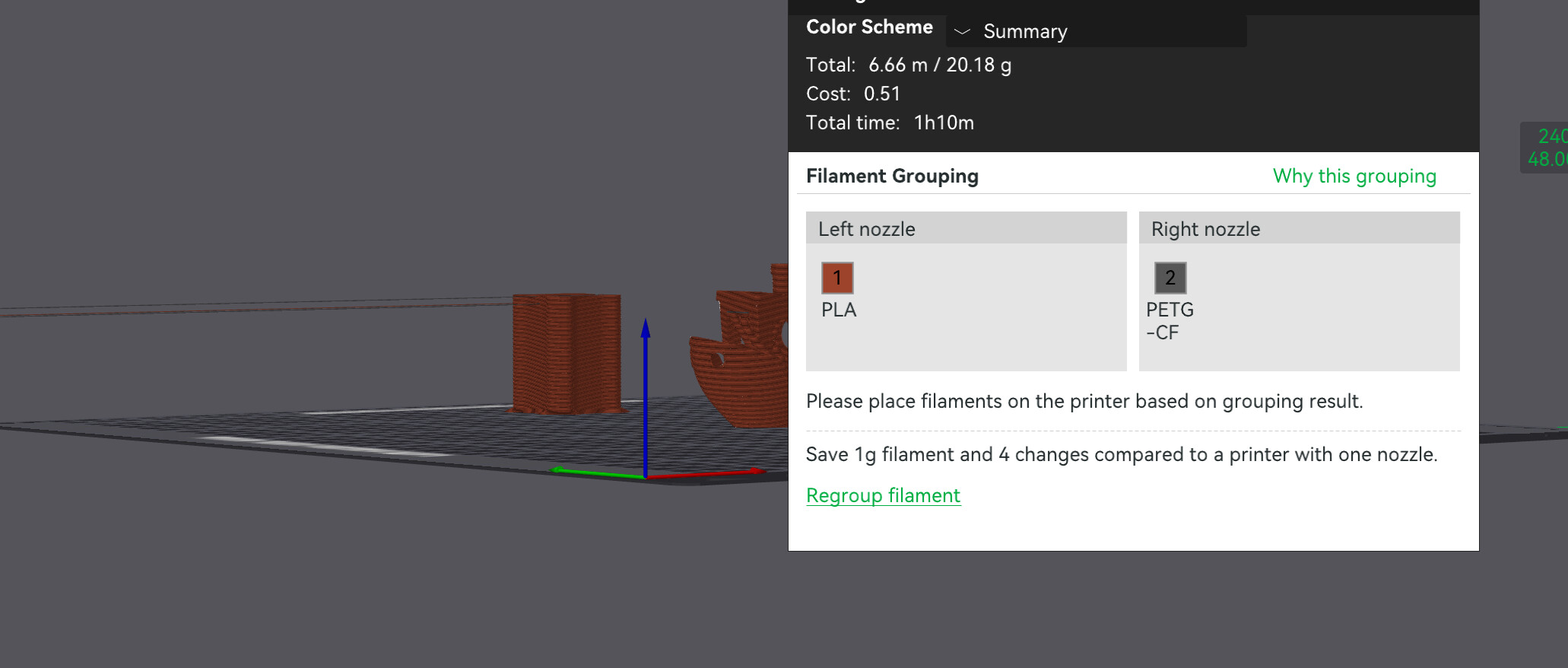
So just 10 minutes ago as I sit in my workshop I heard a loud BANG and when i check to see which machine did what, i found that h2d wasnt printing as expected and the head was infact moving slowly across the bed, leaking filament in the air. Eventually , after more than half a minute it reached the prime tower, started printing it in totally wrong location and thats where i killed the print.
Printing ABS with HIPS support. Stock profiles, stock everything. H2D latest FW , latest BBL studio too…
I pulled the video from the usb, and frankly and with all due respect, but WTF is this? should i be worried it will break itself apart now?
I would say this is exactly what one should expect from a company like Bambu Lab — a company that seems to lose interest in its existing products as soon as a new, flashy model hits the market and attracts inexperienced buyers. I have no doubt we’ll see the same pattern repeat with the H2C before long.
Investing in a QA department would be a good idea…. The amount of bugs that could destroy hardware that were release in the last few weeks and months in firmware and software is kind of crazy.
I don’t get it with abs , only support for abs/hips and I do get it even with a single plate. Additionally I can’t downgrade because it deletes my profiles and resets them. I’m stuck with an unusable machine as support filament for abs is MANDATORY for what I do. What the heck is that.. fix it !
Thanks for the advice I’ll use it. At least I’ll have the filament settings But it’s sadly useless in most of my 3MFs because now they are recognised as newer version and all settings, colour and even the position of several modifiers which I heavily use, gets reset once I load it into a previous version of studio for some reason.
Your update has caused mechanical malfunctions, with a real risk of permanent damage. I am not willing to disassemble the machine to investigate, as the internals — particularly the head — are highly sensitive and easily damaged, as evidenced by the numerous reports from users who have experienced issues even during routine procedures such as replacing the hotend fan.
Attempting a teardown could itself introduce further problems, and I will not accept responsibility for potential damage while diagnosing an issue that did not exist prior to your update. Additionally, this situation is not limited to the toolhead alone. The crash raises concerns about the Y-axis rods and any other components that may have been affected.
For context, the impact occurred at full force and was exceptionally loud — clearly audible over more than 20 machines operating simultaneously, including several Cartesian printers running auxiliary fans at full speed. This should convey the severity of the event.
This raises a serious concern: how can I be assured that no damage has already occurred, or that latent issues will not appear in the future, as a direct result of a “finalised” update that caused the machine to crash itself?
I require clear accountability on this matter and a detailed explanation of how this situation will be addressed.
So much for Bambu Lab’s constant statement about “extensive testing before introducing new features.”
It’s becoming increasingly obvious that there is no proper QA process in place, and that features are being released based on assumptions rather than verified results — often at the risk of damaging customer hardware.
Have you ever had any software release from any vendor that was bug free?
Possibly my first program (“Hello World”) was the only one.
Even extensive testing doesn’t always reveal everything. There are so many combinations of settings, used filaments, build plates, nozzles, etc. That it’s virtually impossible to cover them all.
Nowadays software developers are using test suites, that contain a lot of standard test, and I am sure that this scenario will be addressed in the next QA run.
The only problem with software that drives mechanical devices is that some failures might result in physical damage, and yes that is never a good experience.
I understand the suggestion to open a support ticket, and I will do so. However, this is not an isolated case affecting only my printer. This issue appears to affect everyone who has installed this update, which is precisely why I believe it would be in your best interest to address it publicly.
Handling this here would serve as your public acknowledgement of the issue and a clear demonstration of your commitment to investigating and resolving it, rather than treating it as a series of unrelated individual cases. Many users are currently concerned about potential mechanical damage caused by what was released as a finalised update, and a public response would go a long way toward restoring confidence.
A consolidated, transparent explanation of what occurred, what is being investigated, and what users should or should not do in the meantime would be beneficial to everyone involved, along with what is your standing regarding possible hardware damages that might have occured by this problematic update.
There is a significant difference between an update that introduces a minor bug or software glitch and one that carries the risk of physical, potentially catastrophic mechanical failure.
Minor issues are an understandable possibility in any update cycle. Even mechanical anomalies can be tolerated when an update is clearly marked as beta, where unexpected behavior is an accepted risk. However, once an update is released as final and public, the expectations change entirely.
At that point, the possibility of physical damage is no longer a minor inconvenience — it represents a fundamentally different and far more serious level of risk. This is especially true when the update can cause uncontrolled motion or crashes capable of affecting multiple mechanical components.
That distinction is why this issue warrants public acknowledgement and transparent handling, rather than being addressed quietly on a case-by-case basis.