New H2D Firmware Available for Public Beta Testing!
We’re excited to announce that firmware V01.02.30.06 for the H2D is now available through our Public Beta Program.
How to Join the Beta
To access the beta firmware, simply join the Beta Firmware Program via the Bambu Handy app under Me → Beta Firmware Program.
Once enrolled, the update will be pushed to your device gradually.
 Want to Switch Back?
You can leave the Beta Program at any time by disabling the option in the app and installing the latest official firmware version.
New Features
- Added support for remotely enabling the drying function.
Users can now turn on the drying feature for the AMS 2 Pro and AMS HT from both Bambu Studio and Bambu Handy. Ensure the latest update is installed for both.
Added support for printing while filament is drying when using AMS 2 Pro and AMS HT. (Lower drying temperature during printing)
Added support for camera-based verification of Tungsten Carbide nozzles.
Added support for TPU printing on the left nozzle, for TPU with a hardness of 90A or higher.
Added support for the TPU High-Flow Kit and TPU Feed Assist Module. (These accessories will be available for purchase by the end of Q1 2026).
Added support for starting prints over LAN without requiring a USB storage device.
Added foreign object detection beneath the heatbed.
Added Liveview camera-based nozzle clumping detection.
This feature uses the live camera feed and AI-based detection to identify potential nozzle clumping issues and automatically pause the print, helping prevent damage to the printer. For best results, enable the chamber light and avoid using Ludicrous Mode, as both improve detection accuracy. Please note that detection performance may be reduced when printing with black or dark-colored filaments.
Added live image display in AI detection error pop-ups.
Added low-power mode for the heatbed.
This mode reduces peak power consumption by extending the heatbed heating time when the printer’s power supply is limited. It’s best used when the printer is connected to a UPS.
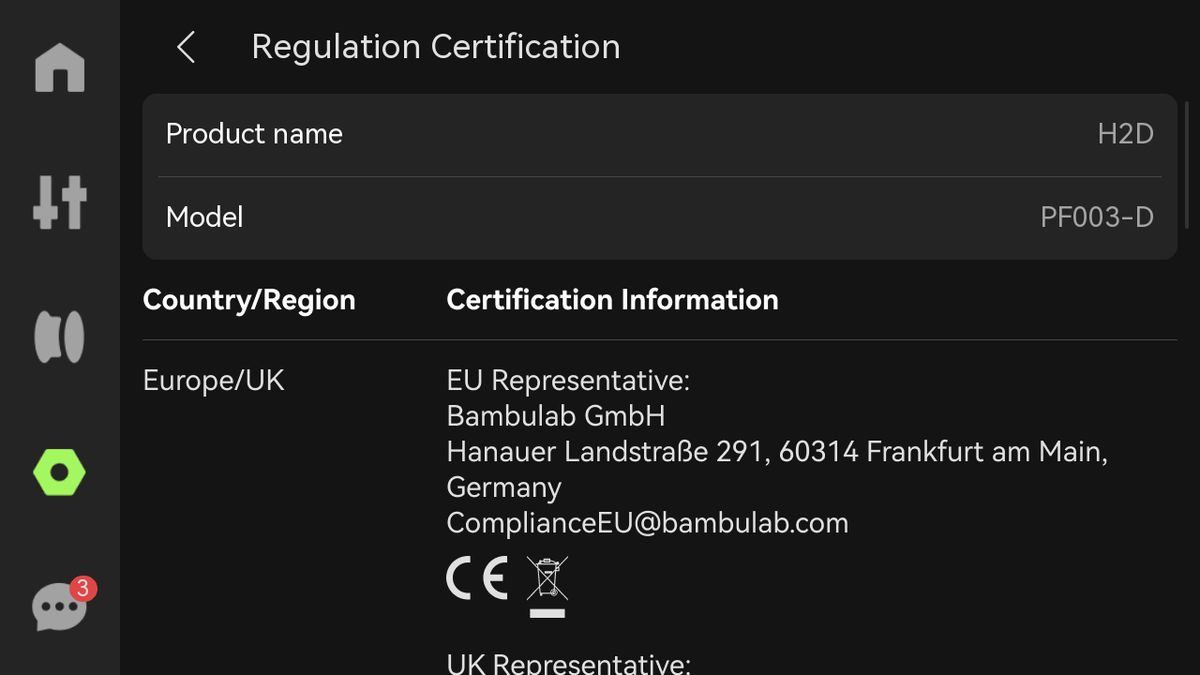
Added a Regulation Certification page for certification e-labeling.
Added Purify Air at Print End option.
This option can be set in the slicer or with a button in the UI. It will purify the air for 3 minutes after the print is completed. Requires Bambu Studio version 2.5.0.64 or later.
Added Russian language support.
Added support for pausing prints via the physical button at the top-right of the printer.
Added a “Stopping” state after a stop command is initiated. During this state, the printer blocks user input until the stop process is complete, preventing control command sequence conflicts caused by additional inputs during the stopping procedure.
Added a filtering option with cooling mode for the adaptive air circulation system.
This option can be enabled via the slicer or the printer UI, and it’s mainly used to filter the air when exhausting the air for low-temperature filaments. Requires Bambu Studio version 2.5.0.64 or later.
Added BirdsEye camera initialization for the Cutting Module.
Optimized the filament color display on the filament editing page, adding support for gradient and dual-color filaments.
Added support for Toolhead Enhanced Cooling Fan.
Feature Optimizations
Optimized the alarm behavior and triggering logic of the automatic fire suppression system.
Improved the accuracy of build plate offset detection.
Optimized collision detection for the purge bin.
Optimized the status display of the automatic fire suppression system.
Improved motor noise-related surface defects at low speeds.
This optimization requires recalibrating motor noise reduction after upgrading to take effect. Important: If rolling back from this version to version 01.02.04.00 or earlier, motor noise reduction calibration must be performed again to ensure proper operation.
Known Issues
- Filament PTFE tube detachment detection is temporarily disabled.




 when should we expect this moving out of beta and into production version?