H2D Print Layers Shifted

So, I designed and printed multiple copies of this same print previously out of both PLA and ABS with no issues whatsoever.
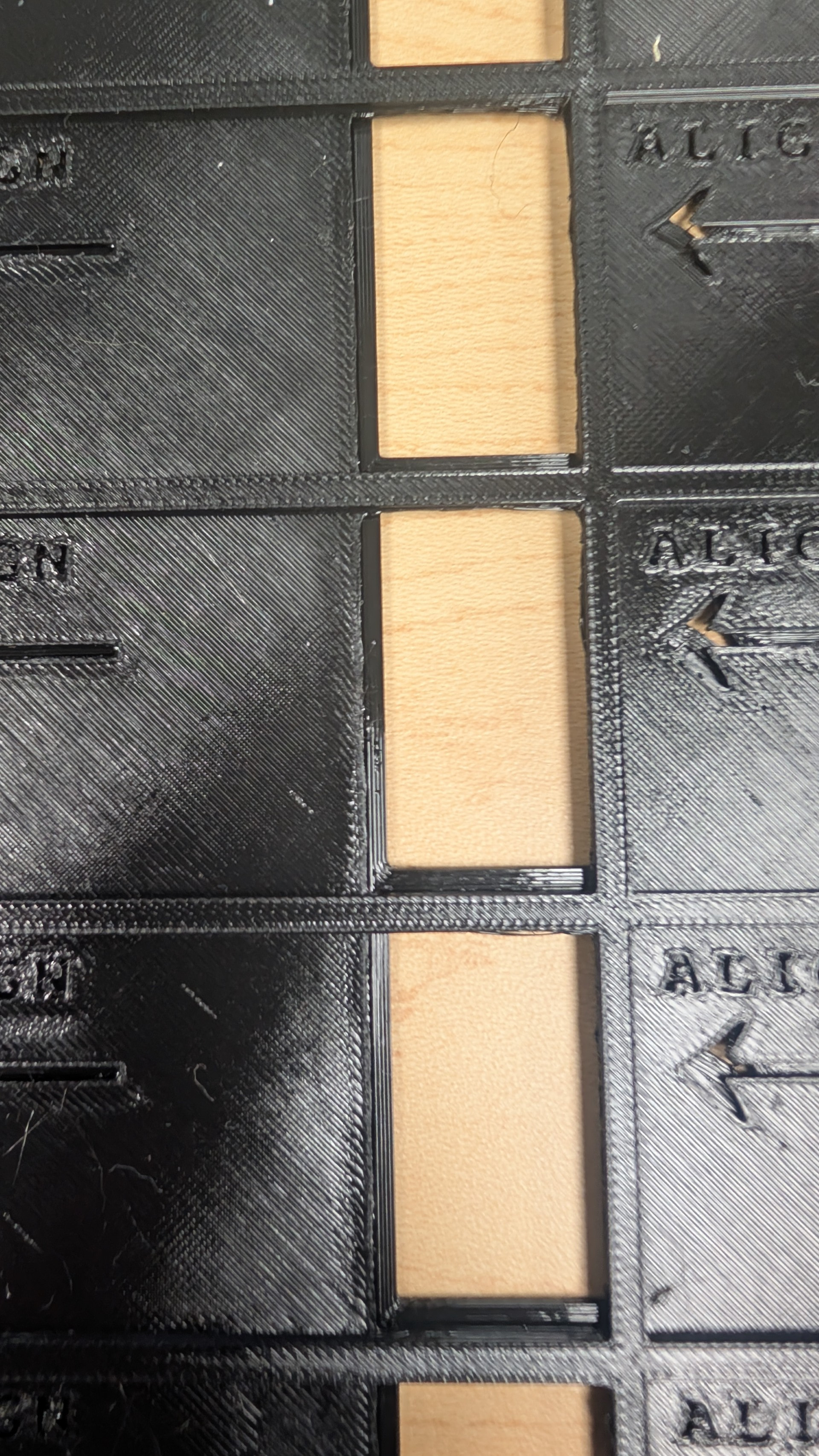
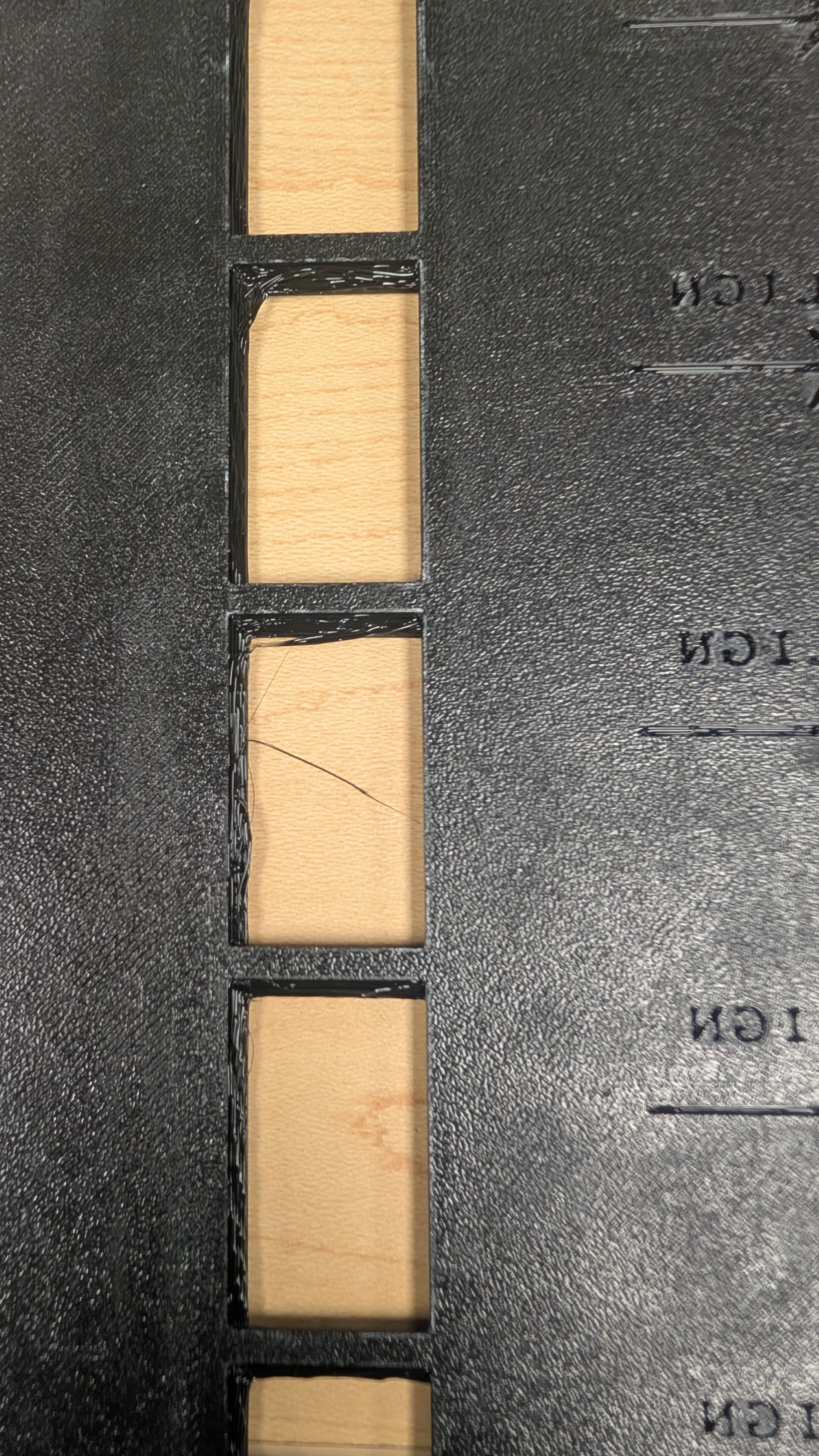
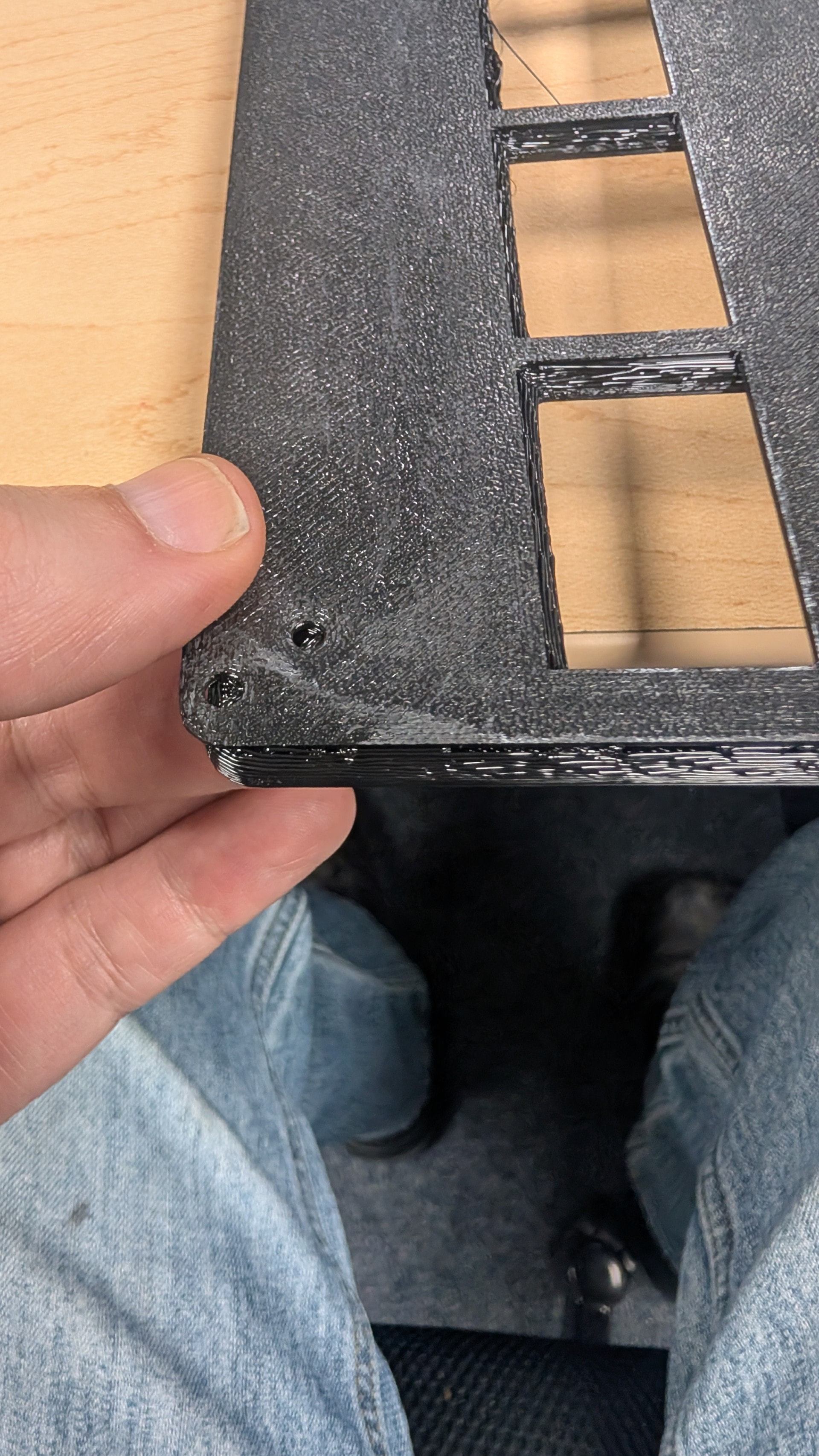
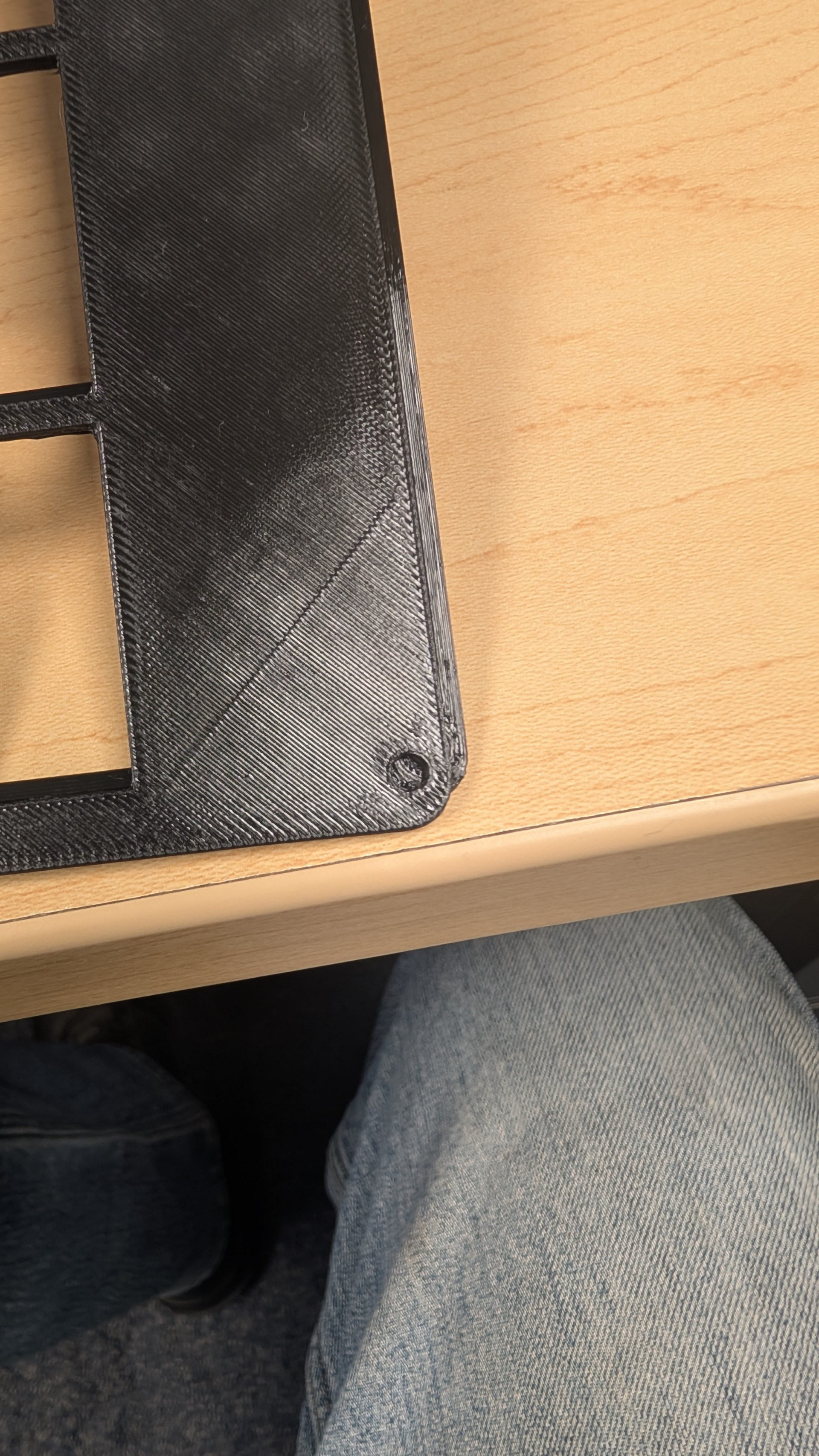
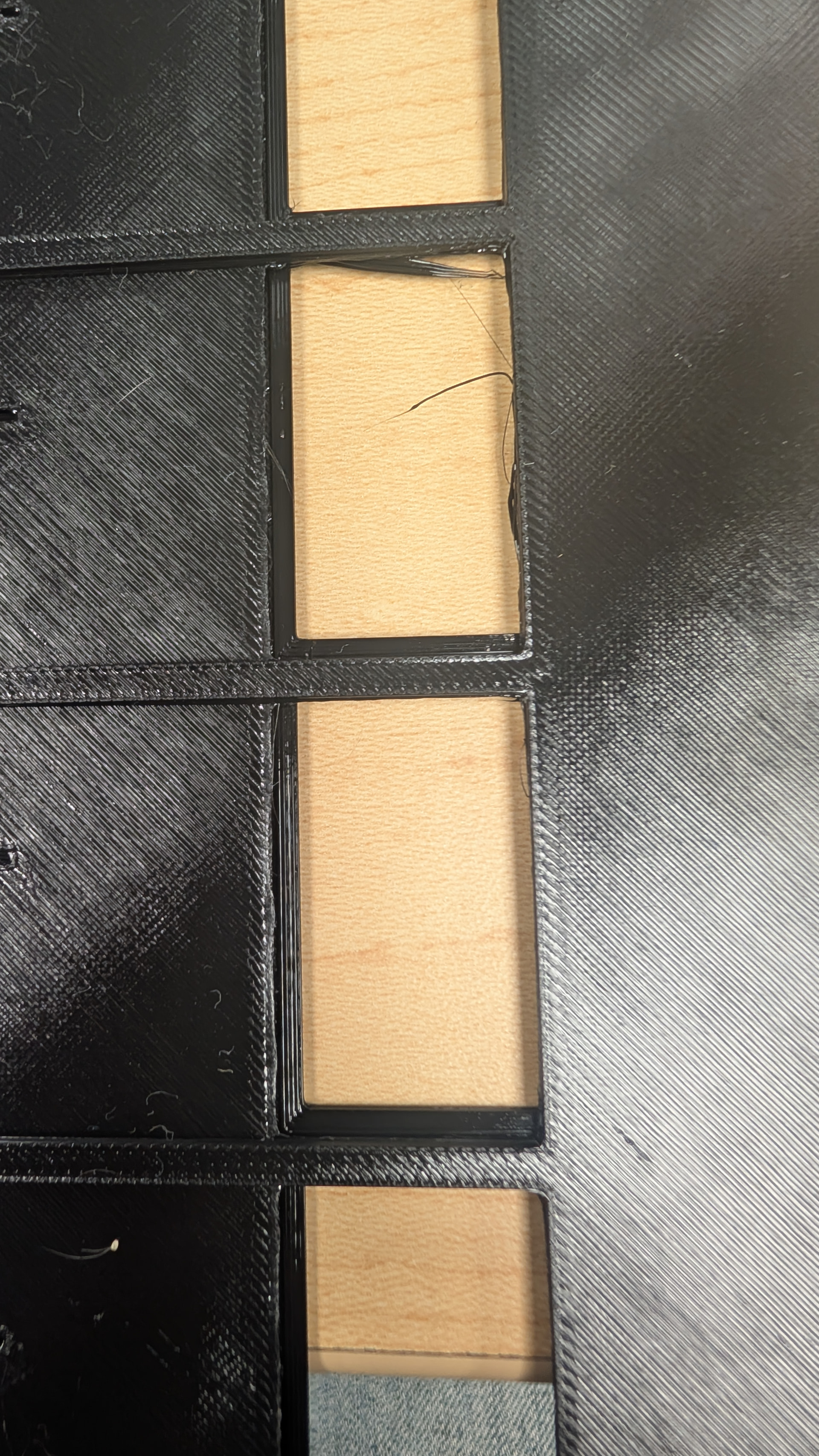
I printed a copy in PETG yesterday (filament has already been extensively dried and flow rate calibrated) and got a messier result than expected. The first few layers printed in one spot, and then the remainder of the print was offset by about 2.5-2.6mm on the X axis, and about 3.0-3.13mm on the Y axis.

The infill is fine so structurally the print is sound, but at the 1.25mm mark on the Z axis, the whole thing shifted the amounts stated above.

The printer has been maintained at the prompted intervals, and other than the occasional spaghetti issue or a nozzle needing to be cleaned, this is the first major print error that’s happened.

The print is a jig designed to hold metal tags for laser engraving, just as an FYI.

The print is using the standard 0.4mm nozzle, layer height is 0.2mm at 15% infill, and I was trying to see if I could add the .3mf so you could see it, but my work’s email system apparently believes that 3D print files are somehow going to be the cause of the undoing of the entire world and blocked it, requiring me to contact an administrator for release. Working on getting it fixed now.

Welcome to the forum.

Just to be clear, the print repeatable “shifts” when printing PETG or was this a one off case?

It shifted VERY slightly on the one I made yesterday morning, but it was almost unnoticeable. The one that was started after that (the one pictured) is noticeably worse with a greater amount of drift on far more layers.

EDIT for clarity: Yes, it was on the PETG prints that this issue has occurred so far, and glue stick was used to help adhere and prevent warping.

Okay, to me that would point to either the part warping and the nozzle hitting it or the nozzle is loose and moving. Is there anywhere on the print it looks like the part lifted from the bed?

A loose nozzle can do this too and I think this is where I would check first. The screws holding the print head can loosen up.

I will check the nozzle to be sure, but there didn’t appear to be any issue with it I could see. Then again, I wasn’t looking specifically for an issue, so I could’ve easily missed it.
And the part didn’t lift at all; it was securely glued with the Bambu Lab glue stick stuff. I’ll check the nozzle and let you know.

Thanks for the assist so far, I appreciate it.

Which H series printer do you have?

H2D, the one with the laser option.

And I checked the nozzle both cold and heated, and it is secure.

Also, I verified that I am unable to move the toolhead by hand and nothing appears loose on the linear rails either. I thought perhaps one of the main axes had a loose fastener or something and had allowed the shift, but it doesn’t seem so.

I guess the test now is to reprint in a filament that didn’t have a problem before and see if it only happens with PETG?

Guess I’ll have to give that a try, yeah. It’s weird though, because I’ve been printing with this same PETG spool quite a bit lately and it only started it on this particular print.

I’ll run it on another filament and get back to you.

Appreciate the input!

Enabling the timelapse of the print might give a little more insight.

I’ll do that this time around. I usually disable it because we don’t have any use for it most of the time, but troubleshooting it’ll probably help. Thanks

It’s probably better to record full video on a USB stick. More likely to find the cause then. If you have already a USB in there, the failure event might have been recorded already.

How close is the part to the edges of the bed?
I recall a case where someone had issues when the toolhead was getting close to the edges of the plate and causing issues.
Was a combo of large skew and usage of the Vision Encoder Plate.

Okay, so the problem didn’t recur on the first PLA print I made. I used the exact same print file, changed nothing aside from the filament type, and it printed flawlessly. I thought maybe it was something with the PETG specifically that would be a cause (possibly?) but I had no idea what it would be aside from a defect causing a feed issue that it was trying to compensate for, and it somehow threw things off. Turns out that isn’t the case.

I did additional prints, PLA again, and the first one ran just fine but the repeat of the exact same print placed the first layer at the correct spot and then offset the rest of the print by around that same 3mm+/- offset again. Every bit of it aside from the first layer was offset up and to the left.

I’m beginning to wonder if there’s not an issue with the servo(s) that’s causing slippage under load at high move speeds or something, or possibly a belt skipping on the gear(s) during fast movements.

I’m going to run through every conceivable calibration and setup I possibly can on this thing and see if it makes a difference, because at this point it’s looking like a mechanical issue and nothing to do with any specific filament type or profile.

And something I didn’t mention in the initial description: I’m seeing some use of the term “Vision Encoder Plate” and don’t know enough about 3D printers in general to know exactly what that is, so I’m gonna go to Google university for a bit and read up on it; however, if anyone has a quick cliffnotes version that would be appreciated :+1:
Further, just for additional info that may be relevant (no idea), I’m using the textured PEI plate :man_shrugging:

I appreciate the input I’ve gotten so far, and I’m going to be trying to pull the timelapse of the last print and seeing about putting it in here for your viewing. Only reason it’s not being added to this comment (novel) is because this printer is a work device and we have a separate standalone laptop that we run it on that does not have a corporate image on the main drive, so going between the corporate and non-corporate devices with a thumb drive is prohibited due to data security policies, and I have a bunch of hoops to go through to be able to do that.

EDIT: Reread your comment and realized I didn’t answer some questions even though I’ve rambled enough to require an editor and a publisher. Both of the prints where this issue has occurred have been very close to the edge of the plate. The second PLA print isn’t a single large print file though; it’s 6 separate ones (they’re just small drink coasters) stacked in a 2x by 3y configuration then centered via the slicer’s center function. I have asked if we ordered the vision encoder plate with the initial printer order to see if we can run that calibration also, but nobody will be back until Monday or Tuesday that can answer the inquiry.
The vision encoder plan is for verifying and compensating for minute differences, not for adjusting ~3mm layer shifts.

From what I understand we currently know the issue happens with different materials and at different layer heights? Correct? I think I would try printing a different model to see if the issue is model specific or points towards a machine issue.

Also another test you might try is to pause the print while printing for a couple minutes and the resume to see if that triggers the shift.

It’s happened with different models already, so it’s definitely not model specific. The coaster print I mentioned is not the same as the other it happened with, and it printed the coasters properly the first time but not the second.
I can run another and pause/resume during the same layer and see if it triggers the shift though, that’s a good call.
And yes, you are correct in saying that it’s happening with different materials at different layer heights.

If you print the onboard benchy file (in pla) that would rule out slicing and model issues. It’s optimized for speed so it will push the machine.

I’ll give that a go, thanks!

The vision encoder plate corrects the accuracy of the motion system, but also corrects skew.

The case I was referencing in my previous post, was a very specific case. The user had no issues with his printer until he used the vision encoder plate.
It seemed that the calibration caused the printer to hit a physical or hardware limit.

This became obvious when he got multiple layer shifts over several layers.

I was merely referencing that because it might have been a possible cause. But hearing that you didn’t use it, means it wasn’t.

Ah okay, following now.
I just started a PLA benchy to see if there’s any issues with the layers. I’ll have results in about a half hour.

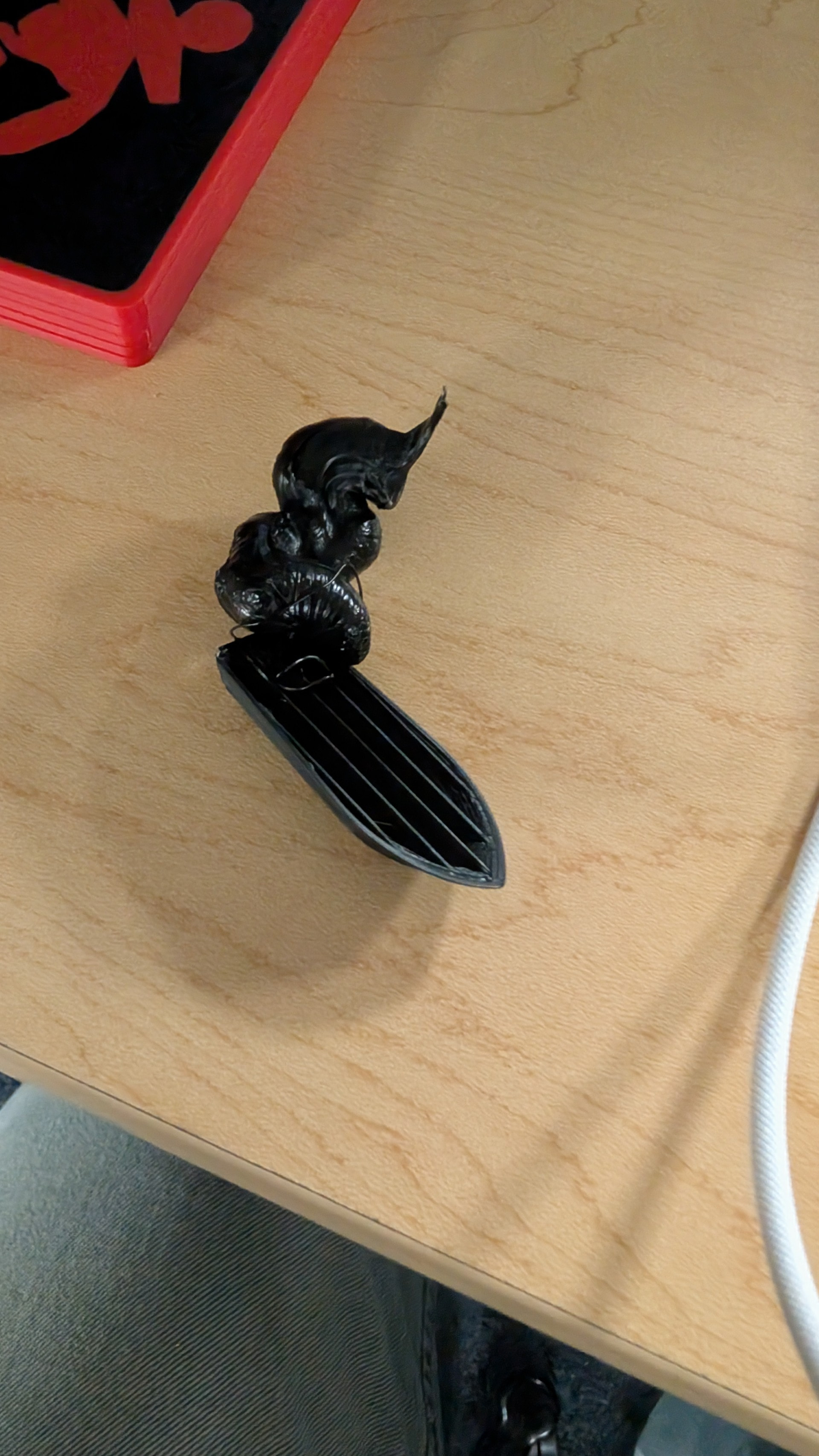
Well…that’s certainly different…never seen it dook out a whole glob like that before