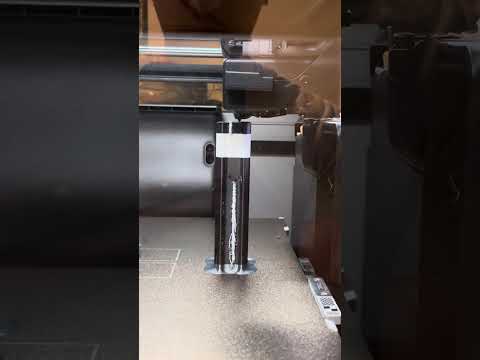
I watched this very carefully since i have lots of these tower failures. There is a bump of plastic that eventually forms and when then tower gets tall, the print head running over it causes too much torque and breaks the base off the plate.
ok good news is we are all seeing the same thing, bad news is we all saw the same thing
What is the best practice here then for changing settings to stopping this? I see several things brought up in the past now, I’m trying to figure out what to do but i dont have a lot of experience.
Are these settings what I should be trying? H2D purge tower fail/fall - #43 by JmanBuzz
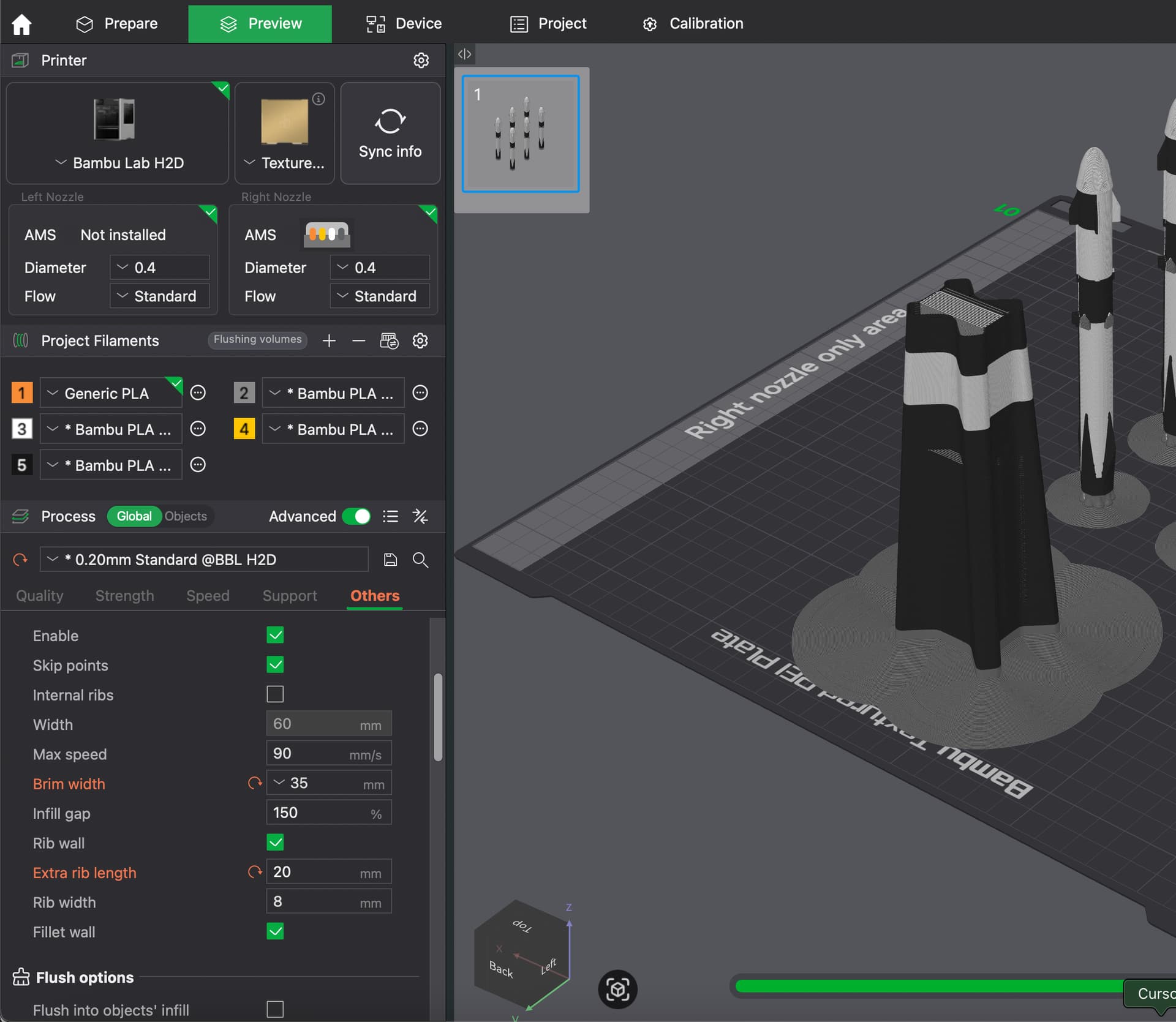
testing these settings (pyramid shaped tower) to reduce torque at base during bumping at the higher heights, with heat bed temperature of 70 to try and increase adhesion (usually runs at 65 which is actually closer to 55 actual temperature as measured by IR)
This arrangement worked. Huge tower base which is nuts but the pyramid shape helped avoid the stress concentration that the normal tower causes. Hopefully the push a solution that doesn’t require these work arounds
Well, though it works that the tower survived (because it looks like the color swapping doesn’t happen often in your project shown), you still risk the step loss.
When the nozzle hits on the tower, there’s a chance that the force is too much and the motor cannot keep up with it. So that the motor losses a step or more, because that step simply couldn’t be made (as the nozzle was blocked by the over extrusion on tower).
The problem with step loss is that it makes the motion controller lose track of where the nozzle is. Even though there is a feature called step loss recovery, it’s not always working.
is this why there may be lines across other parts on the print bed when a collision happens on the tower? like maybe it is a tiny bit off from being where it should be?
that stump of a tower will get hit no matter what, if you over extrude over the theoretical perfection of you given filament/device.
I felt the same about the larger cage helping but it is just an illusion, in the center the stump is still building up. the real save is using a non ribbed tower you can customize it in width, obtaining enough gap to absorb the over extrusion, basically taking more space and spreading.
I learnt this with towers failing at 75% and finding an over extrusion of 0.05 (it’s a lot) nonetheless I could had end all the prints without hits (but a lot of spaghetti out of the tower’s walls)