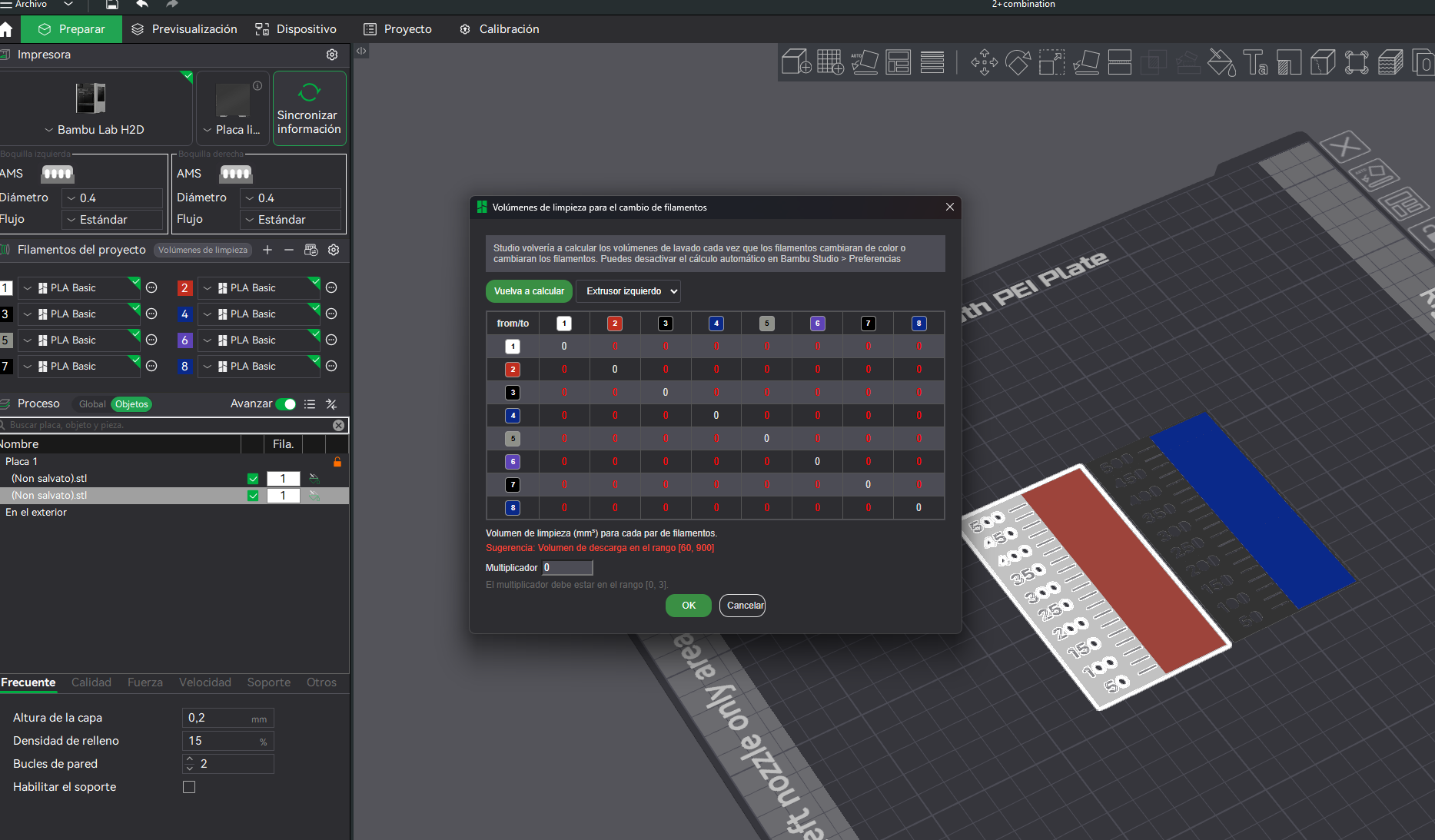
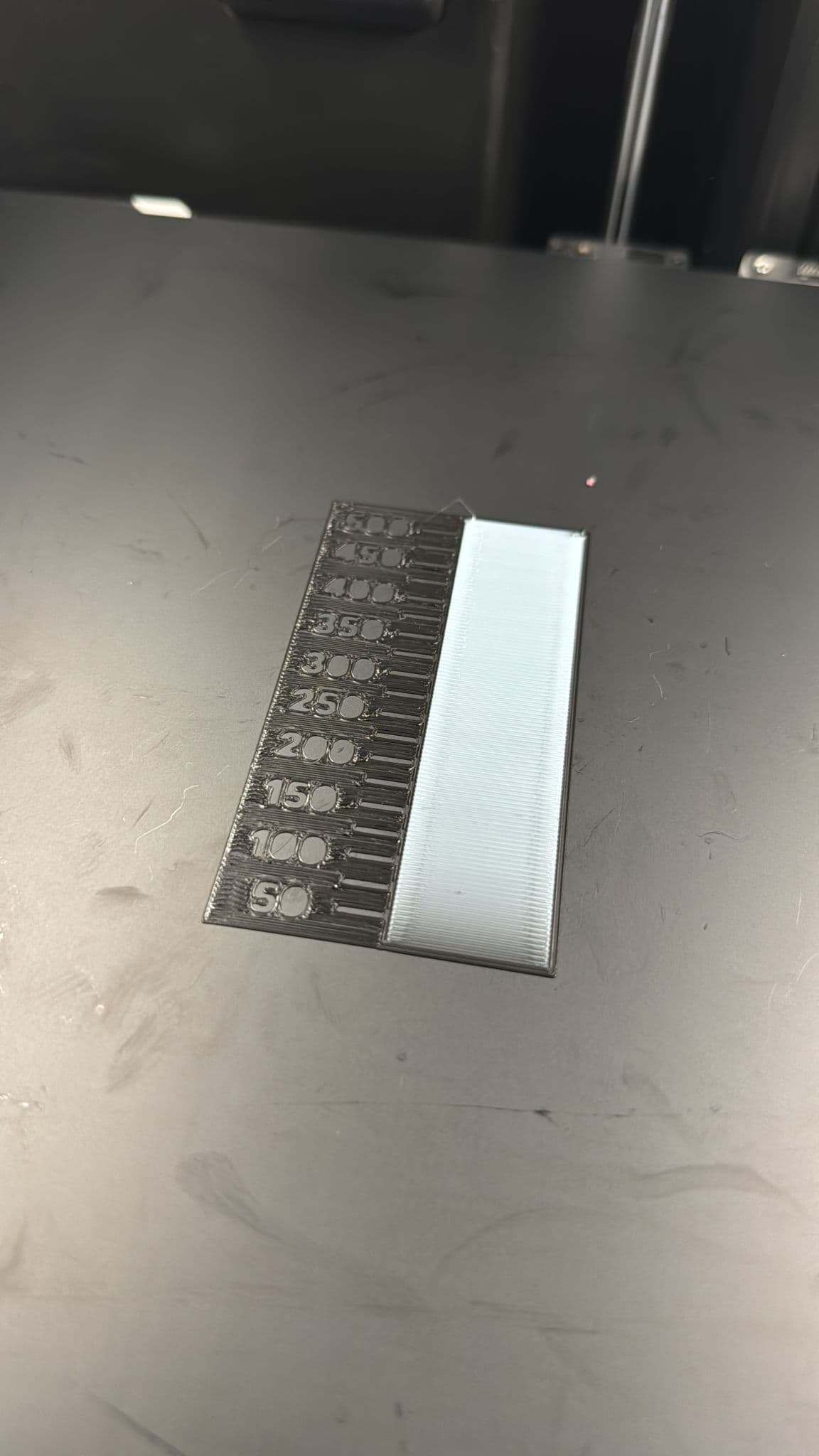
As of now, no solution that I’ve seen. I’ve tried a couple things, like setting it to 0.1 or 0.01 but it doesn’t matter, it always purges whatever it wants. I’d also love if Bambu could figure this one out, because I normally can save a good bit of $ on a large print by calibrating, but it’s not worth attempting until this issue is fixed.
Bambu CS has been pretty unhelpful. Keeps asking me for videos I already sent, convinced I don’t have Dynamic Flow turned off (I sent them a video showing it off, and a video of it still purging a ton of filament). I’m hoping they send it on to their engineers, but I’m less optimistic with every response.
I havent really dove in to this thread and im still getting used to my H2D, and maybe this was answered, but why does the H2D purge like 3 times before a print, vs once from say my P1S? I never understood that. After the first one its good, but its does a second and a few moments later theres a third. (No changes made in factory profiles in bambu studio).
The A1 seems to purge excessively between jobs and especially between materials. The H2D ignores Bambu Studios flushing volume values as this thread states and I think it’s similar to the A1’s approrach (similar nozzle designs) plus my tinfoil hat thinks they want all the public goodwill right now for this product launch and want no examples of nasty color bleed in the wild
Yeah in my case i can agree, i was 1 day trying to figure out why my color calibration prints where not working when i changed the flushing volumes, its ignoring the slicer settings 100%
How can this still be a issue… I have wasted a few rolls by now in just printer poop.
Me 1 roll to be precise xd i can understand the frustration but its a software issue
I tried today the new beta of bambu studio and still the same
i have everything set to 0 and the printer stills purguing a lot and i cancelled the print directly.
Well… once again… maybe rethink that beef with Orca and make up with them ?
I just came here to ask if the latest beta fixed this issue  I literally have prints where more then half the print time is purging. Currently doing a 3 day 5 color print and its 2 days of purging. After the second poop its flawless but it just keeps pooping! On top of a huge waste its very time consuming. Cant belive this isnt a huge issue worth their attention.
i agree with you, and not seeing changes in bambu slicer tells me is a firmware problem probably.
Adding myself here too. Horrible amounts of purge, this same print im printing now normally I price at 60 euros, with the time and waste it needs now, I have to double it at least, pretty much kills the multicolor printing with this machine… bummer
yeah one more guy to the list, i think the rest of the ppl is not noticing or wtf
The real question is when it will be addressed
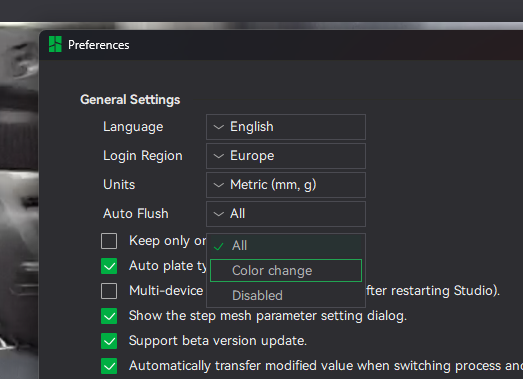
If you want a “fix” i discovered today making some tests if you put the slicer languaje to english plus
in preferences you put on color change, is when your flushing volumes are starting to work, tell me if this works for you guys.
nevermind stills the same
I just finished printing a simple 4 colour vase. Oh my god… I have at least 3 other vases in the amount pooped… guys keep bumping this up, this is breaking the multicolor/multi material use case of the machine!
@BambuLab @SupportAssistant please say something about this, in the last beta of the slicer is not fixed, and its happening with A1 machines too
UPDATE: Fixed in the last beta of the bambu slicer
WE CAN FINALLY PRINT IN MULTICOLOR AGAIN
What version fixes it? …….
2.2 Beta 2 in github, but i talked to early i think, it purgues less material, but it’s still ignoring the slicer settings, after talking with chat gpt and checking the code manually i tried removing the S1 for S0 in the change filament g-code because is suposed the S1 to force the firmware to purgue if you put to low values, but nothing, so idk at this point