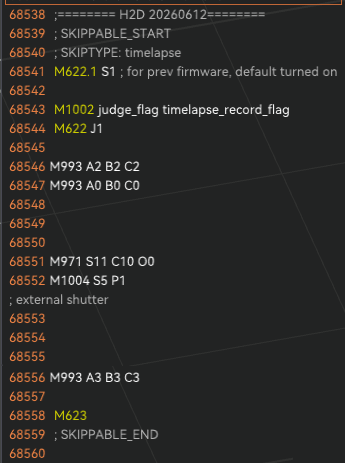
Basically title, but when I make a vase in vase mode with the H2D, it seems if timelapse is left on it causes the nozzle to pause momentarily mid Vase print. This leaves the vases with a visible seam/blemish
Here you can see photos of 3 vases. #1 without timelapse, #2 with timelapse, #3 with timelapse in a different material. I have included a second photo to show the seam areas in case they are not clear to all. I cannot find any artifact/seam on vase #1 without timelapse, but every vase with it I can find it.
You could just turn off Timelapse and instead take the complete print recording from the usb stick and then load it into something like Devinchi resolve and just speed it right up to get a similar effect.
The Timelapse function lacking here is a bit disappointing but I can live without it. I have already turned it off for any vase models I have.
I do think whatever the bug is that causes this should be fixed, but I can’t find anyone else who has shown this issue (yet). Cool idea with print recording.