Hi everyone,
I wanted to share what appears to be a potential H3C automatic nozzle offset calibration issue after replacing the factory-installed 0.4 mm nozzles with 0.2 mm nozzles.
Printer configuration:
-
Bambu Lab H3C
-
Bambu Studio 2.9.1.70
-
PrintTool 1: 0.2 mm – Bambu PLA Basic Green
-
PrintTool 3: 0.2 mm – Bambu PLA Basic Black
-
Nozzle temperature: 220°C
-
Textured PEI build plate
IMPORTANT: All factory defaults and settings marked AUTO were left unchanged, including automatic nozzle offset calibration. Nothing was disabled or manually overridden.
The problem
I initially calibrated my H3C using the factory-installed 0.4 mm nozzles. After physically replacing them with 0.2 mm nozzles, I noticed significant first-layer print quality issues when switching between PrintTools.
To investigate, I created a simple two-color rectangle and tested two different printing sequences.
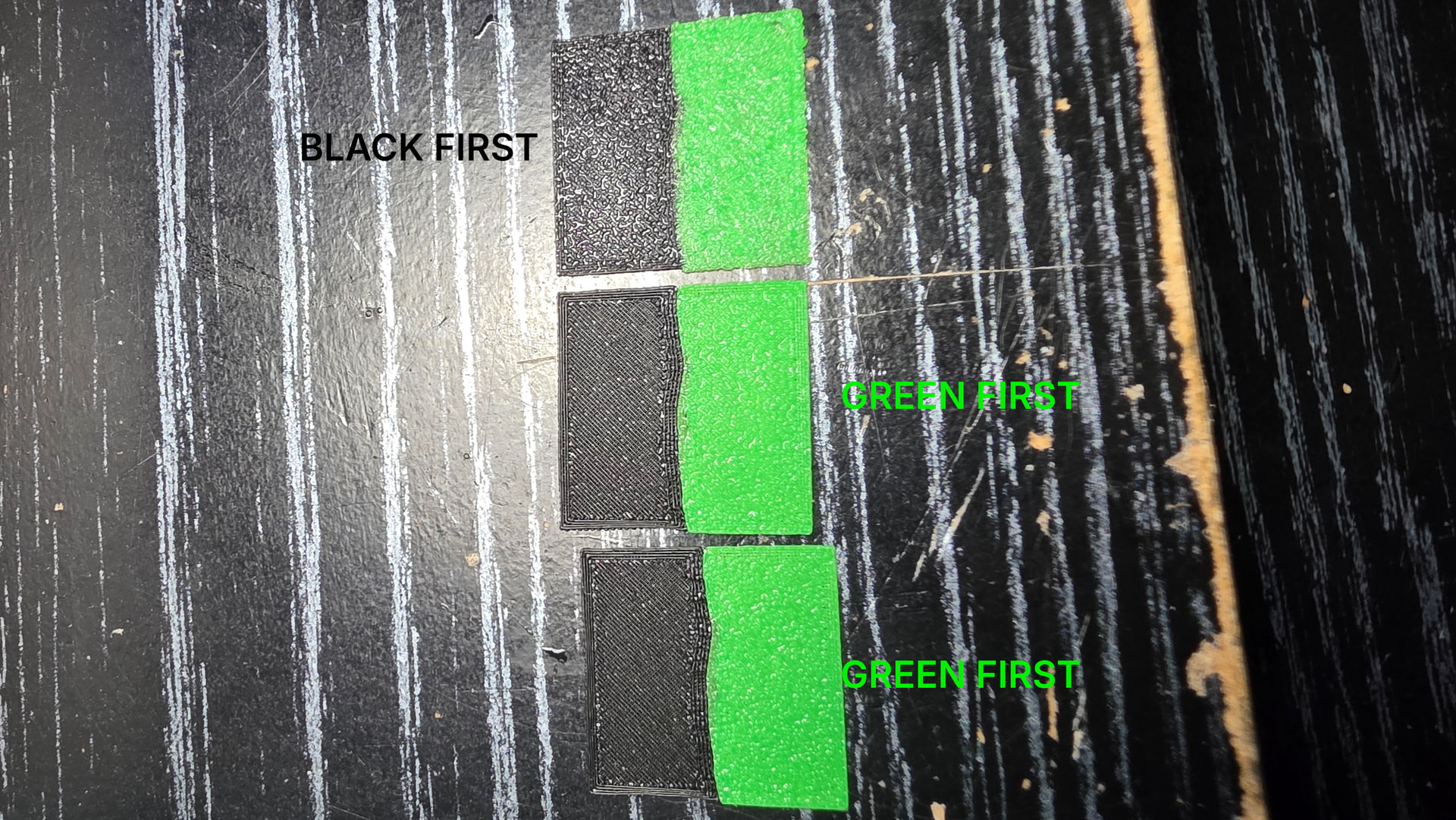
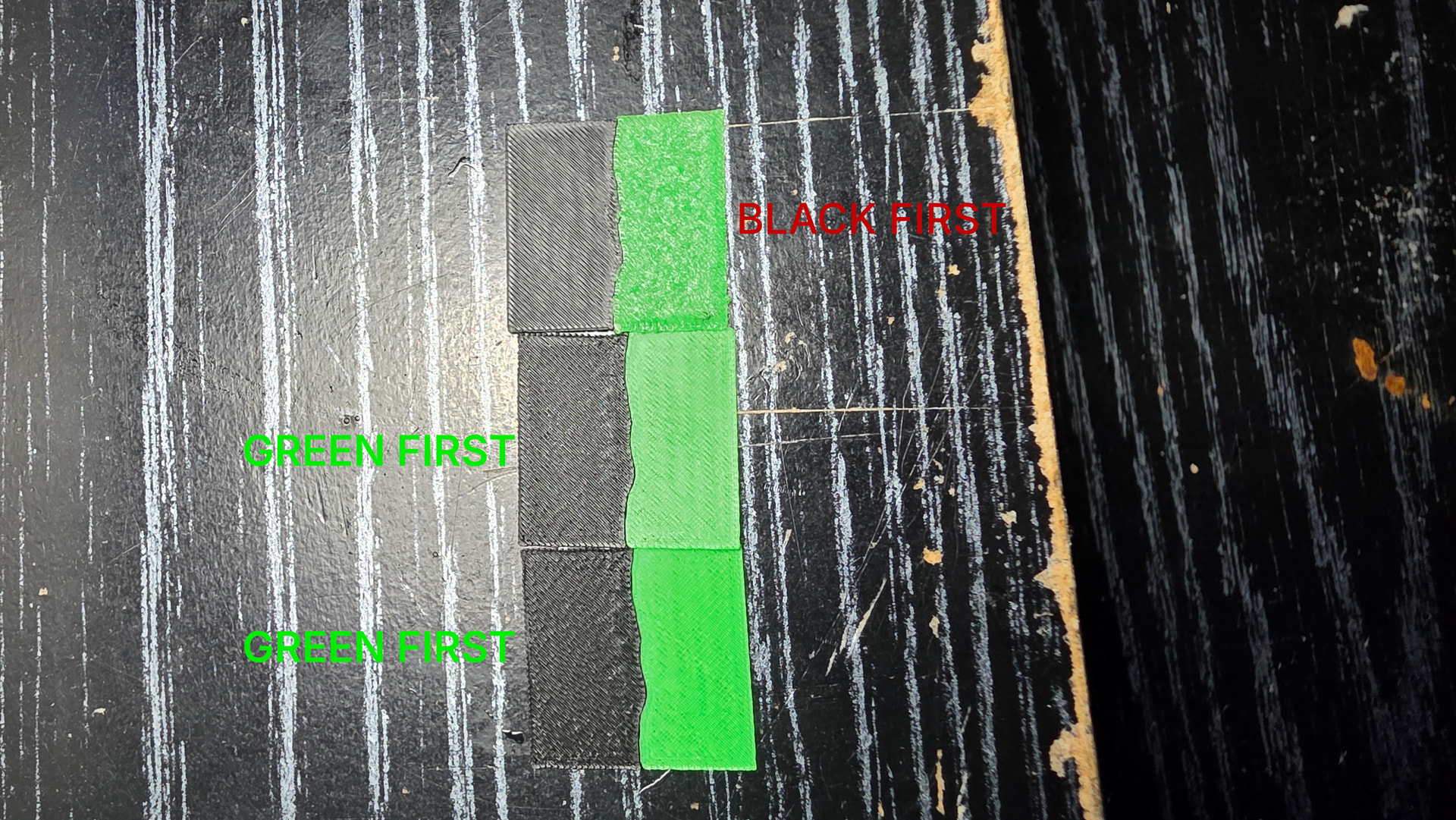
Test 1 – Black first, Green second (AUTO printing order)
Black printed correctly using PrintTool 3. However, after switching to PrintTool 1, the green sections exhibited poor print quality resembling incorrect nozzle height or over/under-extrusion.
Test 2 – Green first, Black second (MANUAL printing order)
Green printed correctly using PrintTool 1. However, after switching to PrintTool 3, the black sections exhibited similar defects.
In both cases, the nozzle printing second was affected.
G-code investigation
I compared the generated G-code files for both printing sequences.
The filament profiles, temperatures, flow ratios, volumetric speed limits, and model extrusion commands remained consistent. The primary difference was the printing sequence.
This suggested that the issue was related to nozzle positioning or calibration rather than filament settings.
The fix
I manually launched Nozzle Offset Calibration from the H3C’s calibration menu.
That completely resolved the issue!
Afterward, both printing sequences produced good-quality prints regardless of which PrintTool printed first.
I made absolutely no changes to filament settings, temperatures, flow ratios, or print parameters.
My concern
The H3C is designed to automatically compensate for nozzle offsets, and all AUTO calibration settings were enabled throughout my testing.
I also couldn’t find anything in Bambu’s documentation indicating that users must manually execute Nozzle Offset Calibration after physically replacing nozzles or changing nozzle diameters.
This raises a few questions:
-
Is manual nozzle offset calibration actually required after replacing nozzles?
-
If AUTO calibration is enabled, why didn’t the printer automatically compensate for the new 0.2 mm nozzles?
-
Could it have retained calibration offsets from the original 0.4 mm nozzles?
-
Is this an undocumented requirement or a potential firmware issue?
I’ve attached pictures showing the print quality differences between the two printing sequences.
I’m sharing this both to help other H3C owners who might experience similar problems and hopefully get clarification from Bambu.
If manual recalibration is required after nozzle replacement, I believe this should be clearly documented or automatically prompted by the printer.
Has anyone else experienced this after changing nozzle sizes on the H3C?