Help for AMS tubes getting caught behind A-1 printer

Is anyone else having the issue of the AMS tubes getting stuck behind their A-1 printer? My AMS sits next to the printer and every few prints has the tubes moving behind the printer and getting stuck when the printer head makes a big move. I’m trying to find a way to prevent this. I’ve had the filament hub ripped off a few times from this.

I’m hoping someone has ideas how to stop this from happening.

Thanks ahead of time for any suggestions!

Move your AMS further forwards?
It’s not much of a suggestion as mine sits to the side and the tubes fall to the front of the printer.

if you would post a photo of your setup it would help to determine this problem/solution
thanks

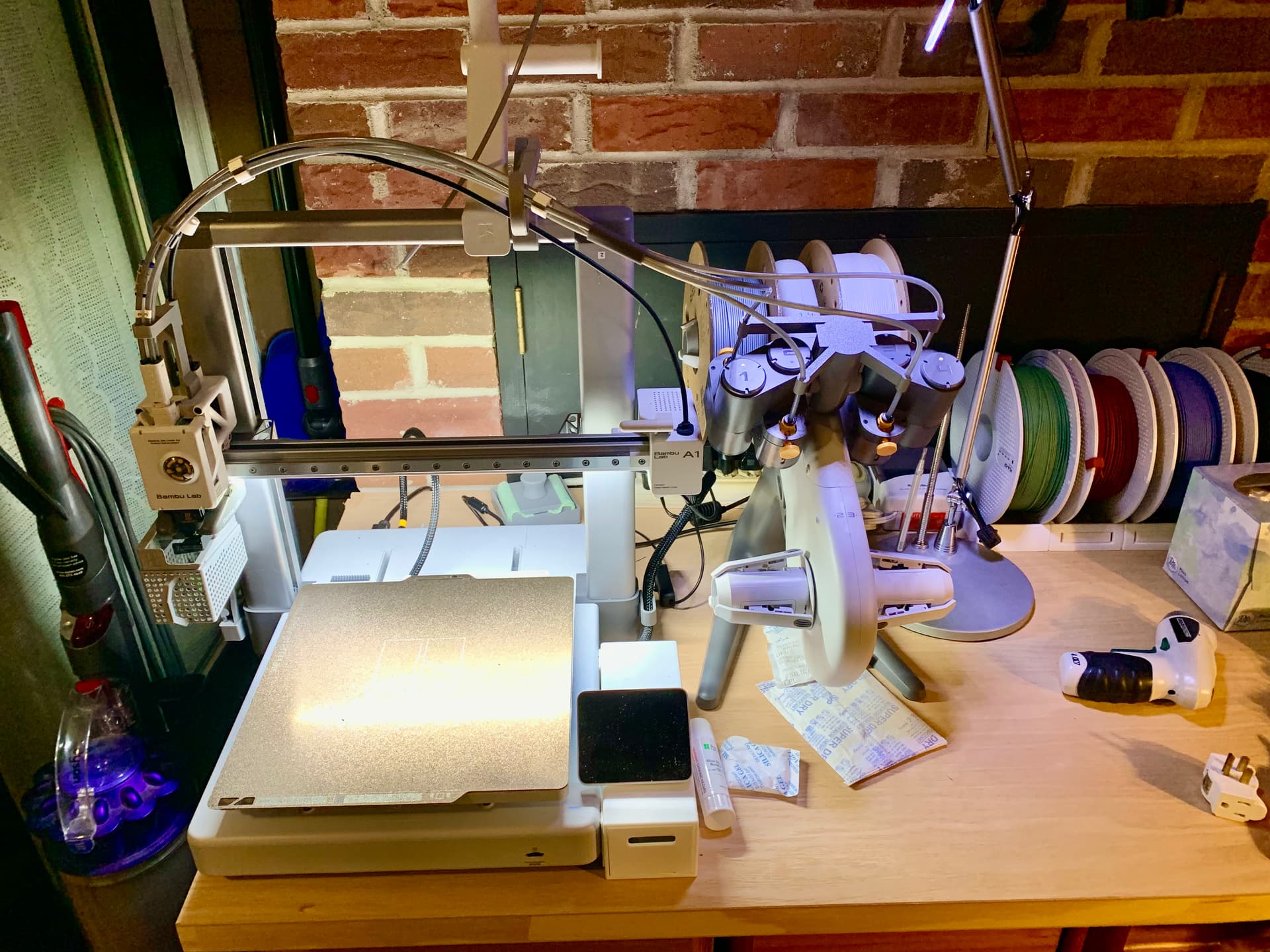
Here’s my setup. Hope the tubes are visible enough. For some reason they have a bend in them that makes them quick to jump behind the printer when given the chance.

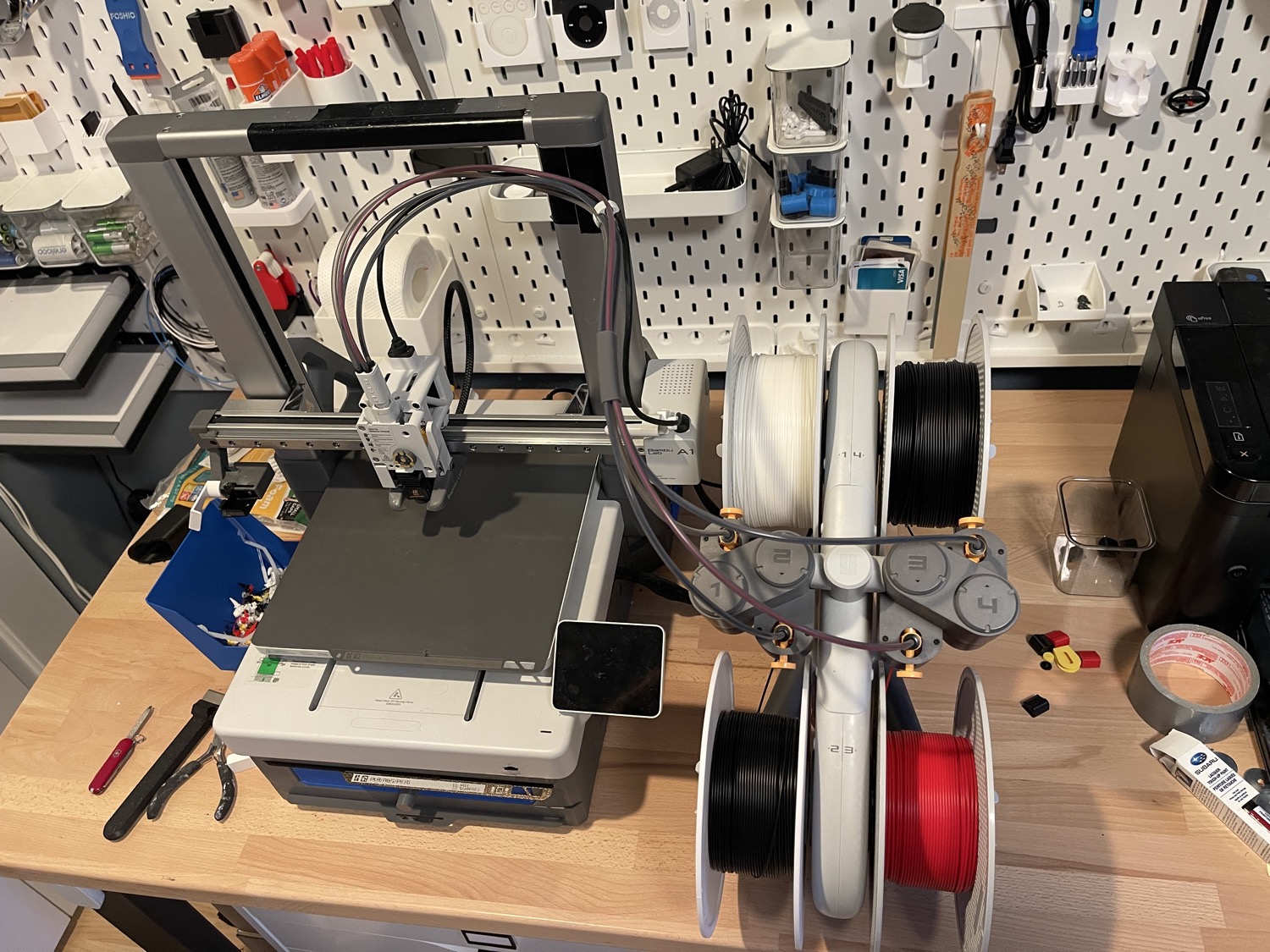
If you compare your setup to the product shot, you will see two differences.

  1. The AMS lite is more centrally locked to the print head as that stays fixed on the x-axis.

  2. The PTFE tubes stand proud, yours appear wilted.

Back when I had mine (sent back during the recall), my tubes were more like the photo I provided.

This can party be achieved by better placement of the PTFE holder. Moving it closer to the print head gives it a more upward direction.

The aim is to have it projected upwards so the top bar does conflict and it can’t droop down between the top bar and the x-axis.

You will also notice the product shot doesn’t have the sleeve-like wrap you have close to the AMS lite. That is some to consider as it frees pressure on the cables that having it installed can cause.

If your PTFE tubes have a now permanent droop, you consider purchasing a length of it and cutting it up to swap out for the ones on your machine.

1 Like

Thanks! I will try to get the tubes into that position. I have some extra tubing so might replace them. Unfortunate for me now I have to troubleshoot a communication error to the tool head. Likely caused by the tubes getting caught again and ripping off th top of the 4 to 1 splitter. Thanks again for the tips!
1 Like

I still have my mini and my head got ripped off.

I hadn’t appreciated how thin the internal cable was. Thankfully it all worked after I carefully shoved it back in again.

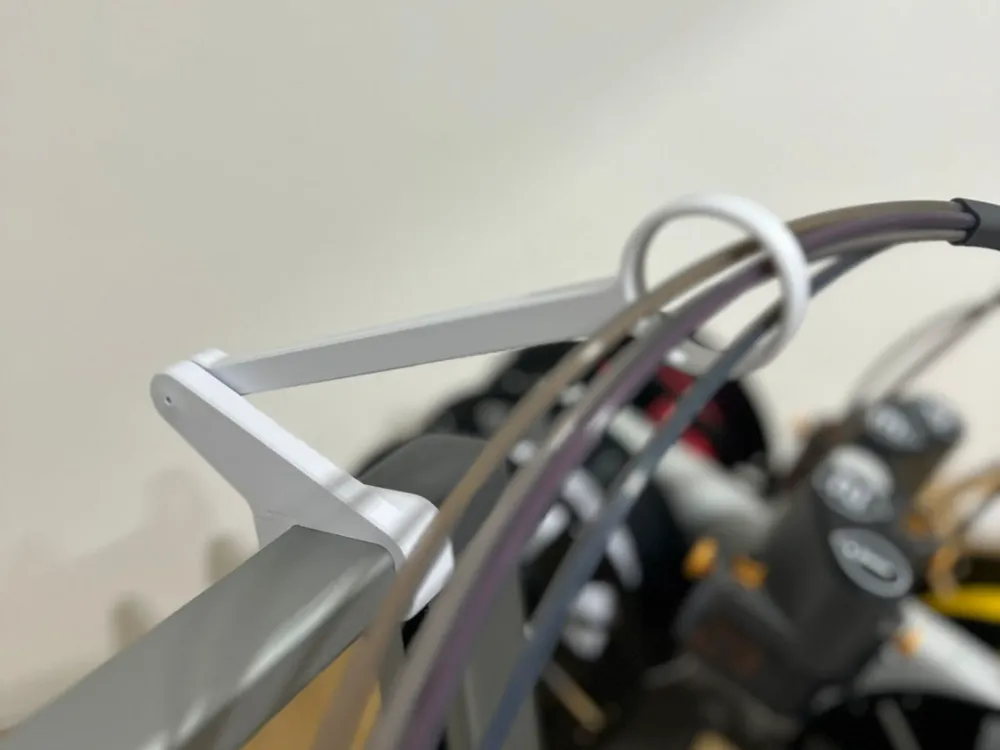
I use a setup with this to keep the tubes from going behind the A1 head frame

2 Likes

This is the same problem we have. Where did you get the piece with the ring it it to feed the lines through? This is a great option! Thank you for sharing this.

Welcome to the forum!

I believe it’s this one:

1 Like

I am glad PrintMcgee posted the link, I made it about a year ago and am sure I couldn’t find it again. I made it after printing a tall object and the hotend cord went over the top and was pull out of the Z-motor houseing. Lucky that none of the wires got broken. If you notice that power cable does not go through the loop, The screw is also loose enough for the arm to move freely up and dowwn. Be sure to read the desinger’s write up, He makes some good points. I watch the printing when making a very tall print, because the hotend power cable could still slip behind the top bar, happened once to me and prevents the hotend from moving. Also, I printed the one without the stop, you need the alow the arm full movement. Other than that, it has worked great for over a year.

1 Like