Can someone be so kind as to enlight me where i can find the settings under de undef group in Bambu Slicer

Thanks in advance
Can someone be so kind as to enlight me where i can find the settings under de undef group in Bambu Slicer
Thanks in advance
Those are from the “Process” settings in the Global view and then the Speed tab.
Note though that the Speed tab has separate configurations for high flow and regular nozzle types (they switch when the nozzle type is selected). However the compare dialog only reflects one of those configurations and doesn’t make any apparent distinction. I think it shows the standard flow config, but I’m really not 100% on that (with my H2C it’s even more variable which will be shown).
HTH,
-Max
Hi Max,
Thanks for the help, i know those settings, its the normal ones under speed settings.
However i cant seam to find this specific ones! Im asking becouse i’m having trouble printing with the standard profiles.
The speed of the filament entering the nozzle causes the temp to lower under the threshold maybe my filament as ice on it…  .
Loading of a new filament causes a drop from 215 to 90? That would need to be some nitrogen-cooled plastic… 
Anyway that’s a much more specific question indeed… I’m not familiar with the P series so I don’t know. I can’t think of any profile setting which may cause this, offhand. Did you have some specific one(s) in mind?
Does it have anything to do with mixing PLA & PETG in the same print? (There’s a wiki about that in case you haven’t seen it yet.)
If I really had to guess I’d suspect a poor connection somewhere like between the nozzle and temp. sensor, or sensor and whatever that cable is connected to. Maybe some buildup behind the nozzle? New filament being loaded joggles the connection…? 
Hopefully someone else has fun in to this specifically and will chime in!
Cheers,
-Max
No the drop was only 6º. The head parks and disconnects the heater and i took the print screen at that time only.
Also if i lower the speed of the printer it prints normally, the problem is just with this filament @ 0.6 nozzle on highspeeds. If i use the 0.4 it prints as expected.
All the best
PS: Im using the 0,30 Standard @BBL X1C 0.6 nozel stock profile
This is happening during a layer of one filament? Not during color change?
The printing speeds are all controlled in that Speed settings tab (most can also be adjusted per object).
In the filament profile there is also Max volumetric speed which will determine the absolute maximum speed allowed (overriding what is set in the project’s Speed settings if necessary). So that’s a quick way to slow things down overall.
However I see the Generic profiles are… broken? For example compare to a BL filament profile. For one thing there are separate settings by nozzle type. And they’re nozzle-size-specific by default.
What type of nozzle are you using? Regular flow?
Anyway, after modifying any of those, verify changes in the slice preview using the Speed color scheme. Especially since it’s not clear how the nozzle types are handled with Generic profile (I think the same settings are used for both nozzle types, but… )
-Max
Hi again.
Yep i see the generic profiles are …
I’m using the E3D Obxidian High Flow. I just tested one of their profiles with the 0.6 and i could print without the problems of the standard profiles. Nevertheless the diference for printing with a 0.4 is marginal in print time. I’m going to continue tweaking the profiles until i have one speedier for this filament.
Thanks for all the help.
Hi Mari, I ran into this filed bug regarding P1S and HF nozzles, and though of you… 
It directly relates to what I was alluding to in terms of checking the actual slice results. I’ve observed similar issues myself, though they’re tricky to pin down (eg. using wrong speeds as configured in the Speed tab for the regular vs. HF nozzles).
-Max
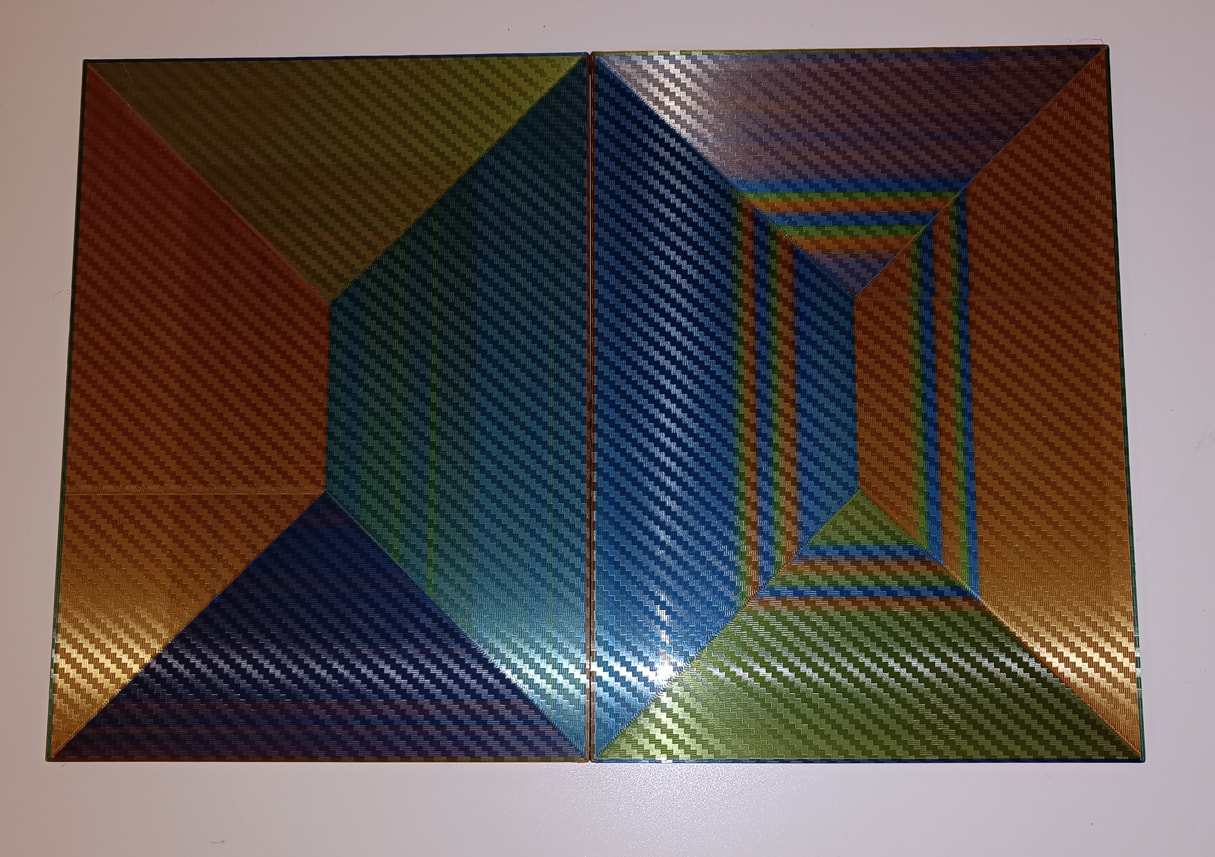
Love how that piece looks! Whatever it is… what is it?
Looks… translucent and prismatic, but is that illusion? And how are you getting the rainbow/prism effect in the center stripes there?
Is nitro required? Anyway, it’s very cool!
-Max
Hi again Max
This is 300x200 frame printed in 2 parts on the P1S.
This is printed with Tricolor Silk PLA in a Gyroid pattern  .
This is the filament that gave me Temp trouble with the standard profiles! I just kept lowering and increasing the printer speed in the device separator to accommodate the time needed to melt the PLA without lowering the temp to much!
So i did ALL the things you should not do when printing…