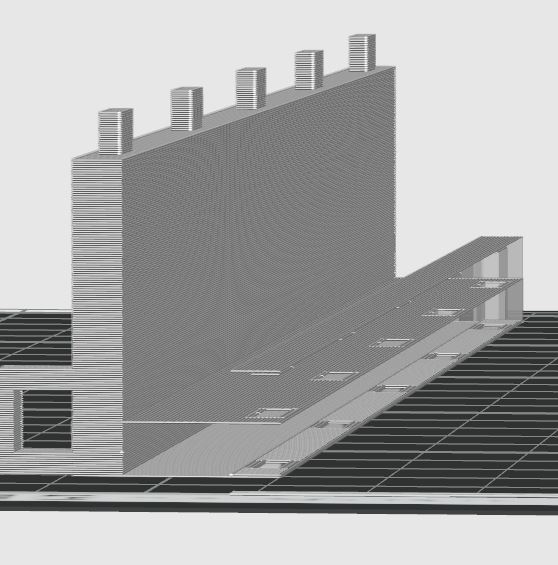
I am painfully new to creating, and am trying my hardest to figure this out. It has been a few days of myself and my husband working on this, and we just can’t get it. We are trying to create sticker displays that stack. I need to test print a file he created in Blender, and I keep getting an error message that says there is a floating piece. So I reorient it.
Then I get a message that says there are empty layers. When I look at the file in prepare it’s a solid piece, except for where I need holes. However, when I go to preview to get ready to print, I have a bunch of hollow pieces. I cannot for the life of my figure out how to fix this and was hoping someone might offer some guidance.
I uploaded a photo of the Preview and the Prepare screen.
Your 3D object is probably not “manifold”. What does that mean? It has significant gaps that you might not be able to see; your 3D object is likely defective.
When I look closely at the pictures, it does look as though it isn’t properly connected / manifolded.
This can happen during the design process or when you export your file. The slicer then doesn’t know what to do and acts strangely. One solution would be to try to fix the object. Or you could upload the .3mf file so someone can take a look at it.
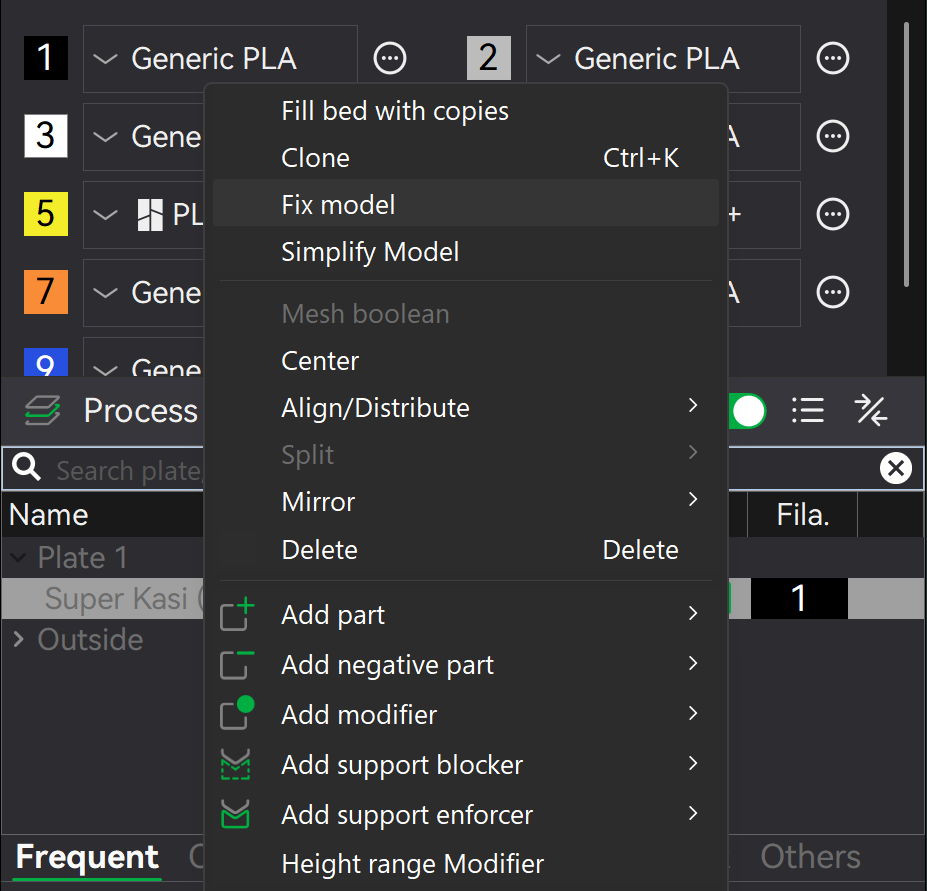
Here’s something you can try right away: Fix model