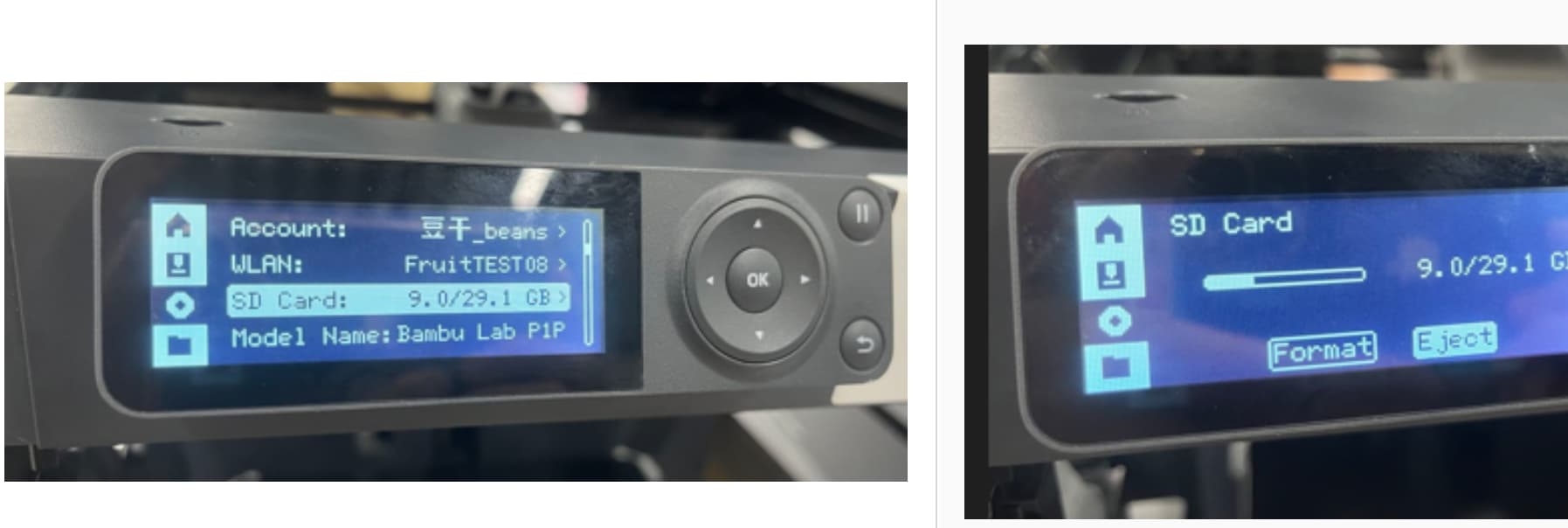
This is a common problem with an easy remedy. There are a couple of things about the SD card you’ll want to know.
The factory-supplied card uses the cheapest SD technology available, and based on numerous reports like yours, it clearly isn’t suited for high-use applications. Bambu’s system architecture uses the SD card for caching, which cheaper cards aren’t built to handle reliably.
All SD cards degrade over time due to their limited write endurance. Quality cards from brands like SanDisk or Samsung are engineered with better wear-leveling and internal block management. Once a memory block wears out, better cards retire that block and reallocate its address to prevent future errors. For this application, you don’t need speed—you need durability.
Remedy – Use a High Endurance SD Card
Quick Fix
Start by reformatting your existing card inside the printer. This ensures it uses FAT32, which the printer requires. Formatting on a PC is possible but less foolproof—desktop OSes may apply incompatible formats like NTFS or exFAT.
Long Term Fix
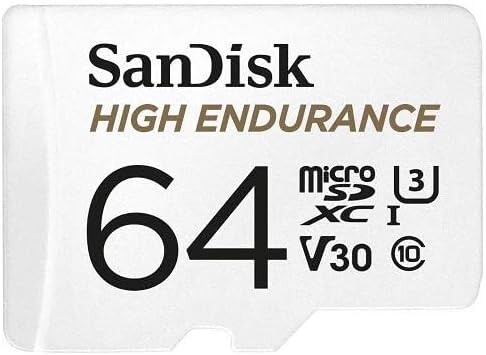
For replacement, look for a “High Endurance” SD card. These are designed for write-intensive tasks like surveillance systems where data is constantly overwritten. Avoid high-capacity or high-speed cards—they won’t help here. The Bambu firmware only supports up to 32GB, and benchmarks show the interface is slow (likely SPI), so faster cards offer no benefit.
Here’s where you can readily find such cards. Personally I stick with only Sandisk and Samsung and I would avoid PNY at all costs, I have a box of bad PNY cards. Kingston is another low cost brand. Avoid the Amazon-only brands you don’t recognize, it’s just not worth the savings.
SD card is your hard drive. The machine needs storage to send jobs to it.
SD cards also have a failure rate insanely higher than normal drive media so while unfortunate, you should expect it within the lifetime of the machine
I have never had an SD inserted in the printer and all of a sudden I can’t print because it states Storage needs to be inserted. I haven’t changed anything and was still printing from the network. Now I can’t print. So what has changed?
The P1 series cannot function without an SD card. One came with your printer and it sounds like you never noticed. Either way, the recovery for this error is pretty straight forward. SD cards do fail or need reformatting periodically.
Often all that’s needed is to either re-seat the card by unplugging it and putting it back in. This will force the contacts to rub against one another and if there is any oxidation on the contacts, it will scrape it away.
If neither of those work, then just purchase a new card. Search on Amazon for high endurance cards for use in doorbell cameras. The P1 uses the SD card as a hard drive and reads and writes many operations to the cache. SD Card wear out and the high endurance cards are designed for exactly this type of read/write operation.
You don’t need more than an 8GB card even if you can find it.
SanDisk is the acknowledged industry leader. They invented most of the technology that is licensed to other SD makers. Out of the dozens of different brands and hundred of SD Cards I’ve used in my career, I have yet to have a SanDisk card of any type actually fail permanently. Yes, from time to time I had to reformat a card but I’ve never had one actually fail. However, I do keep a draw full of failed SD, Micro SD, Compact flash cards in my drawer to remind me of which brands to avoid. PNY is one that is notably worst in class.
BTW: You likely will find this same card at your local pharmacy next to where they offer film processing. Office supply stores sell them too as does any consumer electronics store.