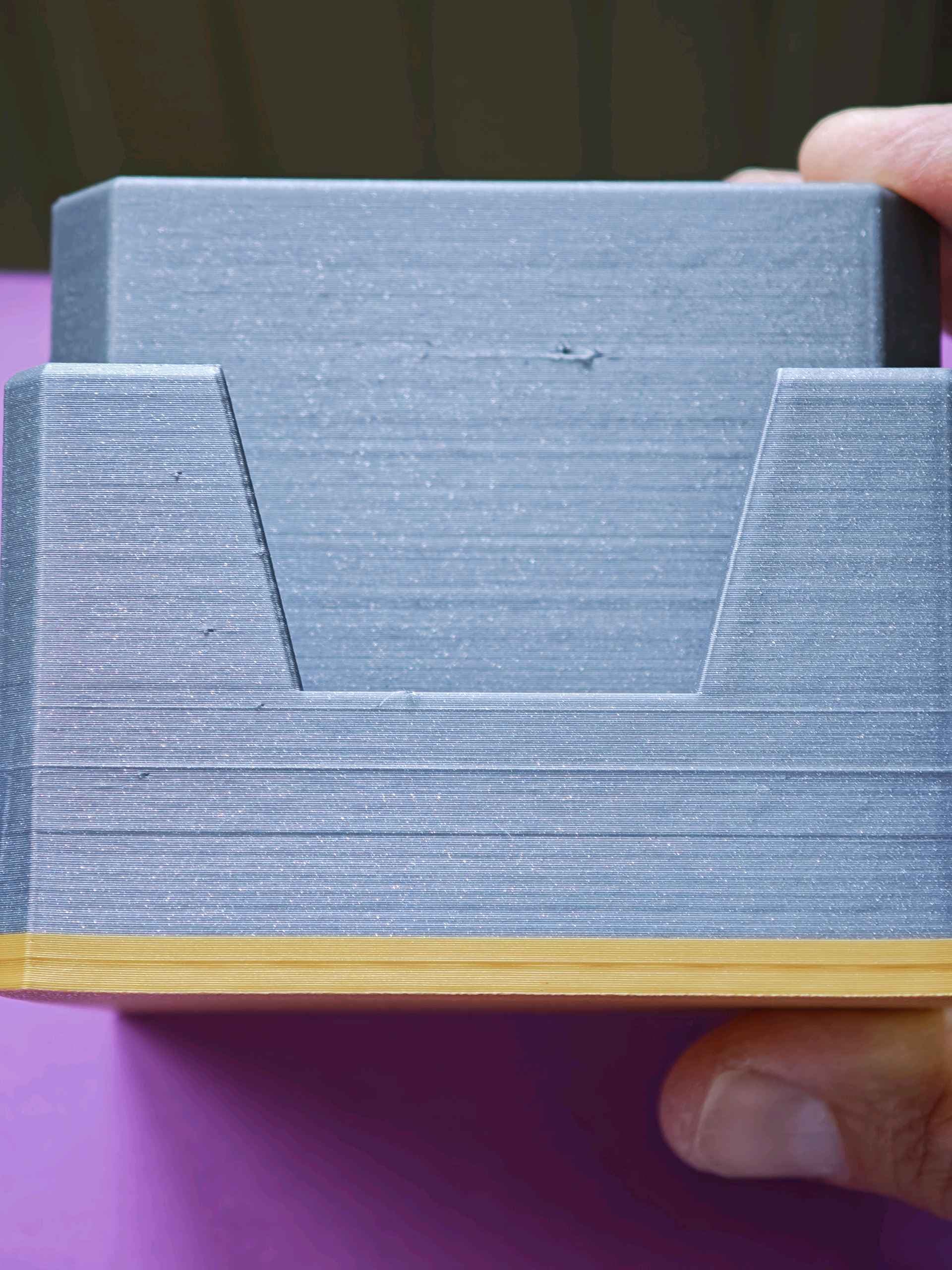
Dudes and dudettes, I am at my wits end trying to get rid of this issue. Across all of my prints, regardless of nozzle type, i’m suffering with these lightened horizontal bands.
THINGS I’VE TRIED:
- Altering speed of outer walls
- Switching Nozzle
- Different build plates
- Adjusting Z-Hop
- Swapped out entire Z-axis/Gantry
- Altered position and support for printer numerous times
- Changed extruder and cleaned its gear
- re-tensioned belts and lubricated appropriate sections
- new Z-axis tensioner
- new hot-end (and tightened the 7 infamous screws)
- new toolhead block
- new part cooling fan
- multiple re-calibrations
- with/without AMS Lite
I can’t seem to solve it at all. Haven’t a clue what else to do. It’s worth mentioning that alongside these bands, layer lines are also more visible on prints these days. WTF?