I keep getting this message when I start a print, the fan is slow or stopped. I followed the troubleshooting guide, the fan rotates freely and the electrical connection is good. Curious thing is, if I set the nozzle temp to heat (200 C), it seems to work, but I always get the error when I start a print.
The bambu wiki shows how to verify that the fan is blowing with a piece of tissue paper positioned between the two heatsinks. Very gentle air flow in my opinion.
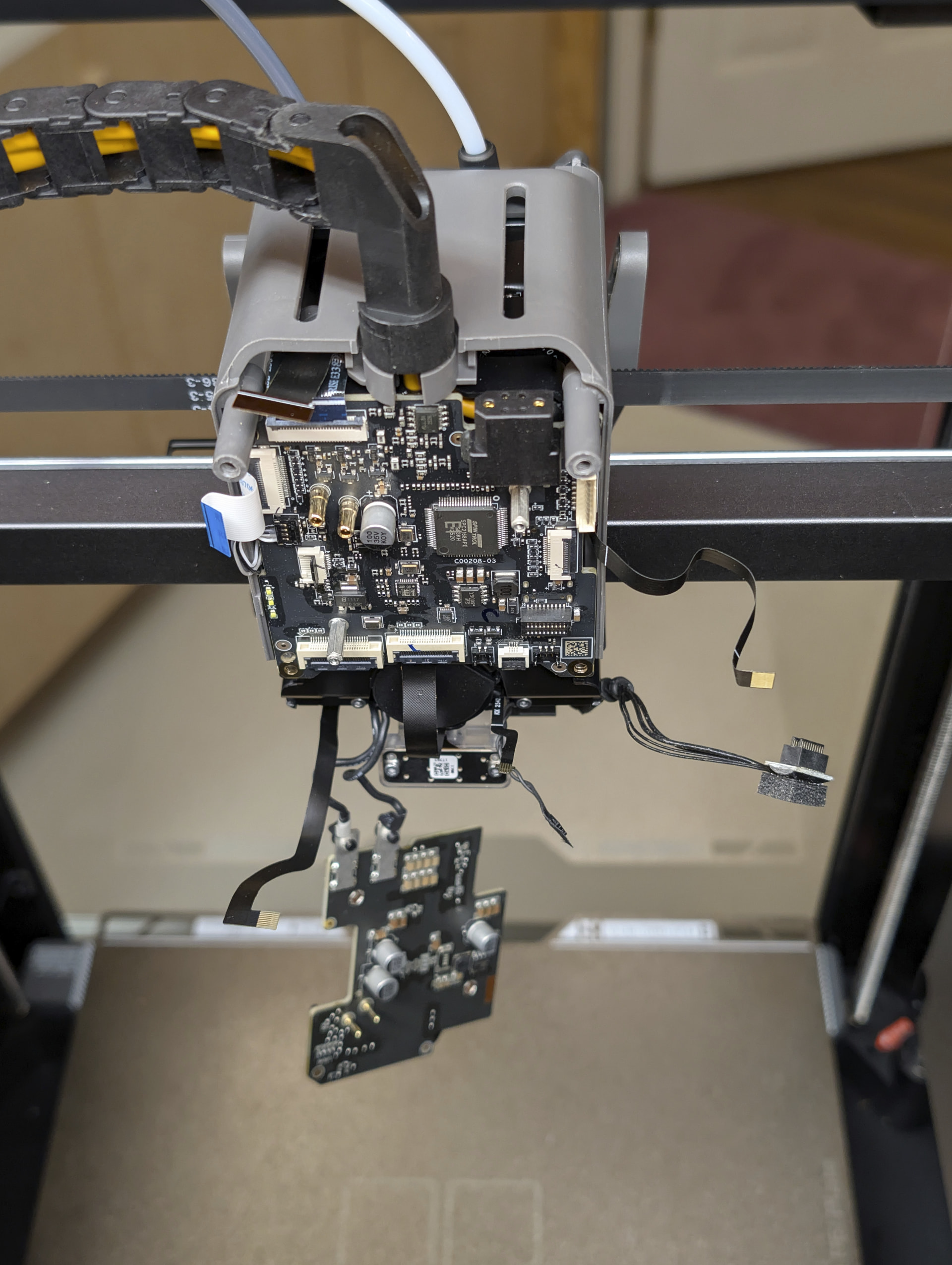
I had that exact error in my H2C and just replaced that fan this last weekend. It’s not at all a trivial repair, about 20 really small connectors and since you have to disassemble the toolhead from the back you have to do it from above and behind the printer.
Yeah, trying to mentally prep for it. Moved it to a low table. I mistakenly confused the part cooling fan for the hot end fan. When it failed, did you get an error message when just heating the nozzle from the touch screen? I am not, but always get it starting a print
I did the first half standing on a stepladder with the printer on a cabinet, but towards the end got smarter and moved it to a hydraulic lift cart so I could move it up and down to a comfortable height with me standing on the floor. I should have done that WAY earlier. No desire to do brain surgery now.
yeah my machine just hit 500hrs and dead hot end fan, 100% high temp filament print time as abs and above is all i print, even better bit for me is its a two week turn around on shipping and no option for express/ air freight just sucks (put in a ticket, made them add the TH board just in case thats cooked as it would be another 2 weeks). Definitely a design flaw if this is commonly happening
The toolhead enhanced cooling fan cannot be directly turned on/off from the printer’s screen UI. Whether the fan turns on is automatically determined by the Softening temperature of the filament(s) used for the current print (default threshold: 50 °C):
If any filament used has a softening temperature ≤ 50 °C (e.g., low-temperature materials such as PLA/TPU/PVA), the system considers additional cooling necessary around the extruder drive gears and hotend heatbreak, and the fan will run at full speed.
If all filaments used have a softening temperature > 50 °C, the system considers no additional cooling necessary, and the fan will remain off.