How can a rating removal be contested? MW removed a valid rating

I understand that nobody enjoys receiving ratings below four stars, but asking MakerWorld to remove every lower rating without first engaging with the person who submitted it ultimately hurts the community. If a profile truly has a flaw, other users will continue downloading it without ever seeing the feedback that could help them avoid issues.

A quick conversation with the reviewer often resolves misunderstandings, improves the profile, and keeps the platform healthier for everyone.

As for why I left a rating instead of only a comment: it was the only way to get the author’s attention. Multiple users had already commented about the same weakness and even suggested fixes, but the author ignored or never read those comments and made no changes to the profile.
I thought they would engage if they get a lower rating. Of course, I would have adjusted the stars once the author engaged and the issue was addressed.

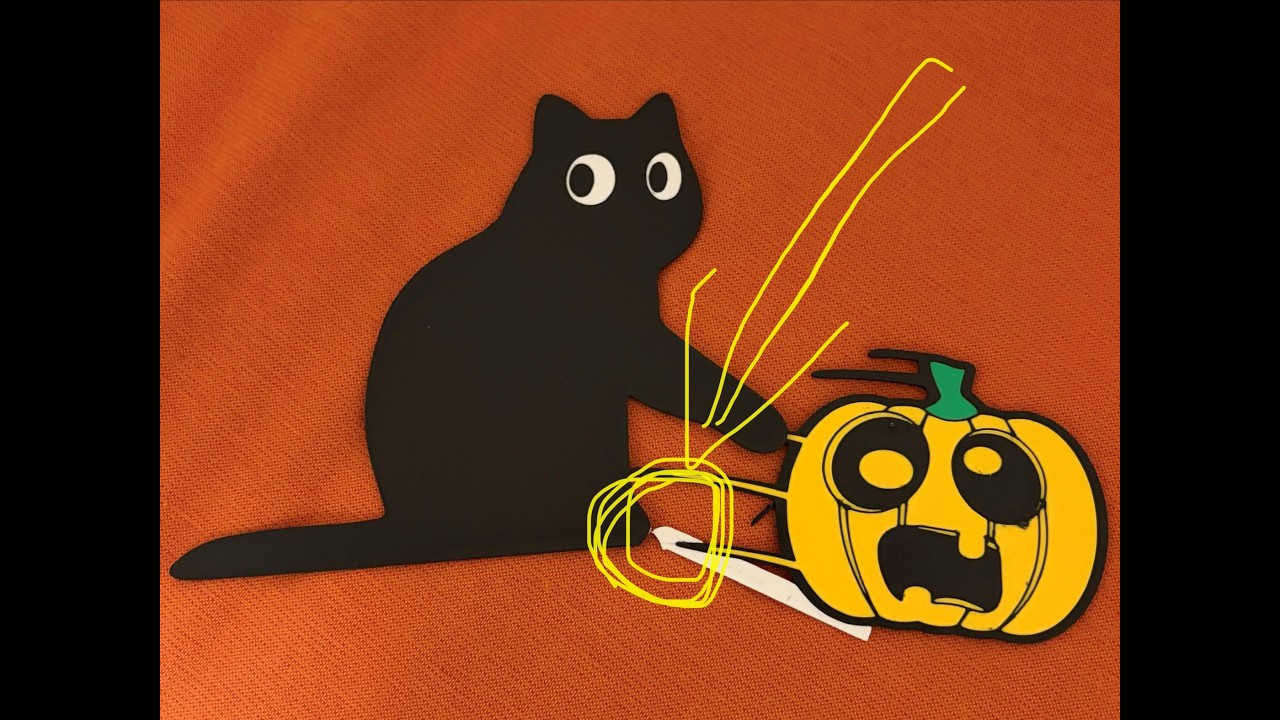
In this case, the model itself is great (that’s why I downloaded it), but the print profile has a structural issue. The boundaries between colored sections run through the entire thickness of the part, creating weak interfaces that separate easily. The white bar connects to the black cat through only a few millimeters of contact — it broke exactly as expected, and I included a clear picture showing this.
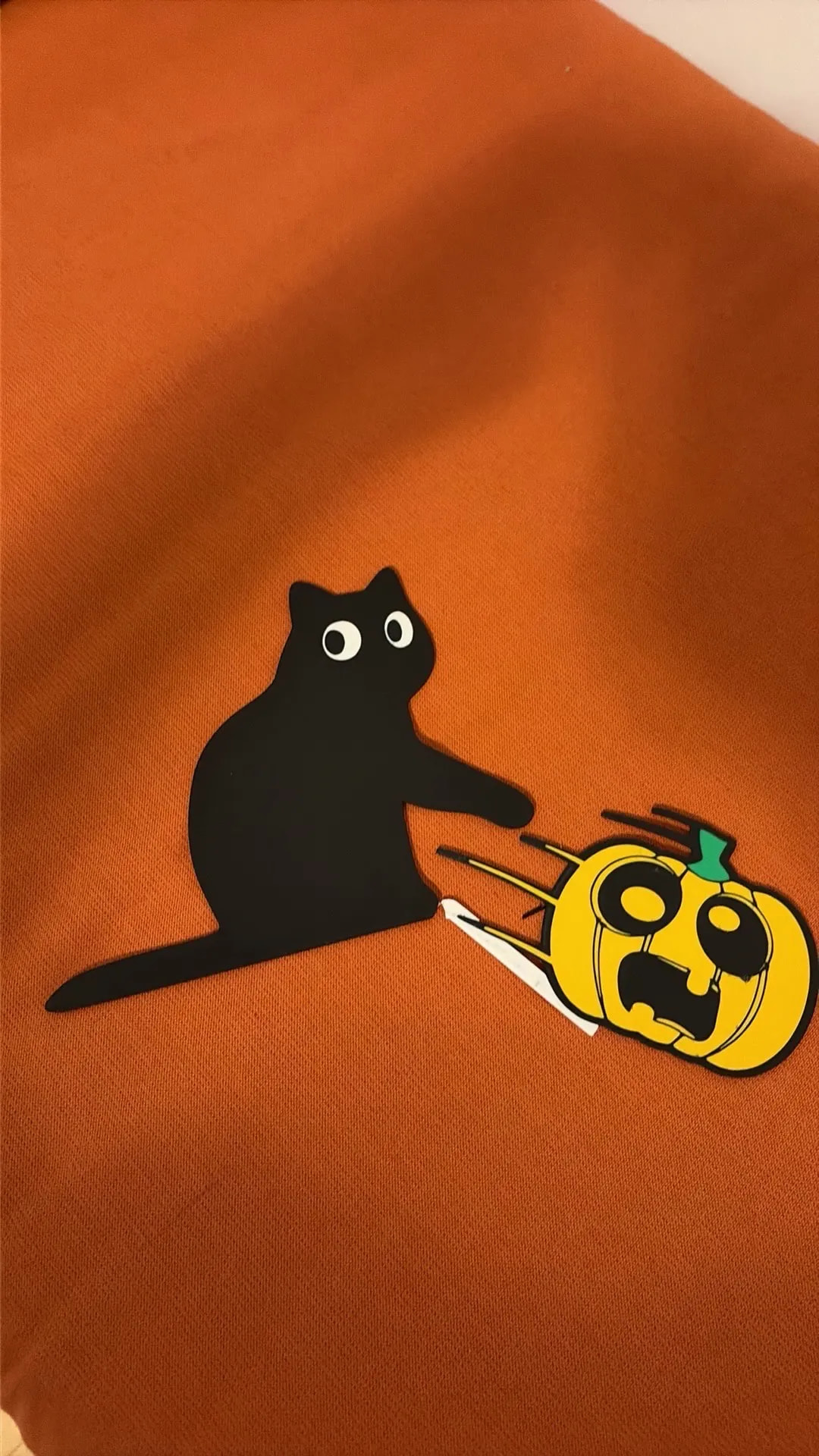
I included a clear picture in my comment. See below.

Instead of investigating the feedback or addressing the problem, the author requested that the rating be removed.
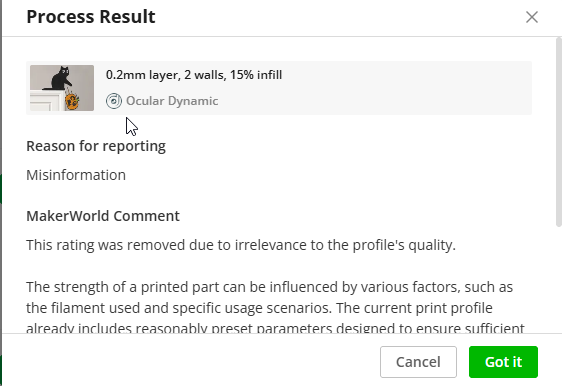
Who is misleading whom? And why is MW so quick on removing ratings without even reading them??? @MW_Review_Assistant @qwiktune
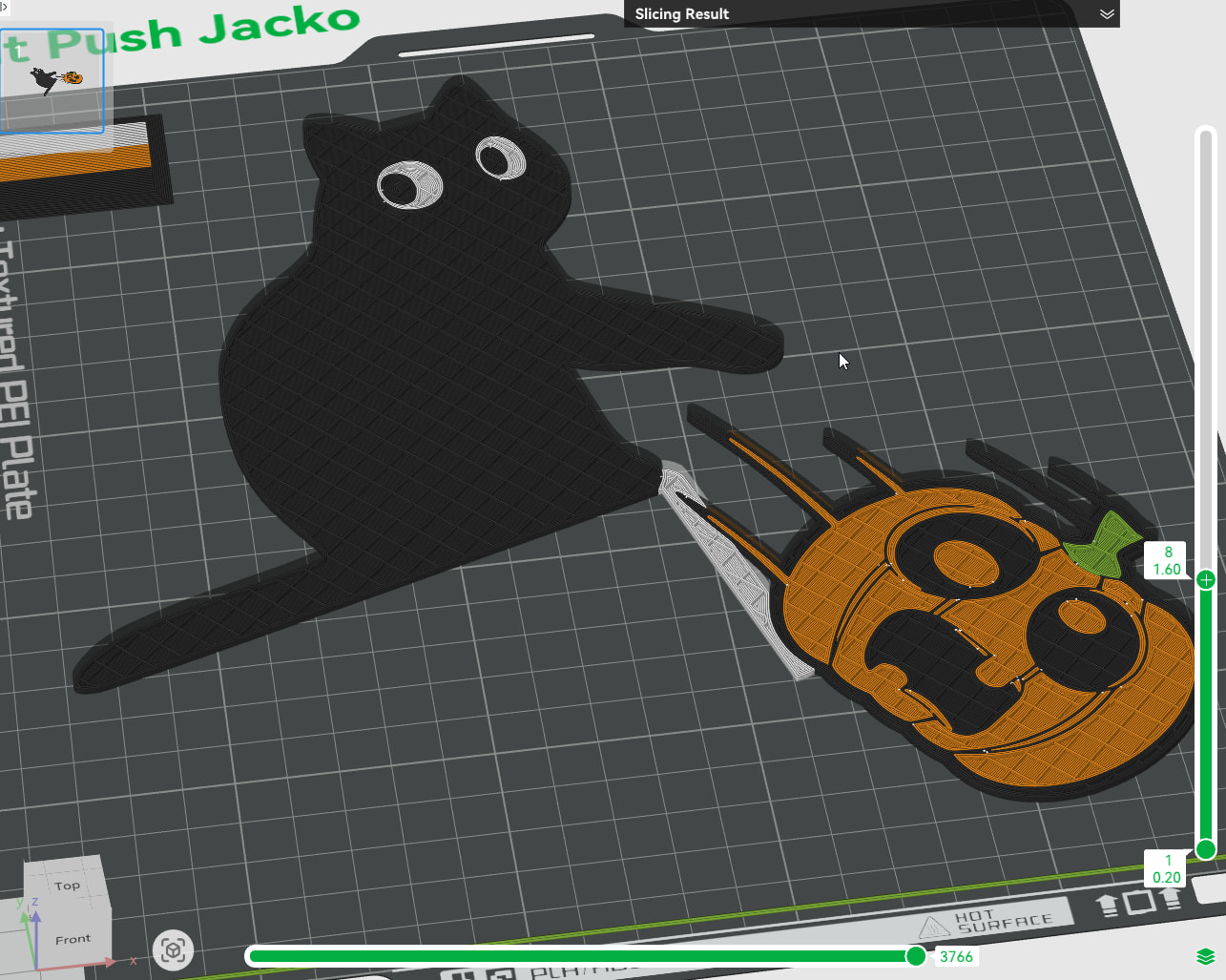
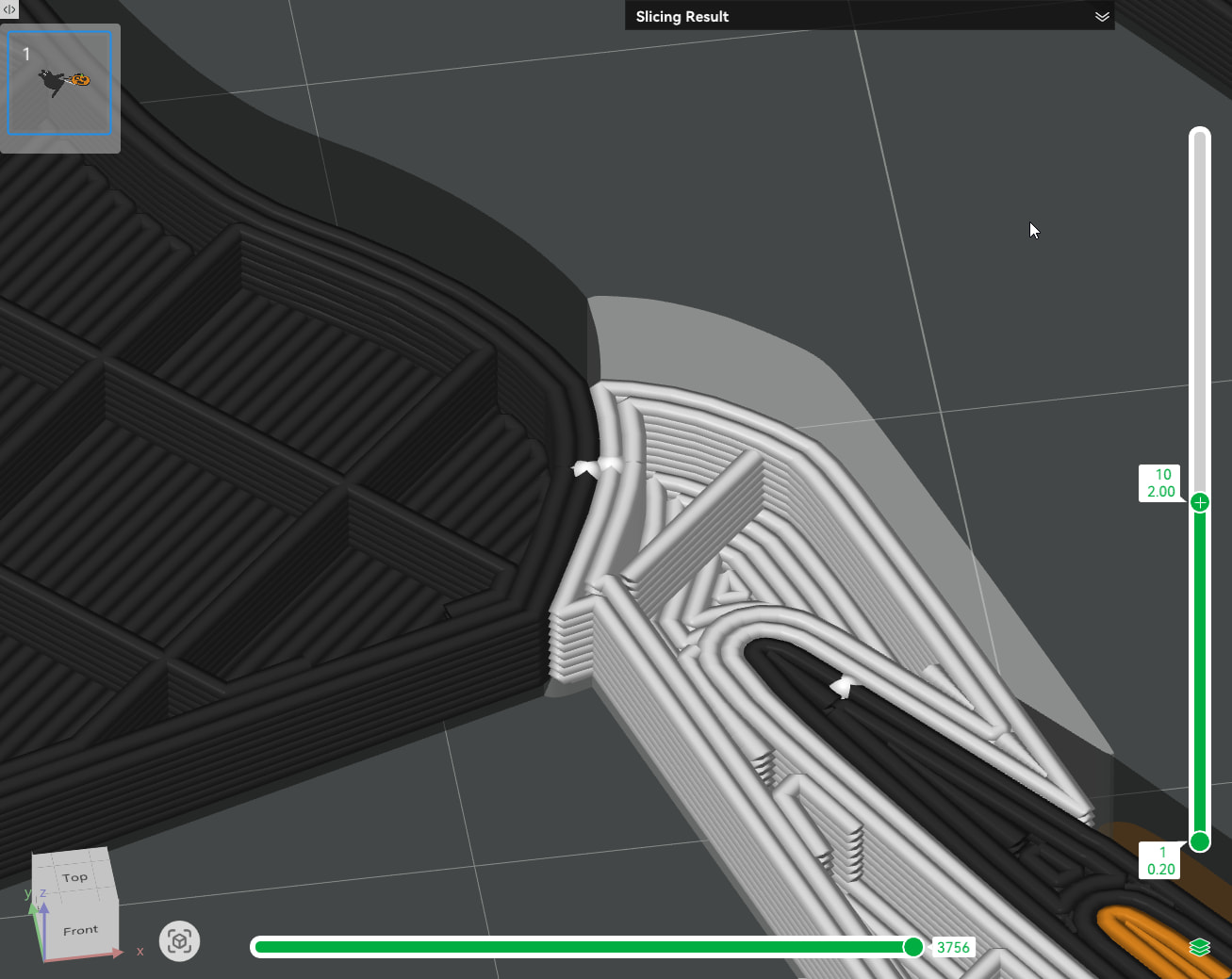
Update:

Multicolour prints can look fantastic but hide a major weakness: seams between colours that extend through the entire thickness of the part.

In this video, I show how to identify those weak areas in Bambu Studio and fix them without using CAD. By keeping the multicolour detail on the visible surface while creating continuous layers behind it, you can dramatically reduce the chance of the print breaking along a colour boundary.

A simple trick, a stronger print, and no need to redesign the original model.
I actually thought I had solved this and uploaded it by just using the paint tool and making the back solid and I get all kind of people asking me to do a full color through so they can do a mirrored version for opposite sides. It seem like if I do it one way, I get a message asking me if I can do it the other way. I never had an issue with breaking there myself and I’ve only actually seen one comment otherwise, not multiple (suggesting a lot), which could initially be written off as poor filament bonding between the colors because of it being brittle, wet, and generally the fault of the filament. With the influx of newbies to the space you’d be amazed at the things I see that have nothing to do with profile issues at all. Again I never had one break on me since we have to proven test all profiles. I do have this as a profile with the first couple layers (well the last couple because its facedown) as one solid color by painting the layers the same color. Again i thought I added it, but I still planned to leave the full color through profile because the majority still seems to have success with it and i know 100% ill get someone messaging me asking for a full color profile like this cuz it always happens. I do also tend to keep some of these kind of models of mine thinner to save on purge (cuz again I’ll get people complaining about the waste on a thick full color model) and always suggest in the description for people can make them thicker to help with strength. There is zero chance to please everyone, but I just try to find the middle ground. Anyway, I’m assuming the profile you uploaded is having painted some of the top layers solid, correct?

In the future though, for me at least, a direct message is the best method to get a hold of me for as busy I get, otherwise I feel like im on autopilot

Thanks for replying. It is a cool model and after I fixed the issue I printed several for my coworkers, so thanks for that.

Glad we understand each other now.

I uploaded the robust print profile to save everyone time. If you want to post a fix yourself, I can remove mine.

No problem. Sorry about the confusion. Its no problem, I may down the road when I have a second cause thats sort of a series I did for different holiday themes so I should prob go through and add a 2nd profile on all of them eventually =]

I’ve noticed similar. The MW system just uses tiny dots to notify of new messages or whatever and then seems to clear them. End result is I miss notices too.

The new stuff notices need to be a little more prominent and maybe not clear so fast. Probably a tightrope of what works but doesn’t annoy.

DM notices don’t seem to clear until you read them.