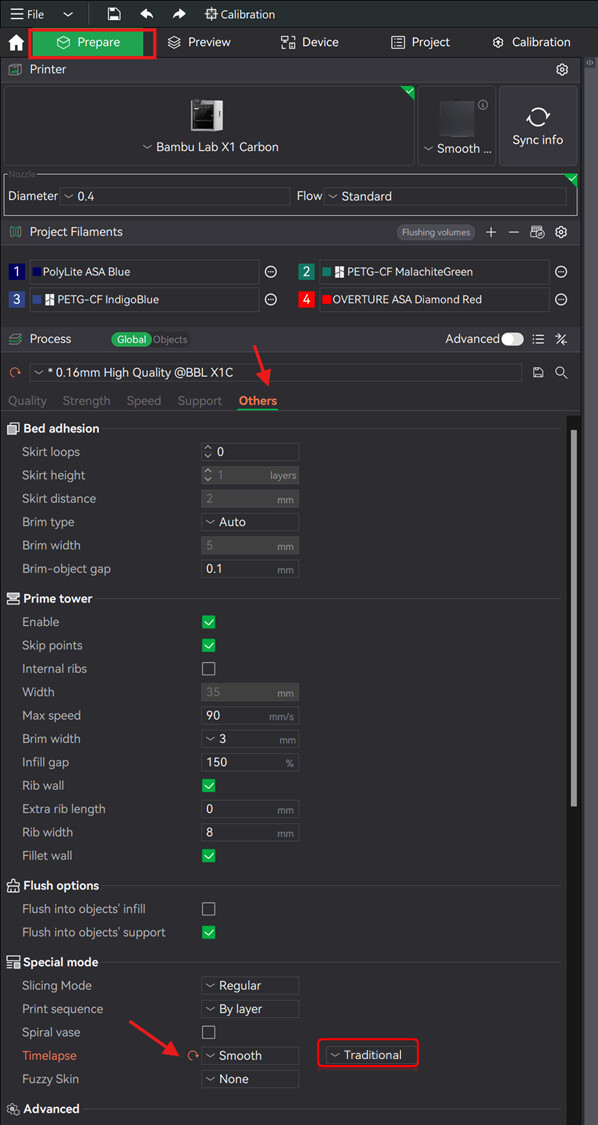
Hello, I am trying to print something but I stumbled upon this

As you can see, there’s some extra time for the timelapse, even if I have it deactivated.
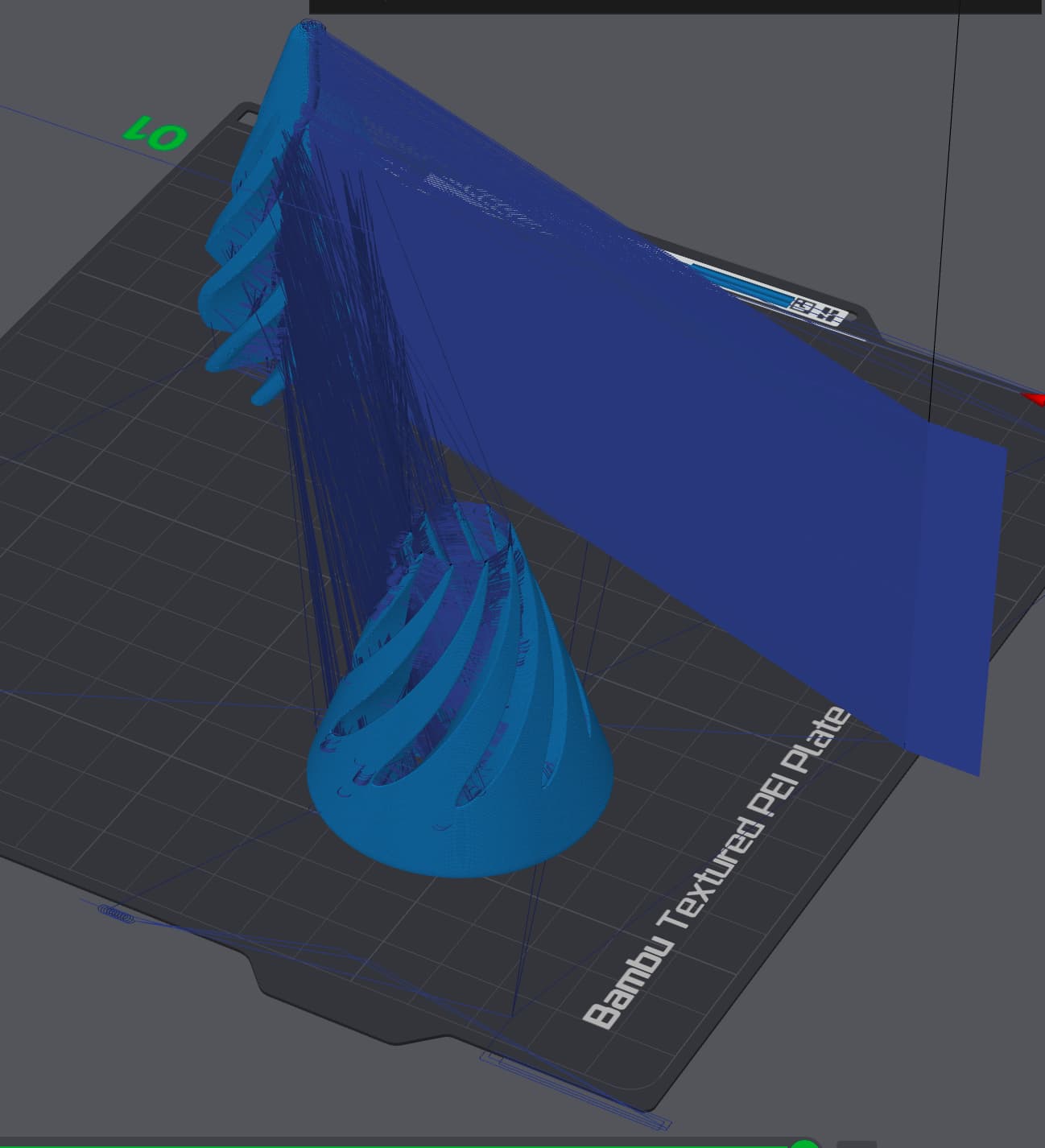
This also causes some unnecessary travel.
Looking forward to the responses.
Just don’t select timelapse before the print.
It’s not working
Must be something else
Nope
Still nothing for some reason…
If you are using an A1 series printer, just put it onto print by object.
People here are just telling you workarounds. Bambu needs to add a “OFF” selection to the Timelapse dropdown menu. I don’t want to see the travel paths in the preview for a timelapse I’ll never use.
I would definitely support this.
so, when do we get this? I have no use for timelapse, don’t want it, don’t need it and don’t want extra time spent on it.
Agreed, this should be very easy and makes full sense. On a P1S or other XY timelapse is used more, so sure, I can see why it would at least be open for discussion to show the timelapse travel, but on A series, “noone” uses timelapse.
I answered this elsewhere.
There is a simpler solution than deleting the code. Change in the printer settings under “Time lapse G-Code” the first code line to
{if !spiral_mode && print_sequence != “by object” && 1 == 0}
As 1 is never 0, this code is never executed. I just tried it and it worked
BambuLab needs to add turn-off TimeLapse.
It’s criminal to weigh print quality and filament use vs. making a sweet video.
You do have the option to disable timelapse when you send or restart a print.
Simply select printing by object instead of by layer in bambu studio.
This printing mode does not support timelapse, so the slicer won’t generate these movements in the first place.
If you’re printing only a single object on your plate, it doesn’t make a difference in any other way as far as I know.
As of now disabling timelapse is a missing feature of bambu studio…
This is the best workaround I’ve found, thanks. You can actually just use a simple “false” constant rather than the 0 not equal to 1.
To give more detial for others:
Go to “Printer Settings”, then to the “Machine gcode” tab, and scroll down to “Time lapse G-code”.
The first line will show this: {if !spiral_mode && print_sequence != “by object”}
Change it to: {if !spiral_mode && print_sequence != “by object” && false}
This will remove the timelapse from the gcode and will no longer show timelapse time when previewing sliced models.
Worked like an absolute charm, thank you for providing this 
Worked! amazing, thank you!!
Any knowledge if they did changes to this workaround?
I’m getting following error today on my A1:
Failed to generate G-code for invalid custom G-code.
timelapse_gcode Parsing error at line 2: Not a variable name
{if !spiral_mode & print_sequence != “by object” & false}
^
Please check the custom G-code or use the default G-code.
You can find it from ‘Printer settings’ → ‘Machine G-code’.
Tried original Code again, works, added the false manually, doesn’t work.
That little Arrow is underneath the “print_sequence variable tho, didn’t work pasting it correctly…