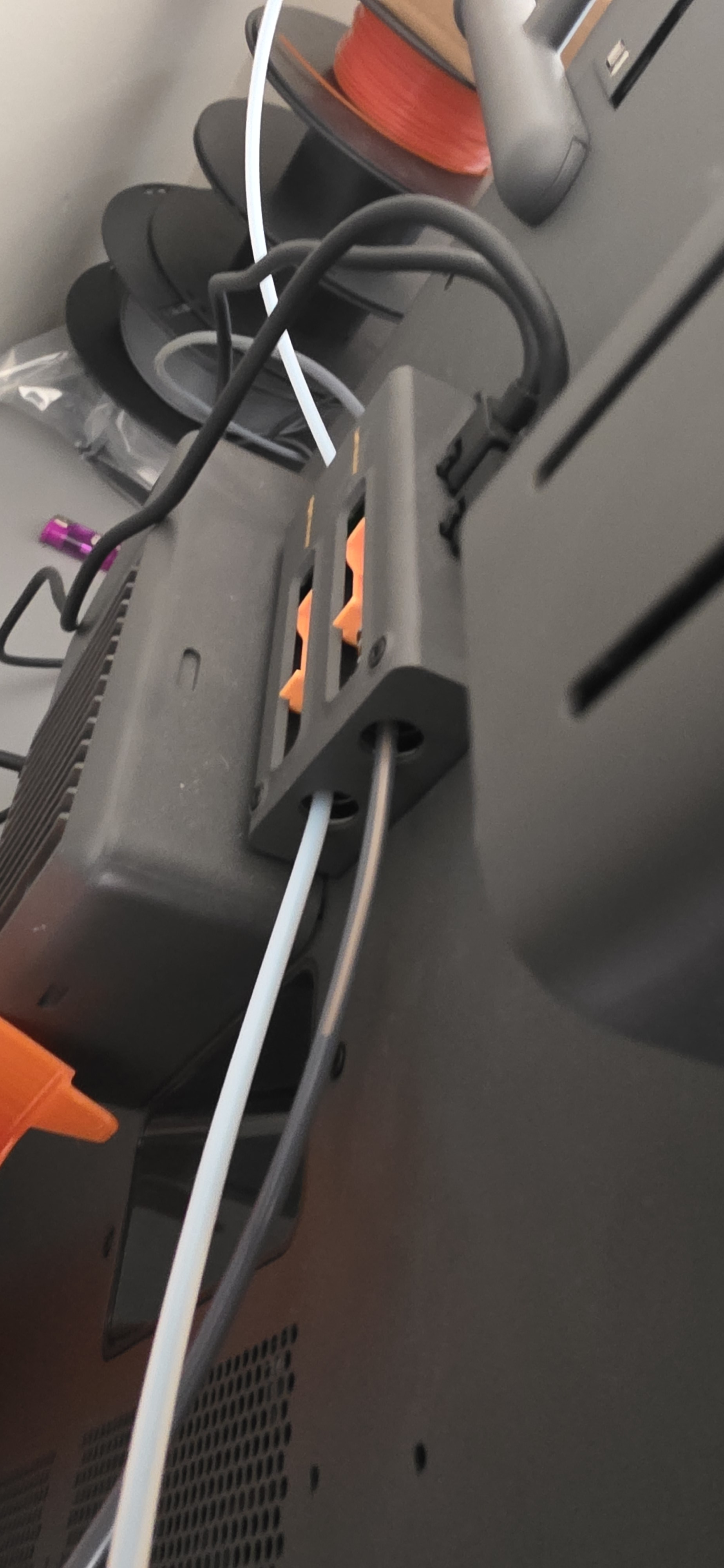
A bit of filament has snapped in what i think is called the buffer? the small rectangle box at the back both filament paths go through.
It is an easy fix in terms of i can see the filament and all i need to do is release the ptfe tube and pull it out. However, the ptfe tube is not release when i push back the pneumatic clip to release it.
the part i am referring to is in the pic below where you can see the filament in the ptfe tube.
i have tried holding the orange part firmly and pressing in the clip, but the tube wont come out.
i have tried manually feeding filament from the input side to push it through, and that is with the ptfe disconnected at the other end, but the filament wont move.
Any ideas on how to remove this would be really appreciated.
Not familiar with the way your filament is routed but any way you can access a tubing end farther away and use filament to push the broken piece out?
Also, there are some tools on MW that may make it easier to get those tubing fittings to let go of the tubing. A search for “tubing release” found a number of them.