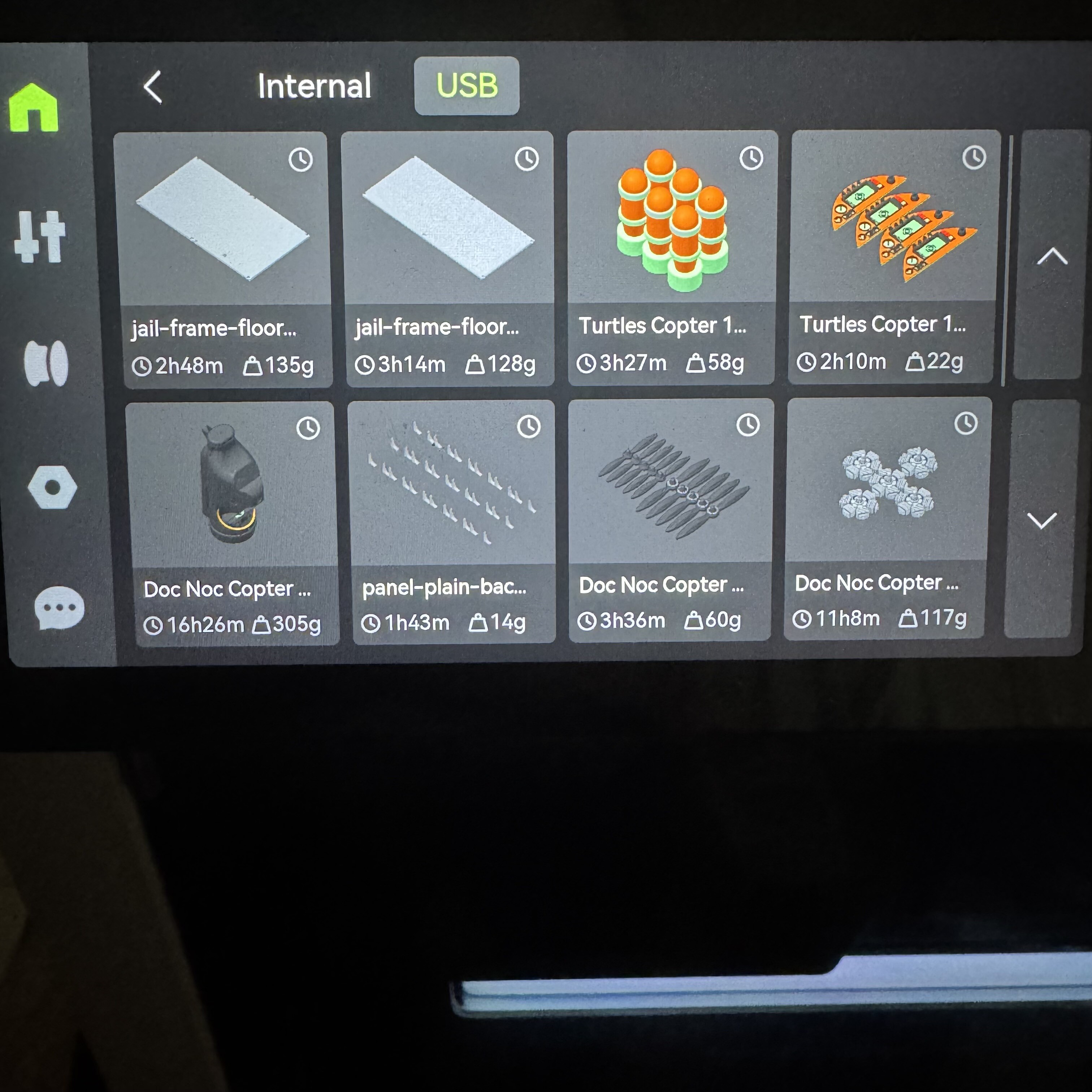
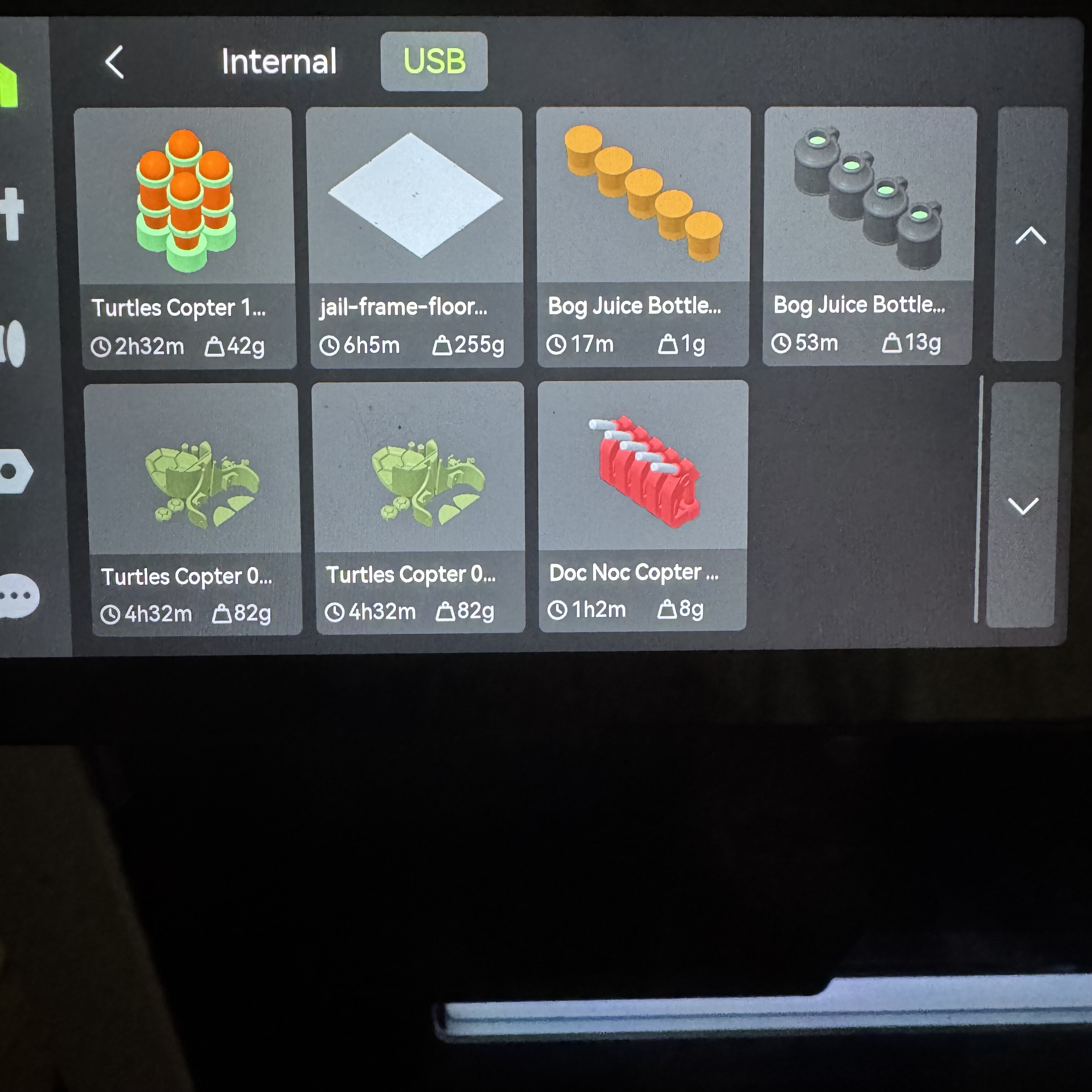
I don’t understand why you all are saying there is a limit of 8 files.
I have not put any files manually on my USB and I have 2 pages worth of files. When I got the USB stick I checked the setting that allows saving projects. I have 2 pages of files. The first 8 have a clock on them but the rest don’t. I don’t know why. Are you saying those without a clock are on a temporary cache rather than the normal usb drive memory?
Those other ones without a clock are not cached files, they are just files on the drive that were put on manually, like copied from computer. If you did not do it yourself maybe there is some kind of glitch after firmware update that keeps the old cached files that existed before the update, perhaps if they changed the location or name of the folder where they are stored or something along those lines.
But it will only cache those eight with the clocks, then overwrite them.
I have never used the computer to manually put files on any memory stick in any of my machines. I’m not even sure if I know how to do it. I assume it’s done by exporting from Bambu Studio as gcode and saving it in the correct folder. I even have new memory sticks in my mini and P1S and they have no original files, no benchy, no scraper. I kmow Bambu has a wiki page with the original files there so you can manually copy them to the card but I have never done it.
Then as I said my best guess is they changed the folder structure and/or names in one of the firmware updates and those ones without a clock are just leftover ghosts. They will stay there forever, unless you reformat the drive, then it will go back to 8 like everyone else.
Thats very strange. Are you on LAN mode by any chance? Or using 3rd party software for printer farm management?
Also let us know if it goes past 16 jobs total, my guess is once there are 8 of each (clock, no clock) it will start overwriting them because its a glitch.
Looking back on my old posts it seems that in going from 14 to 15 prints it made one of my Turtles Copter Bombs prints from clock stamped to the bottom with non clock stamped prints.
I’ve done more prints since and it removed some of the clock prints to make room for the new prints. Therefore I assume 15 to be the limit? Strangely it did not choose the prints to remove by any specific order. It removed 2 jail floor tests I did which were between the Doc Noc Copter rotary engines and Turtle copter bombs. It would have made more sense if it removed the older clock stamped prints. The clock seems to indicate the print is there for temporary time?
The clock indicated a cached files as opposed to a file you put on manually on the card. Like I said probably some kind of glitch that you have more than 8.
Good news, after the latest update it seems to be saving more files to the USB. Im up to 48 right now so not sure what the limit is. Strangely is still shows the 8 with the clock as cached and the others without a clock and duplicates those 8 but keeps going.
Some users have mentioned that modifying the config files or increasing the job history size in the settings can help, depending on the version. Might be worth checking if there’s a cap set somewhere in the preferences.