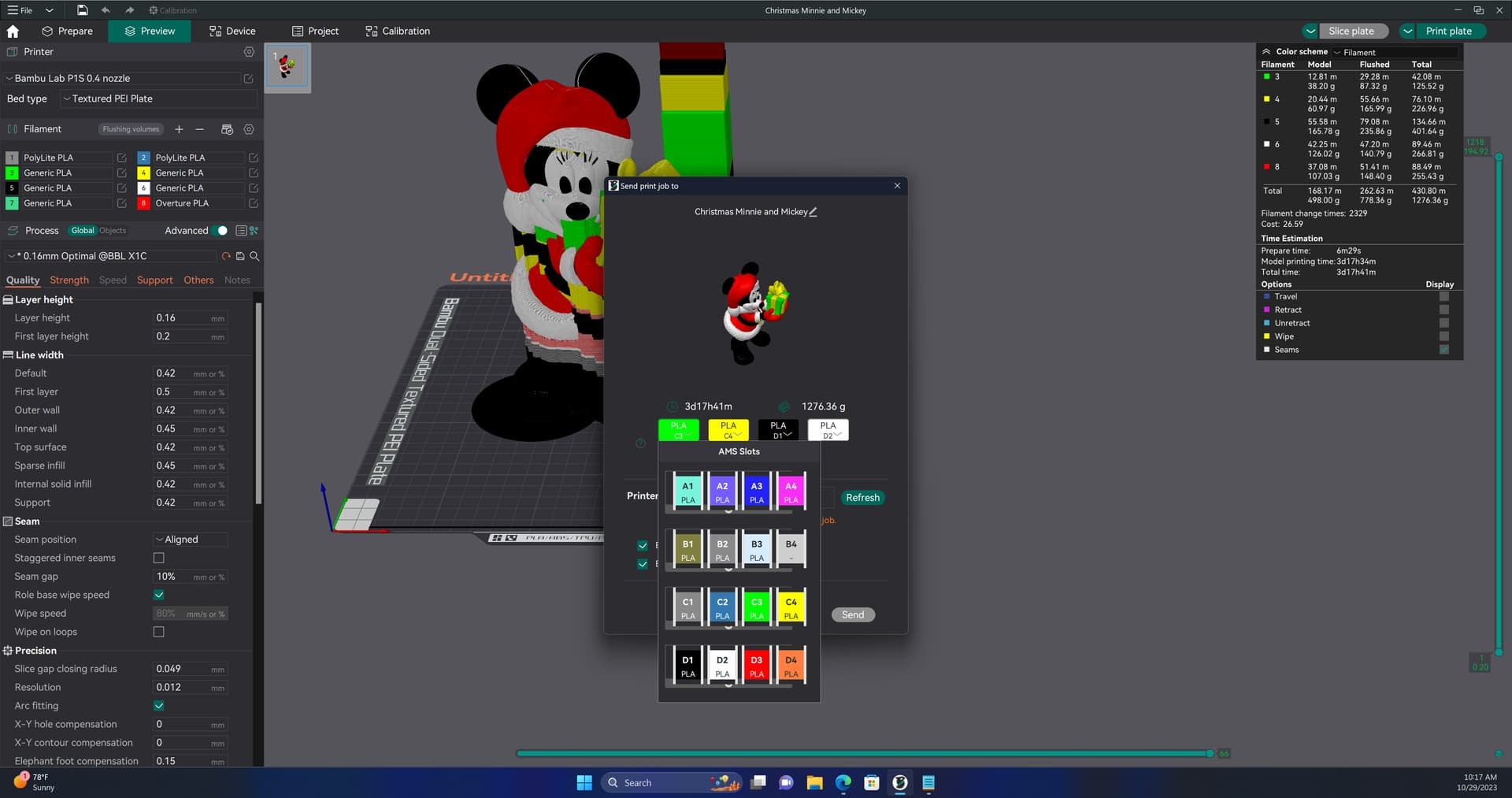
When importing a model from Makerworld with color, the colors are preset in whatever AMS slot the designer selected. I usually have to move around my filament to match the designers choices.
Is there a way to import a model and then change the color? Meaning, if a model has 3 colors, AMS 1,2 and 3. Can I change the orange from AMS slot 3 to AMS slot 1 and keep the model colors? It seems when I change filament like that in BS, the model loses all color, and I would be forced to repaint.
Reason for the ask is one model has 8 AMS slots and only uses 3 colors. The colors are in slots 1, 5, 6. I don’t have a 5 and 6 so I want to move them to slot 3 and 4.
You can “rewire” digitally what spool it pulls from in the AMS, you’ll need to repaint the model if you want to change certain places that are the same colors that the MakerWorld author marked as the same though
Ref: P2S with AMS 2 Pro with Generic PETG
Thanks for that information. However, as a complete neophyte to 3D printing, I’m not sure what you are suggesting or what you did, in your above example.
I too, am having problems in getting prints in the same colors as planned by the designer.
For example, in one print I did recently, three colors were required. I attempted to set these colors in my AMS 2 Pro and in the initial set up. However, once I clicked on Print, only two of the colors (reels) were displayed.
Further, the model printed out in only two of the three colors in the design.
How can I go about setting this up correctly to get all three colors?