I’m trying to print the armor modplates and every time I need to restart the print I have to re-define all my filament settings. How do I save them or import just the geometry form the model to a project that has them?
Is this a trick question? Make the changes you need and then File->Save Project As. That will save all the geometry and printer/filament settings you changed from the original.
And to add to what @azCubs76 said, make sure the next time you load the Project and not the individual STL file.
If you want to save a named filament, the ability to save with a new name is on the filament dialog. You open the dialog with the edit button next to the filament chooser.
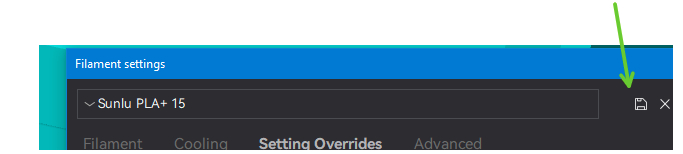
Any time you save a project it saves all of the current settings including changes to the selected profile, that have not been saved to that profile or a new one.
I have the filament settings saved - if I try to create an identical filament name in the armorplates project, it tells me one already exists with that name, but I have no way to select it.
Are filament settings chained to project files then? Like I can’t just open a 3mf file and apply a saved filament setting? Loading a saved filament profile works fine for STLs, I can’t load them when opening the armorplates.3mf file.
Yes, all of the current settings, whether they are the selected printer profile, filament profile or process profile are saved. In addition all of the individual changes to the profiles in the global space are saved.
Finally, any settings changed from the profile for individual objects are saved.