The skip object feature is most helpful when printing many parts at once, but the 64-object limit is pretty restrictive, particularly on printers with larger build areas. I’d love to see that cap increased or removed entirely. bambu-handy-feature bambu-studio-feature feature-request


You could always assemble 128 into 64 sets of two - it would mean cancelling 2 objects when only one of them fails - but might help.
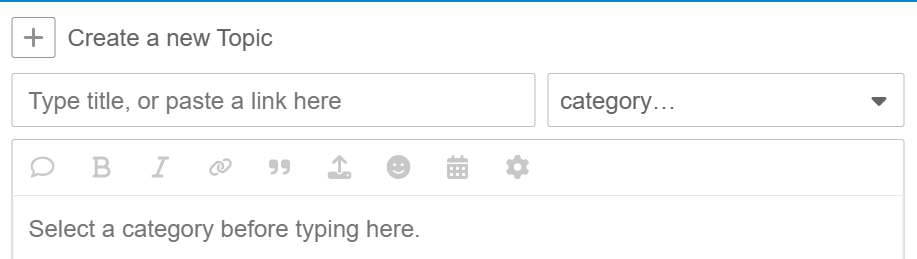
I used Safari for iPad.
- I selected the first category box
- Scrolled down to the matching category
- I selected the second category box
- I selected the one with “request” included
Grouping into assemblies it reasonable, but not a perfect workaround.
For example the math is more difficult when there are 5 distinctive objects repeated as many times as possible across the bed. You might have some parts assemblies of 5 with some remainder, or assembling the same parts in 2s or 3s then repeating those, or some other combination to work around the weird limitation. If they don’t have to be in arbitrary assemblies based on the 64 item limit it makes the process much easier - and you don’t end up surprised when an entire bed of parts has to be canceled because just one thing had an error and you were over the limit.
Good to know. Next time I start a topic I’ll see if my iPad gives me a different interface than my PC.
Agree - im currently printing a bed of 200+ objects, 2 have failed and i cant simply skip them and let the others carry on - on the edge of my seat now if not being able to skip with scrap hundreds of parts later in the print or not.
No point having a large build plate if i can only print 60ish small parts at a time just to be safe…
I was just about to post a topic on this, but this popped up. I was printing 97 red triangles to assemble for give aways at worlds (FTC) 4 of the triangles failed so I went to skip them and says I cannot skip any objects if I have more than 64 objects. This really sucks because I lost print time and filament, it would be nice if they either heightened or get rid of the object skip limit.
A way around this is to merge 2 (or more) triangles into a “group”. This way the slicer and printer see 49 objects on the plate instead of 97.
OHHHH, that makes sense thanks.
An Irritating limitation without any programmatic reason for its existence.
Just discovered this limitation as I’m printing 520 small items and 2 detached with 5 hours left to go. If the limit is just due to the small touchscreen, then at least allow skipping any object w/o the limit in the Bambu Handy mobile app or Bambu Studio…
I know this is an old post, but please update the software to remove this limitation! Running 75 parts now and 3 came loose. Now I’m stuck wasting a ton of filament or removing extra bits from the print head before the ruin the other parts.
Please, increase skip object limit, so there is the workaround meanwhile, but it is not as smooth as a native skip function would be.
It’s needed.
Give it priority!!
Thank you
Why is this still a thing? The bambu software on pc lets you selcts the objects but the skip functionality remains greyed out.