I don’t think the issue is related to the 3MF file, as I’m experiencing the same problem with all my models whenever I enable ironing.
I’ve already performed an Ironing Calibration and applied the speed and flow rate settings that gave the best results for my printer.
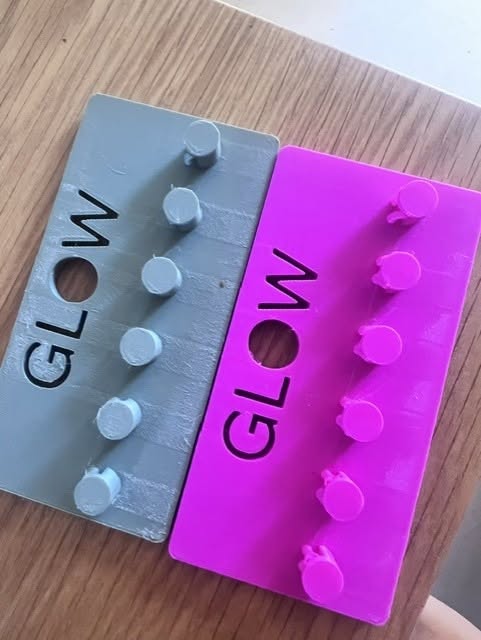
When I run a test on a simple square, the result is fairly good, although the surface looks dull. However, as soon as I print a slightly more complex model, like the one shown in the photo, the ironing result is a complete disaster.
The problem started after I hadn’t used my printer for about two months. When I turned it back on, I updated both the printer firmware and Bambu Studio. That’s when the ironing issues began.
I then tried rolling back to the previous versions of both the firmware and Bambu Studio, but unfortunately, the problem persisted.
What I find most confusing is that ironing used to work perfectly before, without any issues at all.
I really don’t understand what could have changed, and I’m running out of ideas on what to try to get back to the print quality I had before.
Yes, I thought about that too, but I’ve tested several different filaments and I’m still experiencing exactly the same problem.
Also, I don’t have any stringing issues, which makes me think that moisture might not be the cause.
On top of that, it was the middle of summer, and the humidity level inside my house was very low, so I don’t think the filaments were exposed to much moisture.