Good afternoon everyone. I’ve been having an issue with Bambu Studio for the past three days: it’s creating imperfect lines on my models that look like little blobs or beads. I’m using dry filament and have completely uninstalled and reinstalled the software on my computer, and I’ve even reset the printer to factory settings. When I print something, it turns out fine at first, but after just two prints, those cursed blobs reappear. I’ve also noticed that the printer pauses briefly, and that’s exactly where the blobs accumulate; on every layer pass, it makes a tiny stop and releases a small drip of filament, resulting in those imperfect, blob-like lines. I hope someone else has experienced this and managed to fix it—thanks in advance for any help, as this is a real hassle. I’ll upload some images of the problem.
Hi @Lozano70, I think you would benefit from creating a new thread with this information and pictures and/or videos. The current topic you replied to is a different topic entirely.
Hi Lozano, pictures would be very helpful, but just off the top of my head it sounds like this is related to your seam settings - do you perhaps have random seam location turned on?
I generally will use an aligned seam instead, and put it in a place that won’t be noticeable, but if you need a truly invisible seam you can play with scarf seams.
Here’s a really good video on seam settings:

Lastly, if you could post your 3mf file it would be very helpful as well.
Thanks a lot; I learned something from the video. However, is there any way to stop it from dripping every time it prints a layer? It makes a brief pause, and that’s when the drop falls—turning into a nasty blob—which results in a line of little blobs. Could the retraction settings be adjusted so that nothing drips during that pause? Thanks again
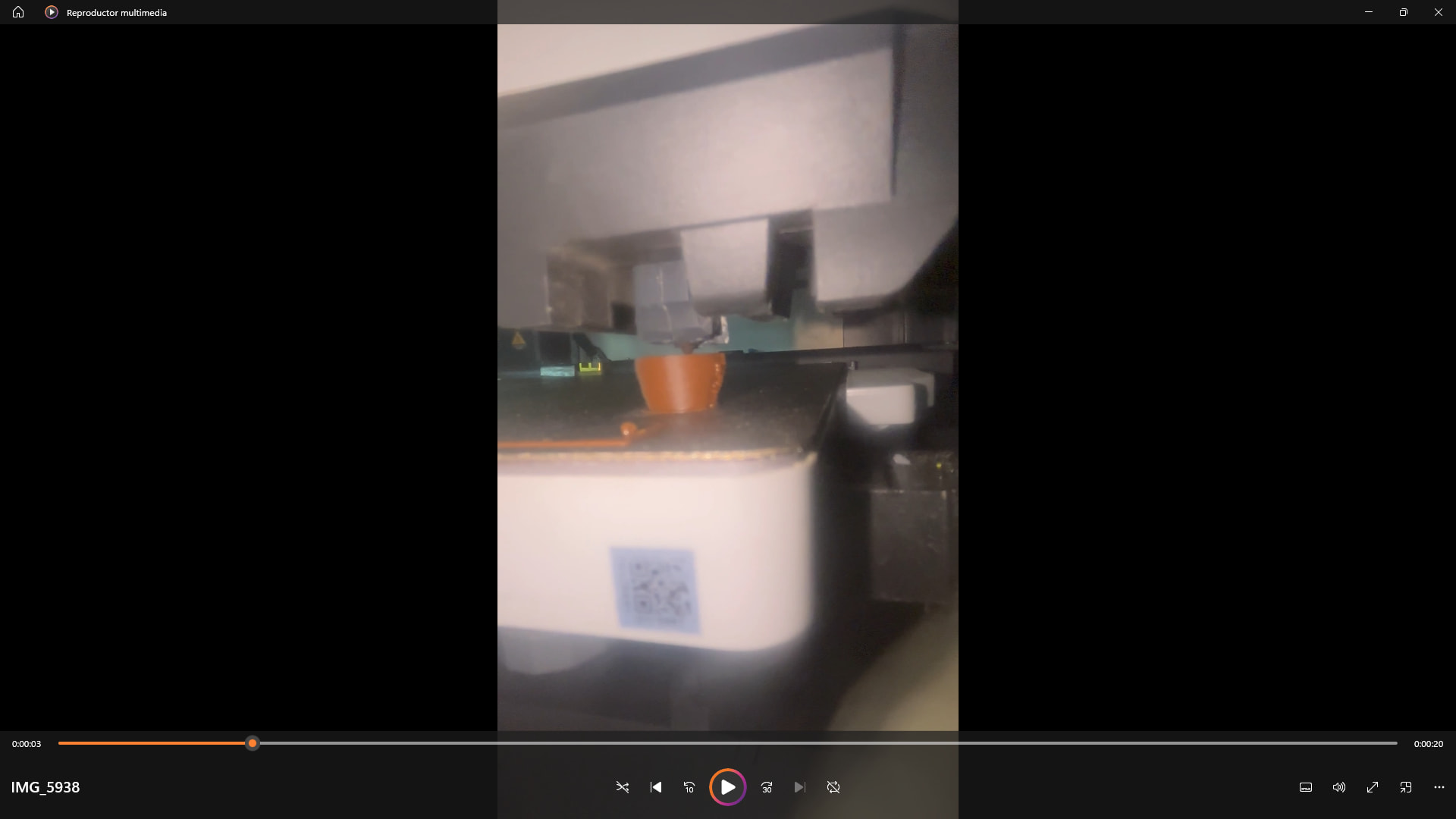
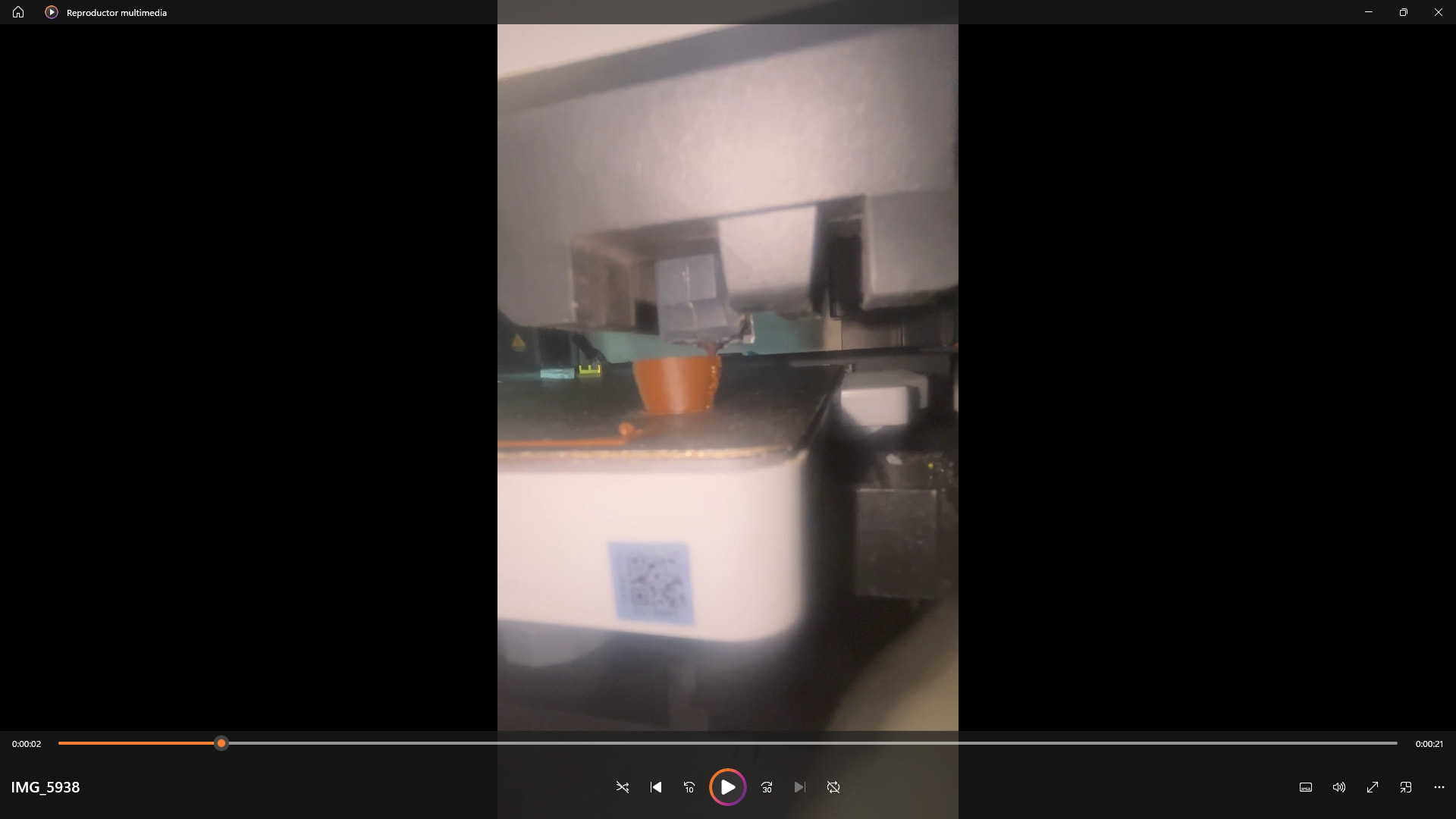
.https://drive.google.com/file/d/1NC9jcW3_Sk68shhMWO9AHCG8V2LrVACe/view?usp=drive_link
It’s not at all normal to drip, that’s why there’s filament retraction.
We need more information. Pictures, videos, or you 3MF file.
What nozzle you’re using. What filament you’re using, what printer.
I can send images and videos, but I don’t know how to send them here—where is the option to attach files? I have a Bambu Lab X1 Carbon, a 0.4mm nozzle, and I always try to use Sunlu+ 2.0 filament.
It doesn’t literally drip; rather, every time there’s that brief pause between layer passes, a bit of filament seems to ooze out. This forms a tiny blob, and as the process continues—layer by layer, blob by blob—it creates a deformed line made up of these small blobs.
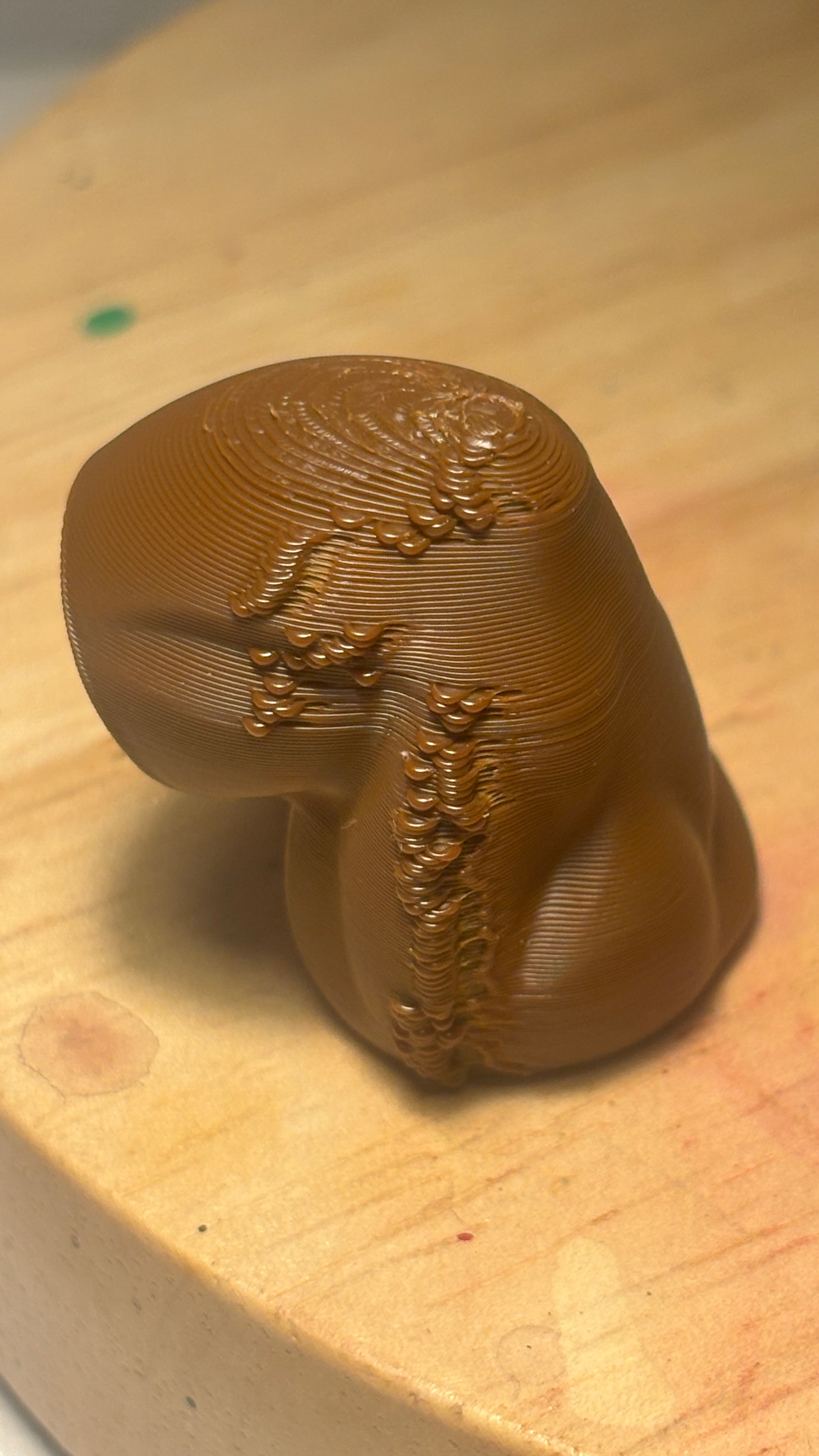
The image shows those imperfections; it’s not the seam—since it doesn’t appear there—but rather a pause that leaves those lumps. I must have touched something, though I’m not sure what. I hope someone can help me; thanks.
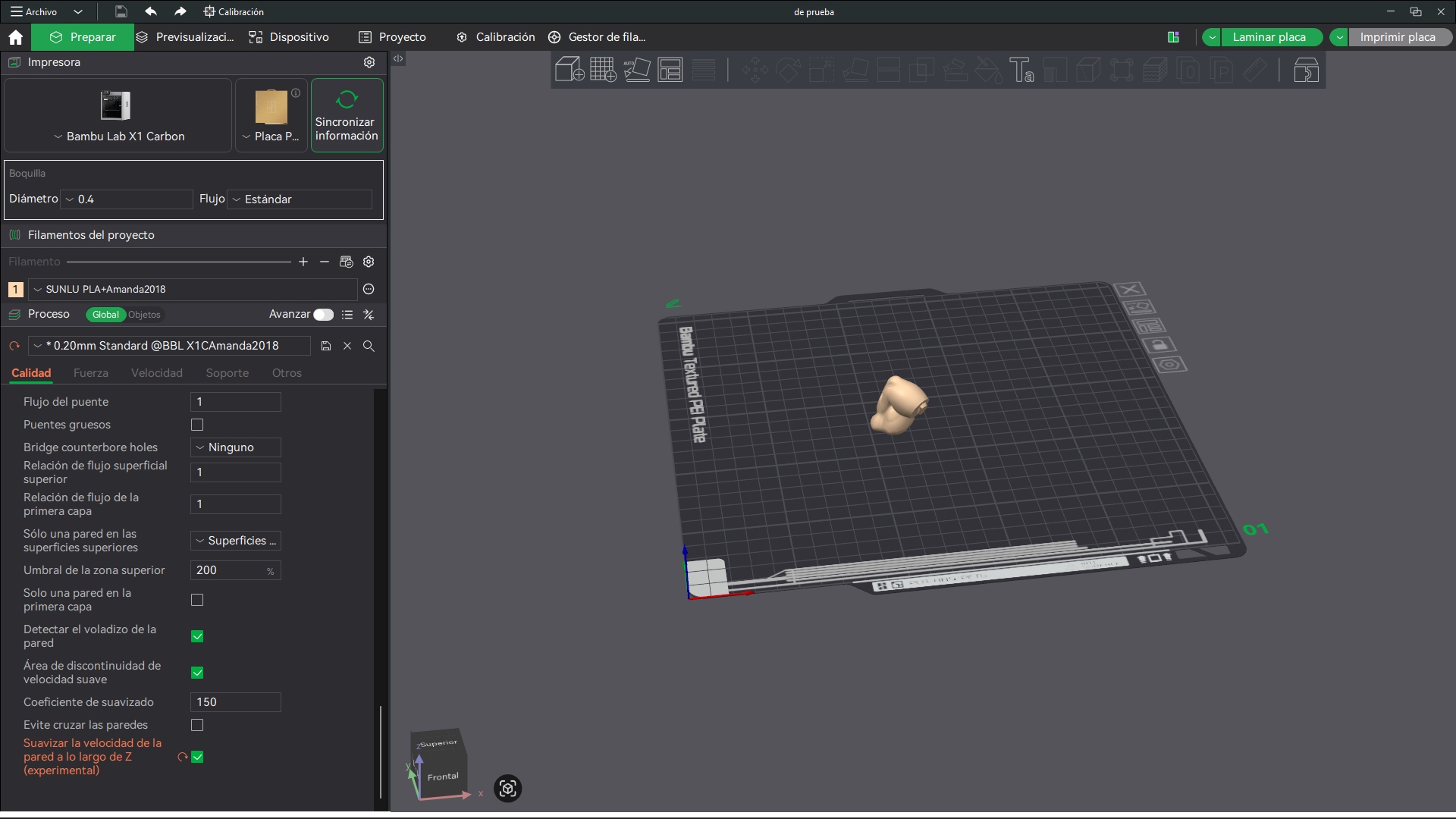
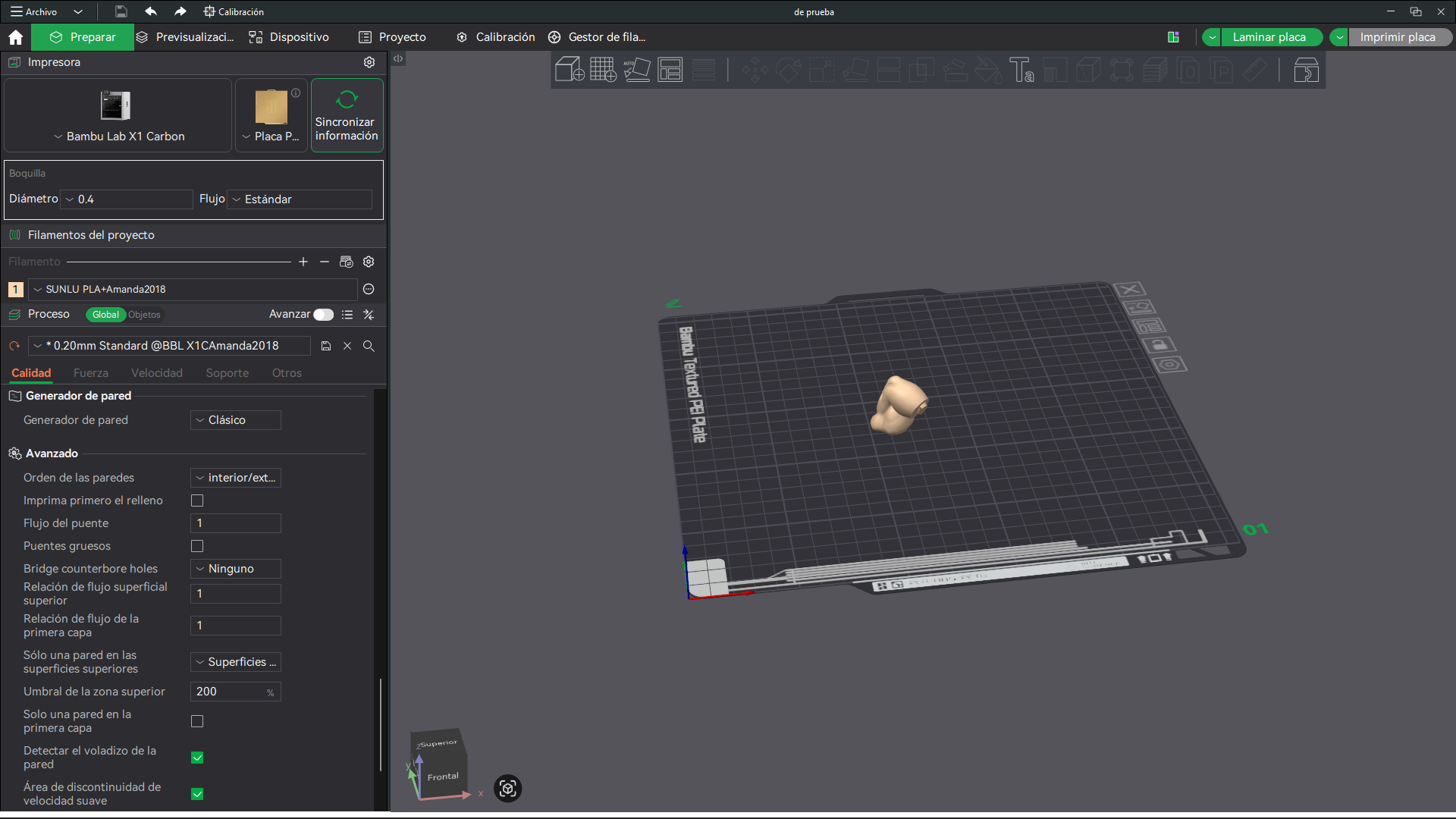
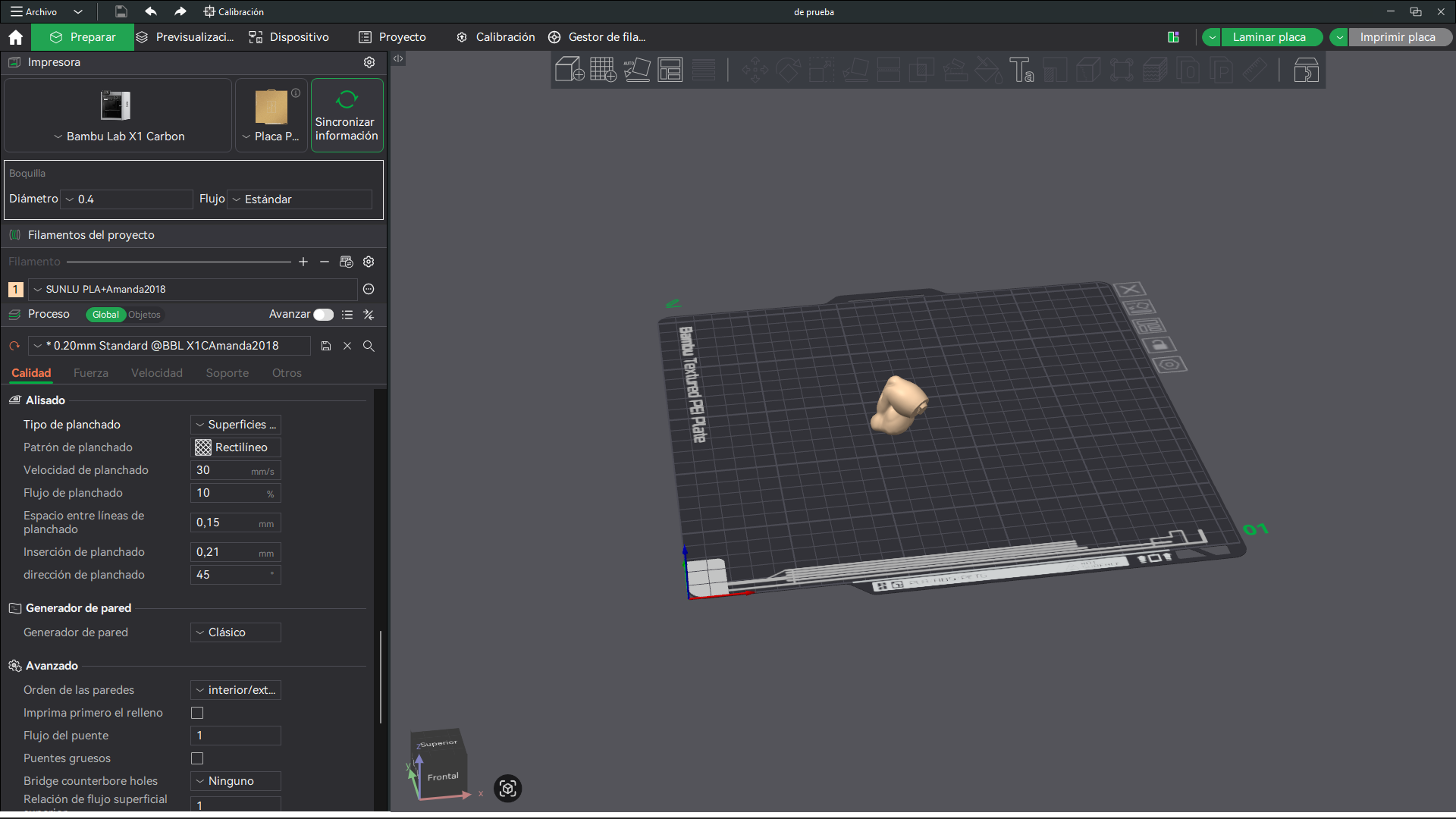

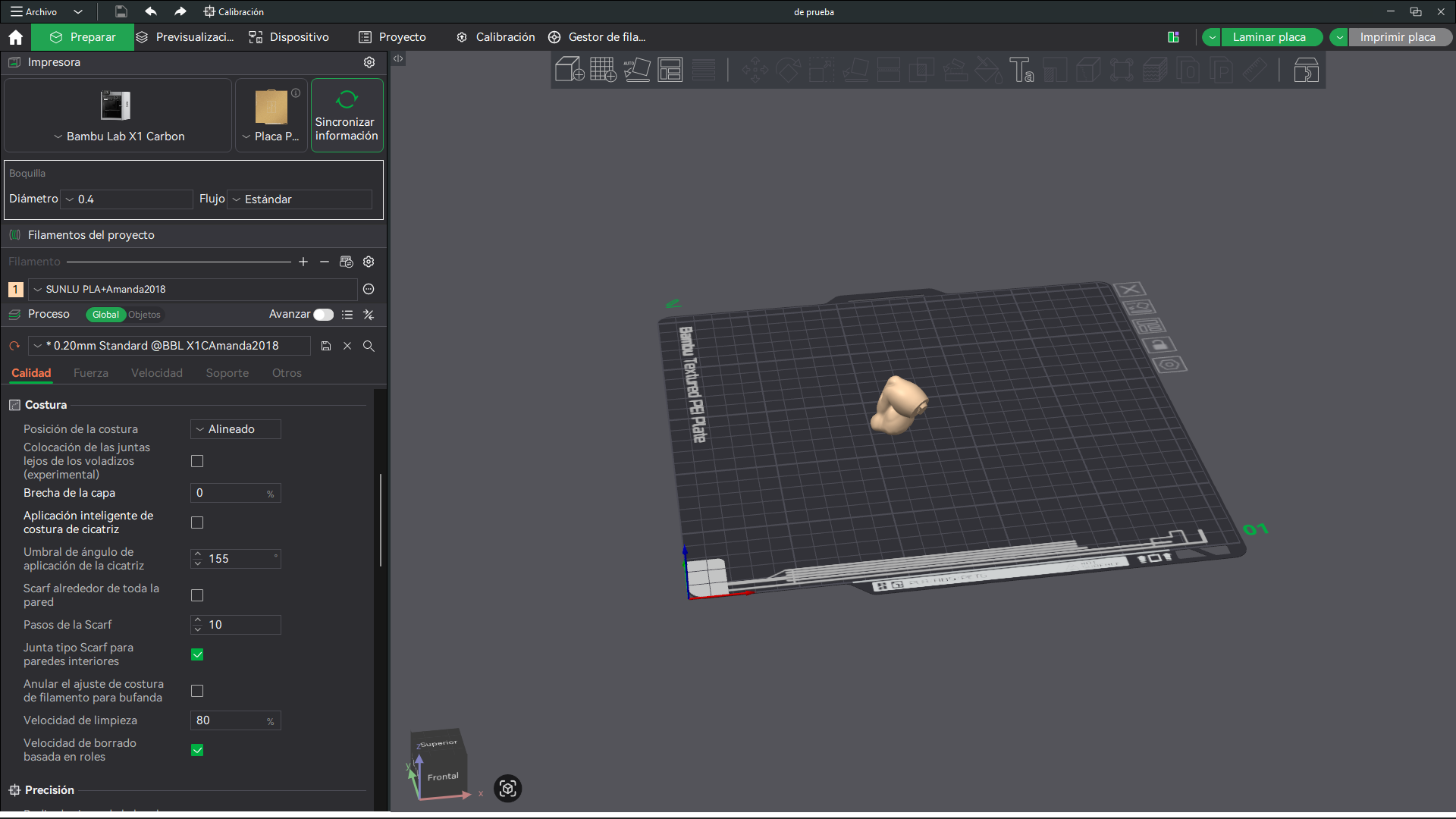
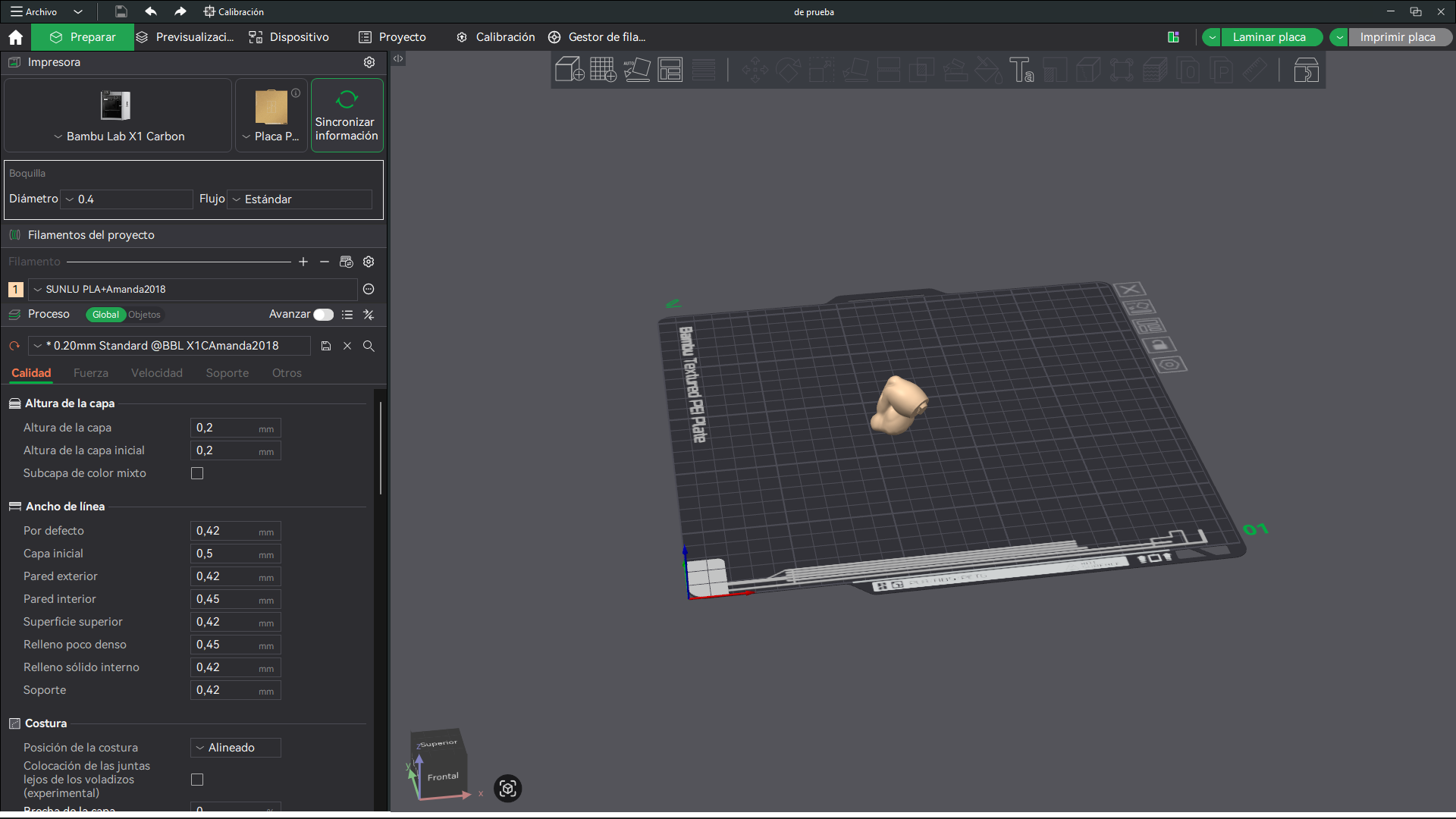
Here are the settings for my Bambu Lab X1 Carbon.
@Lozano70 do you have a minimum layer time set, by any chance?
Also, make sure timelapse is turned off.
Can someone please help me? I can’t seem to get it right. In Bambu Studio, under the “Special Mode” > “Timelapse” section, if I switch to “Smooth,” it warns me that I need to enable the prime tower, but I ignore it, and the issue goes away. However, when I switch to “Traditional,” the problem returns—I get these little blobs on the model. It happens at every layer change; during that brief pause, it oozes a bit of filament, causing those imperfections. I hope someone can help; thanks.
In the “send print job” screen, just turn off timelapse!
Okay, I’ve found the option you mentioned; I’m going to check the result. Thanks.