Issue with print

Hi everyone.

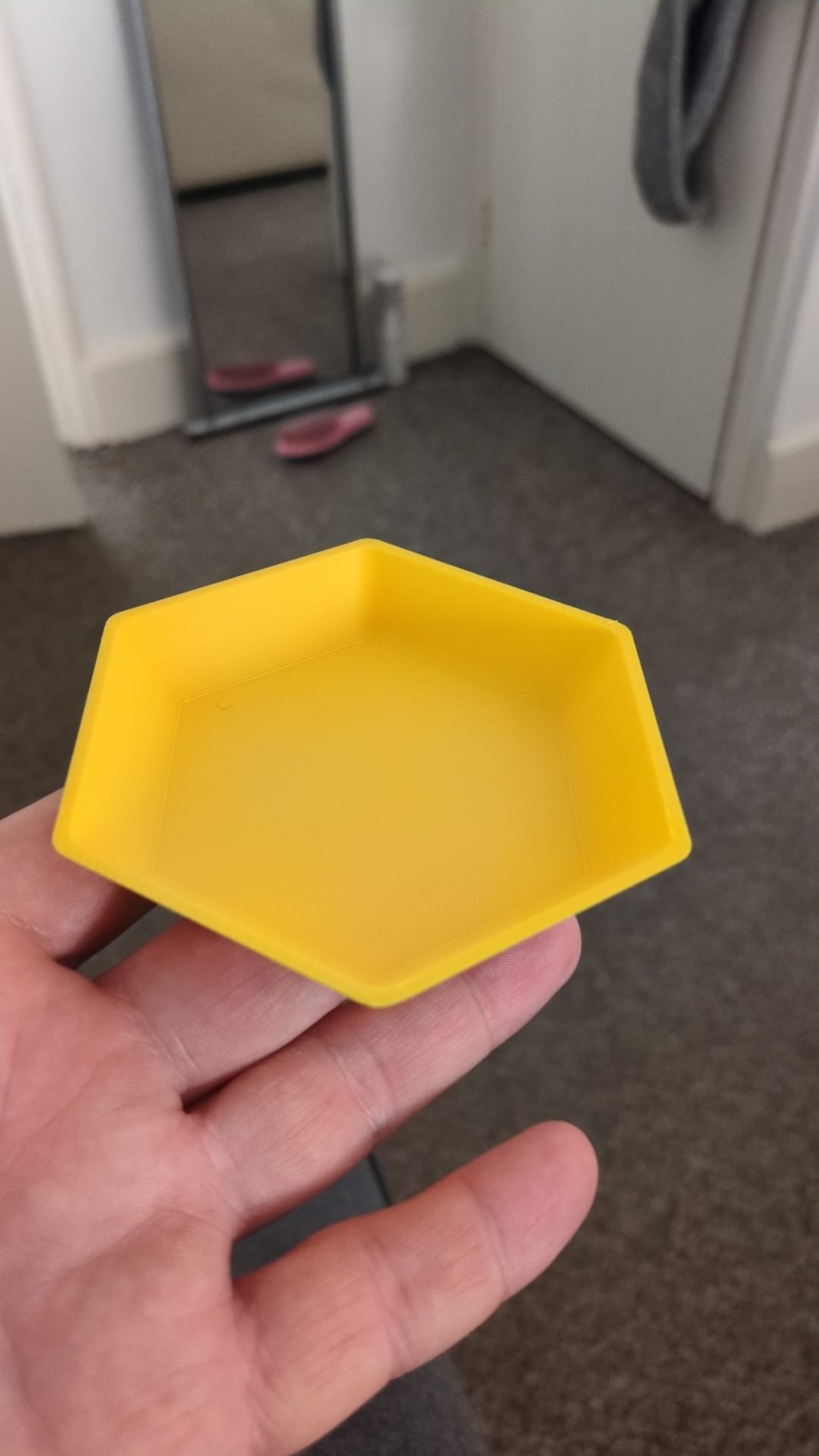
Ive got an issue with my current print, hopefully its something you guys have seen before and can help.

A1 printer.

BL basic PLA

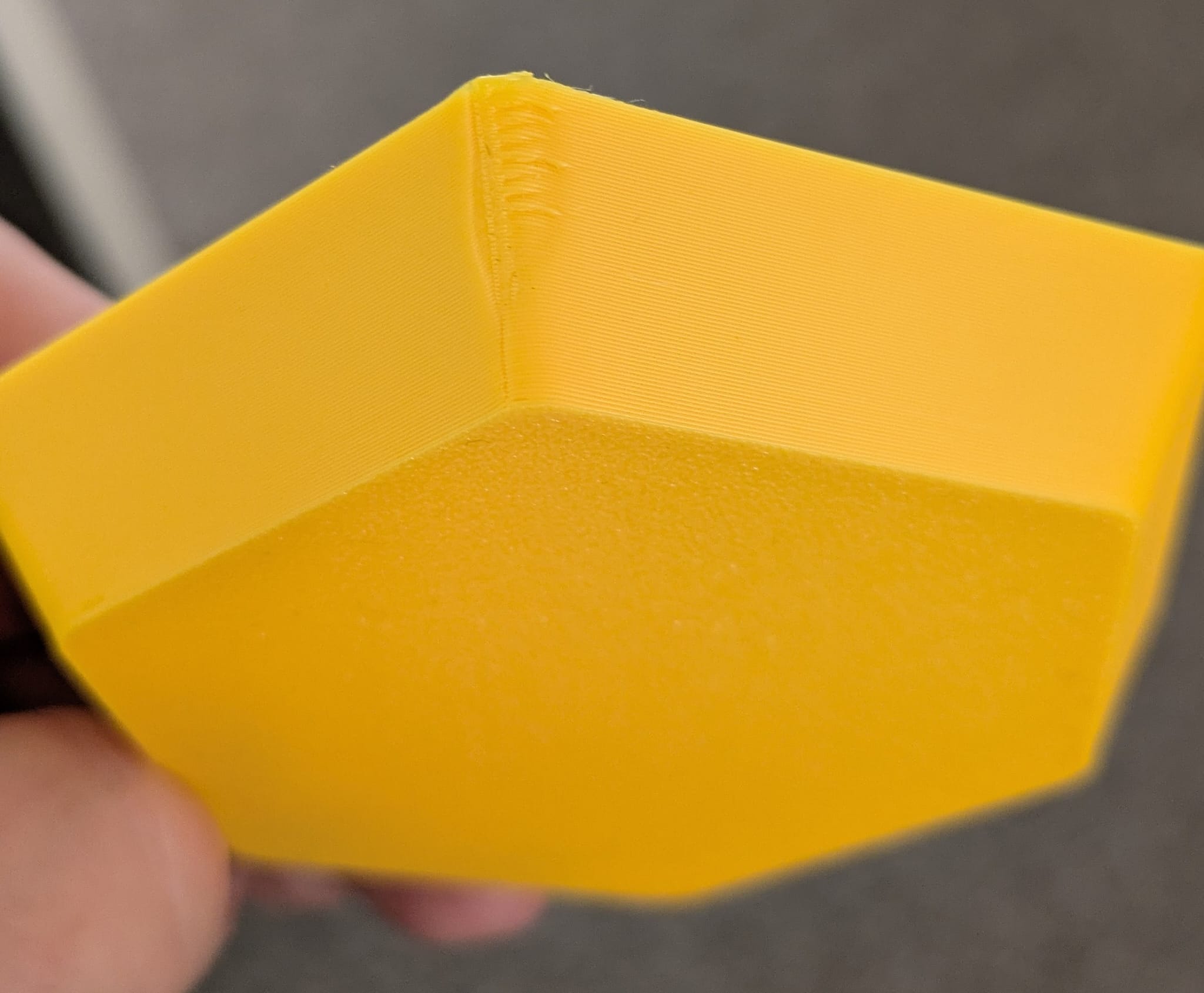
Its a container with a 2mm thickness that allows produces this defect on the 3 times I printed, I’ve changed the orientation on the print bed each time and it still persists, it is just this one corner that it happens, next to the ‘seam’? (not sure what the correct word for that bit is)

I used Fusion 360 to make the item, using the shell tool to 2mm, when i recreate it at 1mm instead there is no issue with the print.

I have not changed any settings in Bambu Studio.
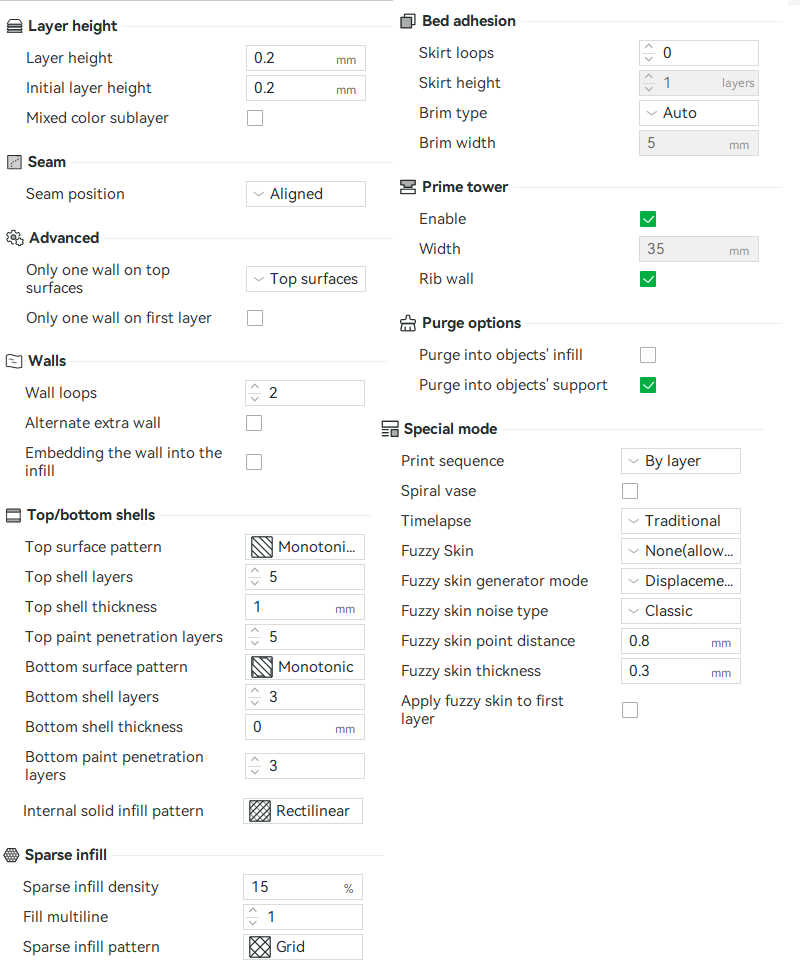
Can you post the rest of your seam settings? You may have to toggle the little advanced button to get them to show up.

There’s the issue.

If you want to use scarf seams, it’s best to place them in the middle of a straight wall. Scarf works by tapering and overlapping the last and next layer to hide the seam.

It’s really reducing flow while it lowers the nozzle to achieve that taper. But at the same time, on this print the printer is having to dynamically modulate flow as the nozzle goes around each corner (pressure advance) and the two features are fighting each other.

I would start by using the seam painter to place the seam directly between two corners, if the appearance is still poor then do a flow calibration and then a pressure advance calibration for the printer.

If you want to leave the seam at the corner, you’ll need to dial in flow first, and then pressure advance, then we can tweak the scarf seam settings.

There’s some good discussion on seams in the Bambu Wiki:

Thank you for the detailed reply. I will take a look and see if I can get some good results.