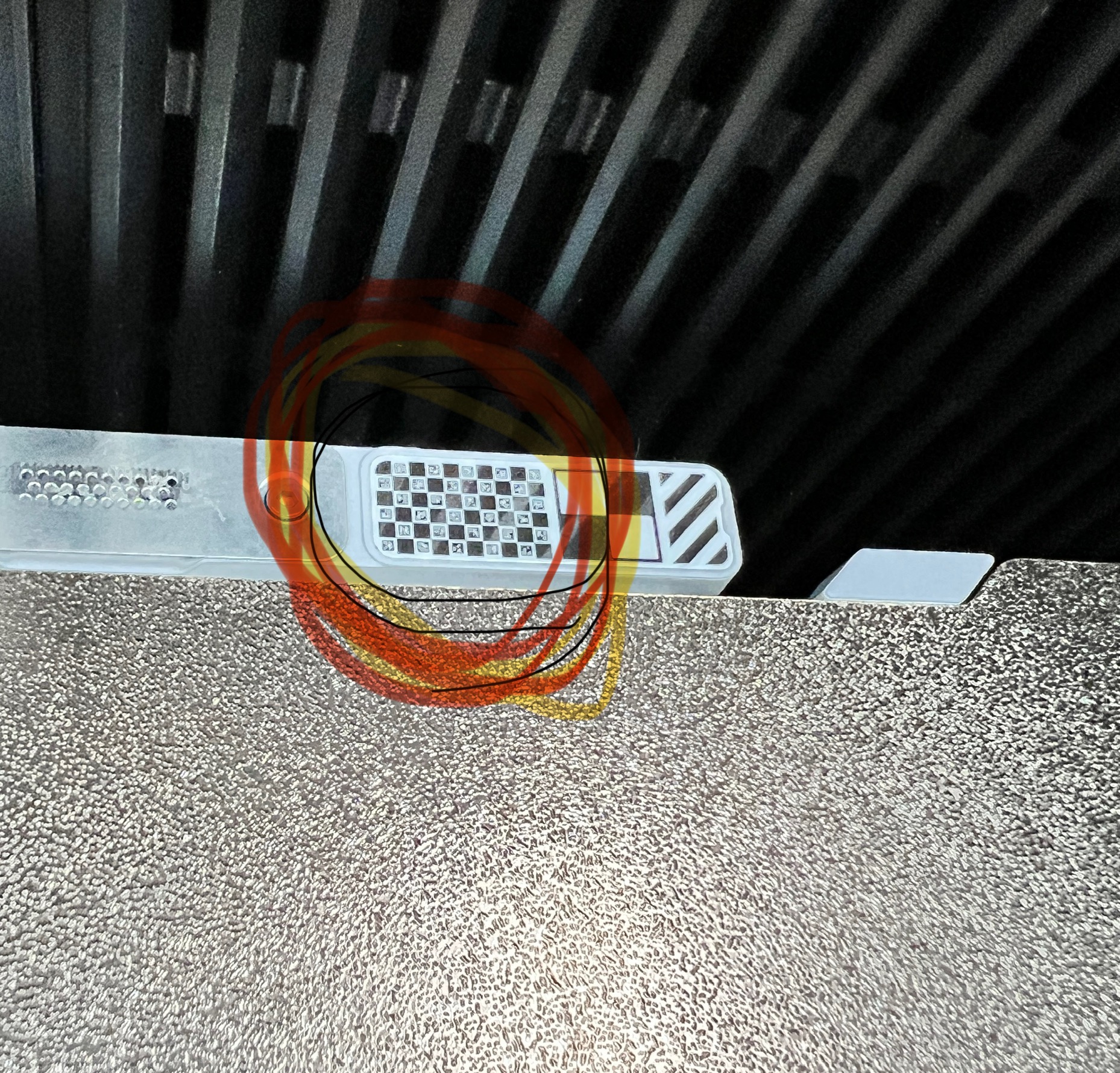
Today I received my h2d and tried to initiate the laser. Every time I tried to calibrate laser with micro LiDAR it fails. Cleaning sticker and so on don’t helped.
Then I saw that the sticker for calibrating the micro LiDAR was sticked on the head and because that the laser don’t recognise the sticker.
I put the sticker off and turned it for 180 degree and voila laser calibration with micro LiDAR works and I’ve started lasering different stuff. Hope I can help anyone who get the same problem. I don’t find other topics with the same problem…
Have a nice evening and a lot of fun with the h2d.
Thank you for your time in solving this and posting it here! I haven’t used my laser yet - however these sorts of posts are great for everyone! Appreciate it.
can you provide a mor detailed explanation of what you mean by sticked to the head and turned 180 our laser is not marking anywhere near the pictures on bbu suite
Im trying to create a new topic but Bambu sucks and won’t let me create one as I am a new user to the forum! so ive hijacked your topic to see if I can reply on here!!
Basically I setup the laser yesterday and I managed to create a new dog tag and everything went smoothly. Today I switched the printer on and I am now getting this error:
Completed all the steps and the laser has completely failed! Has anyone else had this issue? So based on that Wiki page I can confirm:
Laser module damage – The laser fails to emit properly or is significantly misaligned. [The laser does emit and does burn the test strip fine!!]
Thermal label contamination or damage – The heat-sensitive calibration sticker is dirty or torn. [Nope! Its perfect and not even a finger print on it!!]
Dirty laser homing platform – The laser calibration platform has debris or residue. [Nope! checked!! The platform is squeaky clean!]
Improperly installed or reversed homing platform – The platform is not seated correctly or is mounted upside-down. [Checked and this works as I laser engraved a Dog Tag yesterday]
Chamber temperature out of range – The calibration sticker requires an ambient temperature of 16–32°C (60–90°F). [Temperature is at 22’C]
Basically every time now I turn on the laser it complains I haven’t completed the laser calibration. I follow this through and it burns that test strip fine and no errors reporting. It then states calibration has been successful and the laser is good to go! The Engraving Laser Focal XY Calibration Failed error message then re-appears! I switch the printer off and back on and the printer wants to do a full calibration again.
I can’t make it out what’s happened as yesterday it worked fine as I managed to engrave a lovely new dog tag.
I tried also downgrading the firmware as there was an update I applied but even after downgrading the same issue persists.
I have even checked the laser itself, un-mounted it and there are no marks, smudges or any debris.
I have raised a support ticket but has anyone else encountered this? Its very very odd!
Hello! I was dealing with the same time 1 month ago, the problem for me was the chamber temp of the machine, is has to be under 32 degress because the sticker where makes the calibration is a thermal one so it fails if the ambient is hot, like you printed 10 minutes ago before putting the laser head, i hope it helps
thanks but the printer was off for 24 hours and the ambient temperature in the room is only 22’C and checked the inside chamber was cool. Literally I turned it on and this can’t be the issue as it was working yesterday when the room was also much hotter.
Try to clean all the sensors in the laser, cameras, ect including the lidars in the extruder, make a full calibration of the laser again, and if doesnt work try to open a ticket