Make your printer play your own music: MIDI to M1006 script + melody library

Sharing a script that converts MIDI files into the M1006 commands Bambu printers use to play music through their stepper motors, plus the melodies I’ve made with it so far.

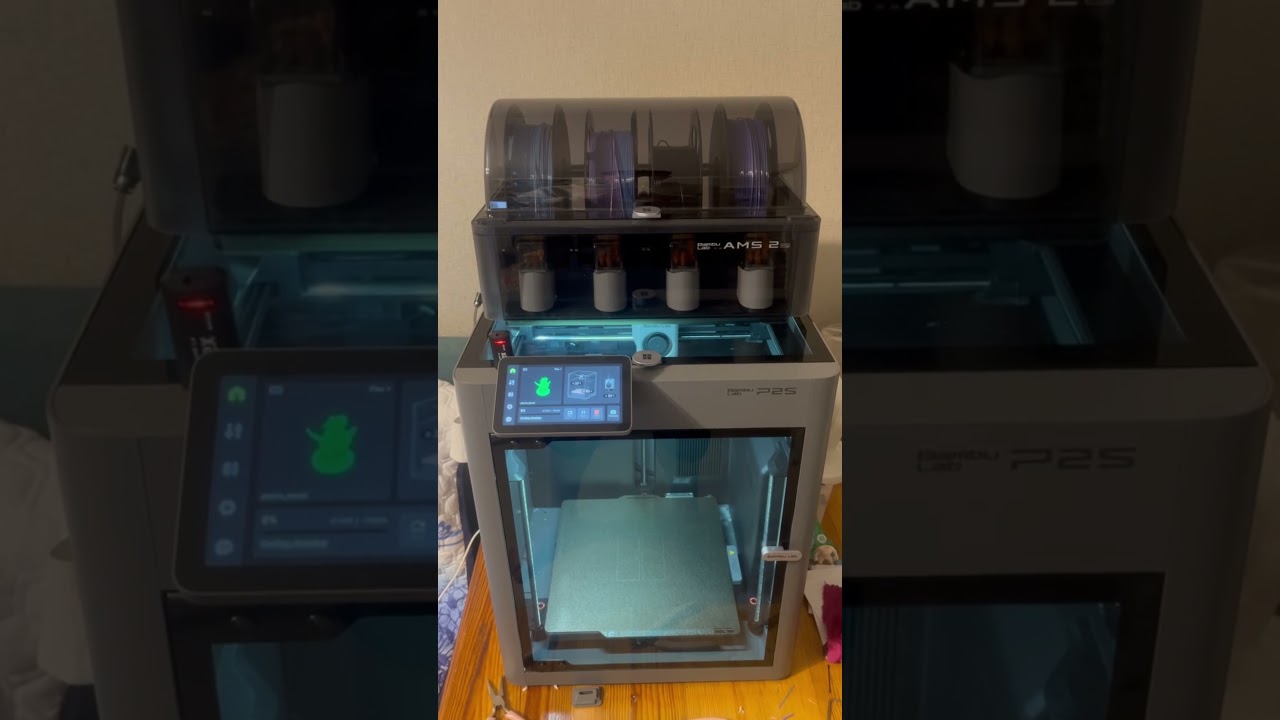
Here’s what it sounds like on my P2S:
Script and instructions: GitHub - sandopolo928/bambu-midi-gcode: Convert MIDI files into M1006 G-code so Bambu Lab printers play your own melody through the stepper motors at print start or finish. Includes a library of tunes reworked by hand to fit the motors' narrow range, since straight conversions mostly sound like noise. Paste the output into Machine start G-code in Bambu Studio. · GitHub

How this differs from the wiki

The official wiki covers the A1 mini and Bambu’s own converter. This covers the other models, uses my own script for the files Bambu’s converter won’t handle, and explains the part neither of them mentions: why the MIDI has to be rewritten before any converter can help.

The part that actually matters

The conversion is the easy half. The hard half is the MIDI itself. The motors give you a narrow range and one note at a time, and a file downloaded off the internet was written for instruments with none of those limits. Converted straight across it comes out as noise that only vaguely resembles the tune, which is why most people try this once and give up.

A friend of mine is a musician and he reworked the files by hand: octaves shifted, chords stripped to a single line, note lengths adjusted so the rhythm survives. That’s what makes them recognisable. No converter can fix a file that was never going to fit the range in the first place.

Installing it

Open your printer preset in Bambu Studio, turn advanced settings on, go to the Machine G-Code tab. In Machine start G-code, replace everything between the start printer sound dividers with the generated code. The end sound works the same way, using the printer finish sound dividers in Machine end G-code.

Line breaks have to survive the paste. On Windows copy through Wordpad, because Notepad strips them and the code breaks.

Compatibility

Confirmed on my P2S. A1 and A1 mini are officially documented by Bambu, the H2 series is reported working, and the X series has the sound block sitting in its start G-code but never got firmware support for it. I don’t know where the line falls beyond that, so if you get it running on another model, say which one and I’ll add it to the readme.

If you’ve reworked a MIDI that plays well, send it over and I’ll add it to the library. There’s also a thread on r/BambuLab where people have been suggesting tunes: https://www.reddit.com/r/BambuLab/comments/1wj5gku/my_p2s_plays_the_mortal_kombat_theme_when_a_print/

Love it.

I had my A1 mini set up to do the imperial march for awhile. Until I decided that silence is better.

Imperial March is a good choice for it, the melody line is simple enough that the motors actually do it justice.

If you still have the file lying around, send it over and I’ll add it to the library. Silence is probably the correct long term answer though.

Im pretty sure I downloaded it on MW

The silence is good, but having 3 P2Ss calibrating in sync, chefs kiss.

Good to know, I hadn’t thought to look on MakerWorld at all. Do you remember roughly what it was listed under? Worth linking from the readme so people have a second source.

And three P2Ss calibrating in sync does sound like a reason to keep the volume up.

Its been awhile, I don’t see the file that I used in my history. There are a few similar ones out there, but I think they get removed sometimes if there is no actual model included.

Its pretty easy to do if you follow the Wiki

That makes sense, and it probably explains why they’re so hard to find. If MakerWorld pulls uploads with no model attached, a gcode only melody has nowhere stable to live there. One more reason to keep them on GitHub.

The wiki guide is a good one, it’s where I started too. Thanks for digging.

An interesting approach.
One thing I’ve noticed while experimenting with music generated by printers is that direct MIDI conversion often requires significant post-processing. Chords, overlapping notes, octave ranges, and note durations can all have a major impact on the printer’s final sound output.
How do you currently handle polyphonic MIDI files or overlapping notes in your converter?

That’s exactly the part the script doesn’t solve on its own. I wrote the MIDI to G-code converter, but every arrangement in the library is reworked by hand by a musician friend of mine. In most cases the chords and bass notes go and only the main melody stays, then he moves it to around C4 to C5. From his experience that’s the octave the printer plays cleanly, without loud hissing, buzzing or distortion. After that it’s tweaking by ear until it sounds right on a real printer. A straight automatic conversion of a full MIDI usually sounds like a mess, so his ear does most of the work here

Library update: added Nokia, Mario and Battlefield 4, all tested on the P2S. Ready to paste G-code is in the repo: GitHub - sandopolo928/bambu-midi-gcode: Convert MIDI files into M1006 G-code so Bambu Lab printers play your own melody through the stepper motors at print start or finish. Includes a library of tunes reworked by hand to fit the motors' narrow range, since straight conversions mostly sound like noise. Paste the output into Machine start G-code in Bambu Studio. · GitHub

That makes a lot of sense, and it explains why the arrangements in your library sound much better than a straight MIDI conversion.

The C4–C5 range is interesting too. I’ve noticed something similar: once you move too far outside the range the motors seem comfortable with, the sound quality drops very quickly.

In my own software I took a slightly different approach: instead of reducing the arrangement to a single melody, I split the different voices across multiple stepper motors. This makes it possible to keep the main melody while also adding simple accompaniment or additional voices.

It requires some manual work as well, but I found that using the motors separately opens up some interesting possibilities for more complex arrangements.

Splitting voices across motors makes sense, even a simple accompaniment under the melody would change a lot. Is that still through M1006 on Bambu printers or your own motion G-code? And do you have a recording somewhere? I’d like to hear how it sounds and show it to my friend

Yes, exactly — that’s the approach I explored.
In my case I’m not limited to a single melody line. In StepperTune Professional I can split the arrangement into multiple voices and assign them to different stepper motors, so one motor can carry the main melody while the others handle accompaniment or additional parts.
The software then generates the G-code for the arrangement, so it’s closer to using the printer’s motion system as a multi-voice instrument rather than relying only on a simple MIDI-to-M1006 conversion.
I also treat each printer model separately, because the usable note range, resonance and motor behaviour can change from one machine to another. So an arrangement that sounds good on one printer may need different tuning on another — for example on the P2S compared with other Bambu models.
I do have recordings and demos. I can send you one so you can hear how the multi-motor arrangements sound, and of course feel free to show it to your friend.

Yes please, send it over, I’ll show it to my friend who does our arrangements too. With M1006 we ended up keeping only the melody in C4 to C5 because that’s where the P2S sounds clean, so motors carrying the accompaniment is exactly what I want to hear. Do you have a P2S profile yet? Happy to run a test on mine and send you a recording back. Might be easier to continue in chat, I’m @sandopolo on Telegram or +77054632230 on WhatsApp.

Absolutely — that would probably be the best way to test it.

You can try StepperTune directly on your P2S and generate the G-code yourself. It lets you split the arrangement across multiple stepper motors, so it should be a good comparison with your current M1006 workflow.

Here’s the GitHub page:

If you and your friend try a few arrangements, I’d be really interested to hear how they sound on the P2S. A recording would also help me improve the profile.

I don’t use Telegram, but if you prefer we can continue on Instagram: