Mesh Boolean Help

I’m unable to subtract one part from another. I have one larger piece that I merged 3 smaller pieces to. When I try to subtract the smaller pieces, they are just removed and the larger piece stays in tact. I have tried multiple times, and it worked once even though I didn’t do anything different. I cannot recreate it.

I don’t want to use a negative part because I’d like to place another part in it’s place.

I found a post on Reddit post describing the same issue, showing a video of the issues, but there was no resolution.

This should be a simple process, so I’m sure I’m just missing something basic. Any help would be greatly appreciated
Welcome to the community.

Unfortunately, there’s too little information in your post to diagnose what is going on. As an example, did you make this an assembly first, what was the model that you used to begin with and so on? Can you show a screengrab of the process you used? Also, what is this object? What is the meaning behind the different colors? What part of the model did you try to merge? What process did you use, difference? Union? etc…

Rather than go back and forth with countless questions can you first upload an example of the failure.

1 Like

Good morning. I appreciate the quick reply to my issues, and the willingness to help. but I’m confused by a lot of your questions because I feel most of the detail was already included. I’m not trying to be argumentative, I’m genuinely trying to learn, but I’m not sure what relevant information that I was missing.

I did mention that I merged the items, doesn’t this create an assembly? How do you use the mesh-boolean option if you’re not working with an assembly?

Are you asking what the object is because there are some objects that cannot use the function I’m trying to use? I do not receive any errors, and I did try “simplify model” but this does not change my ability to subtract one object from another.

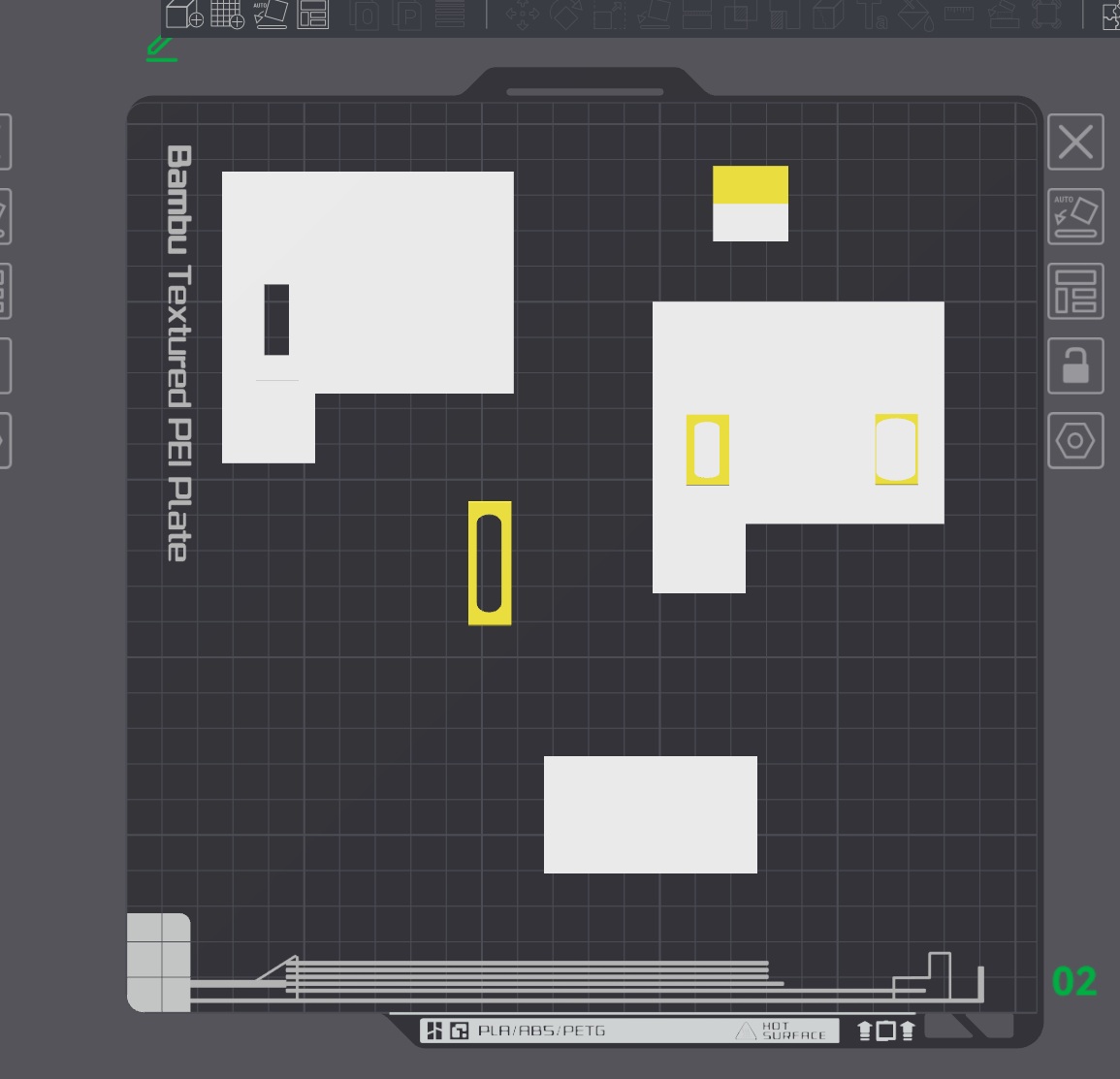
I added a primitive cube, and adjusted it to the white shape. I then added another cube and adjusted it into a rectangle, merged it with the first cube, and used mesh-boolean to subtract it from the bottom right of the first shape. I then added another cube, adjusted it to my desired shape, clone it twice, change it to yellow to make it easier to see, and then aligned them on the first cube. From here, I cannot subtract them using mesh-boolean like I did initially.

I did include that I tried to subtract one piece from another, and that I don’t want to use a negative part. I also included a link to a video that is having the same issues.

This morning I tried to screen record the process, like in the link I posted, and now miraculously it is working. I did not change my process at all. If I’m doing something wrong, I would like to learn the correct process, but when I do the exact same process over and over and over and it only randomly is very frustrating

The Boolean mesh process is fickle. One issue that can trip up even experienced users is how object selection can be affected by the viewing angle. You may think you’re clicking on one object, but the software is actually selecting another.

That’s why I was asking for more detail. Your screengrab showed a top-down view of the build plate, which didn’t make it clear what actions you were trying to take. What I was looking for was something more like this:

In this example, I’ve isolated the two objects and clearly shown how one is being used as a removal tool for the other:

I’ll also share a trick that sometimes works around unresponsive unions. By “unresponsive,” I mean what you described: the selection appears correct, but clicking does nothing or disappears. What has occasionally worked for me is exporting one of the models from the slicer as an STL, deleting it from the build plate, then re-importing it. It’s not 100%, but it has worked in several cases.

My theory is that it’s a software bug, and the export/re-import forces the slicer to re-render the mesh. That said, I haven’t been able to reproduce it consistently enough to submit a proper bug report.

1 Like

Thank you for this. I named the individual parts so as to make certain which one I was selecting, so I know this was not my issue.

I’m guessing the reason it worked this morning has something to do with the trick you suggested. I did save my larger white shape and import it later. Very strange