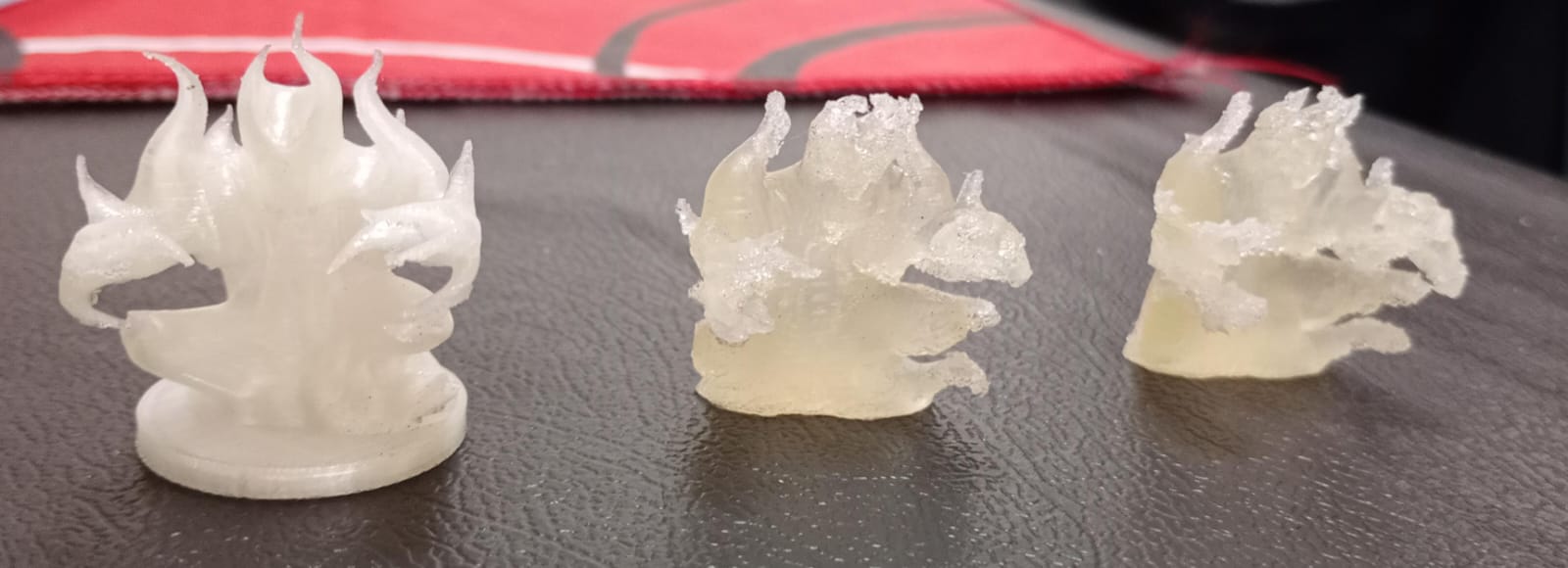
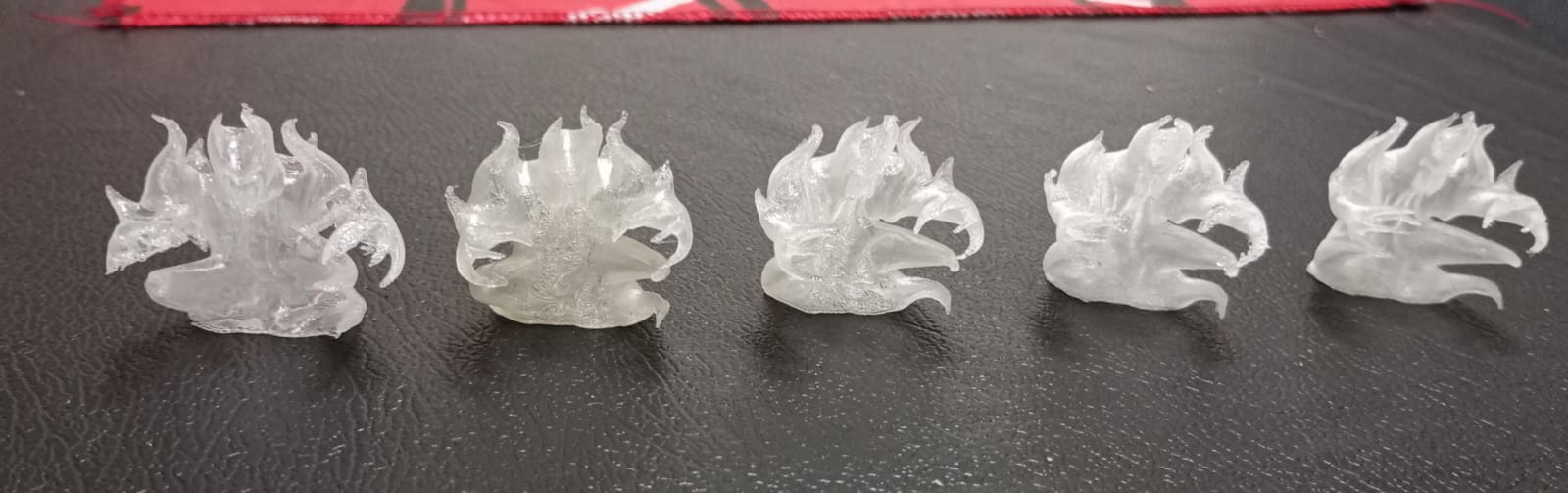
Hi everyone, I’m new in the 3D printing world. Have been printing for about a month; mostly miniatures for DnD games and stuff for the printer itself. I bought a A1 Mini and been very happy with the results; sometimes making you even wonder if it was printed in PLA or Resin. I used both 0.4 and 0.2 nozzles without too much trouble; just the regular curve of learning.
But now I’m facing a small issue that someone with more experience may have already solved: I’m trying to print transparent/translucent miniatures that for the type of monster represented, would benefit from the transparency (ghosts, air elementals, etc). The thing is that I’ve been searching about it, but haven’t found too much information specifically regarding to miniatures. I made a couple of tests with different settings, but still can’t find a proper formula.
In my country is kinda difficult and very expensive to get known filaments (like Bambu’s), so I’m using the one I got available, which is Fremover PLA+ High Speed High Transparent.
Currently, I’m trying out with the 0.4 nozzle since I read that the bigger the nozzle, the better result. Now for settings:
Filament:
Flow Ratio: 1.01
Nozzle Initial Layer/Other Layers: 230°
Cooling:
No cooling: 1 Layer
Min/Max Speed: 0% (Layer Time 100s/8s)
Auxiliary part cooling fan: 0%
Then for the actual printing settings:
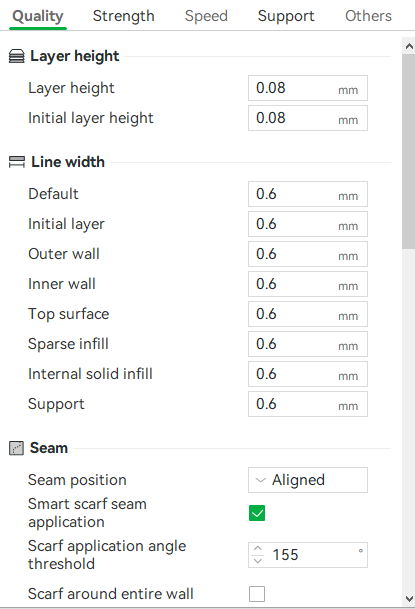
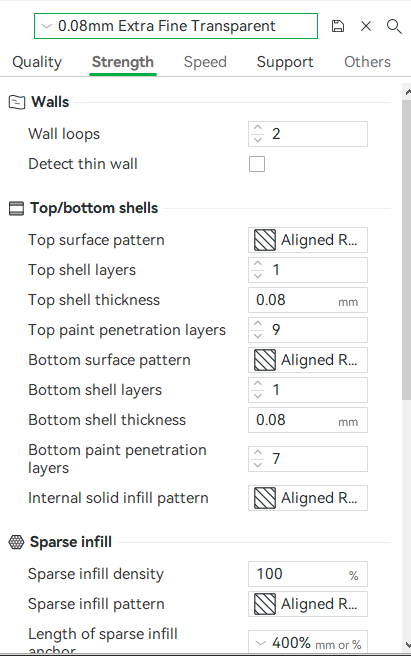
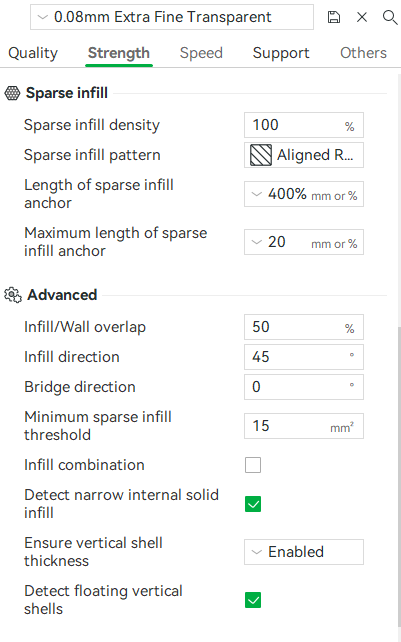
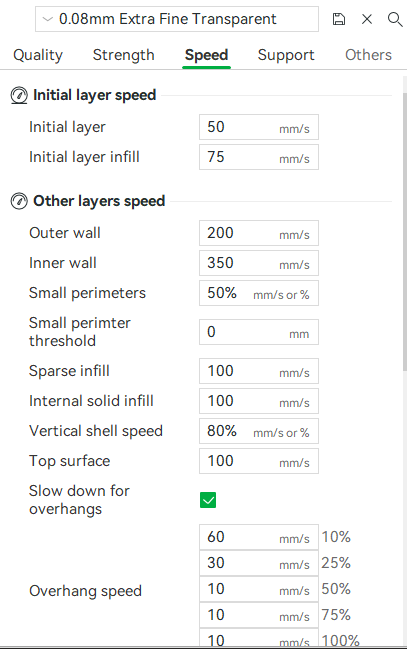
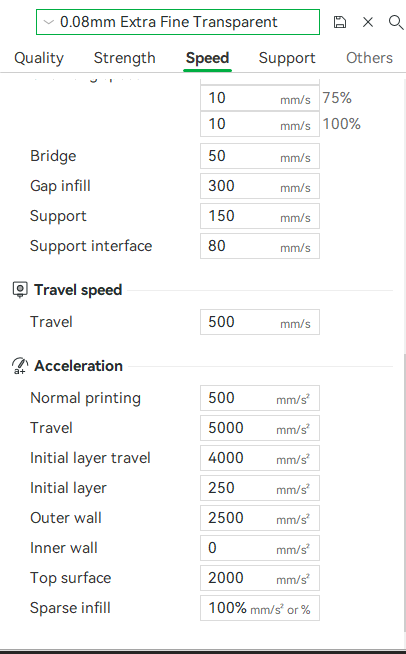
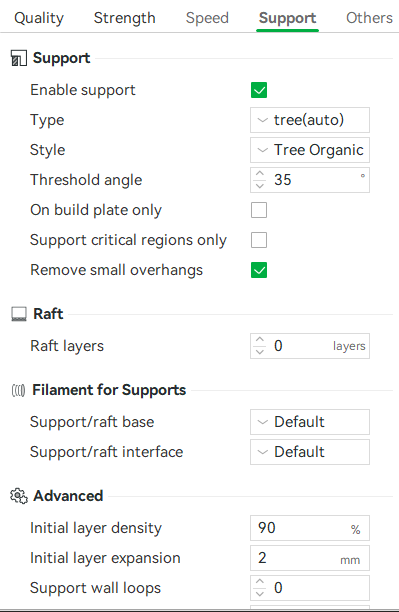
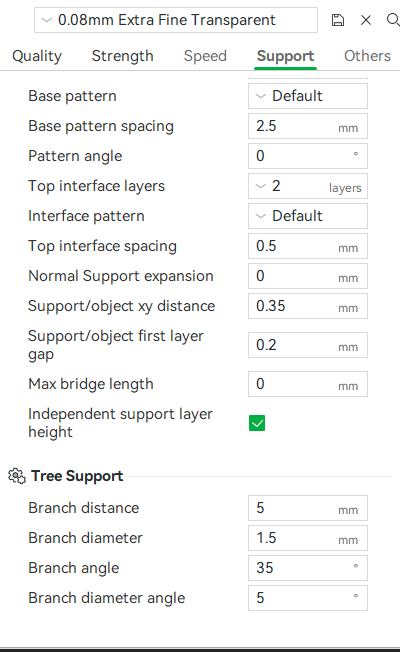
Supports and edges of the models are rough and extremely hard to the point I struggle to snip them and sand them. During the printing process also, since there is no fan involved, the material is malleable like rubber, so it sometimes leads to poor structural integrity.
If someone has the magic settings to try out, It would be awesome.
Thanks in advance