Hi,
In my Bambu Studio version 2.1.1.52 I dont have a link to:
Online Models
Maker Lab
as you can see from the this screenshot:
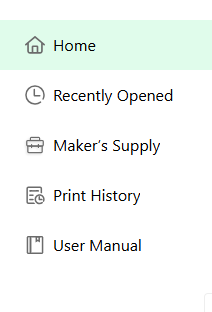
What am I doing wrong?
I’m running on Windows 11
Hi,
In my Bambu Studio version 2.1.1.52 I dont have a link to:
Online Models
Maker Lab
as you can see from the this screenshot:
What am I doing wrong?
I’m running on Windows 11
Not sure as you are doing anything wrong. I’ve just updated to the newest, mine is showing both. Have you tried a PC restart?
I believe that version 2.1.1.52 is the latest version.
I have restartet the PC but it hasn’t helped.
Funny thing is that under my brothers userid - on the same PC - its showing…
I think it’s a sync issue. This evening, I launched studio and only had the options you showed, even though last time using, I had lab and world available.
After a few minutes, lab and world appeared, but I had gone to my device page, and noticed no printers attached. I selected add printer, and my two printers were there, but weren’t showing connected until I selected each one. Then back to home page and had all options.
I’m sure it’s due to my crappy Internet out here.
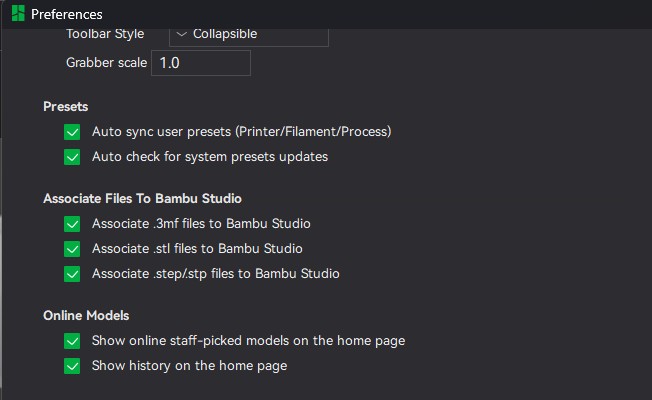
This is the solution that worked for me. I just had the same problem. The Online Models/Show online staff-picked modes on the home page de selecting then selecting turned off and back on the Online Models tab