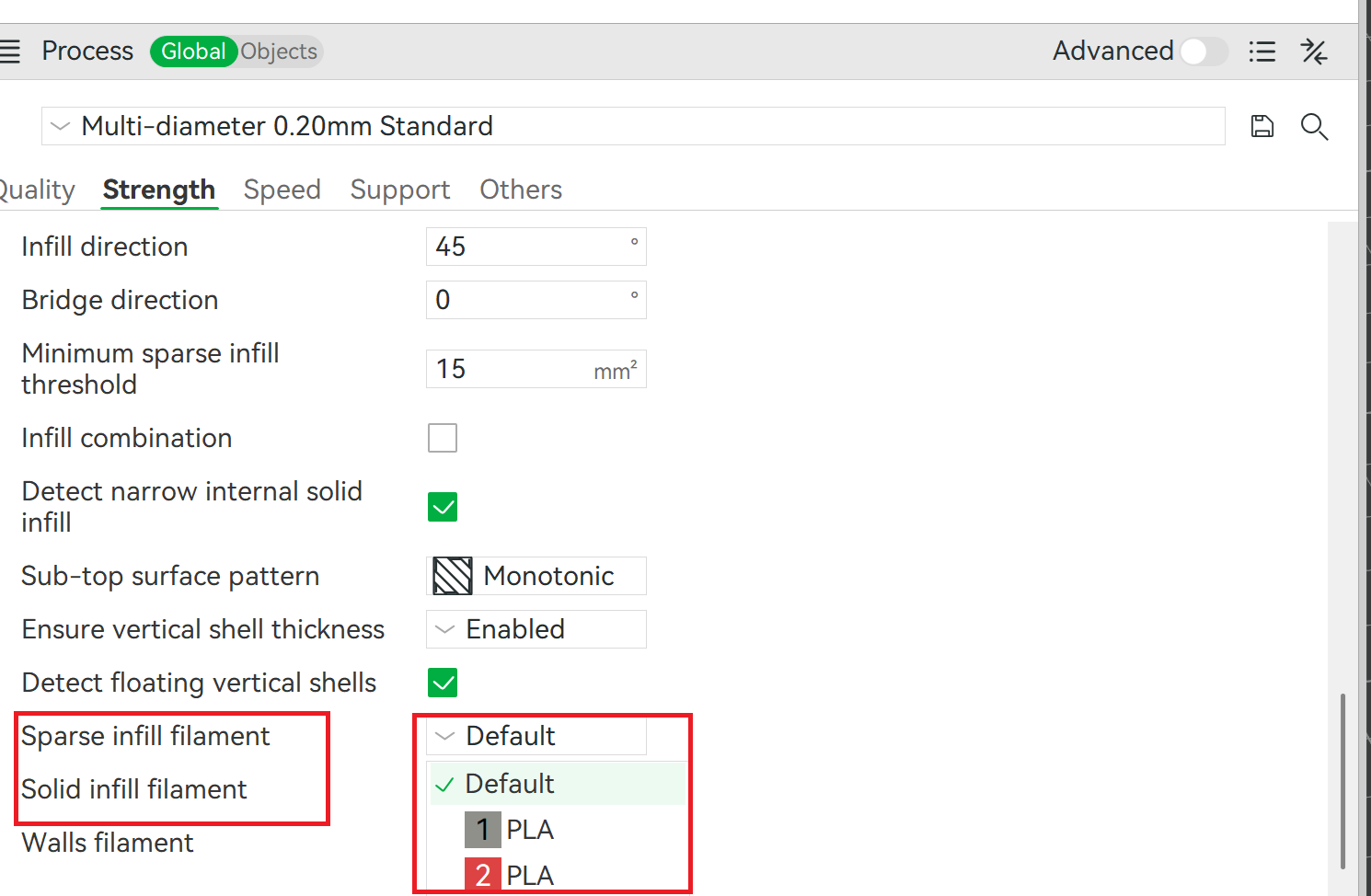
Has anyone had any luck doing multi-diameter printing yet? I’m trying to do it with PETG, I have PETG in two different slots, each set to their respective diameters, 0.4mm and 0.6mm. Multi-Material is selected, bambu studio seems to be treating them as one. I’ve tried ChatGPT, Claude and Bambu support documents, and I cannot figure it out. Is it a bug? Or am I stupid?
I do not have an officially multi-diameter compatible printer but have done it on my H2C using workarounds/exploits in the summer and more recently using the latest Orca update. I posted pic’s here but I expect that not be in any way representative of what an H3C can do at present.
Still though, perhaps this wiki entry can help you?
Mixed Nozzle Size Printing Guide | Bambu Lab Wiki
 &

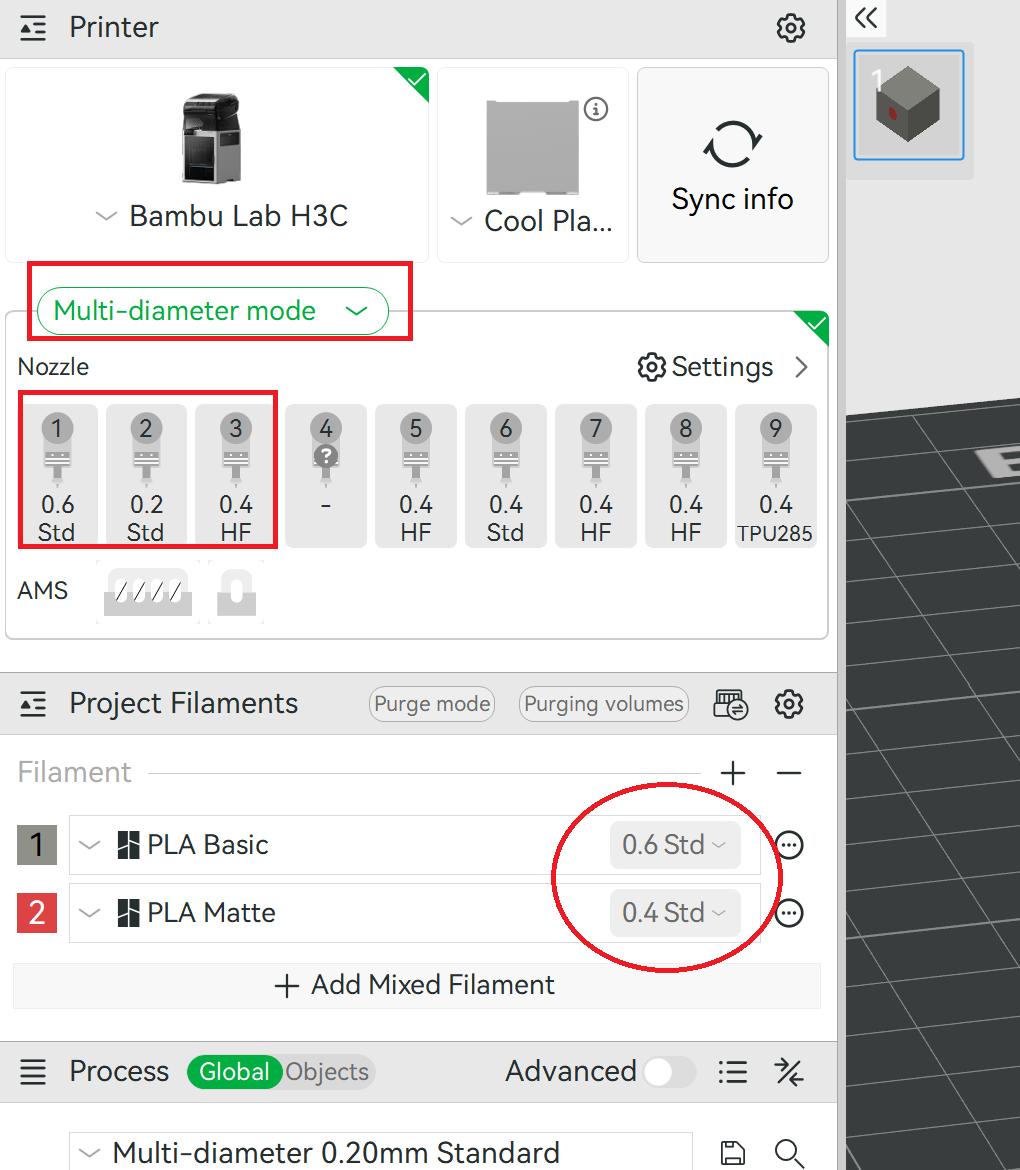
On the H3C I have printed in multi diameter without issues multiple times. After changing the nozzle you have to also hit “Refresh” on the printer to make sure it recognizes the nozzle change.
Below in red are all the items you have to make sure to go through. Assuming you have the filament in the correct slots you have to also select the nozzle size next to the filament and change the diameter there as well.
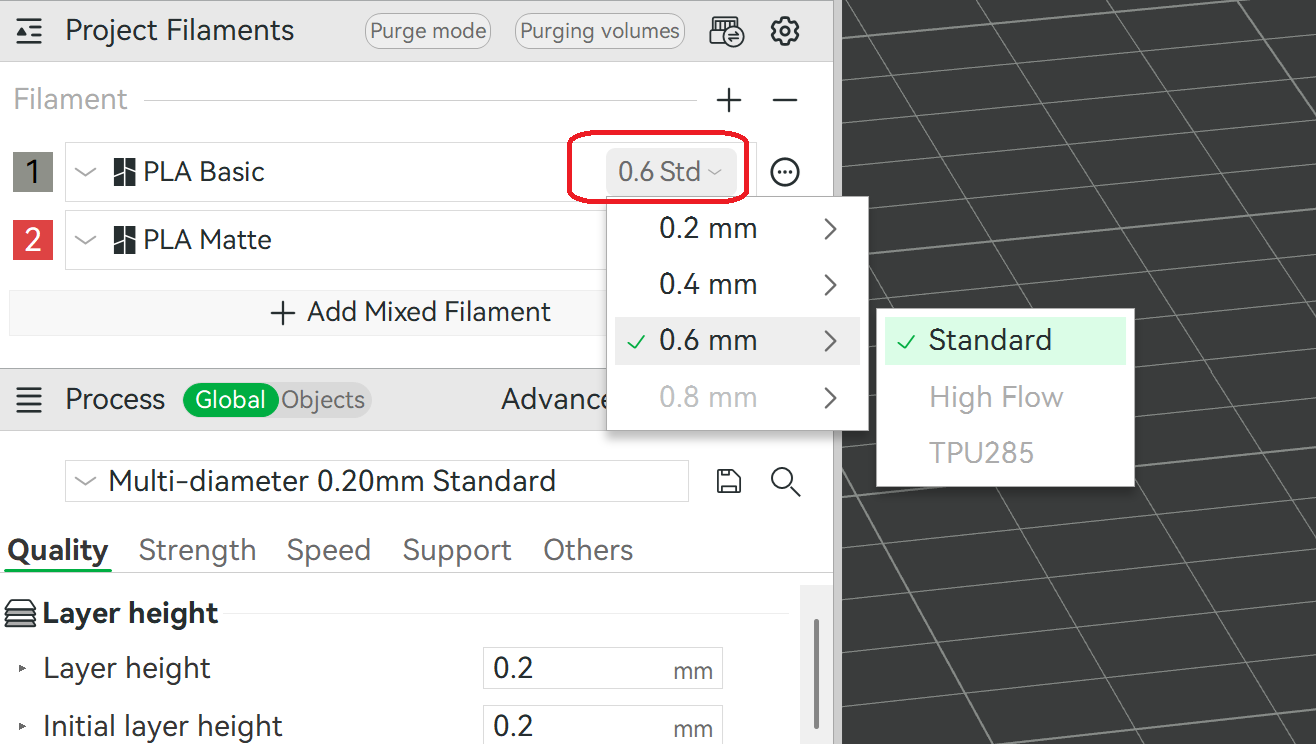
Edit: If you want to do 1 item single color but you want a different infill nozzle.