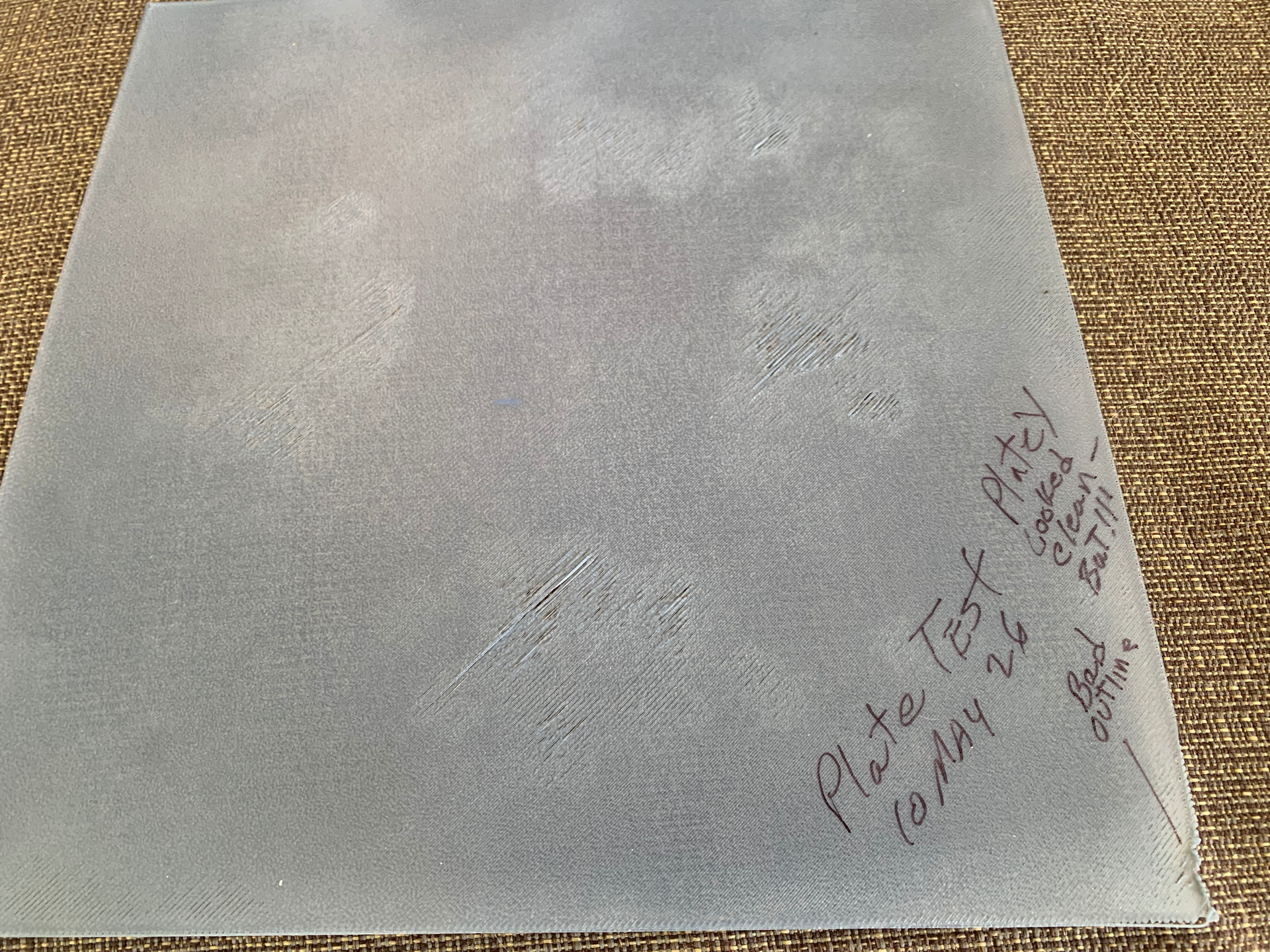
Dear Community..I am by no means a vet at the printing game, have only been printing for approx 7 months, all prints have been pretty smooth up to now but sadly I am at my wits end with the present issue..I have been on YouTube, community hubs and many other places looking for a solution, my issue is that my first layer of printing is stringy in parts, at first I thought it was because of moisture in filament and have ensured that it has been dried in a dryer, unfortunately it continues to happen, so following some guidelines I have conducted the following in an attempt to eliminate said issue…1. Dried Filament 2. changed and cleaned Build Plates at least 5 times, 3. Changed Hot Ends 3 times for brand new 4. Printed with Tower and without tower 5. Tightened up the screws at back of Hot End Plate and all others 6. Re-Calibrated on numerous occasions. 7. Used different colors of filament. 8. Bed Temp is set at 65C and Nozzle at 220C. Sure I done a few other things but as so many have lost the plot!
Have enclosed some pics to show issue, a video and the 3mf file. I appreciate all comments and assistance. Retired Vet & Pensioner sitting at home most of the day and this is my go to hobby
When asking for help, please provide as much information as possible about your inquiry.
This will help everyone to better understand your problem, and provide you with the best solution.
Detailed description of the problem
Printer model used
Slicer settings used
Type of filament used
Photos that clearly show the problem
.3mf file (if the file can be shared)
Any potentially useful information that is related to the problem
Many thanks….I am trying it again, have just gave plate a good clean but not using sponge this time or the same cloth to dy, this way I shall see if it it contamination, will go read your enclosure now thanks
I have had too many issues with Elegoo PLA and PETG sticking to my PEI sheet, I no longer use them.
I found that drying ELEGOO rolls in my AMS 2 pro for the preset time would help with adhesion - especially for PETG - as it’s hydroscopic. If you have access to a filament dryer, please use that.
For PLA, I would recommend applying some glue stick on the PEI sheet.
(Also, this is in the P-series category, I have flagged the original post so that it can be moved into the A1 Series category. )
Yea thanks will go back to Bambu Filament, makes life easier…oops sorry for placing in wrong section, thanks for flagging, still getting used to things around here, appreciated
I rarely clean Textured PEI build plate and recently I have been having problems with really really bad, rough, thin filament extrusion on the first layer. I had recently updated the firmware for the A1 to 1.8 and update the Bambu Studio, so I thought that could be the cause of my problems. So I rolled both back to previous version with no avail. Did a lot of research, stumbled across the “filament calibration test” and ran it and got worse prints, so rough that the hotend would tear the print right off the build plate. (I am embarrassed to say that I have had my A1/AMS Lite printer for over a year and never did this test, among not doing some of the normal things I should be doing like cleaning the build plate on a regular basis ). Also during the filament tests, I noticed that the part fan was not running. Not sure why, but have noticed that I can’t remember the last time the fan percentage showing anything other than 0%. So I manually over-road the fan setting at the printer screen to 100%, ran the filament calibration test again and they turned out GREAT. The fan started out 100% during the purge faze, but then slowed itself down to about 60% and then at times down to 0%. Needless to say, that made me happy. I don’t understand why the fan runs sometimes and not others, but it is an issue I am currently watching and researching.
So the other day I saw on Bambu Handy, a file for cleaning and testing the printer bed, ran the test and noticed that the fan started up during the purge test, but then quit when the print started. The print turned out resonably well, some mild rough spots and cloudy area, which (I guess) meant the plate was dirty. (see figure one) so I washed the plate with Dawn soap and scrubbed it with a “blue scrubby, not the green abrasive pad”. Reran the test and all the glitches on the first print were gone (see figure two). Since I don’t use hand cream, I didn’t think I was leaving any grease on the plate, but I guess I was wrong. Long story short, wash the plate more frequently. BTW, the filament I am using in this test is Creality, EN-PLA Fast. (also, sorry for being so wordy)



 )
)