Am I missing something? After what seems like hours of trying and literally every YouTube video I’ve decided I’m losing my mind.
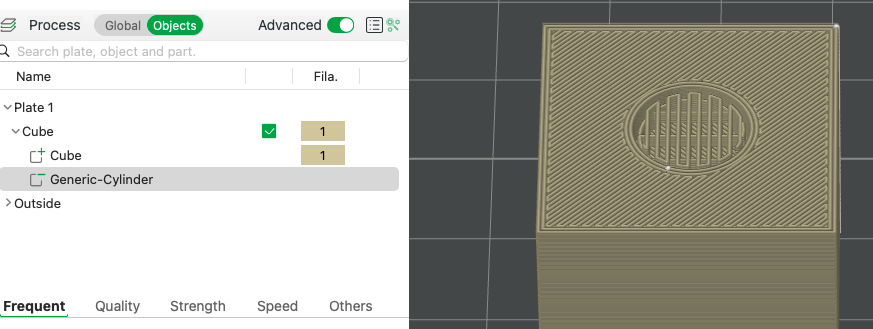
In Bambu studio I’m creating a negative part to bury a magnet, simple eh. When the negative part is sticking out of the object, the hole is a perfect cut and fit, but I want to have a couple of layers of filament to hide it and when I bury it, Bambu studio creates an infill hence nowhere to place the magnet. What am I missing? I’ve done this in the past and I’m sure it worked just fine.
Perhaps I can help. I use magnets quite frequently in my designs but I am struggling to visualize the challenge your facing based on the description. Can you share a screengrab of an example?
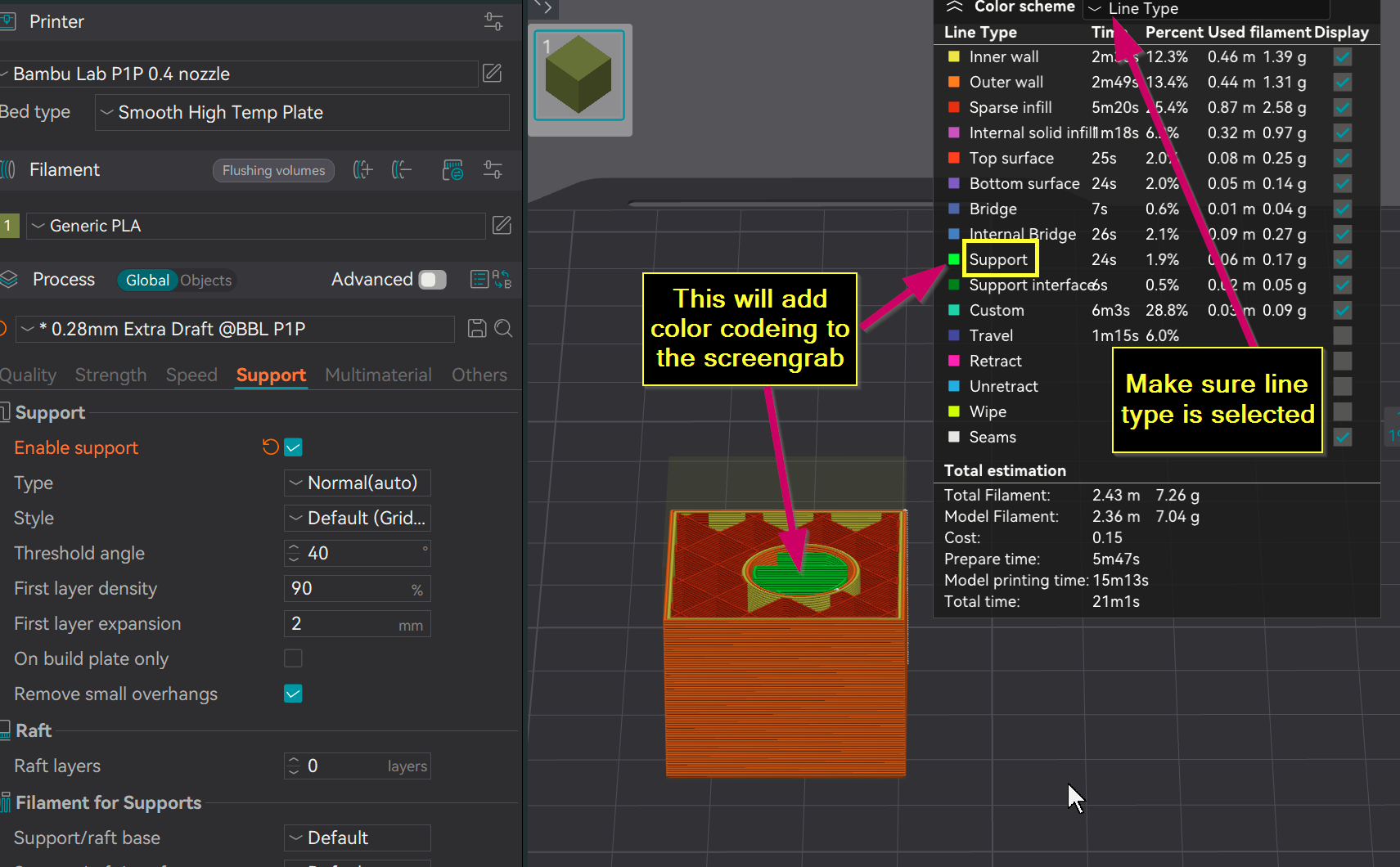
What I am looking for is the structure of the assembly. This is the parts of the screen that matter most in your screengrab:
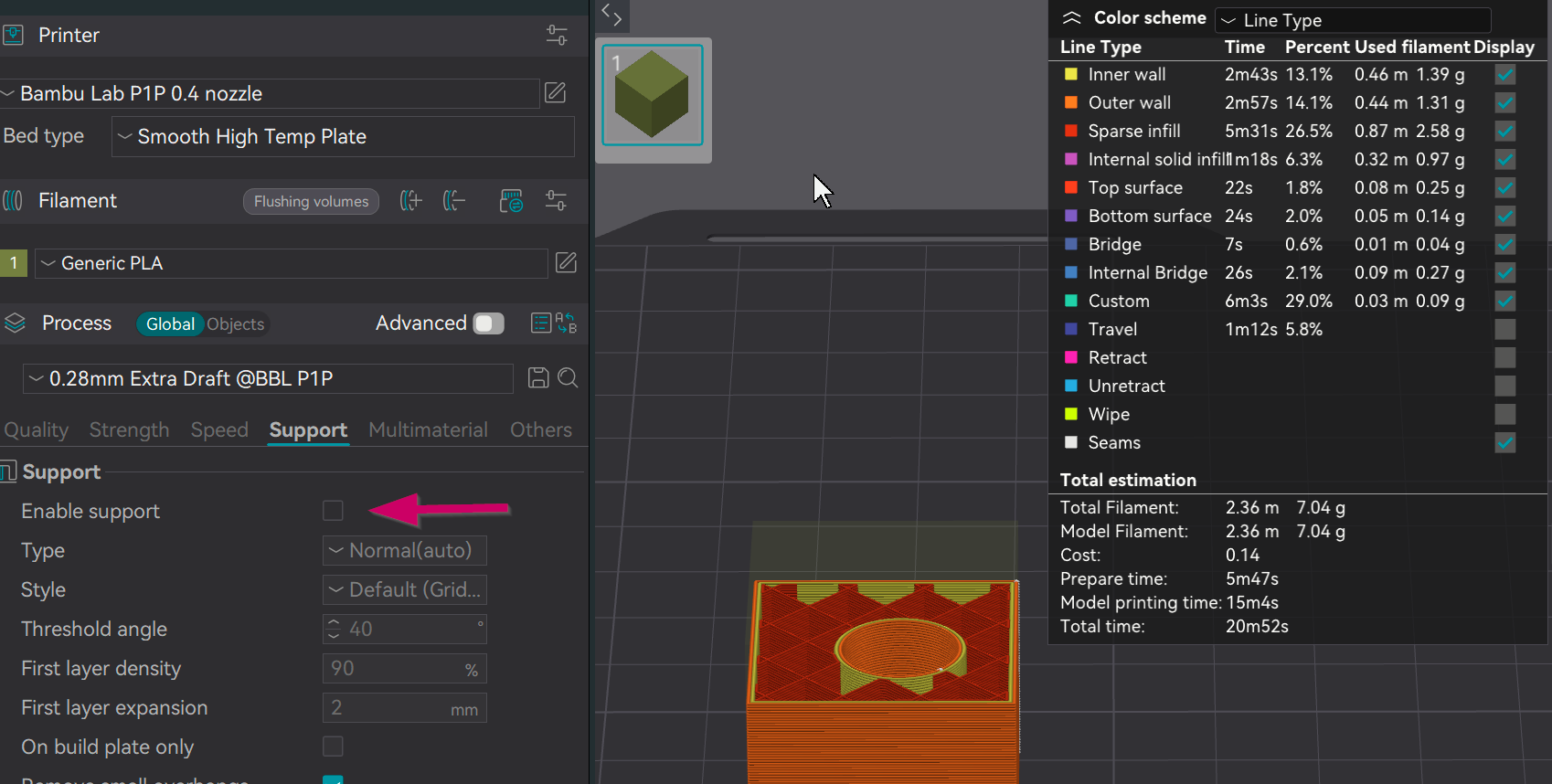
OK. You have supports turn on. They need to be either disabled or blocked using the support paint blocker tool.
Also, when posting screengrabs, it’s important diagnostic tool to ensure that you have line type selected. You have filament selected which the slicer will default to if you’re using multi color print.