For a long time, we’ve been thinking about one thing: how to make your creative journey a little easier.
We know that many of you possess incredible technical skills, but sometimes, the hardest part is finding that spark of inspiration or the right direction.
Today, we’re pleased to officially announce that Trends, a brand-new page in the Creator Center, is now live.
This page was created especially for you. We hope it will serve as a trusted companion—helping you stay on top of what’s happening across the platform and giving every spark of creative passion a clearer direction.
Open the Creator Center now. Under Inspiration in the left-hand navigation menu, click Trends and take a look.
Yeah, I thought this was nice. Although it seemed like more of a way to push maker supply and filament.
The problem is this is why we are seeing copies of the same things. People are jumping on to trends instead of designing useful things that are important to them.
Hopefully designers would think that since the item is “trending”, there will already be a flood of designs jumping on it so they won’t bother putting further effort into it and designing their own?
Or, if not, and it winds up that more people jump on the trends, at least we’ll get to saturation sooner?
I noticed that in the last few weeks they moved BOM to a more prominent location in the side bar along with a small vaguely worded support the creator message.
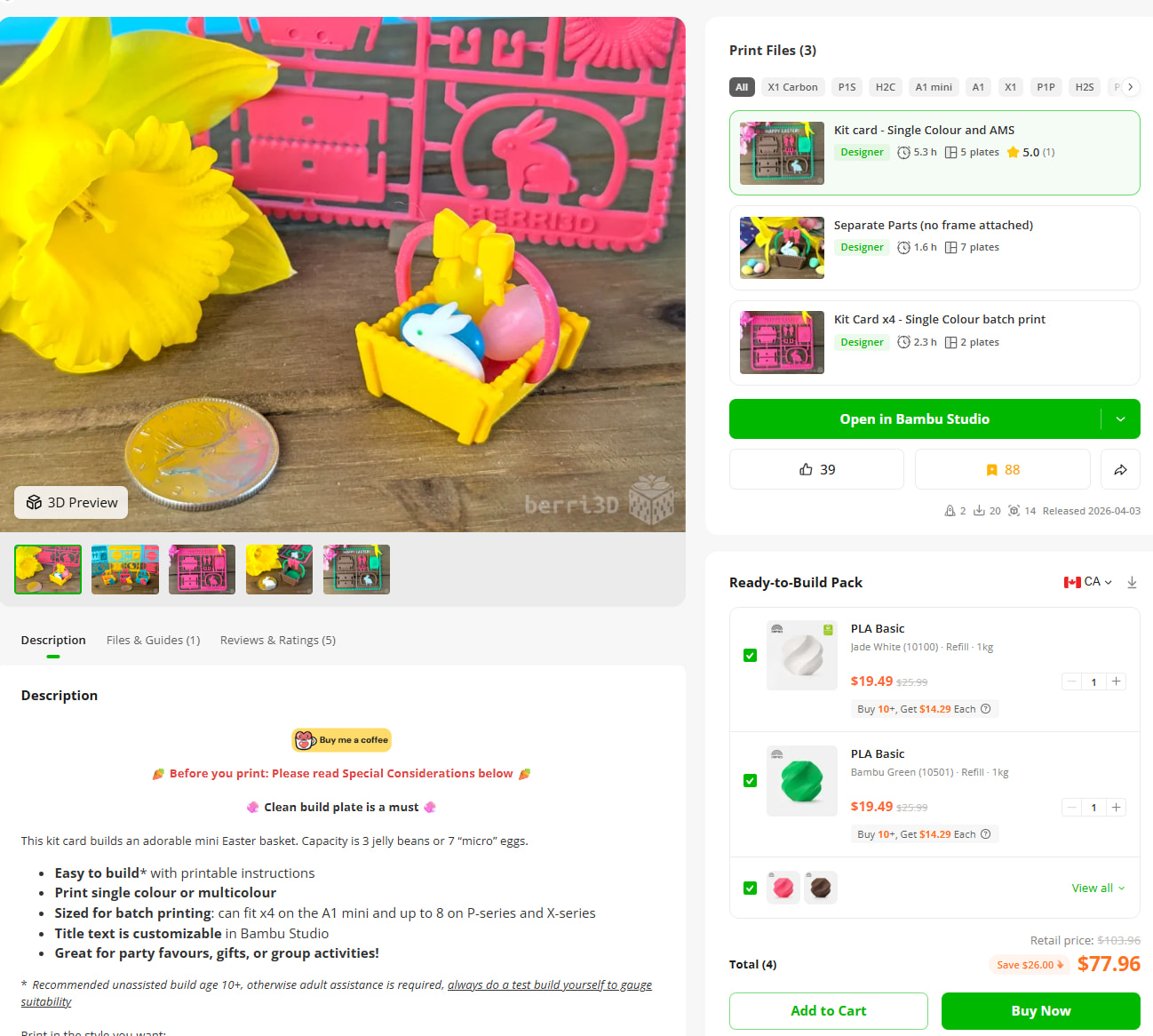
I regularly add filament to the BOM because it’s an easy way for me to show what filaments I used. Then when they made the change, I was horrified at how it was executed.
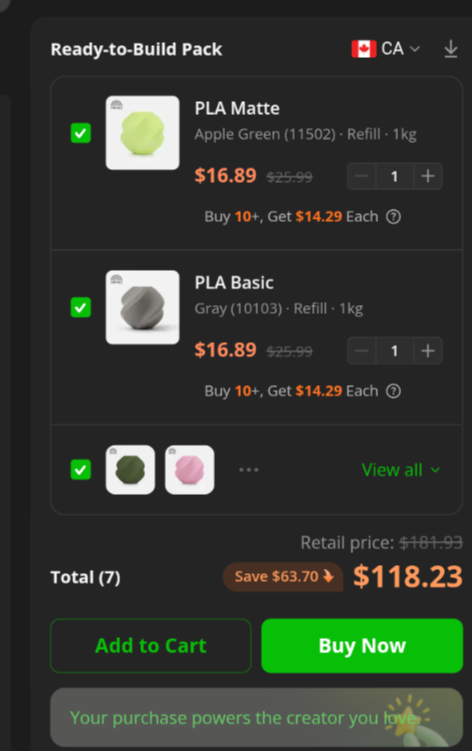
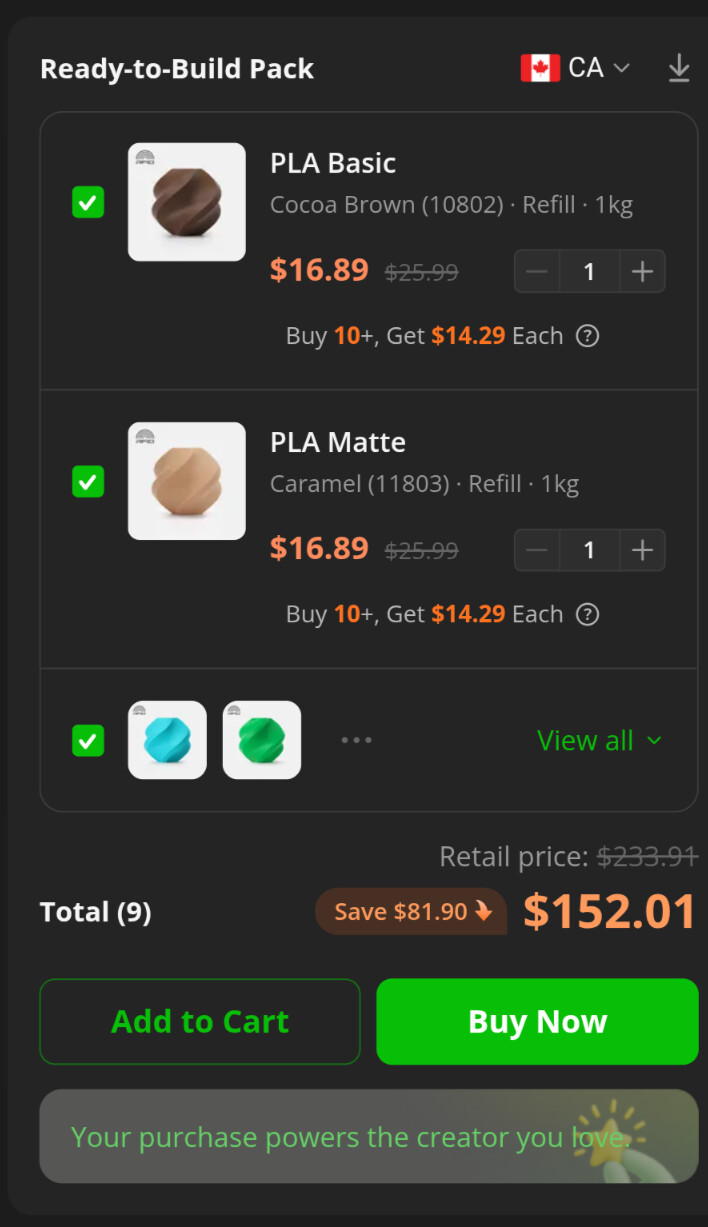
Yikes. This particular model I went to town on the colours because it was for a contest that encouraged as many as possible. I used a ton of colours and then dutifully listed all the filaments I used in the BOM. But now seeing all of them displayed like that, I’m regretting my decision.
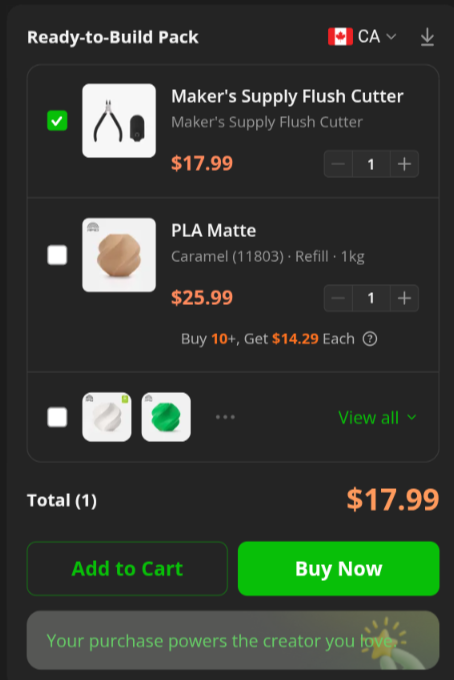
Interestingly, not all my models have it selected by default. Like this one where I wanted to point out that you should really use some sort of tool to remove parts from a kit card:
I always point out in my kit card descriptions that flush cutters (or scissors) are the better way to remove parts. When I saw I could add them to the BOM, I thought why not? On the off chance someone decides to buy some then I’ll get a small commission on it. But now that the BOM is displayed so prominently, it’s feeling disingenuous.
@MakerWorld - I want to keep the BOMs on my models but the way they’re being displayed with all filaments selected, I’m tempted to remove them. It’s making it look like my tiny models cost an insane amount of money. At the minimum, I’d appreciate only having one selected by default. However, a more preferred way would be to pose filament BOMs differently. These are the filaments the creator used, you can get the same look/performance if you use them. Versus the current treatment of a “ready to build” pack that costs a disproportionately high amount
Full disclosure: since the revised BOM location launched, the commissions I’ve earned come to a grand total of $6.51 CAD. Those were from two sales of filament. While I was pleased to see a bit of extra cash, I’m honestly surprised someone bought them.
I am going to second that. I like the idea of having the links to the materials used so I have the option to grab stuff when needed but I can see this giving even veteran users a second glance of shock.
Maybe the high cost helped to convince users that this is a highend high quality model and they better got it now . Kidding aside, other than lithopane, most users probably know that filaments listed in BOM are for reference and can be replaced with their own preferred colors. However, in your case, it can give the wrong impression.
I wonder if MW doesn’t auto select all the filaments listed in BOM, some other creators may complain, meaning their situations may benefit from the auto selection, instead of them going through all their models and manually select all the filaments again.
Yes, that’s a quarter. Same size as an American quarter. It’s tiny. The new BOM format may work for many other people, but side by side with a tiny model like mine, and it’s rather laughable
That said, I often use the same colours over and over again. There’s potential for some sort of cross-promotion of the models that also use the same colours.
As for the two models that did result in commissions, I can see why. They both use colours that can be difficult to match easily.
When I looked at that price, I didn’t think that it would cost that much to print out one model. Without looking closer, I assumed the creator might have listed all the colors that they had printed on. I think it should be ok, even in your situation.
Most designers don’t print out their models in as many colors. If MW made this change in how BOM is presented and required them to go editing each of their models to manualy put the filaments back on, they would have problem with that. You probably would too, if you were in their position, don’t you think?



 . Kidding aside, other than lithopane, most users probably know that filaments listed in BOM are for reference and can be replaced with their own preferred colors. However, in your case, it can give the wrong impression.