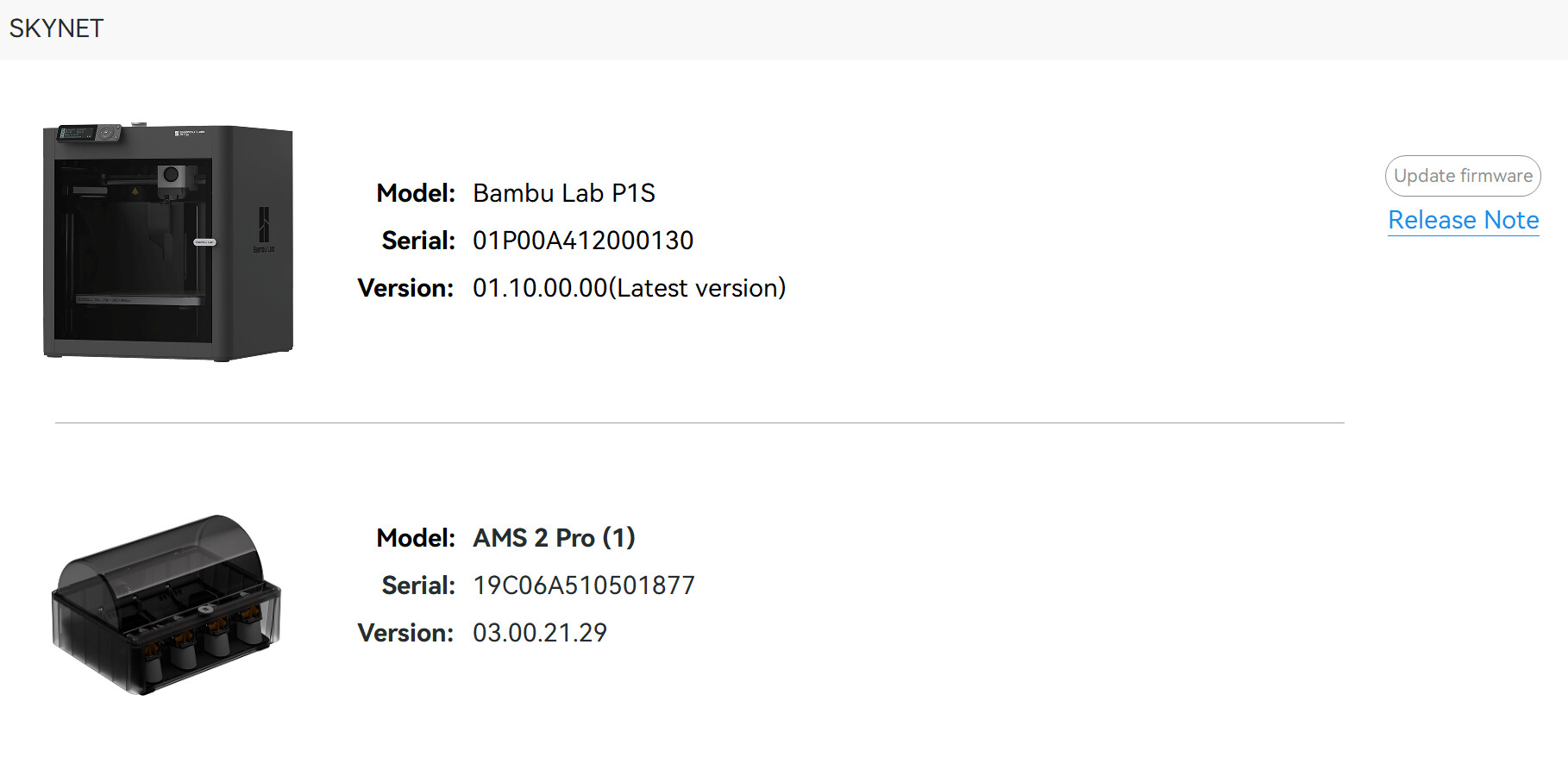
I updated my P1S firmware as soon as the update popped up on my printer today - It sits next to me in the room…… I feel like it bricked my printer….. The printer basically said it cannot do time-lapse video when the SD card is not present / is not formatted… Thought that was a strange message, and it had something to do with the update, so i formatted it - 3 times now my printer has randomly power cycled itself, and the display is extremely sluggish and having visual artifacts of the previous menu item when / if it responds at all… When you go to the downloads page for the P1S there is only the old version there - 1.10 is not there.

Have you tried a factory reset?
If the factory reset doesn’t work for you, consider reverting (downgrade) your printer firmware to the last working version. That should solve your problem.
NB: As a personal recommendation, I would suggest to never update your firmware immediately after being released, as it might contain bugs or other issues that may be solved in the next updates. This approach will allow you to learn (without having to go through yourself) of the problems faced by the early firmware adopters.
The thing is OP can’t revert because the last working firmware is not available for download… only an older one is available for now.
Reverting to the previous working version can be done through Bambu Studio or Bambu’s app. I’ve done it myself a few times, and plenty other users have successfully done it as well.
You’re right, my P1S in in LAN-Only mode and I jumped to conclusion OP was the same which it is not given that the firmware update popped up  . I don’t know why I responded that actually, Bambu handy will do that just fine
You could just use another SD card.
Have you tried a factory reset?
Update right away if there’s a change you need in order to fix a problem. Otherwise, don’t update. Let other “early adopters” do the hard work of dealing with a bad update…
When I passed my X1C on to someone in my family about 4 months ago, it was still running the FW from before BBL made all their network security changes (so well over 1 year old FW). I had it in LAN mode, and the printer worked perfectly, there was no need to update.
For all those curious -
No, I am not going to do a factory reset.. That’s just bizarre to even suggest that… You would be the US Army general suggesting we drop nukes on a country because they accidentally ran into one of our warships at sea… Crazy!! Factory reset is not a magical fix-all button that should be taken lightly. It’s a last resort – so no, I will never be doing that……….
For those of you saying “Revert back a version” - I did! I pretty much did it right after I posted this topic. I just wanted to put this topic out there to get the bug-report out that there was a botched update and that others should use caution…. And also call attention to the fact that they (BL) pushed an update of firmware without posting the firmware to the actual download page of the P1S firmware update versions page… The page still to this day says that the latest version for the P1S is: Version 01.09.01.00 - released 2026/01/27. Clearly either documentation is incorrect, or the update was released to the masses with the incorrect parameters, and was possibly never meant to go to the P1 series.
If you say “you shouldn’t update your printer right after an update is released” I just laugh at you. When IS the appropriate time?!? How long must I wait?!? (this is rhetorical.) A year? A month? A week? 5 days? 3 days? 2 hours? 1 hour? 10 minutes? 5 minutes? You literally cannot answer that question - because there is no hard defined reasonable answer. I think the real question is this – Why is Bambu Lab pushing an update to their customers and community members that has the potential to break printers?? Why must we be the testers at all? Why can the multi-million dollar company not beta-test and bug test these things in a controlled environment before releasing it to the masses…???
I see a rant, but I don’t see your solution, if you found one. Was it reverting to the previous firmware?
[SARCASM]
Yeah. Thank goodness we have large, well-established companies that make software, to show BBL how to do it right. Like Microsoft. They never release bad software. Yeah. Always perfect right out of the gate. BBL just needs to do it the way they do! How hard can it be if every other software company can do it perfectly? Every other software company can do it perfectly, right? BBL must just not be making the effort. I guess they don’t really care about their customers. So sad. 
[/SARCASM]
If you’re foolish enough to jump on new FW or SW when there is no need, just because it’s been released, IMO you are your own worst enemy. Ending up with a problem is a totally avoidable situation. You should never just throw caution to the wind on something like this. Expecting updates to be perfect every time is naive. Microsoft can’t do it, why would anyone think a smaller company like BBL could do it?
Update if you have a reason, otherwise leave it be. Change for the sake of change is rarely a good idea. Nothing to be gained, only downside risk. If you’re not having problems, if you’re not anticipating problems, there’s no benefit in doing the update and suggesting otherwise makes zero logical sense.
If you do want access to something in the update, unless you can’t do something you want to do without it, it’s always best to wait and see how it performs for others.
Like updates for my phone. Samsung has screwed the pooch a few times with bad updates. When they release a new one, I always wait a week to see if there are any issues before I let it do the update. Common sense precaution. Has saved me a couple of times. I wait on Windows system updates for the same reason. That has also proven to be good practice. With a large install base like Bambu, or even larger like Microsoft, if there’s an issue with an update it becomes evident very quickly. I’d rather someone else find out, than have to deal with it like in this example we’re discussing here… BTW, thanks for finding out about these issues for us all.
This is one case where you should do a factory reset, because you don’t know if the problem was caused by corruption of your old firmware, and not the new firmware.
My AMS Pro 2 can’t be found by my P1S after the latest update. Downgraded the printer and the AMS 2 is still bricked…… these updates are terrible………..
It’s generally the 6-pin cable not connecting right, push it in.
Do you use an old cable with that AMS2? The new cable can go further in the socket. I also sometimes have issue with an old cable used on my AMS2
You’re coming off pretty combative toward people who are just trying to help. This forum is full of people who actually care and are offering suggestions based on their own experience—not trying to offend you or steer you wrong.
Personally, I always wait about a week before installing any new firmware. I’ll search around, see what people are saying, and decide if it’s even worth updating. If everything is running smoothly, sometimes I don’t update at all. Usually within a few days—honestly sometimes day one—you’ll see if there are issues popping up.
If you had searched for the new P1S firmware before installing, you probably would’ve seen quite a few reports of weird problems. That’s pretty common with 3D printer firmware in general—they can really mess things up. You’d think big companies would have it dialed, but that’s not always how it plays out.
I learned that the hard way with my K2 Plus. Had everything running great, updated the firmware, and immediately my first calibration went completely off the rails—print head slamming, bed acting crazy, the whole thing. Later found out people were already reporting issues and recommending rolling back.
Anyway, hope you get it sorted out. Printer issues are always frustrating, but you usually walk away knowing more than before—whether you wanted to or not.
I can’t get my P1S to accept the updat it keeps saying “update failed, restart your printer and try again “
Yes, I also thought the printer was broken. Reset factory settings. didn’t help. Why just rolled back the old version of the firmware. Every time you turn on the printer, it invites me to update, I’m talking aboutYes, I also thought the printer was broken. Reset factory settings. didn’t help. Why just rolled back the old version of the firmware. Every time the printer is turned on, it prompts me to update.
I wonder if anyone wrote to the support service?
It asks you to update, but you don’t have (or are forced) to, so you can ignore the prompt until you’re certain the update doesn’t create new problems to your printer …