It’s been a few weeks since I last uploaded a model, and I’ve noticed something about the new-ish MakerWorld image upload flow.
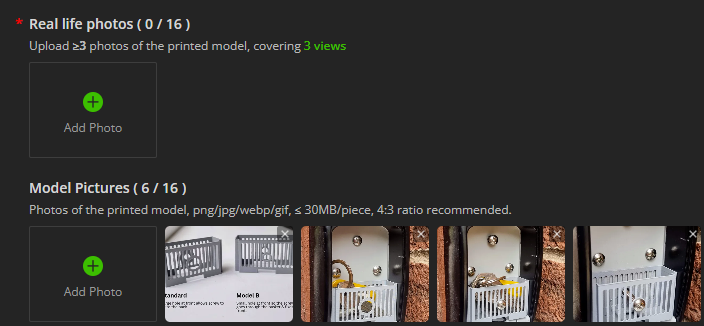
Listings now have two image categories:
- Real life photos (required) — at least three views of the printed model
- Model pictures (optional)
This setup works fine for new uploads, but it becomes awkward when updating older listings. Original photos are automatically placed under ‘Model pictures’, so it can be a pain to track down the original files just to meet this new ‘Real life photos’ requirement.
It would be really helpful if the UI allowed dragging or moving images from ‘Model pictures’ into ‘Real life photos’. That would make updating older listings much smoother.
Here’s an example from a model I uploaded about a month ago: I can’t publish changes without re‑uploading images into Real life photos, even though the existing ones are already in the other category.