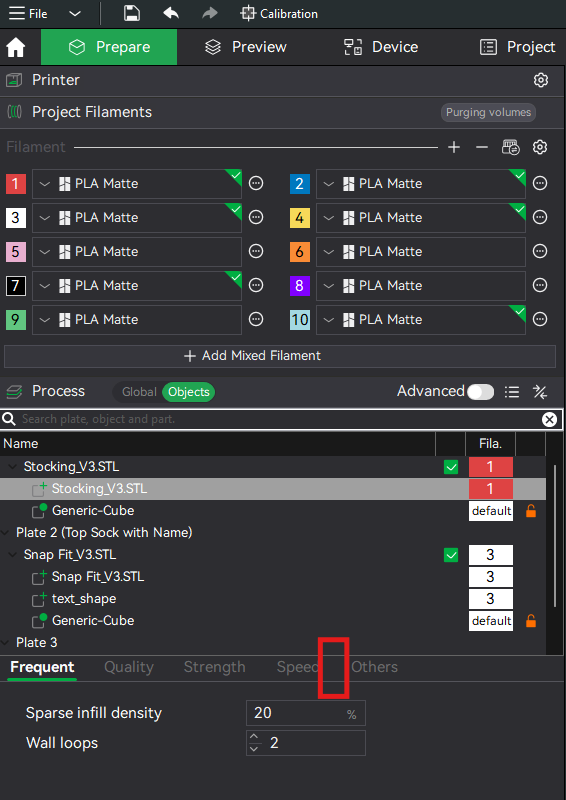
While trying to modify individual supports for items on different plates, I can’t seem to change the support for each object? The tab is missing. I’ve seen others be able to do this but for some reason I can’t. Can someone guide me to be able to see it?
Individual parts of an object cannot have separate support settings. Supports are generated per object (similarly, one cannot use the paint supports tool when a part is selected). If you select the parent object, “Stocking_V3.STL” then the Support tab should show up again.