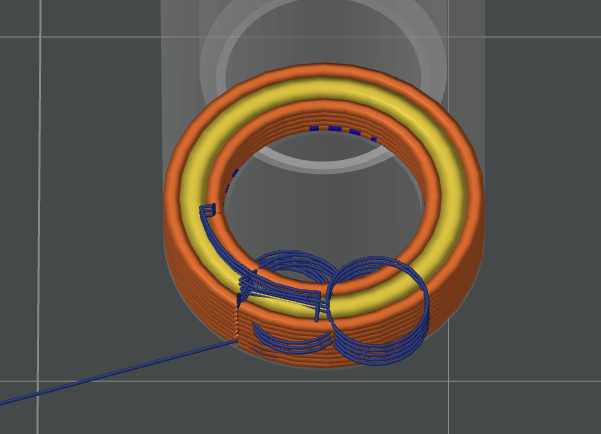
See snippet of the part preiview I am having srtinging issues with. At each layer you can see the circular travel path of the nozzle, extending inside and outside of the part contour. I am running the .20 setting in Bambu Studio with ’ Avoid Crossing Wall’ checked ON. GThe travel path makes no difference, ON or OFF, as the resultant stringing still occurs. Is there another setting I am missing?
Did you manage to solve the problem? It’s 2026, and I’m running into the same issue with ERYONE ASA. I’ve found about five threads on various forums—including this one—but there’s no solution anywhere.